Just saw at Overtake there also talking about FMOD errors, think if a young member that’s good in all those modern AI, Reddit or Discord, can search for the right solution.as mentioned in the original post the fps drops were not because of high triangles count , which is obviously the case for that DS.
Turns out faulty SFX (older sound bank no longer compatible w new FMOD !) was the culprit.
In the error log I saw errors "FMOD_ERR_INVALID_HANDLE".
So my workaround was to replace the old sfx bank...
But I guess it will happen more that we have older mods which do not play well with the newer version of FMOD and cause errors like that.
So modders may wanna know how to really fix it to keep their sfx bank, without getting FMOD errors.
( This is beyond my capability to find out, but surely some sound gurus here will be able to figure it out if they want to.)
For full disclosure, I had tweaked my audio settings to the limit for max low audio latency. Also I had some audio related processes (audiodg.exe) set to single cpu affinity with Process Lasso to cause less microstutter in VR.
Because of these factors the FMOD errors were probably causing me more frame time issues then anyone without these tweaks.


I was mainly asking for Content Manager showroom, bu thanks. I wanted to view CM showroom in fullscreen because that has the showroom bgs I want to use.Try the following... Once in 'Showroom' mode, click & hold right-mouse-button... This combination enables to auto-rotate around the car in an anti-clockwise direction.
If you click+hold the left-mouse-button, you can manually drag the mouse to rotate around the car (in any direction).


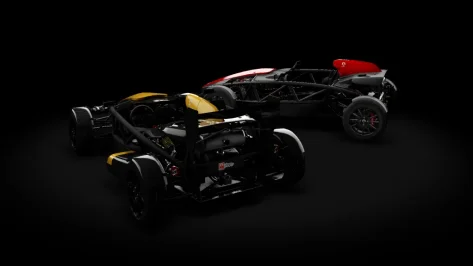

Sol or Pure have nothing to do with rain. Rain comes always and only with a CSP preview version.I installed my version of CSP 0.2.11 free version, but I no longer have rain with Pure.
I think the rain feature is included with the Patreon version?
I don't mind having the paid version, but the preview version of CSP 0.2.11 is build 3460. The problem is that with this version, I can't use the Alfa Romeo 156 from VRC. It requires CSP 0.2.11, but build 3465. Is there a paid version of CSP with build 3460?
If not, how can I get rain in the free version of CSP but with Pure, not Sol?
Thanks
Can anyone help me?

Link please.latest content for my Onlyfans is me eating cake while wearing my white sock (it's a knee high sock because an ankle sock wouldn't cover much) while playing Gran Turismo 7 on my PS2


Discovered a little problem while I was expanding the sand pit around Parabolica. Apparently there is a sand\asphalt blend mesh I never knew existed that doesn't show because of incorrect shader settings. Replace the ext_config file with the attached one. It's not a perfect fix, but it will do for now. I will fix it correctly in the kn5 file for the next update. If you customized the ext_config file and don't want to have to redo your changes, just copy and paste this code into your existing config file.Sorry about this, but some necessary small fixes for problems I found when shrinking the carpet kerbs in the Lesmo turns. Use the link in the quote or the mega link below. Just unziip and overwrite when it asks.
Alternative Mega link: rj_monza
-- Fixed holes in the physical mesh in the Lesmo and Ascari areas.
-- Corrected some misaligned vertices that created a gap between visible meshes.
-- Lowered the grass\sand blend mesh in some parts to eliminate a floating look.
-- Reduced the width of the carpet kerbs in the Lesmo turns.


1. Disable the alternative skin and then re-enable it. This loads the skin again properly into the track.Still the same no difference 😡 any other ideas ?

 acstuff.club


Hi, where can I find this mod? The link doesn't work. Thanks.NeilB's LMP cars rework: Oreca 03 Nismo'11


Holy necrobump, Batman.Link please.


Holy necrobump, Batman.
Awesome! Should be a good thread!The beginning of the official "Assetto Corsa PC Mods General Discussion" thread on GTPlanet


I understand, but my Pure works very well, but only in the rain, since I have the free version. As I explained, I can't get the paid version because of the Alfa Romeo VRC.Sol or Pure have nothing to do with rain. Rain comes always and only with a CSP preview version.
CSP free like 0.2.11 = CSP without rain.
So the preview version of 0.2.11 is 0.2.12p1 (the p stand for preview). You get those preview from Ilja Jusupovs Patreon.
For Sol or Pure it does not matter what version of CSP you use. You just need CSP 0.2.3 or later...


I don't think you understand!I understand, but my Pure works very well, but only in the rain, since I have the free version. As I explained, I can't get the paid version because of the Alfa Romeo VRC.
Yes, version 0.2.12, but is it as stable as the recommended version, 0.2.11?
I would say that makes sense. It allows for party time mid corner with overtakes allowed, and then making sure all the boys are back in their barracks come corner exit time, thus avoiding many a car crash.I could use some help from someone familiar with what Monza looks like currently. I'm working on the sand placement for Parabolica using a Google Maps overhead image. I think the map is from the 2022 or 2023 F1 race. From what I can see, the sand is right up against the kerb coming out of Parabolica but is not cut so close in the entry and middle of the turn. Something like the image.
View attachment 1513102
Is that correct? Seems odd to have the sand so close coming out but leave such a wide area of asphalt in the beginning and middle sections. I just want to make sure that hasn't been changed recently. Thanks for any help...

Ciao Joe! Try here, there are many videos of tests they did in Monza in January/February. 😉I could use some help from someone familiar with what Monza looks like currently. I'm working on the sand placement for Parabolica using a Google Maps overhead image. I think the map is from the 2022 or 2023 F1 race. From what I can see, the sand is right up against the kerb coming out of Parabolica but is not cut so close in the entry and middle of the turn. Something like the image.
View attachment 1513102
Is that correct? Seems odd to have the sand so close coming out but leave such a wide area of asphalt in the beginning and middle sections. I just want to make sure that hasn't been changed recently. Thanks for any help...

 www.youtube.com

Haven't tried this particular track with CSP 0.3.x yet but I have the same problem with le_grand_circuit_1967 using CSP 0.3.0-preview212. No idea how to fix it.Hi all,
I've been absent from the AC community for a while so I hope you don't mind me leaping back in with a question.
I've noticed some strange behavior with starts on Le Mans 1970 by KJRacing81/nobody. Start behavior varies according to CSP version and New AI behaviour options. A similar pattern is seen on other tracks with Le Mans-style starts.
Here's a pictorial summary:
View attachment 1513076
CSP 0.2.10 or later results in either a slow processional start down the pit lane or mass carnage and aeroplane crashes, depending on whether the "Straighten AIs trajectory when starting" option is selected. Even with "New AI behavior" completely disabled, I still get that processional start. CSP 0.2.9 or earlier works fine, as long as the "Straighten AIs trajectory when starting" option is turned off.
Has anyone else experienced this, and is there maybe a fix? Thanks for any advice.


Holy necrobump, Batman.Awesome! Should be a good thread!

I'd like to notify everyone who has downloaded the 2026 skins from iChano, he seems to have fixed the problem now, but you'll need to redownload the skins.Yeah, that's it. I'll go ask them why.
Damn, wish I had some of these videos sooner. I got things way off. I see Lesmo and Ascari have wider kerbs with no carpet\concrete runoff area (whatever they are called) anymore. The sand goes right up against the kerbs now.Ciao Joe! Try here, there are many videos of tests they did in Monza in January/February. 😉
sportcrash71
Hello everyone I'm sportcrash71, an Italian guy with a big passion for motorsport In 2015 I opened this channel and from 2017 I started to upload only video self-made with all the stuff I recorded all across the world My camrecorder is a Canon Legria HF G40 with a Canon DM100 microphone, and I...