- 446

- United States
the "resolution" slider under SSLR and Extra Screen-Space lighting - the two heaviest ExtraFX options.What do you mean by 66% resolution on extra fx?
the "resolution" slider under SSLR and Extra Screen-Space lighting - the two heaviest ExtraFX options.What do you mean by 66% resolution on extra fx?


There is NO difference in performance between the Highres and Lowres version of Pure! You just have lowres textures then. The lowres version was just made to support GPUs with super low VRAM. Always use the Highres version! You will have no difference in fps!Is Ilja now sponsored by Red Bull? The guy's on fire...
Here I must say... the stutters and tearing are gone. The game is beautiful. But... still running the low-res Pure, gathering the courage to upgrade to Hi...
Have you tried uncheckingstill having problems with loading screens with my HDR panel.
previously, they were simply washed out/faded due to incorrect color grading. reverting to 0.2.11 and everything was working fine again.
now, upon loading, it flashes the loading screen for about 0.1 seconds, and then clips to black for the remainder of the loading screen. Loads as normal.
Has anyone else on an HDR screen had this problem? I've reported it twice now in the preview threads on Patreon.


#Metoo, washed look and very occasional blackouts when loading, but with the p322 version. I'm pending to test newest versions...... previously, they were simply washed out/faded due to incorrect color grading. reverting to 0.2.11 and everything was working fine again.
now, upon loading, it flashes the loading screen for about 0.1 seconds, and then clips to black for the remainder of the loading screen. Loads as normal.
Has anyone else on an HDR screen had this problem?
I used to be cautious with changes too, but lately I've going crazy... Dare to take the plunge, dive in headfirst! 🥳... still running the low-res Pure, gathering the courage to upgrade to Hi...
yes I have, in DXGI - one of the first things I tried. no joy.Have you tried unchecking View attachment 1524619?
For me, it loads normal (when HDR is enabled).
View attachment 1524620
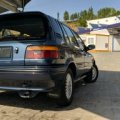
I wish i could do someting. This is so low quality model that don't even have normal maps needed for refraction to start to work, not to mention lacking bulbs mesh.@k_p could you please do your magic and create some refracting headlights and rearlights for this car?
You also mean the heat distortion effect?I'm running today's CSP update and I can't turn off heat shimmering. I've tried switching it off in the UI and also by editing the config file, but it stays on no matter what I do. Anybody else have the same issue?


Sadly agree but there is absolutely no difference on the treatment between modders who are actually working on improving the quality on the 3D and details , which is a huge effort and work , compare to some groups who are just taking a convert from any game even very low poly like the model you shared , I don t know on which level of quality the community is looking for , some are supper happy to see a complete dark hole interior with no details or no exterior light details and don t understand the complains ...I wish i could do someting. This is so low quality model that don't even have normal maps needed for refraction to start to work, not to mention lacking bulbs mesh.
This is rough. You can't unsee it. VRC mod level. Same goes for taillights.
View attachment 1524617
It is looking little bit better when using mesh as light source rather than texture.
View attachment 1524621
But in this case materials needs to be reassign. Headlights material is the same as body material which is set as paint shader which can't emit light.
This is what can be achive when using mesh as a source with proper textures for refracting.
View attachment 1524623
No need to use high poly gt models, this can be done on every mod meeting certain conditions.
Some modders have to learn doing certain things good from the start.
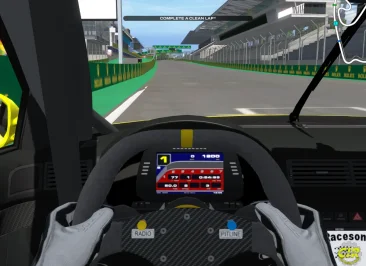
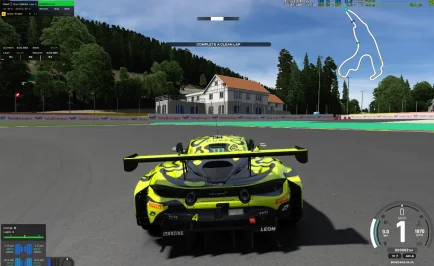
the overall textures are looking very blurry! Did you adjust the mips lod bias?is it possible to rendering those white line futher without settings the Anisotropic filtering set to 16x
i find it with interlagos the worst
and even with dlss on and anisotropic filter set to 16x it is even wors then dlss off and msaa x4


Snapdrogan GSR2 is great imho. Try that until FSR4 works.All that talk about DLSS, but... the poor guys as me that has an AMD 9060XT, there is a way to use FSR 2 or 3? I tried to enable, with or wihtout Optiscaler, but it doesn't work,
The game crashes enabling native FSR (only 1.0.2 works fine), and I receive "Can’t activate optiscaler/version.dll, required extension is not installed." if I enable Optiscaler....
I agree.Sadly agree but there is absolutely no difference on the treatment between modders who are actually working on improving the quality on the 3D and details , which is a huge effort and work , compare to some groups who are just taking a convert from any game even very low poly like the model you shared , I don t know on which level of quality the community is looking for , some are supper happy to see a complete dark hole interior with no details or no exterior light details and don t understand the complains ...
For me it is a NO GO zone ...
those settings aren't working ,blurry if i am driving i find it where sharp,maybe it is the screenshot photothe overall textures are looking very blurry! Did you adjust the mips lod bias?
View attachment 1524650
Maybe in your graphics driver settings?

I noticed similar things when using DLSS/DLAA, some tracks seems worse than others.is it possible to rendering those white line futher without settings the Anisotropic filtering set to 16x
i find it with interlagos the worst
and even with dlss on and anisotropic filter set to 16x it is even wors then dlss off and msaa x4


No, but here's what I found:Do we already have a fix for the overly bright virtual reaview mirror?


I'm afraid, that you will have to make unrealistic positioning to make the ass not stick to the ground.that's the problem with scale
View attachment 1524112