Assetto Corsa PC Mods General DiscussionPC 

  • Thread starter Thread starter daan
  • 157,772 comments
  • 52,007,946 views
I was getting a black screen every time I'd load a skin until I copied Plate_D.dds and Plate_NM.dds from another skin into the new skin folders. Just FYI in case anyone else is having this issue
I got an error message about that plate on lod C but just ignored it. Skin still loaded, car still worked. Wonder why you were getting a black screen?
 
Hi Jim,
Norms is currently optimising Daytona for a few days before we set up a private chat group with various bods (yourself included as 'project manager' if you like) to coordinate tasks and finish everything off. It's probably better if we keep one 'master' version of the track rather than having several floating around. I can see chaos ensuing otherwise (based on recent experience with other tracks and teamwork, and stitching various resources together at the end). Makes sense?
Since we are on the subject, did your lighting man get back to you with what he'd done so far, and is he going to complete the work?

Hey Buddy..yes all the above is good with me. I'm pretty adept at plugging All the parts of a track together at the end.(I have a fair amount of experience here)..plus cameras won't really be affected by any changes as they are based on the AI line which is pretty solid as is (thanks to LSM)

Ill follow up on the lights... but may be dependent on any changes that get made during optimisation.

I have a small amount of time today so gonna get all the UI stuff finalized

Balloons? If ya wanna

Ps thanks everyone for the help...this will go a lot quicker with your helps

Jim
 
Last edited:
Just put a skin for Oesterreichring 1979 on RD (the kind of skins i never planned to share one day, skin made for personal use firstly)

Screenshot_ks_lotus_72d_oesterreichring1979_6-5-120-22-1-19.jpg
 
I got an error message about that plate on lod C but just ignored it. Skin still loaded, car still worked. Wonder why you were getting a black screen?

Can't explain that, but I seen the error about the plates so I just copied them over. Doesn't make a difference visually because japanese_template.dds and japanese_template_nm.dds have priority. Maybe an oversight by the modder, leaving the reference in the LODs? In any case, having the other plates in place solves loading issues.
 
Just a quick question about a couple of tracks I would like to see of witch I don’t think are in AC yet (correct me if I’m wrong) ?

Pembrey and Ningbo
 
Last edited:
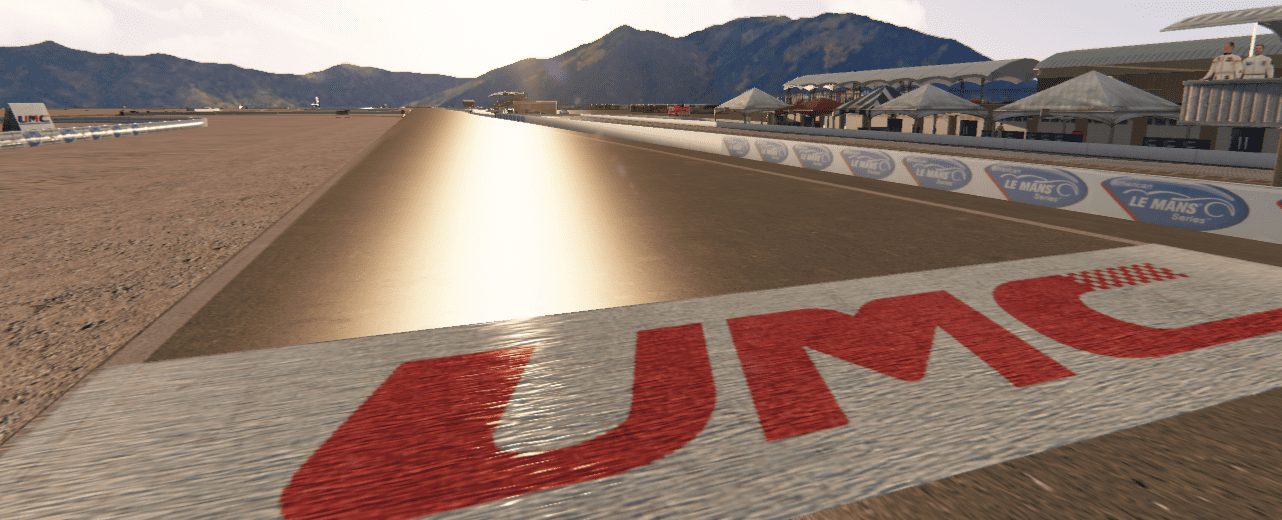
I've spent the last week or so converting this track from rFactor, it's Utah Motorsports Campus, formerly known as Miller Motorsports Park in Utah. All 4 layouts are there, and all of them have AI, but I'm sure the AI could be better. I don't know how to do cameras so I didn't add them.

Enjoy!
https://www.racedepartment.com/downloads/utah-motorsports-campus.32796/

6a4Ormn.png


Right quick cameras, not perfect but a good starting point and at least you can see the track now during the replay.
This is for the full track only right now...its a looooong track.

Just uploading it on here as i will return and tweek it here and there....but its a start..
 

Attachments

Right quick cameras, not perfect but a good starting point and at least you can see the track now during the replay.
This is for the full track only right now...its a looooong track.

Just uploading it on here as i will return and tweek it here and there....but its a start..

You're a quick one!!! :D
 
Hey Folks

Just a queiry..who's the grass FX guru/guy/gal on here....

I could do with some advice on said functions

Thanks in advance

Jim
 
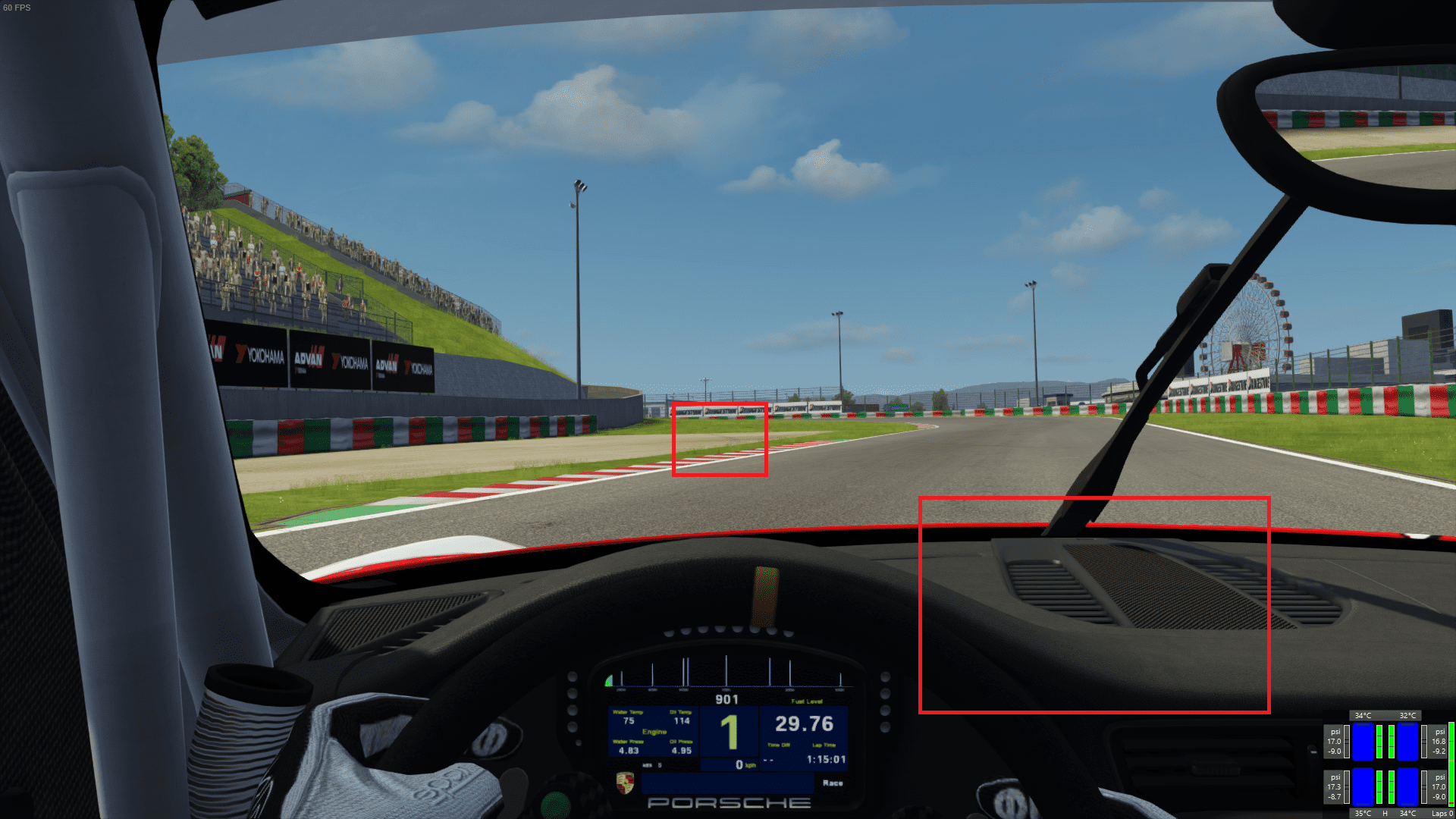
Out of curiosity, does anyone else have an issue with the ACTrackReboot version of Suzuka where the groove is visible all around the track as a thin black line on the horizon? Is this an issue with the track, or with CSP, or with my settings? For reference, my version of the track is Suzuka Circuit 2017 Reboot Version 0.9.
 
Out of curiosity, does anyone else have an issue with the ACTrackReboot version of Suzuka where the groove is visible all around the track as a thin black line on the horizon? Is this an issue with the track, or with CSP, or with my settings? For reference, my version of the track is Suzuka Circuit 2017 Reboot Version 0.9.
Post a picture..I'm sure that will help...ps I'm having some strange issues with a few things graphically with the latest CSP...so it could be related
 
This about TCR Europe virtual championship sounds interesting:

“We are pleased to see that the fans loved them. All we can say to them is to be patient. Soon our cars will be available for them too,” said WSC president Marcello Lotti.

LINK

This is getting too much (in a positive way).
And to add on that. I've read more very interesting (ACC) cars and (Dutch/UK)weather coming to AC soonish.
 
Found a nice further update to ACF's update of Brasilia on some semi-random FB search. This track has a lot of flags and it looks like they've been converted to use the new flag shader. Seems like the updater (Ewan Huzami) has 'borrowed' a few of my balloons (probably from the RD balloon fiesta pack) as well as a couple of other pieces from recent tracks.
Anyway, it's always been a nice track but seems a little bit better now. No idea why he didn't do a grass update to grassFX while he was at it though. Paging @slider666 ..!
https://www.mediafire.com/file/ro7o460keyii64y/acf_brasilia.7z/file
 
This about TCR Europe virtual championship sounds interesting:

“We are pleased to see that the fans loved them. All we can say to them is to be patient. Soon our cars will be available for them too,” said WSC president Marcello Lotti.

LINK

Interesting. Think they might be hinting at a possible ACC DLC?
 
Why ACC? Aren't they running AC? Heavily modified Rollovers TCR cars I believe.

Even better! I haven't really been following along, tbh. But if that's the case, can't wait to try the updates! :D
 
Just put a skin for Oesterreichring 1979 on RD (the kind of skins i never planned to share one day, skin made for personal use firstly)

Hi! Thanks for the skins, are much appreciated. :cheers:
I couldn't help to replicate what you wrote on your RD download page:

"List of changes:
-add details to all the originals billboards
-change all the trees to be close to what mountain pastures are and to be closed to the "red bull ring" that track would become.
-change the crowd (there was no problem at all with the actual crowd, except that the first time i drive this track, a friend watching my screen, thought that the crowd were cows in pastures, since then, i see cows, so i change the crowd...)
" :lol:
 
Hello guys I ask a technical question, is there any way on AC to make change pilot, as in other simulators?
 
View attachment 918560
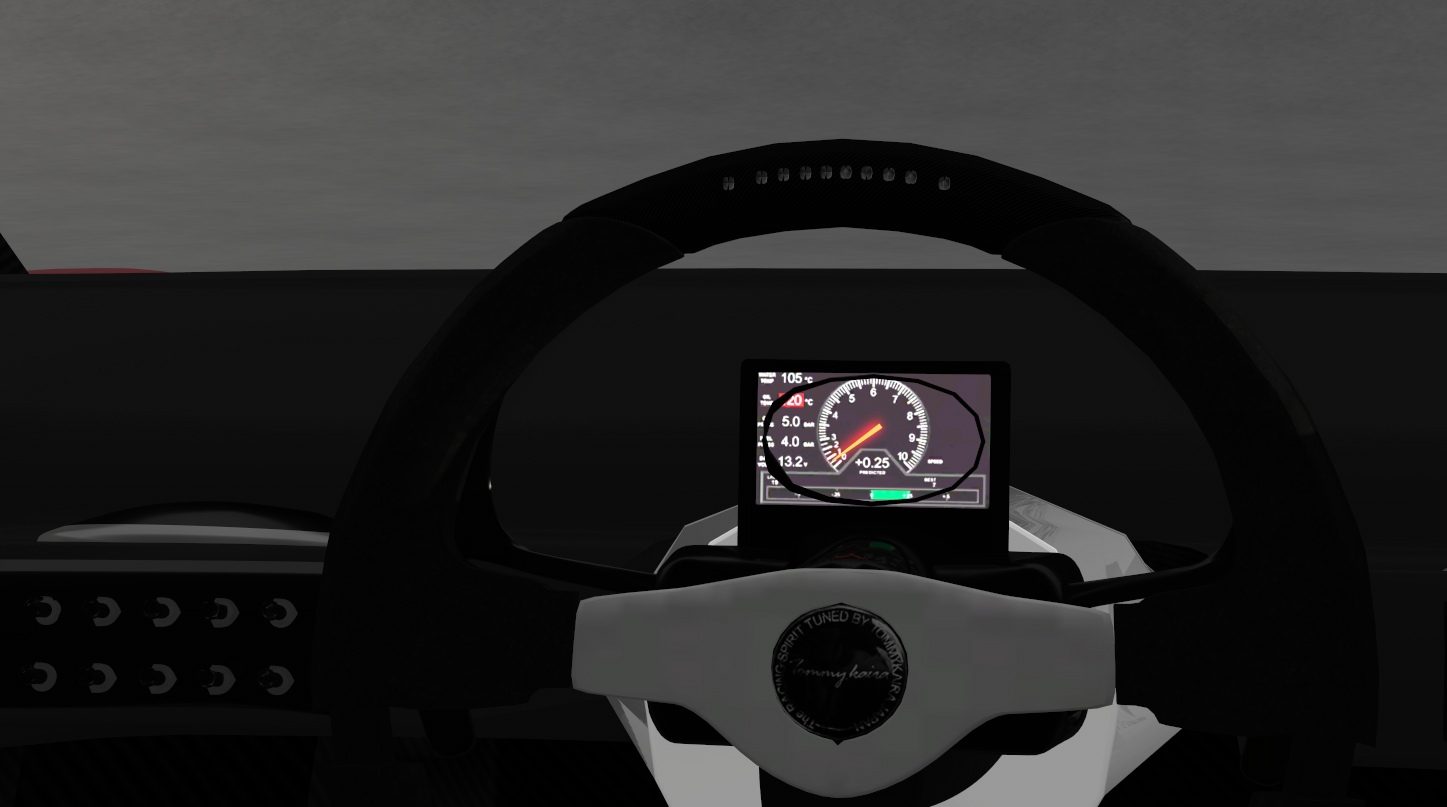
TOMMY KAIRA ZZII 2000.

Author by : ASSETTO GARAGE, AND UPDATED BY ASSETTO LAND AND THEN ME.

LINK : https://mega.nz/file/DpdzBYID#YZXO63fCZgeQi7swWO3Yba56NuxNkdoqUrx9sWzIqqo
Have you got a changelog please? The one in the folder is just the last one from Assettoland.
I was hoping the godawful jpeg steering wheel, floating LCD digits and janky shift animation had been fixed, but sadly not.
If you could please list any changes when posting updates it'd be much appreciated. :)
 
I've spent the last week or so converting this track from rFactor, it's Utah Motorsports Campus, formerly known as Miller Motorsports Park in Utah. All 4 layouts are there, and all of them have AI, but I'm sure the AI could be better. I don't know how to do cameras so I didn't add them. Enjoy!

https://www.racedepartment.com/downloads/utah-motorsports-campus.32796/

Right quick cameras, not perfect but a good starting point and at least you can see the track now during the replay.
This is for the full track only right now...its a looooong track.

Hi everyone, hoping you're doing well, just like @safi hellie, I've also been working on cameras for this track (the Full layout initially), and here's what I have thus far - let me know if its going in the right direction, enjoy.
 

Attachments

Post a picture..I'm sure that will help...ps I'm having some strange issues with a few things graphically with the latest CSP...so it could be related

It's much more obvious in motion, so I drew squares around the portions in the screenshot, but you can see the groove through the track, as well as coming into the cockpit.

0HZuR4J.png


AC 1.16.3 and CSP 0.1.52.
 
@jk0011 That's much better. One of the helicopters actually traveled down a straightaway, just in front of me... then I watched it a little too long and ran into a wall. My fault, just watching the copter.

Changing the subject... Lighting.

I've seen another post that someone thought the lights were too bright. I tend to agree, but I think the main issue may be the "distance" most of the lights are throwing. With so many lights doing the same thing, cumulatively, everything is much brighter than it should be. The most noticeable affect is how the underside of bridges, parking garages, and other trackside structures are very, unrealistically, bright, when they should be quite dim, or barely lit from their own lighting.

In addition, there's so much light in some areas, that the driver and inside of the cockpit can be practically blinding at times, and the shadows around the driver and cockpit are practically wiped out when this happens.

Also, maybe the larger trackside buildings' lighting could be "turned down" a little, as our eyes (and cameras) adjust for the brightness of the track lights, so all outer environmental lights, beyond the track lights, are mostly overpowered. They appear much darker, unless we can look beyond or move outside of the track lights and allow our eyes to adjust to see them

Of course, trying to replicate this is likely incredibly difficult. I know we have to work within the constraints of what AC's lighting system will do, and getting any lights in 3D to do what you want can be a major headache. Add to this, there's so many lights to contend with.

In this video, notice you only see "twinkles" of lights from the surrounding buildings, and that most of the actual structures are barely visible.


As for my comments, I'm not trying to tell you what to do, or be extensively critical. I think it's pretty good, but with some tweaks, could be even better. With so many lights, and I mean A LOT of lights, if every one would need to be edited, individually, to change this... yeah, trying to adjust and make changes is a very tedious task, unless a find-and-replace procedure within the config file would alleviate most of that. Of course, backing up previous versions, and working on a test copy of the config file would be necessary and a safe approach in case things get really messed up (as sometimes happens on my projects).


I'm not sure about it because it changed a little by fix..

I noticed to some extent about light related,
but there are cases in which not control.

The reason is some lights are integrated into one by CSP.
If it change "CLUSTER_THRESHOLD=" in "ext_config.ini", proportion changes
but it can't control light completely.
And If light object divide into smaller pieces, there are also fps issues.

I planned to write this later..
most concern is ppfilter.
I noticed that there are many ppfilter that make the exposure very stronger at night.

It is usually comfortable at night, but maybe dazzling on some night specification tracks with many light.
(ppfilter that doesn't increase the exposure is.. a3pp, __sol_ACC?)
(can find it by looking at the *.lua file.)
If so, might want to turn down the light at config.
 
Sharing a mod? Host it on GTPlanet Downloads. Free, public hosting for files up to 10GB in size.
Back