Assetto Corsa PC Mods General DiscussionPC 

  • Thread starter Thread starter daan
  • 155,090 comments
  • 49,018,708 views
Citroen DS 3 Racing 2011 Public Release !!!!
Download: https://sharemods.com/rr0k1xp0cu8b/citroen_ds3_2011_1.0.zip.html
-Model GT7
-AO inside and out
-Realistic Dashboard
-CSP Settings
-Number Plate by Mascot
-Driver Animation by Mascot
-Panoramic session Start config Daniel Nogal
-Beta testing and help ,@Mascot,and others


View attachment 1284420View attachment 1284421View attachment 1284422View attachment 1284423View attachment 1284424
Thanks Peter, and all who worked on this.

The AI however does not work...
"it's lights out and ... nobody goes"

edit: and on the very edges of the windscreen there's this weird reflection going on
(prob only disturbing in VR)
 
Last edited:
Just started happening yesterday.... my car selection screen in CM keeps resizing. It pulls the left side larger, shrinking the car selection icons on the right to 2 rows of tiny icons. It's easy of course, to grab it and re-size it, but WTF is going on here?!

Anyone?

UPDATE: Now some apps are not loading, including "Sidekick". It shows up in the list of apps. box is ticked, but once you load up the game, it's not there and not in the menu on the right.

Ideas?
 
Last edited:
thanks for this attempt at helping me out! In my case it doesn't work...

I have swapped the driver only in my skin, via ext_config.ini inside the skin folder ...
If I open it up in CM showroom, and click Driver , no driver is shown...

View attachment 1284337
in-game I do see the driver (all too much):

View attachment 1284338
(scary to see in VR ! ;) )
In that case I just unpack (if necessary) the data, back it up, and change driver3d.ini so it loads in the driver I want to use in CM Showroom then return everything back to normal before driving again. Kind of convoluted I know but that’s how I do it.

Edit: Oh and to see the driver make sure to move the camera around a bit after ticking the option to see the driver.
 
Last edited:
what happened to the Légion site " perendinator miscellaneous minutiae"?

Yep, I also would like to know what happened. Has everything been moved to another site?

If anyone knows, please share.
I think no one knows for sure what happened to the site. But I'm sure he had his reasons for doing what he did.

Anyway, if you or anyone else is looking for a specific car from him just ask for it here. I'm sure a lot of people have downloaded Legions cars (I'm one of them) - so, just ask, I'm sure someone will post a link or send a dm with the car you want.
 
Last edited:
So... I ****ed up... And now I need the 2012 Lotus Exige S file... I dont want to check game integrity from Steam...
If someone could send it to me, that would be appreciated!! :cheers:
 
Last edited by a moderator:
22 & 23 Unitedautosports.png
20230901-223631-ks_barcelona-fsr_ligia_jsp320.jpg
20230831-224854-ks_barcelona-fsr_ligia_jsp320.jpg


A couple more skins for the fsr_ligia_jsp320 mod, the #22 & #23 of United Autosports to fill out your grid a little bit more, for those who may be interested in these P3 cars. Enjoy!
https://mega.nz/file/at5hULgZ#jnqPPDTWwSUoDi1uJBn4nCL-cewYA1WSIrGxc1Hr0qs
 
@Peter Boese

The new landscape feature introduced with v0.190 was really great, for about 2 weeks then it mysteriously stopped working.
After properly uninstalling that and installing v0.203 I still have no landscape when I enable it in PURE config. The horizon option does work (sky moves up/down) but no landscape. Verified the files are present etc. Would love to include this option in my releases where needed.

Any ideas to resolve this issue I am having?
 
Hi. They're on RD. Threw in another because why not?

View attachment 1284224


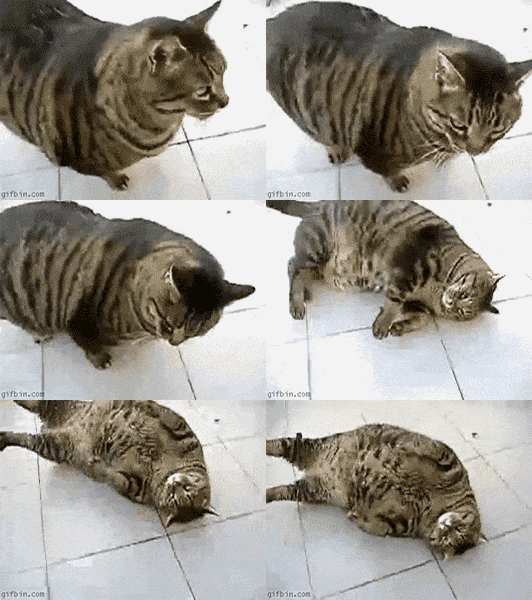
Tired Cat GIF
Thank you for the extra skin. Helps a lot for those of us who make accurate (as possible) AI fields for each car.
 
for some reason the parts of the model I use can't be selected in-game with the object inspector.
This is the real problem that you should try to fix. Perhaps try with this driver in a different car? Perhaps a CSP change. Perhaps deactivate some /all of the custom in-game sidebar apps? Perhaps do the driver change in the driver3d.ini (just to get the mesh names) in a different car if this one's data is encrypted?
thanks for this attempt at helping me out! In my case it doesn't work...

I have swapped the driver only in my skin, via ext_config.ini inside the skin folder ...
If I open it up in CM showroom, and click Driver , no driver is shown...

View attachment 1284337
in-game I do see the driver (all too much):

View attachment 1284338
(scary to see in VR ! ;) )
When you add the driver model via ext_config, that is rendered by CSP, which is only loaded in-game. The CM showroom can now render previews in CSP by launching AC (and CSP) in the background, but this doesn't offer a solution for you.
 
Last edited:
I think no one knows for sure what happened to the site. But I'm sure he had his reasons for doing what he did.

Anyway, if you or anyone else is looking for a specific car from him just ask for it here. I'm sure a lot of people have downloaded Legions cars (I'm one of them) - so, just ask, I'm sure someone will post a link or send a dm with the car you want.
I was looking for Interseries_porsche_917_spyder. I have a Slot replica of Gesipa blue and yellow unit and a few days ago I found the skin for it but I couldn't meet the car.
 
I was looking for Interseries_porsche_917_spyder. I have a Slot replica of Gesipa blue and yellow unit and a few days ago I found the skin for it but I couldn't meet the car.
Use the Wayback Machine at https://web.archive.org It's been well crawled in the last two years, and the Google Drive links (like this one for the 917/10) are still valid:
 
@Peter Boese

The new landscape feature introduced with v0.190 was really great, for about 2 weeks then it mysteriously stopped working.
After properly uninstalling that and installing v0.203 I still have no landscape when I enable it in PURE config. The horizon option does work (sky moves up/down) but no landscape. Verified the files are present etc. Would love to include this option in my releases where needed.

Any ideas to resolve this issue I am having?
Is there any error in Lua Debug app? Is the Landscape shader activated?!
1693641198198.png
 
Citroen DS 3 Racing 2011 Public Release !!!!
Download: https://sharemods.com/rr0k1xp0cu8b/citroen_ds3_2011_1.0.zip.html
-Model GT7
-AO inside and out
-Realistic Dashboard
-CSP Settings
-Number Plate by Mascot
-Driver Animation by Mascot
-Panoramic session Start config Daniel Nogal
-Beta testing and help ,@Mascot,and others
Thank you, always good work and enjoyable Mods :)
Thanks Peter, and all who worked on this.

The AI however does not work...
"it's lights out and ... nobody goes"

edit: and on the very edges of the windscreen there's this weird reflection going on
(prob only disturbing in VR)
The AI isnt working because in the AI.ini the upshift RPM is to high for the Car, so they Redline at Start.
Either change the Upshift Value to something like ~6200 or change the ini File with the one i attached.
(Need to unpack and repack Data.acd with CM in order to work.)

*Credits to Smurth for his universal AI
 

Attachments

Last edited:
Thanks Peter, and all who worked on this.

The AI however does not work...
"it's lights out and ... nobody goes"

edit: and on the very edges of the windscreen there's this weird reflection going on
(prob only disturbing in VR)
Not always, but alot of times it's the upshift value for the AI cars is higher than the maximum revs of the engine.

Can be changed in the ai.ini in the data folder.
 
Last edited:
edit: and on the very edges of the windscreen there's this weird reflection going on
(prob only disturbing in VR)
Yeah, the car made it out into the wild a little prematurely, we were still testing and refining it.
For a quick fix in the meantime, just select that narrow windscreen border in CM showroom and toggle its transparency in the sidebar.

1693647008157.png
 
Last edited:
@Peter Boese further to earlier discussions, Pure 0.203 Preview loads a lot quicker than the previous version when first joining the track (hurrah!), but that bug where headlights get turned on during the day (for me and for AI drivers) is still present. I know of at least one Sol user who has the same issue, so it might be a CSP rather than a direct Pure/Sol issue (or some conflict between the two), but any idea what might be causing it? It's extremely disruptive as it's quite hard to clear. I can toggle my own headlights but AI keep theirs on during the day when it happens, which not only looks daft but also kills performance.
 
This is the real problem that you should try to fix. Perhaps try with this driver in a different car? Perhaps a CSP change. Perhaps deactivate some /all of the custom in-game sidebar apps? Perhaps do the driver change in the driver3d.ini (just to get the mesh names) in a different car if this one's data is encrypted?

When you add the driver model via ext_config, that is rendered by CSP, which is only loaded in-game. The CM showroom can now render previews in CSP by launching AC (and CSP) in the background, but this doesn't offer a solution for you.
thx , good tips , I will give that a go later tonight (if by then the author of the model hasn't responded and gave me the mesh names already :) )

And indeed in new previews using csp , the driver is shown correctly (but in CM showroom unfortunatly CSP extension is not incorporated - yet?)
 
NEWS


I started to do some videos on Youtube for my tracks, here you can see Schottenring (WIP link in description):


Uploading was heavy, this video is only 6 min but had 490 MB. If you have some more infos or know a tutorial on doing game videos you can send me I only found commercials at Google.

Modern Day Racing Series will be released in this month, a bit delayed because of all those track updates. I reworked all GT3 champs for using RSS mods + implemented the RSS Hypercar BMW in the IMSA series. I reported that windshield bug and they answered me to fix it but no patch out until yet.

Working on my Pure Neutral PP filter is very good. Finally a good filter for Pure that is not overcontrasted/desaturated/oversaturated. Release approx. this month.

Sample here:

Screenshot_hss_1902_ford_999_67oulton_25-7-123-21-7-23.jpg


And more:

RELEASE

More handy UI for the GTPC (Virtua_LM) conversion by GTsupreme


What happened to the Virtua_LM GTPC mod? Many old sim racers will know that this kind of vapoware was a bit of a disappointment when it finally came out for rFactor. Later TonyBarracuda and GTsupreme took on a conversion to AC simply called "Group C 80s". The latest version is now free to have and this mod is finally worth a try. The physics might not AAA+, but it finally makes fun to drive this unique experience of early 80s prototype cars.


Patreon link:

direct link to the cars:

here is the Le Mans 1982 track (original Virtua_LM)


This add-on patch wants to help to get the best possible experience from the status we have at the moment.

What it does?

All cars now in one brand "GTPC (Virtua_LM)" to have them all together.
They splittet into two categories by tags. One for cars with lights "#gtpc_virtua_lm" and one without "#gtpc_virtua_no_lights", so there will be no cars that have no lights while driving at night.

The tags give you the opportunity to drive them all together:
For cars with "#gtpc_virtua_no_lights" use "Grid type → Random → Same brand & class" to run with all.
For night races use a "#gtpc_virtua_lm", car with lights, and choose "Grid type → Random → Same subclass only" and you wont have cars without lights in the grid.

PS: I also had to create a third category "#gtpc_smoker" for cars with a physics bug that makes them do heavy smoke from the wheels.


GTPC mod car overview.jpg
 
no error, shader is enabled as in your image, no horizon (tested height slider min/max)
as noted in my message, this feature was working and then one day just stopped.


View attachment 1284592
How are your clipping settings?
1693650859088.png


@Peter Boese further to earlier discussions, Pure 0.203 Preview loads a lot quicker than the previous version when first joining the track (hurrah!), but that bug where headlights get turned on during the day (for me and for AI drivers) is still present. I know of at least one Sol user who has the same issue, so it might be a CSP rather than a direct Pure/Sol issue (or some conflict between the two), but any idea what might be causing it? It's extremely disruptive as it's quite hard to clear. I can toggle my own headlights but AI keep theirs on during the day when it happens, which not only looks daft but also kills performance.
There is nothing more i can do, Sol or Pure have just a very simple logic to switch them on or off. And you would see it, if you look into Pure Config AI tab.
 
So... I ****ed up... And now I need the 2012 Lotus Exige S file... I dont want to check game integrity from Steam...
If someone could send it to me, that would be appreciated!! :cheers:
I'm not at my gaming pc atm, i'll send you a copy later today (if no one beats me to it).
 
Last edited by a moderator:
Sharing a mod? Host it on GTPlanet Downloads. Free, public hosting for files up to 10GB in size.
Back