

- 413

- Germany
Increase Far Plane in Graphic Adjustments and try again. 


Hi all, I have some problem with Mugello OSRW track from TH Racing. The mountains in the horizon are white with rich summer skin. Could it be textures missing?
I remember a similar issue on Fuji, where Mount Fuji didn't look right, and in this case it was because one of the background landscape render distance parameters (or something) wasn't correct.
I don't remember exactly what parameter had to be varied; I'm sorry I can't be more precise, but let's see if anyone is familiar with the topic and can clarify something more.
If it's this what you mean:Increase Far Plane in Graphic Adjustments and try again.
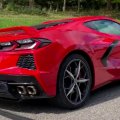


Personally I'd wait for the GT7 model to be dumped eventually since that's the most accurate rendition of that car made in 3D (both that one from PCARS and the FM7 one I converted years ago are horrible in accuracy IMO).If someone wants to help somehow with this model to fix these materials or have better ideas/solutions PM me. (the model is from project cars 2 or 3 ) the model has a good AO map for skins and good wheels"not all 4"
View attachment 1339052View attachment 1339053View attachment 1339054
First off, you will want to check the WeatherFX and Track Adjustment options and make sure Seasonal Adjustments are enabled.I test drive my modded cars at ksMonza "66" with an October date and the fall colors where great. I've updated to Pure 2.50 with 0.2.3 preview 1 and have lost the fall colors. Am I doing somthing wrong? I was using CSP 1.60, I know it was old version but it worked good for me. My Racinjoe013 fall track mods don't seem to work either.

Hi all, are there any 2016 skins for FSR's Subaru Levorg BTCC? It was strange not to have the debut liveries available from the beginning, but I just thought not to be the one who miss them.

Thanks, man. I actually think I might have those other ones you noted. I'll switch it up.Brow, the first suggestion I would give u is that, if you want a DECENT 1937 championship, get rid of those ScamDream cars. Use Legion´s Era, 12C and 6CM + Alfa 8CM by HSS + the other Auto-Union Type C and W125, made by other modders (if you have any problems finding any of these cars, feel free to DM me). Even though the BOP of SDD cars is better, the AI and Graphics are way better in the other versions. Trust me!
Now, a question of mine that has nothing to do with this. Does anyone knows if there is a 1970 Nascar Carset out there? Not 1969, not 1971. I'm looking for especifically for 1970. I found only the Barracuda and the Dodge Daytona, and I'm not in a mood for chasing cars around the internet.


Do you think that the GT7 model will be in good condition? look at the Mitsubishi GT500 they ripped it two times and both have bad rear doors and the AO is not that good. Anyway, I want to make skins for the Nissan r30 but there is no good one, I decided to make the one from PJ, but it is a pain in the a..Personally I'd wait for the GT7 model to be dumped eventually since that's the most accurate rendition of that car made in 3D (both that one from PCARS and the FM7 one I converted years ago are horrible in accuracy IMO).
If I remember well the only fixes I've seen for those are data fixes by Rainmaker and some logos fix on RD.Yo. I was driving some of Tommy78's WTCR 2019 cars the other night, and when I hooked them up in VR, it was quite obvious that they all have floating dash displays. I fixed the Golf, but before I do the rest, I thought it would be a good idea to check here if someone has already made a fix for this. It was kind of tedious to fix, so it'd be nice not having to fix all of them...
I also noticed a couple of other issues with the cars: Some of them have horrible car paint shaders making the whole car overexposed, and the exterior windows don't look right either.
So I'll probably put together a "care package" for the cars, as I really enjoy them, and all their obvious problems seem to be fixable without too much effort.

I found one in the trenches of YouTube, but I don't know how kosher it is to share. I heard PM3DM doesn't really take kindly to people updating this mod but I don't have any confidence they ever willHi everyone, does anyone happen to know if there is an updated version of this fantastic mod? I mean the internal cockpit etc... thanks
1998 BMW 320i STW-BTCC
Time has come! Initial release to get more feedback outside of our group, to help pushing these more forward. So we are bringing you are second car. Car is currently setup to be more safe, so it does understeer quite a bit, probably more then you...www.racedepartment.com


In a strange turn of events I reinstalled SOL back again today along side Pure 0.238 because I felt the clouds and the way the sky looked better using SOL planner than in pure. However I am sure you can customize these things just never tried to go in depthSo I finally took the plunge and moved on from Sol to Pure. I honestly love it. Very happy with it.
Here's a funny story though about my trepidation to move from my beloved Sol to Pure.
I love Sol, and it has brought me many hours of eye-candy lovin'. So when I started inquiring about Pure, @Peter Boese was always really critical of Sol's coding/quality. So in my head I'm like, "Dang Peter, I think the guy who did Sol did a really terrific job and I'm really grateful to him. Don't be so mean, man."
LOL. You see where I'm off base? I didn't realize until a couple of days ago when I was toying with the Weather script dropdown that Peter also created/coded Sol.
Bahahaaa. That made it easy for me to make the decision to move to Pure. Both are his babies and he's suggesting to move to Pure.
Seems that my system is one of the ones that runs better with Pure than Sol, btw. I know some folks are getting hitches with one or the other. I was getting a long hitch while racing with Sol randomly. Pure runs smooth all the way around for me personally.
Side note:
Peter, if anyone pings you with a problem after installing Pure with AI running off the track/bumping into each other, I'm thinking they most likely turned on RainFX after installing Pure. The issue is NOT with Pure but with a CM setting. Tell them to turn off/uncheck the "Rain Awareness" setting in New AI Behavior section of CM. That fixed it for me. Initially I thought it was a problem with Pure, but it was actually because I turned RainFX back on to run Pure with CSP rain. Hope this helps troubleshooting any complaints you receive.


In a strange turn of events I reinstalled SOL back again today along side Pure 0.238 because I felt the clouds and the way the sky looked better using SOL planner than in pure. However I am sure you can customize these things just never tried to go in depth
with all the advanced settings Pure has to offer I am sure it can achieve much more that what I use it for.
Here is my latest test using SOL for weather instead of pure. Set video playback quality to 1080p for best visuals.
Look at the Sky here using SOL planner it looks realistic. For some reason I can't get the same cloud look with pure planner.
This makes sense, will try with another PP filter and see if the Sky improves using Pure. ThanksWhat PP filter are you using? If you use a PP filter created for SOL, it won't work well with Pure and vice versa.
Thanks for the tip and have fun with Pure! The upcoming release will have a new shader called "groundfog". It will add additional "fog billboards" randomly scattered along the AI spline. It is very efficient and with normal settings it will nearly no hit an CPU/GPU:So I finally took the plunge and moved on from Sol to Pure. I honestly love it. Very happy with it.
Here's a funny story though about my trepidation to move from my beloved Sol to Pure.
I love Sol, and it has brought me many hours of eye-candy lovin'. So when I started inquiring about Pure, @Peter Boese was always really critical of Sol's coding/quality. So in my head I'm like, "Dang Peter, I think the guy who did Sol did a really terrific job and I'm really grateful to him. Don't be so mean, man."
LOL. You see where I'm off base? I didn't realize until a couple of days ago when I was toying with the Weather script dropdown that Peter also created/coded Sol.
Bahahaaa. That made it easy for me to make the decision to move to Pure. Both are his babies and he's suggesting to move to Pure.
Seems that my system is one of the ones that runs better with Pure than Sol, btw. I know some folks are getting hitches with one or the other. I was getting a long hitch while racing with Sol randomly. Pure runs smooth all the way around for me personally.
Side note:
Peter, if anyone pings you with a problem after installing Pure with AI running off the track/bumping into each other, I'm thinking they most likely turned on RainFX after installing Pure. The issue is NOT with Pure but with a CM setting. Tell them to turn off/uncheck the "Rain Awareness" setting in New AI Behavior section of CM. That fixed it for me. Initially I thought it was a problem with Pure, but it was actually because I turned RainFX back on to run Pure with CSP rain. Hope this helps troubleshooting any complaints you receive.

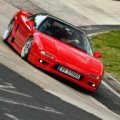
Now we're talking! Gamechanger for the look of the gameThanks for the tip and have fun with Pure! The upcoming release will have a new shader called "groundfog". It will add additional "fog billboards" randomly scattered along the AI spline. It is very efficient and with normal settings it will nearly no hit an CPU/GPU:
View attachment 1339093
without:
View attachment 1339094


Does that mean that for very steep and/or long hillclimb track, or Nordschleife, we will/could have clear/foggy start and a foggy/clear finish??Thanks for the tip and have fun with Pure! The upcoming release will have a new shader called "groundfog". It will add additional "fog billboards" randomly scattered along the AI spline. It is very efficient and with normal settings it will nearly no hit an CPU/GPU:
View attachment 1339093
without:
View attachment 1339094


Can it be found somewhere?


Sounds like a great feature, and one that can hopefully develop and be expanded to generate pockets of fog based on ground moisture (eg over fields) or elevation (eg in dips and low areas where cold air sinks) rather than just being randomly placed.Thanks for the tip and have fun with Pure! The upcoming release will have a new shader called "groundfog". It will add additional "fog billboards" randomly scattered along the AI spline. It is very efficient and with normal settings it will nearly no hit an CPU/GPU:
View attachment 1339093
without:
View attachment 1339094




In a strange turn of events I reinstalled SOL back again today along side Pure 0.238 because I felt the clouds and the way the sky looked better using SOL planner than in pure. However I am sure you can customize these things just never tried to go in depth
with all the advanced settings Pure has to offer I am sure it can achieve much more that what I use it for.
Here is my latest test using SOL for weather instead of pure. Set video playback quality to 1080p for best visuals.
Look at the Sky here using SOL planner it looks realistic. For some reason I can't get the same cloud look with pure planner.


Welcome aboard to the "wtf you broke up?! I don't done anything!" AI train, choo-choo!What the hell is going on with the ai lately?!
Without changing anything, they’re not pitting at all now after a handful of laps during practice and qualifying.
In the races, they’re rejoining the races after teleporting back to the pits, when this didn't happen up until a few days ago.


Yes!, that did it. Thank you all for your help.If it's this what you mean:
View attachment 1339011
Go to page 21 in sol config and increase ta_fog_distance %, which is what I suggested for the Mt Fuji too. the app wil save this per track...
View attachment 1339014


