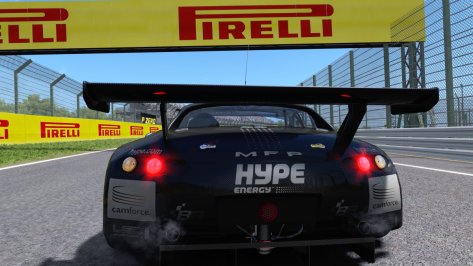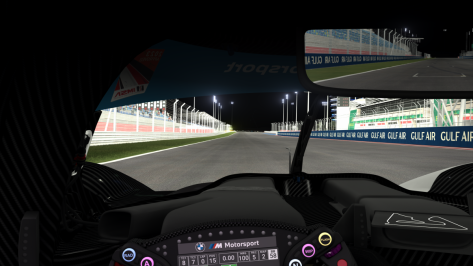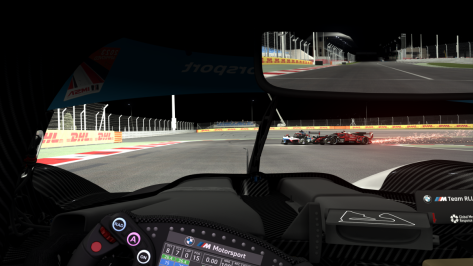


DaWallace, you've hit it out the park once again with the Viper! Thank you very much for this and all the other updates. Your cars consistently rate among my most regularly driven favourites. In fact, the Exige GT2 almost needs a full rebuild now due to the high mileage I've put on it!
Cheers and big thanks, once again, for your great work.

Great. I'm happy that it works now.
I added extended ARB to the car, but forgot to add the LUT files.
To Test if this was the reason, i deleted the extended code lines and used the standard ARB settings.😊
Next update will come with a fix.👍
also lovin the Viper , but 2 rather big issues for me (using VR) :@DaWallace
I don not know if this has been reported but the Viper steering wheel in game is out of sync with my physical steering wheel
Or has it been reported and I missed it?
All in all I have to say that the Viper is THE car for AC. It feels and handles just about right
Great job


Huh...I'm not getting any of that.Plenty. AI not pitting in various events, AI turning into the pitlane wall on starts, and many more.
The absolute worst one, though, is the fact that the app is not supposed to activate unless you're in single player race or weekend - but due to it being broken by a CSP change, indeed activates every time you enter any session. Worse, the radio button to disable/enable the surfaces.ini change is broken. Hitting the "disable/enable" toggle and restarting has no effect almost every time I use it.
This means that every time I enter an online event, my surface.ini gets changed. For my league events, for example, that means with his app installed, I can join the open practice on race day, leave to eat, rejoin for quali, and get checksum kicked. For public servers, it means that I can be permanently locked out - I had to recently get a Spa surfaces.ini from RMi here last week, and had to pull my backup of Vallelunga as well. Extremely annoying.
There's a new app version released today, I'll take a look, but the negatives far outweigh the positives at the moment. It works in single player, sometimes - and far less than on previous CSP versions - but at the cost of going to war with the app when it comes to online.
I uninstalled this app and will likely keep it so until I see a changelog that addresses the issue. I'm appreciative of his work and it is undoubtedly the baseline for many AI behaviors in AC for the future, but it's got quite a ways to go.


The reason why nobody has done the stuff that nobody has done, is most likely because that stuff only appeals to 5% of the player mass (we are those 5%). The stuff that everybody already has done, is the stuff that appeals to the remaining 95% (GT3 etc.).Exactly my point, if they did stuff nobody has done they would coin it so big they could retire to a remote island, and we would have the cars we all really want.


Removing the app completely resolved the issues. I changed nothing else. Latest CSP preview.Huh...I'm not getting any of that.

Can’t update previews:• SlimDX.Direct3D11.Direct3D11Exception: E_OUTOFMEMORY: Ran out of memory (-2147024882) at SlimDX.Result.Throw(Object dataKey, Object dataValue) at SlimDX.Result.Record(Int32 hr, Boolean failed, Object dataKey, Object dataValue) at SlimDX.Direct3D11.Buffer.Build(Device device, DataStream data, Int32 sizeInBytes, ResourceUsage usage, BindFlags bindFlags, CpuAccessFlags accessFlags, ResourceOptionFlags optionFlags, Int32 structureByteStride) at SlimDX.Direct3D11.Buffer..ctor(Device device, DataStream data, BufferDescription description) at AcTools.Render.Base.Objects.TrianglesRenderableObject`1.Initialize(IDeviceContextHolder contextHolder) at AcTools.Render.Kn5Specific.Objects.Kn5RenderableObject.Initialize(IDeviceContextHolder contextHolder) at AcTools.Render.Base.Objects.BaseRenderableObject.Draw(IDeviceContextHolder holder, ICamera camera, SpecialRenderMode mode, Func`2 filter) at AcTools.Render.Base.Objects.RenderableList.DrawChildren(IDeviceContextHolder contextHolder, ICamera camera, SpecialRenderMode mode, Func`2 filter) at AcTools.Render.Base.Objects.RenderableList.Draw(IDeviceContextHolder holder, ICamera camera, SpecialRenderMode mode, Func`2 filter) at AcTools.Render.Kn5Specific.Objects.Kn5RenderableList.Draw(IDeviceContextHolder holder, ICamera camera, SpecialRenderMode mode, Func`2 filter) at AcTools.Render.Base.Objects.RenderableList.DrawChildren(IDeviceContextHolder contextHolder, ICamera camera, SpecialRenderMode mode, Func`2 filter) at AcTools.Render.Base.Objects.RenderableList.Draw(IDeviceContextHolder holder, ICamera camera, SpecialRenderMode mode, Func`2 filter) at AcTools.Render.Kn5Specific.Objects.Kn5RenderableList.Draw(IDeviceContextHolder holder, ICamera camera, SpecialRenderMode mode, Func`2 filter) at AcTools.Render.Base.Objects.RenderableList.DrawChildren(IDeviceContextHolder contextHolder, ICamera camera, SpecialRenderMode mode, Func`2 filter) at AcTools.Render.Base.Objects.RenderableList.Draw(IDeviceContextHolder holder, ICamera camera, SpecialRenderMode mode, Func`2 filter) at AcTools.Render.Kn5Specific.Objects.Kn5RenderableList.Draw(IDeviceContextHolder holder, ICamera camera, SpecialRenderMode mode, Func`2 filter) at AcTools.Render.Base.Objects.RenderableList.DrawChildren(IDeviceContextHolder contextHolder, ICamera camera, SpecialRenderMode mode, Func`2 filter) at AcTools.Render.Base.Objects.RenderableList.Draw(IDeviceContextHolder holder, ICamera camera, SpecialRenderMode mode, Func`2 filter) at AcTools.Render.Kn5Specific.Objects.Kn5RenderableList.Draw(IDeviceContextHolder holder, ICamera camera, SpecialRenderMode mode, Func`2 filter) at AcTools.Render.Kn5Specific.Objects.Kn5RenderableCar.Draw(IDeviceContextHolder holder, ICamera camera, SpecialRenderMode mode, Func`2 filter) at AcTools.Render.Kn5SpecificForwardDark.DarkKn5ObjectRenderer.DrawCars(DeviceContextHolder holder, ICamera camera, SpecialRenderMode mode) at AcTools.Render.Kn5SpecificForwardDark.DarkKn5ObjectRenderer.DrawSceneForShadows(DeviceContextHolder holder, ICamera camera) at AcTools.Render.Base.Shadows.ShadowsDirectional.UpdateBuffers(DeviceContextHolder holder, IShadowsDraw draw) at AcTools.Render.Base.Shadows.ShadowsBase.DrawScene(DeviceContextHolder holder, IShadowsDraw draw) at AcTools.Render.Kn5SpecificForward.ForwardKn5ObjectRenderer.UpdateShadows(ShadowsDirectional shadows, Vector3 center) at AcTools.Render.Kn5SpecificForwardDark.DarkKn5ObjectRenderer.UpdateShadows(ShadowsDirectional shadows, Vector3 center) at AcTools.Render.Kn5SpecificForward.ForwardKn5ObjectRenderer.DrawPrepare(Vector3 eyesPosition, Vector3 light) at AcTools.Render.Kn5SpecificForwardDark.DarkKn5ObjectRenderer.DrawPrepare(Vector3 eyesPosition, Vector3 light) at AcTools.Render.Kn5SpecificForward.ForwardKn5ObjectRenderer.DrawPrepare() at AcTools.Render.Kn5SpecificForward.ToolsKn5ObjectRenderer.DrawPrepare() at AcTools.Render.Kn5SpecificForwardDark.DarkKn5ObjectRenderer.DrawPrepare() at AcTools.Render.Kn5SpecificForwardDark.DarkKn5ObjectRenderer.DrawSceneToBuffer() at AcTools.Render.Forward.ForwardRenderer.DrawOverride() at AcTools.Render.Kn5SpecificForwardDark.DarkKn5ObjectRenderer.DrawDofShotAccumulation() at AcTools.Render.Kn5SpecificForwardDark.DarkKn5ObjectRenderer.DrawOverride() at AcTools.Render.Base.BaseRenderer.DrawInner() at AcTools.Render.Base.BaseRenderer.DrawShot(RenderTargetView target, IProgress`1 progress, CancellationToken cancellation) at AcTools.Render.Kn5SpecificForwardDark.DarkKn5ObjectRenderer.DrawShot(RenderTargetView target, IProgress`1 progress, CancellationToken cancellation) at AcTools.Render.Base.BaseRenderer.Shot(Int32 baseWidth, Int32 baseHeight, Double downscale, Double crop, Stream outputStream, RendererShotFormat shotFormat, IProgress`1 progress, CancellationToken cancellation) at AcTools.Render.Kn5SpecificForwardDark.DarkPreviewsUpdater.ShotInner(String carId, String skinId, String destination, ImageInformation information, Action callback) at AcTools.Render.Kn5SpecificForwardDark.DarkPreviewsUpdater.<>c__DisplayClass20_0.<ShotInnerAsync>b__0() at System.Threading.Tasks.Task.InnerInvoke() at System.Threading.Tasks.Task.Execute()--- End of stack trace from previous location where exception was thrown --- at System.Runtime.CompilerServices.TaskAwaiter.ThrowForNonSuccess(Task task) at System.Runtime.CompilerServices.TaskAwaiter.HandleNonSuccessAndDebuggerNotification(Task task) at AcTools.Render.Kn5SpecificForwardDark.DarkPreviewsUpdater.<ShotAsync>d__22.MoveNext()--- End of stack trace from previous location where exception was thrown --- at System.Runtime.CompilerServices.TaskAwaiter.ThrowForNonSuccess(Task task) at System.Runtime.CompilerServices.TaskAwaiter.HandleNonSuccessAndDebuggerNotification(Task task) at System.Runtime.CompilerServices.TaskAwaiter.ValidateEnd(Task task) at AcManager.CustomShowroom.CmPreviewsTools.Updater.<RunAsyncOverride>d__3.MoveNext()
hi Daniel,Hi, I am looking for a BMW M4 Class 1. Do you know if one exists for AC. I guess there was one done by First Studio Race, but there shop seems to be down and I do not know if it was any good.
Thanx for your help.
Daniel


 www.overtake.gg

hery guys,
i've been trying to make a few vids with the freshly baked Jidé 1600 from @rnoir and i really wish someone could make new ai lines for the Bikernieki High Speed Ring. The oval layout is okay, the others are really cool, but the High speed ring is really something else.
Tracks - Bikernieki Race Track
martinsh submitted a new resource: Biķernieki Race Track - Biķernieki Race Track Public Beta v0.3 release This is a public BETA 0.3 release of Biķernieki. More info of the race track can be found in this thread: http://www.racedepartment.com/threads/biķernieki-race-track.140873 This version...
At the moment with CSP 2.5 the AI is stuck at start, leaving only a bunch of 5 cars out of 25 leaving the grid. they would slow down too much on first corner, which i can deal with, but weirdly they would almost stop randomly when they reach the finish line on each lap. It seems like an ai lane or borders not done correctly, if someone could have a look. I'm gonna ask Parilla in case, but here's what the track looks like :
the Oval works fine for some reason, the other layouts suffer from the same issues.
Martinsh seems to have dropped the project, or at least is on something else, there have been no updates since 2018.
Hmmm, just tried with strictly Jidé cars and i still have the left lane completely stuck. Must be one of those weird CSP black witching.Just tried a race with 26 Jide cars at Bikernieki High Speed layout: no issues on my side... all went well (CSP 0.2.5 - track version 0.6)


Thanks. It seems the 3d modeler / converter placed the car far off the "standard center" that it is very difficult to put the car in the center of the screen/plane using those Parameters and Alignment. I even typing the numbers, not using the sliders, to be more precise, when adjusting the "Position" and "Look at"

 www.gtplanet.net


No issue with the Viper on my side, wipers for the cars you mentioned are indeed going thru windshield and Vertigo all good over here!also lovin the Viper , but 2 rather big issues for me (using VR) :
1) issue w sunbanner text smearing/ghosting when moving my head (like the windows arrow trail effect if you know what i mean)
2) digital instr texts floating above the panel instead of being part of the panel
@DaWallace please put these 2 on your to fix list , and this will be one of my new favorite mods
EDIT : some more things that can be improved (sorry if it was already reported - I'm not into Discord):
DW Marcos Mantis GT3 : wiper still goes through the windshield
Ultima GTR: there's a transparant gap between the side mirrors and their surrounding encasing (or the inside of the sidemirror body is not rendered in cockpit mode, I dunno - maybe a culling mode thing)
EDIT2:
Z4 : wiper going through the sunvisor and glass
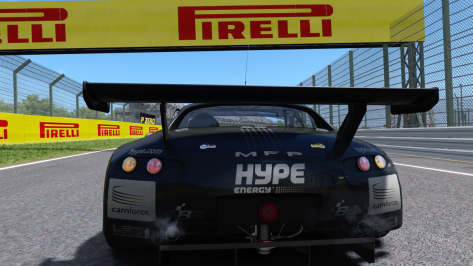
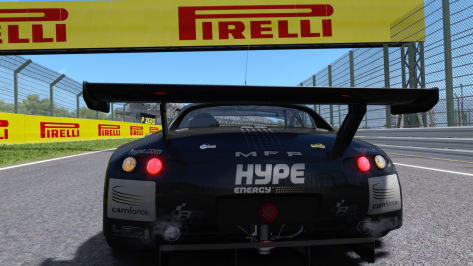
Vertigo: brakelights are not visisble when lights on
hery guys,
i've been trying to make a few vids with the freshly baked Jidé 1600 from @rnoir and i really wish someone could make new ai lines for the Bikernieki High Speed Ring. The oval layout is okay, the others are really cool, but the High speed ring is really something else.
Tracks - Bikernieki Race Track
martinsh submitted a new resource: Biķernieki Race Track - Biķernieki Race Track Public Beta v0.3 release This is a public BETA 0.3 release of Biķernieki. More info of the race track can be found in this thread: http://www.racedepartment.com/threads/biķernieki-race-track.140873 This version...
At the moment with CSP 2.5 the AI is stuck at start, leaving only a bunch of 5 cars out of 25 leaving the grid. they would slow down too much on first corner, which i can deal with, but weirdly they would almost stop randomly when they reach the finish line on each lap. It seems like an ai lane or borders not done correctly, if someone could have a look. I'm gonna ask Parilla in case, but here's what the track looks like :
the Oval works fine for some reason, the other layouts suffer from the same issues.
Martinsh seems to have dropped the project, or at least is on something else, there have been no updates since 2018.


try to use and edit the "offset" values for the previewsGuys, is there an easy fix for a car that's not centered in cm preview?


SAme issue.Would anyone have any clue why certain tracks like vhe_hockenheim 1.6 would be missing textures like in the picture below?
View attachment 1377452
I'm also having issues with vn_goldcoastakv888 missing nearly all kerbs and walls.
View attachment 1377453
I've tried redownloading and reinstalling them but the same problem has persisted.
EDIT: It looks like it was something to do with a setting called deduplicate textures. Such a headache from a singular tick box.

hery guys,
i've been trying to make a few vids with the freshly baked Jidé 1600 from @rnoir and i really wish someone could make new ai lines for the Bikernieki High Speed Ring. The oval layout is okay, the others are really cool, but the High speed ring is really something else.
Tracks - Bikernieki Race Track
martinsh submitted a new resource: Biķernieki Race Track - Biķernieki Race Track Public Beta v0.3 release This is a public BETA 0.3 release of Biķernieki. More info of the race track can be found in this thread: http://www.racedepartment.com/threads/biķernieki-race-track.140873 This version...
At the moment with CSP 2.5 the AI is stuck at start, leaving only a bunch of 5 cars out of 25 leaving the grid. they would slow down too much on first corner, which i can deal with, but weirdly they would almost stop randomly when they reach the finish line on each lap. It seems like an ai lane or borders not done correctly, if someone could have a look. I'm gonna ask Parilla in case, but here's what the track looks like :
the Oval works fine for some reason, the other layouts suffer from the same issues.
Martinsh seems to have dropped the project, or at least is on something else, there have been no updates since 2018.



Yes, to me, very occasionally, especially when I make previews with a large batch of "hd" skins, as you said. The workaround is as easy as turning off/on AC and finish the previews that were pending.Getting really pee'd with CM when trying to update previews. I keep getting this error... The majority of the time this error comes up with skins that are massive...
Anyone else experience this error?
which rendering mode ru using? (I'm using the Oculus Rift rendering mode... )No issue with the Viper on my side, wipers for the cars you mentioned are indeed going thru windshield and Vertigo all good over here!



 www.overtake.gg
www.gtplanet.net
www.overtake.gg
www.gtplanet.net