- 473

- Germany
in the main folder of the showroomSorry, where do I put the .ini files?
assettocorsa\content\showroom\aomori_museum_of_art
anyone knows how to fix the lights of the FR_BTCC mod?
FSR early version looks okay to me
FR
FSR
FR
FSR
in the main folder of the showroomSorry, where do I put the .ini files?
Thanks buddy. I have the same problem. I had to disable it. I hope they fix it.so i found a visual issue on my PC on fuji 68 with a certain texture being popped out in a block around the track.
View attachment 1467994
View attachment 1467995
this is also on the pitboxes i have no idea what caused this
and just as i was typing this: i found the culprit: CMRT....
Hi .Whats CMRT please.Thanks buddy. I have the same problem. I had to disable it. I hope they fix it.
FREE ->Hi .Whats CMRT please.
These jumpy cars and broken wheels have been an issue for a while in csp. I found out that it tends to happen when the steering angle has a value different from 0 degreesThese CSP previews are an absolute crapshoot, aren't they?
I think I must have run the 'auto-update' feature about a dozen times over the past few days before it'd update (almost*) all of the skins without crashing, or stopping, or saying there's an issue with LODs or whatnot (lol, WTF - I'm generating previews, not racing).
*Some cars (a lot of F302 ones, for some reason) just flat out won't cooperate at all, and there's a whole bunch of scaling and positional issues too, and some cars with wheels turned slightly and some with wheels straight ahead.
And when you FINALLY get it to actually finish, you find some choice gems like these, all created with exactly the same preset:
The 'I don't even understand my own encryption algorithms, lol what day is it even?' preview:
View attachment 1468505
The 'bukakke festival, very glad someone brought an umbrella' preview:
View attachment 1468506
The 'lets just open some doors for no good reason' preview:
View attachment 1468507
The 'Mexican lowrider hydraulic suspension' preview:
View attachment 1468508
The 'pothole... what pothole?' preview:
View attachment 1468512
The 'help, somebody stole my wheels' preview:
View attachment 1468513
The 'help, somebody stole my car' preview:
View attachment 1468514
The 'beam me up, Scottie' preview:
View attachment 1468515
Good old CSP. Never a dull moment.
I tried fixing the broken ones with a tweaked preset using zero degrees of steering, but it made no difference. The cars probably have janky physics somewhere is my guess.These jumpy cars and broken wheels have been an issue for a while in csp. I found out that it tends to happen when the steering angle has a value different from 0 degrees
Hi, I've come across new pictures in case it might help my chancesHi guys, I'm working on a skin for the VRC Accord but I'm having trouble figuring out two decals, can someone with great eyes/knowledge help me on this one? Thanks.
That because the FSR one doesnt have [SelfLight_Headlights] so the light it produce doesnt hit the back of the headlight lensein the main folder of the showroom
assettocorsa\content\showroom\aomori_museum_of_art
anyone knows how to fix the lights of the FR_BTCC mod?
FSR early version looks okay to me
FR
View attachment 1468590
FSR
View attachment 1468591
FR
View attachment 1468592
FSR
View attachment 1468593
Must be some random CSP setting causing the previews to bork. Sometimes just regenerating them fixes it, sometimes not. 'Random' seems to be the underlying philosophy of CSP these days. Certainly keeps us on our toes, and thinking the next version just... might.. be.. more.. stable..
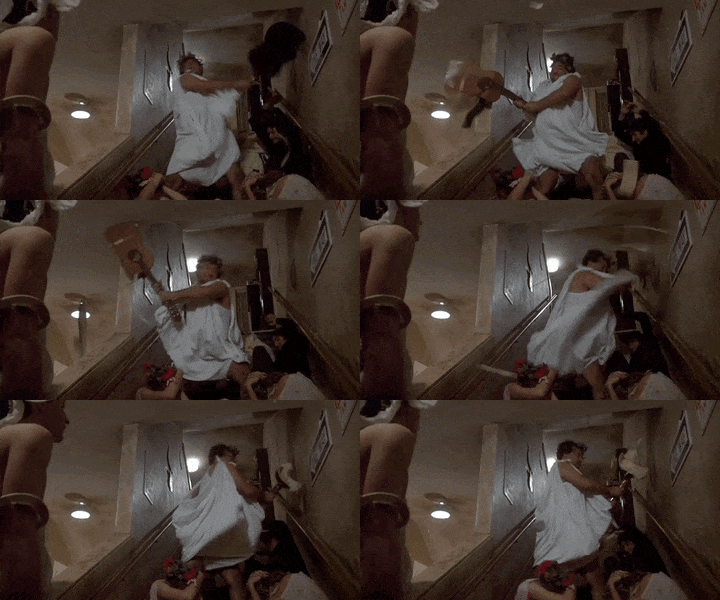
It amazes me how it just seems to happen sometimes. I just tested it and had the same problem generating previwes from the same R32 for 2-3 times before it just fixed itself and stopped jumping around.Must be some random CSP setting causing the previews to bork. Sometimes just regenerating them fixes it, sometimes not. 'Random' seems to be the underlying philosophy of CSP these days. Certainly keeps us on our toes, and thinking the next version just... might.. be.. more.. stable..
the reflections, but the double kerbs and the third ads that appears and disappears remains and the white tarmac is better but not perfect, in this screenshot reflections are pratically setted to zero
with normal CPS setting the parts that in this screen looks flat gray appears white as in the other screenshot
@RMi_wood this is 2005 GT
We at CSP have heard your feedback, thanks for your long-time support!Must be some random CSP setting causing the previews to bork. Sometimes just regenerating them fixes it, sometimes not. 'Random' seems to be the underlying philosophy of CSP these days. Certainly keeps us on our toes, and thinking the next version just... might.. be.. more.. stable..
Its actually a problem we were discussing on this forum last week I think, some Race07 models in particular have this cheat with the rims, but the only way to make the shader work in AC is to have it on "ksTrees" which was causing your issue.Wow, a long-standing problem solved in a day! Thank you so much! So how did you solve it? If possible, I would like to fix other cars as well.
Unpacked data folders seem to cause issues occasionally as well. If you encounter a stubborn car, check that. It might help.It amazes me how it just seems to happen sometimes. I just tested it and had the same problem generating previwes from the same R32 for 2-3 times before it just fixed itself and stopped jumping around.
latest csp, no vrWe had no rain issues, when we tested the car. Which CSP version you using? do you play in VR?
Edit: Tom thinks it could be due first persion view depth, maybe try to initialize your settings
Photo is from our tester
so the [SelfLight_Headlights] variant makes the light look worse?That because the FSR one doesnt have [SelfLight_Headlights] so the light it produce doesnt hit the back of the headlight lense
Could you be more precise. Maybe show some pictures of what you are trying to do.Hello,I'd like to change the value of a variable based on a SEASON_WINTER_NORTH or SEASON_AUTUMN_NORTH condition. I can't find an if function in CSP. Does anyone have a solution?
Could you be more precise. Maybe show some pictures of what you are trying to do.
Usually you define a condition with a year progress. It just converts the year progress, which goes from 0.0 (1. January) to 1.0 (31. December) into a custom output via a LUT (Look-Up Table) like this here:
[CONDITION_...]
NAME=SEASON_WINTER
INPUT=YEAR_PROGRESS
LUT=(|-1=0|0=1|0.14=1|0.144=0.2|0.25=0|0.95=0|1=1.0|)
LAG=0
This LUT defines the output off the condition. So like for northern locations it should return 1 for the start and the end of the year.
But from the March (0.16 of the year progress) to November (0.91 of the year progress) it is 0.
(1 / 12 is the partial values for a month in the year progress)
And then you use this condition to modify shader or material values:
[MATERIAL_ADJUSTMENT_...]
ACTIVE=1
MATERIALS=grass?, TOP, top1?, roads_ext, brdrs?, tra?, asph_green?, whiteline, mount?, sand?
CONDITION=SEASON_WINTER
KEY_0=seasonWinter
VALUE_0=1.0
OFF_VALUE_0=0.0
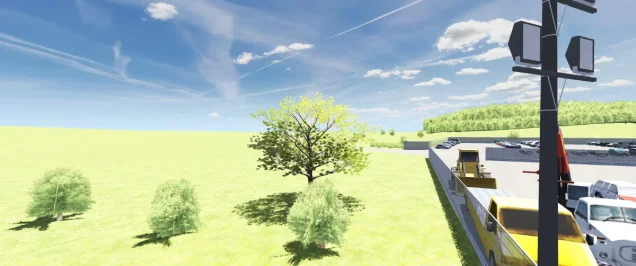
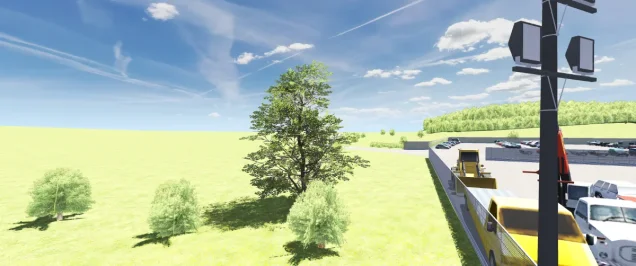
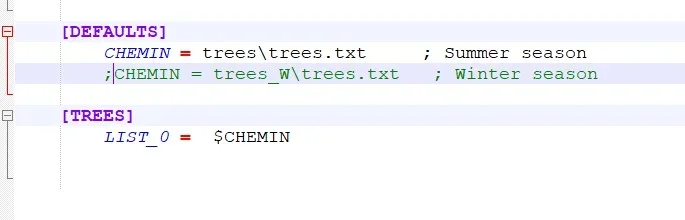
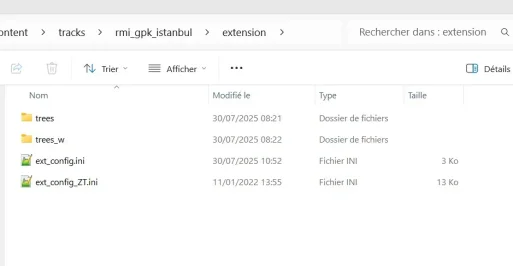
I think thats not possible in CSP right now.I would like to change the 3D trees based on the season. I can change the file path manually so that the trees change in the ext_config.ini file but I can't do it based on a condition or test on the season.
What did you change?
I have also had some random issues lately, both in performance, artifacts and other small, weird stuff. Disabling/uninstalling CMRT seems to have solved some of these issues also, so definately a heads-up for everyone having random issues like these. 👍so i found a visual issue on my PC on fuji 68 with a certain texture being popped out in a block around the track.
View attachment 1467994
View attachment 1467995
this is also on the pitboxes i have no idea what caused this
and just as i was typing this: i found the culprit: CMRT....
May I ask you to do this work? I tried Blender before, but unfortunately it was a failure. I would be very grateful if you could solve this problem.Its actually a problem we were discussing on this forum last week I think, some Race07 models in particular have this cheat with the rims, but the only way to make the shader work in AC is to have it on "ksTrees" which was causing your issue.
So depends on how well you know Blender? All I did was take their rim cover and the parts of the rim that sit behind it, boolean the 2 together, then delete the faces that didn't have the rim texture. Then I duplicated that around the car. For the brakes I just created a new cylinder for the brake disc and sorted the texture on it and deleted the old one, and again just duplicated it around the car. The final step is to adjust the shader setting in ksEditor to PerPixel and its done. Its about 15min work. If you're not sure what I mean I could do them for you, it would just take a few days as I'm busy with other stuff but I'll squeeze it in.
That "doors open" on the Nissan R380 is present for me in ANY of the CSP previews, on ANY of the R380s (Bazza, Legion et al).Unpacked data folders seem to cause issues occasionally as well. If you encounter a stubborn car, check that. It might help.
I will try that, right now the ones that still not show up correctly get the bin treatmentUnpacked data folders seem to cause issues occasionally as well. If you encounter a stubborn car, check that. It might help.
Can you try Set CSP Settings→ General Patch Settings→ CPU optimizations→ Chunks optimizations to Basicthe reflections, but the double kerbs and the third ads that appears and disappears remains and the white tarmac is better but not perfect, in this screenshot reflections are pratically setted to zero
with normal CPS setting the parts that in this screen looks flat gray appears white as in the other screenshot
@RMi_wood this is 2005 GT