Did your shadow fix alter the kn5 at all? If not then I can download yours with the fixed shadows, swap in my tweaked kn5 and put it out that way. Hopefully someone else can then take over and fix the various light lenses.I did see who made it on Facebook I think. He said he was happy that people were improving it as he couldn’t progress himself. Post your edit up and I’ll remove my link so people grab the latest version 👍
Edit:
“...Thanks ,shadows,physics,reflections it was all to improve.
The base was found on Turkish 3d forum,I converted to assetto corsa.
The change of work and a total lack of time caused me to close my group, this mercedes and many other projects were not finished.”
- Kuba LB


If I understand you correctly, you shouldn't do that because you would change just its data.
You should try to get the textures from GTP-Mazda, from the skin folder maybe. Or if there are none, open the car with CM showroom, click on the tyres and export their textures. After you got their textures, go back to the car with the problems and replace the tyres textures with new textures you recently exported.

Unfortunately I had to modify the kn5, they will all need transferring overDid your shadow fix alter the kn5 at all? If not then I can download yours with the fixed shadows, swap in my tweaked kn5 and put it out that way. Hopefully someone else can then take over and fix the various light lenses.



Hi !
I got the same "problem" today but I found myself the solution.
You have to look into the main folder of the car and you will see several KN5 files.
You have to choose the "porsche_917k_71_TWO_FLAPS" one (renaming temporary this KN5 file by the same name as the main one "porsche_917k_71").
After you done your previews, don’t forget to rename the main file "porsche_917k_71", and rename the other one "porsche_917k_71_TWO_FLAPS" like It was at the beginning.
I hope It’s clear..!

Believe it or not, I'm not that new here but was only a reader in this thread. In general what I don't like about you, is your attitude and aproach to make it look like I'm trying to get the track for free here... Believe me I don't need it that much. ;-)
For your information, the problem is, that the game crashes when I load my KS Nordschleife and change the PP Filter.
If I use a modded layout with modded textures, everything is fine and the game is not crashing.
I uninstalled and newly installed CSP (from V0.1.46 till V0.1.50), tried to "originalize" the Folder of "nordschleife" in ks_nordschleife as good as possible including a filescan and restore via Steam. Nothing worked.
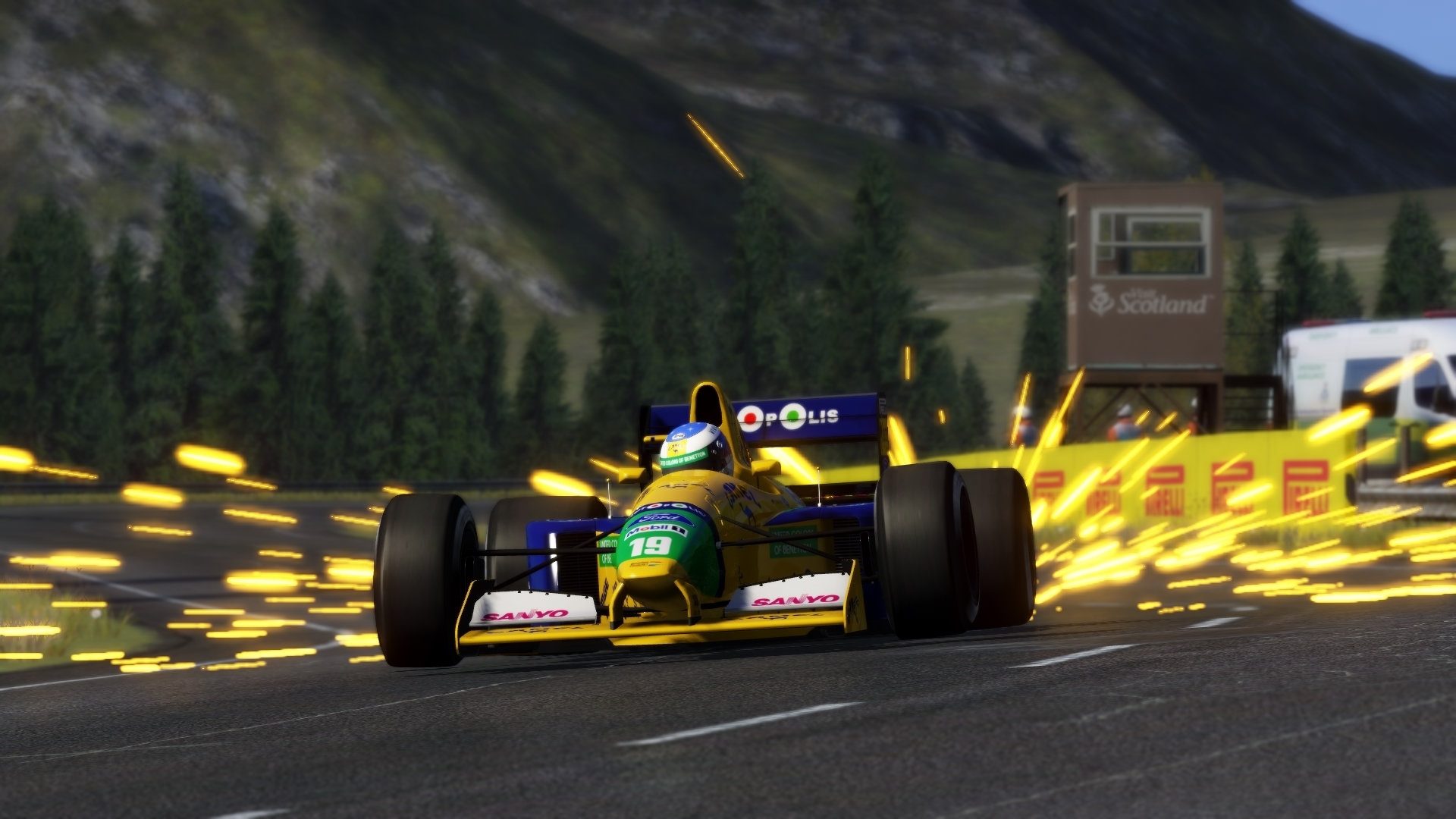
Any chance an F1 fan can share there sparks settings? Looking for those big, beautiful showers like on the 80s and 90s cars. I am not having much luck, mine looke like clumpy blobs of lava
Thanks 👍
Oof! There was a lot of tweaking of shader values and replacing of materials in the cockpit amendments. I wouldn't even know where to start if I had to replicate it all. Was the shadow fix relatively simple? If so I'll send you my car (also has some other data fixes in driver3d etc) and you can hopefully apply the shadow fix to it (if it was easy)?Unfortunately I had to modify the kn5, they will all need transferring over
Yeah send it over no problem, I won't get around to it for a day or two though.Oof! There was a lot of tweaking of shader values and replacing of materials in the cockpit amendments. I wouldn't even know where to start if I had to replicate it all. Was the shadow fix relatively simple? If so I'll send you my car (also has some other data fixes in driver3d etc) and you can hopefully apply the shadow fix to it (if it was easy)?
Will do. I'll PM it over. The cockpit should be a lot better for VR users now with the PBR shaders. I did lots of shader adjustments and material replacements. Some of the shaders (like the satin chrome on the radio controls, gear knob etc) were totally borked (just appearing white) and not easily fixed without creating big issues elsewhere so were swapped out for a different shader. Dashboard materials fixed. Leather on the seats is fixed but the stitching is still borked, changing alpha values didn't fix it. Weird. I sorted all the cockpit labels (window controls, dashboard labels, SRS Airbag etc etc) which had incorrect alpha values. I sorted the driver hand/wheel synch. Updated the driver model and suit/helmet/gloves. Mirrors will need flipping in the separate config created once they are all adjusted once in BLM car - they wouldn't flip with the mirror config in 'data'. Added proper AMG audio too.Yeah send it over no problem, I won't get around to it for a day or two though.
set your resolution and refresh rate to your monitors specs. shouldnt all be at 0A quick question.I struggle to select the correct settings for my system.I have a rx480,ryzen 5 2600 and 16gb ram.Are these settings correct?Thanks


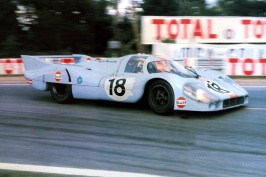
Halvetica seems correct, but it seems a bit too thick? maybe it should be "bold" not "black" ?I know most of you here like things to be as close to real as possible but I'm kinda struggling to get the numbers correct on the Gulf Porsche 917 LH.
Could someone check and see if this is the right font for the numbers?? I believe it's called Helvetica black but I'm not 100%
View attachment 903907


i literally told you to click on the car in cm showroom and extract the AO and also extract the wireframe, why do you go to 3 seperate places with your issue????View attachment 903482
So this is the template for the TopRace McLaren 720S GT3 mod, it's a KN5 file. How do I paint a model without a psd or dds template? I've never seen a car with anything like this?



Yep I kinda thought that too. I can't be bothered to sort it tonight so I'll fix it tomorrow nowHalvetica seems correct, but it seems a bit too thick? maybe it should be "bold" not "black" ?


Here's a little update to the '71 NASCAR mod. Works for my road course version or original.
This adds flames to the car. Thanks to James Twitchell for the update.
This is just an update and not the whole car pack. Drag, drop and overwrite as necessary.
View attachment 903991
Nice!, where can the mod be found?
And while I'm here, does anyone else have a problem with CSP and the lights on track going way too bright as the time of day changes to night for about 4 or 5 seconds? I'm getting total screen whiteout for those few seconds and then everything returns to normal lighting as it should be. kinda annoying, wondering if I have to tweak something more or missing something. Using CM 36316, and CSP 0.1.46



These frequent CM crashes continue to be a major pain in the ass but I've just realised that alt-tabbing to the crash dialogue and hitting 'delete' while still holding 'tab' will clear the message and let you return to CM. I've been having to quit AC/CM in task manager previously, or reboot the PC if TM wasn't responsive, so this potentially saves a LOT of pissing about.
Hope Ilja comes up with a permanent fix soon. Shame we can't revert to previous CM builds like we can with CSP.

Yes! Hopefully tyres are fixed!BTCC 2019 season update released by Shaun Clarke. Get it on his site:
https://shaunclarke35.wixsite.com/website/downloads

I opted out of "untested versions" of CM and crashes stopped for me. Try it.
EDIT: I just remembered, i did something else aswell. Cause errors sometimes cited yebis, i disabled everything on yebiset extension, and set post-processing to "disabled" in graphic options of csp. With FPS gained, i then could put antistropic filtering to 8x, and msaa to 4x, and ticked the fxaa, which i had unticked before. And it actualy looks better now than before, and no crashes. Hope it helps somebody else as well.
Thanks for this I've never tried nascar what tracks do you recommend?
I uploaded my version of Sonoma today for someone, containing the new balloons and all of Slider's various fixes. Grab it here for 14 days. Needs a permalink really. Anyone: feel free to rehost.Thanks for this I've never tried nascar what tracks do you recommend?