Assetto Corsa PC Mods General DiscussionPC 

  • Thread starter Thread starter daan
  • 157,268 comments
  • 51,147,763 views
Seems like their priorities are arse-about-face if having a detailed engine model that's hidden 99.9% of the time is more important than framerate and performance when actually driving the cars.
Then again I've never understood why so many modders want doors, bonnets and boots to open on their cars.
Play Forza instead?
I agree 100%. I thought about replying in a similar vein but decided against it! They obviously have their minds made up with the line "These mods are already greatly optimized, there's nothing left to improve in that aspect."
 
Seems like their priorities are arse-about-face if having a detailed engine model that's hidden 99.9% of the time is more important than framerate and performance when actually driving the cars.
Then again I've never understood why so many modders want doors, bonnets and boots to open on their cars.
Play Forza instead?
you forgot the most important feature !
Android Auto!

so you can watch youtube in your virtual bmw m4 black tuned edition while steering it with your iphone!
 
you forgot the most important feature !
Android Auto!

so you can watch youtube in your virtual bmw m4 black tuned edition while steering it with your iphone!
tomorrowbmw28dm3.8829.jpg
 
Seems like their priorities are arse-about-face if having a detailed engine model that's hidden 99.9% of the time is more important than framerate and performance when actually driving the cars.
Then again I've never understood why so many modders want doors, bonnets and boots to open on their cars.
Play Forza instead?
Thats disappointing indeed. I was just about buying the pack.
But i am thinking about right now.
My cpu is bit older ryzen2700x but disabeling eye candies like extraFX and co is no option…

Did those Performance problem not occure already with a Indycar pack from VRC?!
 
After having an extremely busy 2022, I found a bit of time to get back into 3DS MAX again.
"Mid America Motorplex" has been around in sim racing since the days of Sports Car GT. It has been converted to rFactor, GTL, GTR2 and also to AC, but all the fantasy trees, grand stands and other track side objects the original creator included have never been removed. Because I like the flow of the track I decided to give it a try to get it closer to reality. WIP.
Recently the track's name has been changed to "Raceway Park of the Midlands".

PS: Yes, I will try to finish Crystal Palace later on!

The real track:
MAM real.jpg


The old SCGT / rFactor / GTR2 / AC version:
Screenshot_ks_porsche_911_gt3_cup_2017_mam_2-1-123-13-9-41.jpg

My W.I.P.:
Screenshot_ks_porsche_911_gt3_cup_2017_zw_rpm_2-1-123-15-57-11.jpg
 
Last edited:
Regard VRC BTCC performance... Might be worth a few of us mentioning it directly on their official Discord. I seem to be the only one that has highlighted performance issues and, as such, their response is quite dismissive.
 
Last edited:
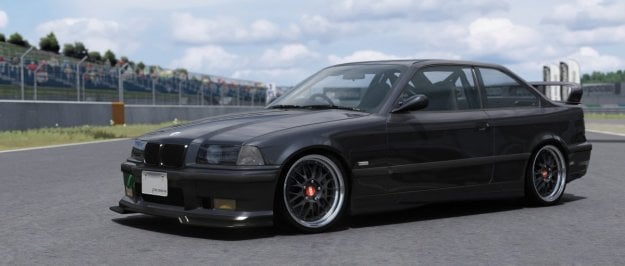
Really nice E36 M3 update from Daiki Naruse on FB.
Easily the best E36 available for AC, I reckon.

e46.jpg


For any VR/first person drivers out there, the driver's hands were clipping through the steering wheel so here's a rescaled/repositioned driver to fix it, plus a better shifting animation.
As usual, remove the .txt extensions and add driver_base_pos.knh to the car folder, and steer.ksanim & shift.ksanim to the 'animation' folder.
Swap this timing into data/driver3d.ini too:

Code:
[SHIFT_ANIMATION]
BLEND_TIME=100
POSITIVE_TIME=330
STATIC_TIME=10
NEGATIVE_TIME=330
PRELOAD_RPM=8500
INVERT_SHIFTING_HANDS=1
 

Attachments

Seems like their priorities are arse-about-face if having a detailed engine model that's hidden 99.9% of the time is more important than framerate and performance when actually driving the cars.
Then again I've never understood why so many modders want doors, bonnets and boots to open on their cars.
Play Forza instead?
Because in a simulator cars should be looked at, not driven...right? 😂
 
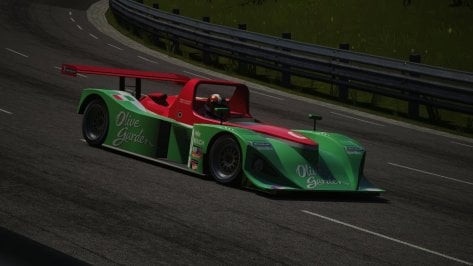
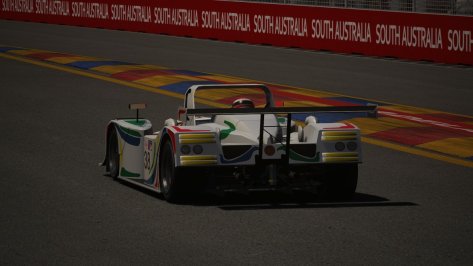
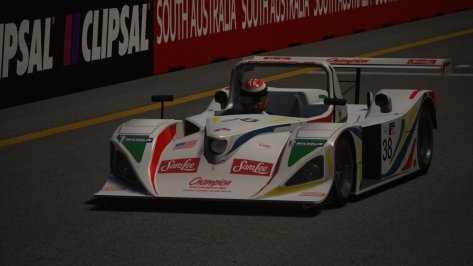
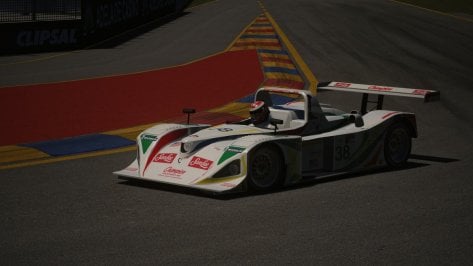
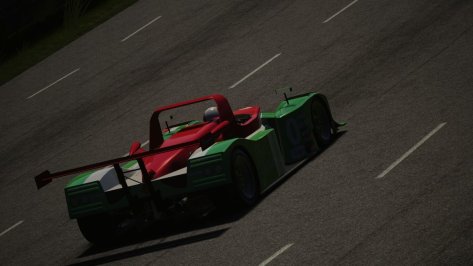
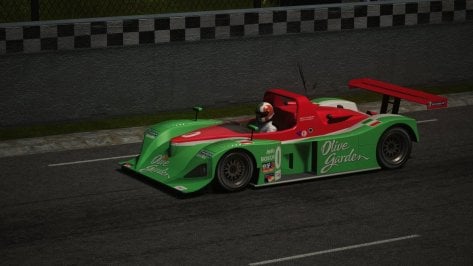
Updating the Lola B2K/10

This is part of the planned January releases

Four Powertrain Options Judd V10, Ford V8, VW V10 Turbo Charged Diesel,Porsche F6 Turbo Charged

Cars will be released in packs

Pack 1 Judd V10, Ford V8

Pack 2 VW V10 Turbo Charged Diesel and Porsche F6 Turbo Charged

Sorry for low rez pictures(working on issues with pc).

Screenshot_lola_b2k10_judd_acf_hsring_2-0-123-10-47-32.jpgScreenshot_lola_b2k10_porsche_adelaide2011_2-0-123-10-42-14.jpg
Screenshot_lola_b2k10_porsche_adelaide2011_2-0-123-10-42-8.jpg
Screenshot_lola_b2k10_porsche_adelaide2011_2-0-123-10-41-48.jpg
Screenshot_lola_b2k10_judd_acf_hsring_2-0-123-10-48-21.jpg
Screenshot_lola_b2k10_judd_acf_hsring_2-0-123-10-48-5.jpg
Screenshot_lola_b2k10_judd_acf_hsring_2-0-123-10-47-54.jpg
Screenshot_lola_b2k10_judd_acf_hsring_2-0-123-10-47-44.jpg
 
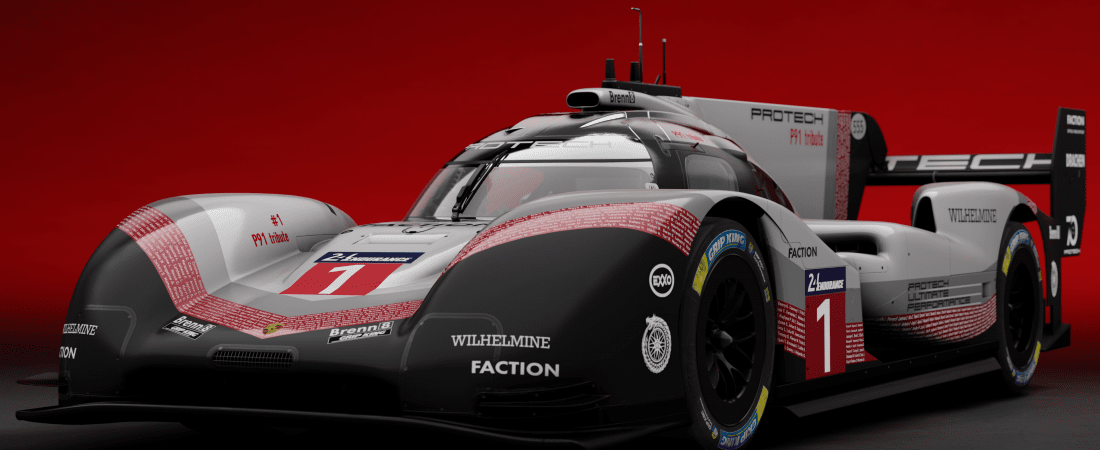
Maybe I missed somrone else's post about it being available, but in case you haven't seen it yet, or received an email from RSS...

PROTECH P91 HYBRID EVO


custom_showroom_1672003830-pzz8ofrcjjvpf7gpn5ns99zb3yhypx8hddxv8hjafo.png

As usual from RSS, very good quality, and it's crazy to drive with its automotive wizardry that keeps it stuck to the track.
A bit misleading marketing, I was buying 963 2023,but got 919 Evo from 2018.
 
A bit misleading marketing, I was buying 963 2023,but got 919 Evo from 2018.
It's fairly clear from the pics/video what the car is, surely?


After having an extremely busy 2022, I found a bit of time to get back into 3DS MAX again.
"Mid America Motorplex" has been around in sim racing since the days of Sports Car GT. It has been converted to rFactor, GTL, GTR2 and also to AC, but all the fantasy trees, grand stands and other track side objects the original creator included have never been removed. Because I like the flow of the track I decided to give it a try to get it closer to reality. WIP.
Recently the track's name has been changed to "Raceway Park of the Midlands".

PS: Yes, I will try to finish Crystal Palace later on!
Lol, I'd played Mid America in several games and I remember it clearly from SCGT but I honestly didn't realise it was real until your post! I've probably skipped over the name a hundred times on RacingSportscars when skimming SCCA results too... oops!

Great news on Crystal Palace too, I feared we'd lost you to work!
 
Last edited:
<snip> all the fantasy trees, grand stands and other track side objects the original creator included have never been removed.
Thank you for this! I live about half an hour away from this track and the inclusion of all that stuff was always so off-putting compared to how this area looks irl 😁
 
After having an extremely busy 2022, I found a bit of time to get back into 3DS MAX again.
"Mid America Motorplex" has been around in sim racing since the days of Sports Car GT. It has been converted to rFactor, GTL, GTR2 and also to AC, but all the fantasy trees, grand stands and other track side objects the original creator included have never been removed. Because I like the flow of the track I decided to give it a try to get it closer to reality. WIP.
Recently the track's name has been changed to "Raceway Park of the Midlands".

PS: Yes, I will try to finish Crystal Palace later on!

The real track:
View attachment 1220151

The old SCGT / rFactor / GTR2 / AC version:

My W.I.P.:
Tell me you're going to include the dragstrip area as well?
 
I agree about high poly engine bays and other details being pointless when it affects racing.

To be honest Id say the same about a lot of really nice looking tracks that get released with dismal AI to race against.

Is there a guide on creating our own AI data because I'm fed up with the bad AI on a lot of tracks.
 
Last edited:
RE: VRC Touring Cars, what needs to be done if I only want to keep the CSP versions and want to get rid of the non-CSP ones? Is there anybody able to give a short (and understandable for noobs) instruction how-to? I´ve read that the CSP ones do not work if the non-CSP ones are deleted since they share the same data?
 
Last edited:
RE: VRC Touring Cars, what needs to be done if I only want to keep the CSP versions and want to get rid of the non-CSP ones? Is there anybody able to give a short (and understandable for noobs) instruction how-to? I´ve read that the CSP ones do not work if the non-CSP ones are deleted since they share the same data?
From what I've seen, there is no KN5 file in the CSP version, which prevent them to be used alone, so maybe copy/paste all the kn5 files?
 
Hello guys, Happy New year ;)
To continue my 964 Cup, I'm about to see how Simplygon is working with the Content Manager, but I have a small issue
Free License looks ok, it's even working well in 3dsmax
2023-01-02_22h13_22.png

But not in CM?
CM Version 0.8.2467.39678 (x86) and Custom shader version 0.1.79
2023-01-02_22h14_30.png


did you see a similar issue ?
thanks for your help !
 
Hello guys, Happy New year ;)
To continue my 964 Cup, I'm about to see how Simplygon is working with the Content Manager, but I have a small issue
Free License looks ok, it's even working well in 3dsmax
2023-01-02_22h13_22.png

But not in CM?
CM Version 0.8.2467.39678 (x86) and Custom shader version 0.1.79
2023-01-02_22h14_30.png


did you see a similar issue ?
thanks for your help !

I'm never seen that particular issue. Are they installed on the same drive?

RE: VRC Touring Cars, what needs to be done if I only want to keep the CSP versions and want to get rid of the non-CSP ones? Is there anybody able to give a short (and understandable for noobs) instruction how-to? I´ve read that the CSP ones do not work if the non-CSP ones are deleted since they share the same data?

Sorry, on a phone now, but in basic terms:

  • Copy over the KN5 files of the 'non' ones to the CSP folder
  • Go to the data folder and open lods.ini - remove all the 'path' references, so you're just left with the names of the KN5s (check any other car to see how it should look)
  • Check all other folders have the same content (the extension folder, if it's there, the sound folder etc)
  • Test delete it

I'm sure someone will do a better guide for you soon but if not, and you're stuck, let me know and I'll do a better guide next time I'm at the computer.

Otherwise, you can just disable the ones you don't want in CM and I think that would have the effect you're looking for.
 
  • Copy over the KN5 files of the 'non' ones to the CSP folder
  • Go to the data folder and open lods.ini - remove all the 'path' references, so you're just left with the names of the KN5s (check any other car to see how it should look)
  • Check all other folders have the same content (the extension folder, if it's there, the sound folder etc)
  • Test delete it

I'm sure someone will do a better guide for you soon but if not, and you're stuck, let me know and I'll do a better guide next time I'm at the computer.

Otherwise, you can just disable the ones you don't want in CM and I think that would have the effect you're looking for.
Many thanks! I can confirm it works as advised, if you a.) re-pack the data.acd (otherwise it does not load the data from the folder which has been created unless you use "use un-packed data if exists") and b.) make the mod a standalone one (with CM) after deleting the parent car.
 
Last edited:
RE: VRC Touring Cars, what needs to be done if I only want to keep the CSP versions and want to get rid of the non-CSP ones? Is there anybody able to give a short (and understandable for noobs) instruction how-to? I´ve read that the CSP ones do not work if the non-CSP ones are deleted since they share the same data?
I had the same question about it I tried Bought at kilamy 1967 the regular ones do 3 second less than the CSP ones
 
Hi guys and Happy New year!
I have an issue with the ks_ferrari_488_gt3:
1672700897748-png.1220256


As you can see the LCD screen mirror doesn't work.
I tried deactivating CSP features. I tried adding the line:
[REAL_MIRROR_1]
IS_MONITOR=1
inside the ext_config.ini of the extension folder I have in the root of the car.
I tried changing PPFilter.
I asked a friend to zip me his folder and overwrite the data file and LODA.
I also noticed there's an automatically loaded ks_ferrari_488_gt3.ini inside assettocorsa\extension\config\cars\loaded with a long code about LCD mirror. But if there's an error inside the code, if I delete it, it keeps on loading it...

Any idea how to solve this, before checking the files via Steam as last resource? I have no idea.


UPDATE!

I deleted the code about the internal LCD mirror inside the ini file in assettocorsa\extension\config\cars\loaded and it works!!!
Would be cool to find out what part of that long code is wrong...

; For demonstration purposes let’s replace interior rear view mirror with a mirror with extra features:

; Hide original mirror mesh
[SHADER_REPLACEMENT_...]
MESHES = Extra_Mirror_SUB1
LAYER = 10
ACTIVE = $" read('csp/version', 0) >= 1709 "

; Create a new mirror mesh
[INCLUDE: common/displays.ini]
[DisplayShape]
MeshName = __mirror_display_mesh
ScreenScale = 256
ScreenAspectRatio = 0.5
MatrixType = TN
TreatTextureAsHDR = 1
P1 = -0.033037, 0.853015, 1.069863 ; four corners of new mirror
P2 = -0.109149, 0.844854, 1.013162 ; hold alt and click with objects inspector to get in-car coordinate
P3 = -0.109451, 0.773587, 1.023871 ; pro tip: with 0.1.76, hold Shift to get six digits after the delimiter
P4 = -0.033524, 0.781760, 1.080841

; And create dynamic texture. New mirror is going to have two modes, mirror with overlay and ABS/TC/brake bias control
[SCRIPTABLE_DISPLAY_...]
MESHES = __mirror_display_mesh
RESOLUTION = 512, 512
DISPLAY_POS = 0, 0
DISPLAY_SIZE = 512, 512
SKIP_FRAMES = 0 ; high refresh rate, it’s a mirror in a racing car after all (don’t use it for other displays though)
SCRIPT = '
-- Buttons on display
local displayMesh = display.interactiveMesh{ mesh = "Extra_Mirror_SUB0", resolution = vec2(512, 128) }
local btnModeSwitch = displayMesh.clicked(vec2(200, 7), vec2(45, 26))
local btnMenu = displayMesh.clicked(vec2(254, 7), vec2(45, 26))
local btnMinus = displayMesh.clicked(vec2(308, 7), vec2(45, 26), 0.15)
local btnPlus = displayMesh.clicked(vec2(363, 7), vec2(45, 26), 0.15)
local btnFasterMinus = displayMesh.clicked(vec2(308, 7), vec2(45, 26), 0.05)
local btnFasterPlus = displayMesh.clicked(vec2(363, 7), vec2(45, 26), 0.05)
local btnTurnOff = displayMesh.clicked(vec2(418, 7), vec2(45, 26))
-- Each mode will be drawn by its own function. Here is a function for mirror mode:
local brightnessMult = 1
local selectedOverlay = 1
local updateDelay = 0
local overlayText = ""
function modeMirror(dt)
-- Enable real mirror in this mode
ac.pauseRealMirror(1, false)
-- Firsly, draw mirror texture across whole thing
display.mirror{
pos = vec2(),
size = vec2(512, 512),
color = rgb(brightnessMult, brightnessMult, brightnessMult),
mirrorIndex = 1, -- for rear mirrors, specifices position of which mirror to use. 0 is for the leftmost
uvStart = vec2(0.343, 0), -- these coords are used only if real mirrors are disabled
uvEnd = vec2(0.658, 1) -- good thing to switch real mirrors on and off to make sure it all matches
}
-- And let’s just put current speed in the top left corner
if updateDelay <= 0 then
updateDelay = 0.5
overlayText = selectedOverlay == 1 and string.format("%.1f km/h", car.speedKmh)
or selectedOverlay == 2 and string.format("%.1f l", car.fuel)
or selectedOverlay == 3 and string.format("%.1f C", car.waterTemperature)
else
updateDelay = updateDelay - dt
end
display.text{
text = overlayText,
pos = vec2(40, 408),
color = rgb(0, 0, 0),
letter = vec2(24, 64),
font = "aria",
width = 432,
alignment = 1,
spacing = -6
}
if btnPlus() then brightnessMult = math.min(brightnessMult + 0.1, 1.2) end
if btnMinus() then brightnessMult = math.max(brightnessMult - 0.1, 0) end
if btnMenu() then
selectedOverlay = selectedOverlay + 1
if selectedOverlay == 4 then
selectedOverlay = 1
end
end
end
-- Second mode for customizing ABS and brake bias
local selectedItem = 1
function modeConfig(dt)
-- Disable real mirror in this mode
ac.pauseRealMirror(1, true)
local colorSelected = rgb(0, 0, 0)
local colorNotSelected = rgb(1, 1, 1)
if btnMenu() then
selectedItem = selectedItem == 1 and 2 or 1
end
display.rect{
pos = vec2(0, 40 + (selectedItem - 1) * 140),
size = vec2(512, 140),
color = rgb(0.2, 0.2, 0.2)
}
display.text{
text = car.absMode == 0 and "ABS: disabled" or string.format("ABS: %d/12", car.absMode),
pos = vec2(40, 70),
letter = vec2(24, 64),
color = rgb(1, 1, 1),
font = "aria",
}
display.horizontalBar{
pos = vec2(40, 70+68),
size = vec2(432, 8),
delta = 6,
activeColor = rgb(1, 1, 1),
inactiveColor = rgb(0.2, 0, 0),
total = 12,
active = car.absMode
}

local range = car.brakesBiasLimitUp - car.brakesBiasLimitDown
display.text{
text = string.format("Brake bias: %.1f%%", car.brakeBias * 100),
pos = vec2(40, 210),
letter = vec2(24, 64),
color = rgb(1, 1, 1),
font = "aria",
}
display.horizontalBar{
pos = vec2(40, 210+68),
size = vec2(432, 8),
delta = 1,
activeColor = rgb(1, 1, 1),
inactiveColor = rgb(0.2, 0, 0),
total = math.ceil(range / car.brakesBiasStep),
active = math.ceil((car.brakeBias - car.brakesBiasLimitDown) / car.brakesBiasStep)
}
if selectedItem == 1 then
if btnMinus() and car.absMode > 0 then ac.setABS(car.absMode - 1) end
if btnPlus() then ac.setABS(car.absMode + 1) end
else
if btnFasterMinus() then ac.setBrakeBias(car.brakeBias - car.brakesBiasStep) end
if btnFasterPlus() then ac.setBrakeBias(car.brakeBias + car.brakesBiasStep) end
end
end
-- Storing current mode in variable
local currentMode = modeMirror
local isTurnedOff = false
function update(dt)
if btnModeSwitch() then
currentMode = currentMode == modeMirror and modeConfig or modeMirror
isTurnedOff = false
end
if btnTurnOff() then
isTurnedOff = not isTurnedOff
end
if isTurnedOff then
ac.pauseRealMirror(1, true)
currentMode = modeMirror
else
currentMode(dt)
end
end'
 
Last edited:
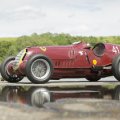
Alfa Romeo 33/TT12 v1.0

The Tipo 33 TT 12 by Autodelta, is unquestionably one of Alfa Romeo’s most important post-war racing cars.
It has everything of a truly exceptional historic racing car...
dominant success, the world’s greatest drivers, a world-famous brand.

Imagine yourself, behind her... at the edge of control, screaming....
11,000 rpm splitting the air as you shift into fifth gear...
the speed, the rush of wind, the exhilaration, she is alive!
(She likes to be caressed... but she likes it rough too!)

Stop dreaming…
1605878359630-png.421083

I've sung the praises of this beautiful car but has anyone ever made an improved gear change animation for this?
Or is it just me who has a 1ms hand missing the shifter animation?
I reckon on 500+ shifts per lap at the Targa Florio.
 
Hello guys, Happy New year ;)
To continue my 964 Cup, I'm about to see how Simplygon is working with the Content Manager, but I have a small issue
Free License looks ok, it's even working well in 3dsmax
2023-01-02_22h13_22.png

But not in CM?
CM Version 0.8.2467.39678 (x86) and Custom shader version 0.1.79
2023-01-02_22h14_30.png


did you see a similar issue ?
thanks for your help !
Download simplygon.zip from their website, extract all in simplygon folder in your pc replacing the existing files, it works.
 
Sharing a mod? Host it on GTPlanet Downloads. Free, public hosting for files up to 10GB in size.
Back