- 309

- Hessen
where can i find that base car?
where can i find that base car?


CM > SETTINGS > GENERAL >> Auto Updates pic listDoes anyone remember what the control in CM is to automatically check for content version updates?
I turned it off somehow years ago, as I always manually install, but I realized it'd be nice to use the feature just to see what some of my dusty old collection might have in the CM update queue. Then I could find it and install it manually.
I looked up and down the CM options and CSP and can't find it.
Thanks in advance.


Here is the Pilbeam MP93 JPX for Assetto Corsa powered by a 3.4 liter V6 by JPX.


I was under the impression that this was just for the CM app, and not for content.CM > SETTINGS > GENERAL >> Auto Updates pic list


I believe you do it by removing the registry in Settings | Content Manager | Content.I was under the impression that this was just for the CM app, and not for content.
I have this checked (even though I pretty much always manually update CM anyway).
I'm referring to the thing that flashes green in the upper right corner when specific content has updates pushed.


https://www.mediafire.com/file/ww64zlz8oygtxgo/Nissan_Skyline_GTR_R34_Touring.7z/filewhere can i find that base car?

I had a look but no chance to receive the result with the box ticked.hellohttps://acstuff.ru/s/JL_Ah_ is that the link you needed? i have never been asked to share all the settings so i guess i am doing it correctly. I have included a pic to show my showroom settings aswell just incase. My apologies if i have not provided you with exactly what you need.
thanks


That's it! Thank you. A dozen updates.I believe you do it by removing the registry in Settings | Content Manager | Content.
The last option is to specify a registry to check for new versions against.
The default is "https://acstuff.ru/cup/"


But Bellof never raced the 962 at Spa so how would he have known ? Better ask Ickx for that... After all he made it through Eau Rouge / Raidillon without a scratch (yeah I'm feeling extra mischievous today)Has anyone noticed, that the Kunos Porsche 962c ST has too much downforce, at least on the front axle? For example, the Eau rouge (Spa) turn is passed at about ~270 km/h, as far as i remember, from the words of Stefan Bellof, the Porsche 962c passed this turn at a speed of about 220-230, i understand, comparing the game (even a simulator) with reality, is not the right solution, but still the difference in speed is too large.
I reduced the value in the aero.ini file
[WING_1]
NAME=FRONT
CL_GAIN=1.80 changed to 1.30
Now the behavior of the car in fast corners looks more realistic (IMHO) I wanted to ask, besides this value, is there anything else that needs to be changed to reduce the downforce on the front axle?
P.S. Sorry for my english, im partially using a translator)
Yes, he drove a 956, the same in terms of aerodynamics as the 962.But Bellof never raced the 962 at Spa so how would he have known ? Better ask Ickx for that... After all he made it through Eau Rouge / Raidillon without a scratch (yeah I'm feeling extra mischievous today)
Bugatti EB110ss(v1.0)
It is required CSP 1.76 or above Version. But It is tested in CSP 2.1 Preview2
View attachment 1319183View attachment 1319184View attachment 1319185View attachment 1319186
2) Diver and Interior Animations
- 3d Model
1) Based on Forza Horizon 5 by Turn 10 Studio.
2) Some Parts are from CSR2
3) Converted and Edited by F40 LM Lover, special thanks to GADU who made Skined mesh for me- Sound
1) Kunos Ferrari 599xx EVO : Who can make proper sound for us?- Features
1) Exterior Animations
-. Left Door : Extra A
-. Right Door : Extra B
-. Motor Hood : Extra C
-. Frront Hood : Extra D
-. Fog Lights : Extra F
-. GAS, Brake, Clutch Pedal
-. Turn Signal Lever
-. Lighting Signal Lever
-. Fog Light
-. Hand brake & Horn
- Physics : VRDriving
- Super Special Thanks to GADU who make Skined Mesh for Manual Shift Animation!
- Download link is in the description of Video.


 .
.

it's quite hard to find data around it (and i mean it was hard)This is one of those little big contributions to that era that feels impossible to complete. Big efforts that deserve a lot of enjoyment in the track, thanks to the team for your work.🍻


Hi everyone,
hope you're all doing well today
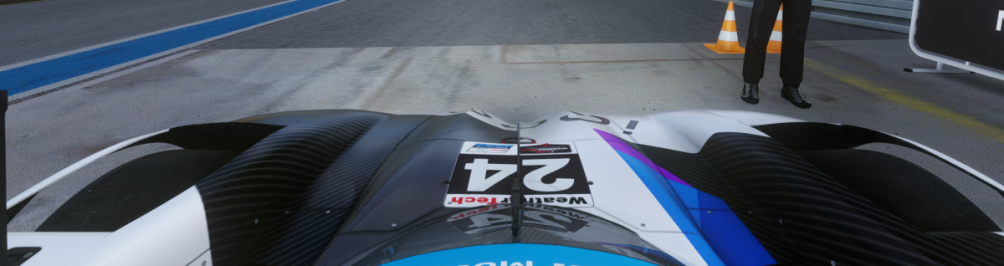
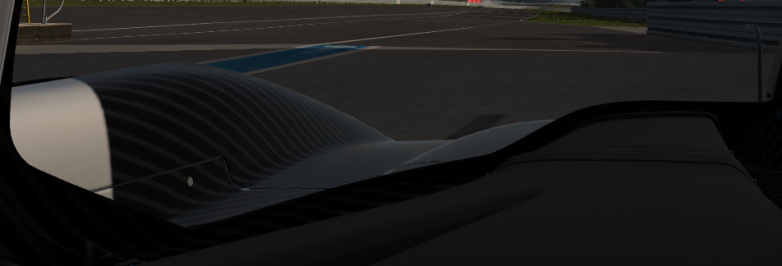
I've run into some sort of artefact/visual bug that seems connected to my game's post processing and I was wondering if anybody could help me out. I don't really know how long I've had the issue as i just noticed it yesterday.
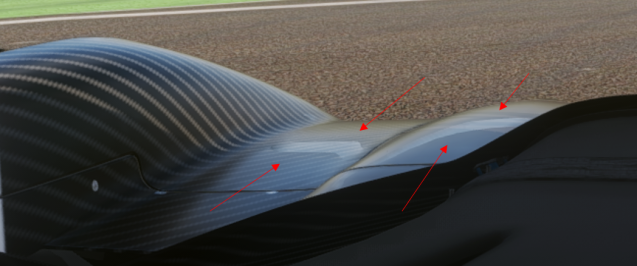
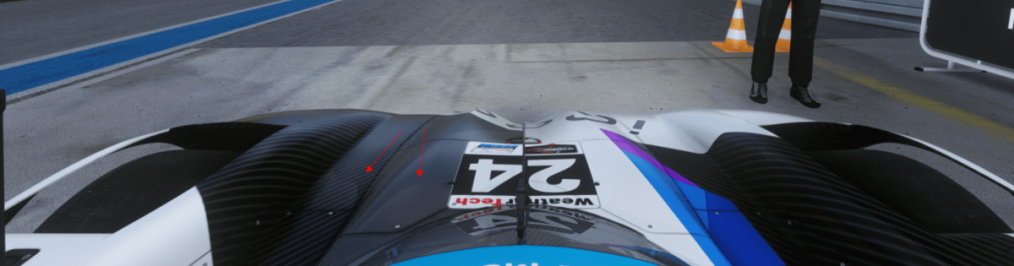
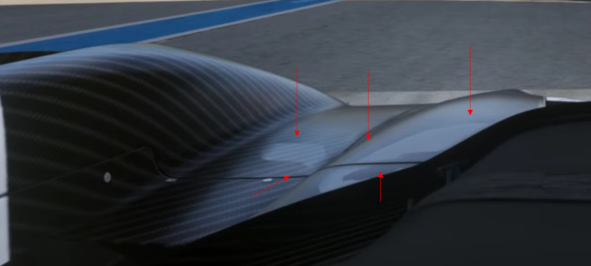
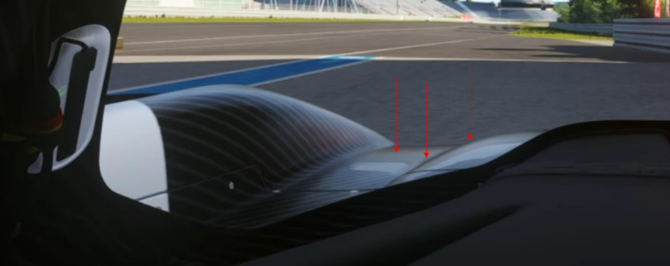
There seems to be some sort of white or transparent line when in cockpit or hood cam. It also seems connected to my camera as moving it around also moves said "line". The bug stems from my post-processing as turning it off removes the bug, but it is not ppfilter-specific as it does this with all of them. It also doesn't seem related to pure as turning that off doesnt affect the bug. Playing with the pp settings in pure config dont fix it as well, I've tried them all.
I run my game on an nvidia GPU in 3440*1440 ultrawide, i dont know if that has anything to do with it. My game runs on CSP 0.2.3 preview-1
Here is a picture and a video attached showcasing the issue on the Bayer Hybrid v8, you can see the bug next to the 24 logo, its very visible on the left side.
Thank you very much to those taking their time to help.
Hi thx for the replyhi and welcome !
I looked at the vid 3 times and can't find what you are describing... also not on the screenshot... please on the screenshot indicate with an arrow or something so it's easier for us to focus on the correct spot ... thx!
,
I just uploaded the update for Zandvoort 2023 on here, it includes:
Note: The LED lights around the track by default display the green flag until there's another flag to display. If you wish to turn this off by default there is another extension file in the /extension folder you can use. If anyone knows how to keep the green flag on for about a minute after a session starts and then turn off as it would in the real world I'd love to hear!
- Working LED flagboards
- Working startlights
- Working pit exit light
- Improved shaders, mainly on fences
- Improved textures on pitbuilding
- Fixed issues with AI
Many thanks to @racinjoe013 for the help!
View attachment 1320054
Enjoy!
It's the complete track, at least I installed it as a separate track and it works fine.C
Could someone share with me the track- this update is for please
It seems i am too dump to find the right one


Just click on "on here" to go on download page...C
Could someone share with me the track- this update is for please
It seems i am too dump to find the right one
understood, thankyou very much for having a look i greatly appreciate it.I had a look but no chance to receive the result with the box ticked.
It's the complete track, at least I installed it as a separate track and it works fine.
LOL guys i don`t know what i did wrong yestardayJust click on "on here" to go on download page...
 (no alcohol until friday evening
  )
) www.gtplanet.net

thx for your work!Hyundai Genisis gr.3 skin touch up/upscale only
Decided to fiddle with this skin a little as i wasn't happy with the quality so decided to do something about it. not perfect but greatly improved in terms of sharpness. This is a 4096x512 skin.
unzip and drag the .dds file into the correct skin folder and your done.
thanks to whoever did the colour correction on this skin in the first place all i have done is fiddle with it
car made/converted by F302
Hyundai Genisis GR.3 skin (reowrk only)
Hyundai Genisis gr.3 skin touch up/upscale only Decided to fiddle with this skin a little as i wasn't happy with the quality so decided to do something about it. not perfect but greatly improved in terms of sharpness. This is a 4096x512 skin...
View attachment 1320444
View attachment 1320445
View attachment 1320446
View attachment 1320448
my pleasure, thanks for your work this car is one of many car's that i have great fun withthx for your work!
from GT?...... a lotmy pleasure, thanks for your work this car is one of many car's that i have great fun with
how many car's have you put in this game up until now?. Alot is what i am thinkng
i guessed right 😂