

- 2,370

- Sherbrooke, Québec, Tabarnak!
Latest everything here and object inspector works fine


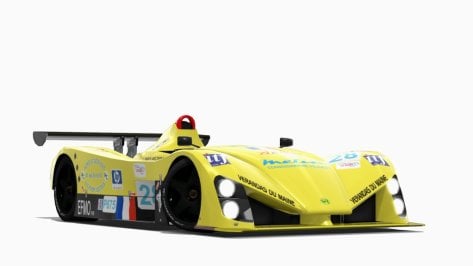
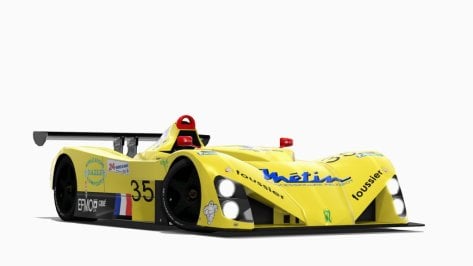
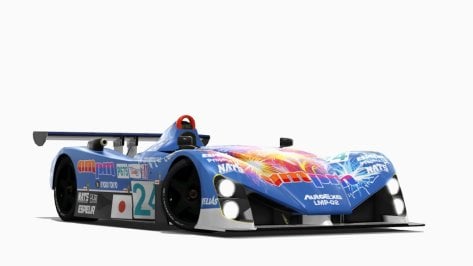

Does anyone know why my Objects Inspector no longer selects the track? It doesn't matter what track, it refuses to select any track surface... was there some new setting or something with CSP or CM?
After many bugfixes and many settings related changes, maybe its a try to reset your CSP settings to defaults.Latest CSP patch are bugged as hell. Latest one which works fine is the 0.2.3-p1
Once loaded i can't see the sea, the only way to see it is to convert it in SEA via config (but this makes also the island sorrounding the sea waterish. Can you please check it?


Hi ThereAnother adaptation to a rally car.
Now it was the turn of the Citröen DS19/21.
Inclusion of the co-pilot and adaptation of the skins for Monte Carlo '65.


I tested few version and after the one i reported, i have this issue (not every object gets selected at all) since that. Don't know if there's anything to activate, but i have to stick with an older version to keep doing my configs, if not, there's no way to do them.
Tried Kunos track with a Kunos car and still can select everythingI tested few version and after the one i reported, i have this issue (not every object gets selected at all) since that. Don't know if there's anything to activate, but i have to stick with an older version to keep doing my configs, if not, there's no way to do them.
Try click different objects here and there, randomly.

Try it, if you and when you can, on modded tracks. It's a tool that i never use with stock tracks-cars (on over 500 config i did in years, i worked only on Red Bull Ring with Racinjoe013 for stock base tracks).Tried Kunos track with a Kunos car and still can select everything


I've tested on a few modded tracks, couldn't repeat the problem without an user errorTry it, if you and when you can, on modded tracks. It's a tool that i never use with stock tracks-cars (on over 500 config i did in years, i worked only on Red Bull Ring with Racinjoe013 for stock base tracks).
Anyway as said, it allow to select something, but it won't select something else (sometimes it allow me to select road, but not banners, sometimes viceversa bases always on different tracks). If start happens on track x, on the road mesh, it always keep doing the same whatever i do.


Do you like this one?Hi There
Would these be available for download please


where can i find this track version ?Would anyone have any clue why certain tracks like vhe_hockenheim 1.6 would be missing textures like in the picture below?
View attachment 1377452
I'm also having issues with vn_goldcoastakv888 missing nearly all kerbs and walls.
View attachment 1377453
I've tried redownloading and reinstalling them but the same problem has persisted.
EDIT: It looks like it was something to do with a setting called deduplicate textures. Such a headache from a singular tick box.
what list? where to find?
All over this forum...what list? where to find?
As said, i made over 500 configs (from public to private) so i should know how object inspector works as todayI've tested on a few modded tracks, couldn't repeat the problem without an user error
The user error was having the object behind the MapDisplay Full app...
@kpcart: Followed your remarks and advice, DDU-ed latest Quadro driver and installed Studio (SD), version 537.58 afterwards. NV 537.58 seems best according to all I've read so far. Usage of Studio driver recommended by Peter Boese. So...fixed for the next coming yearsi find in 2024, changing drivers is not worth the effort, you cant notice the at max maybe 1 to 2% difference. back in the old days of 3dfx cards in 1998 or whatever it was, driver versions could make a big difference. but now it is mostly about graphics settings that you select. i just upgraded my nvidia 2060 driver first time in 2 years and notice zero difference in performance anywhere.. except for cyberpunk 2077, but that is just a terribly optimised game.
. Have a good day all.


Alright so it of course changes wildly depending on anyone’s particular screen/setup but for me (in VR on an HP Reverb G2) but both of the filters are rather whitewashed to me, but I also don’t use reshade because it was not available in VR when I set up my system (and still may not be).Oh, i 've done a few variations for a suscriber of the Natural mod ppfilter. There's barely anything left of the original script nor color grading of the original, guy said they were awesome (and i still use them on a daily basis) but never got me more feedback. Since i've been fecking around with ppfilters for a while maybe you would tell me how they compare?
Here's the link to copy directly in your assetto folder, there are color grading LUTS that CM won't pick :

Tetri Baron ppf 0.9
MediaFire is a simple to use free service that lets you put all your photos, documents, music, and video in a single place so you can access them anywhere and share them everywhere.www.mediafire.com
The "Tetri Baron 3" is the one i use the most, Baron 2 is a variation with less light/a bit more sadly realistic for Reshade.
To-do list left on it : adjusting the greens (it's always the greens), maybe install a "glaring" slider, and a few minor twitchs with sunbinding, fog adaptation etc. Same with night settings, haven't played with those yet.
I always use Reshade on final coat but if you could tell me if they work well just like this (you can tell me that they suck on your side as well) or if you find a fundamental flaw out of the box (too bright/contrasty/saturated etc) i would appreciate, never got feedback on those.


Available from @Breathe list.Can anyone please share Bilsterberg 2022?
The file that can be downloaded from the link in this discussion is corrupt and cannot be opened. Thank you.

another little add-on...- Quick and dirty plates with racing numbers for 101creative's Lotus Elise Cup 1996 -
View attachment 1378119
- back-up car.
- drop these files in the "skins" folder of the "lotus_elise_cup_1996" car by 101creative , overwrite.
- these files are not skins, mind you, just add-ons for existing skins.
- includes random driver name for every skin so your Crewchief is gonna like it, as well as basic preview image.
 www.gtplanet.net
Thanks man, he’s doing much better now thankfully just gotta keep an eye on him ❤️
The one from @MoriSan on Overtake?Can someone post the ext_config.ini from Spa? I replaced it with treeFX but even my 4070 is underpowered in turn1 with a full grid of GT3s 🫠


thank you[VIGNETTING]
FOV_DEPENDENCE=0.000000
STRENGTH=0
Into your PPF set stength to 0
Could you give me the exact situation, so i can repeat it and test things.As said, i made over 500 configs (from public to private) so i should know how object inspector works as today
Till the patche 0.2.3-p1 no issue at all with the object inspector. From that on, all have the same problem even they affect different part of tracks from track to track. Don't know if there's anything that need to be turned on in CM or not to let works fine since the next patch version that works fine for me.


Good idea. I'm already running foveated rendering with the OpenXR toolkit, but adjusting these settings never crossed my mind.Individual Controls
Since you are using open composite, you might want to adjust the brightnees in OpenXR tool kit
These are adjusting individual enhancements settings and they allow fine tuning the image displaying in the headset:
- Contrast: Adjusts the difference between bright and dark pixels (Neutral: 50).
- Brightness: Adjusts those pixels that are not already extremely bright (preserves the highlights) and adjusts midtones, aka gamma (Neutral: 50).
- Exposure: Adjusts the brightness or darkness of the entire image (Neutral: 50).
- Saturation: Adjusts the colorfullness of the entire image. It affects all colors and pixels in the image equally, regardless of how saturated they already are (Neutral: 50).
- Vibrance: Adjusts the intensity of the more muted colors while leaving the saturated colors untouched (Neutral: 0).
- Highlights: Adjusts the highlight details in reducing the intensity of the brightest pixels (Neutral: 100).
- Shadows: Adjusts the details that appear in shadows in brightening the darkest pixels (Neutral: 0).
I will record a video as soon as i will hit my pc where i have AC installed. I will DM you ok @Peter Boese? ThanksCould you give me the exact situation, so i can repeat it and test things.
track, car, mabe screenshot of your whole screen where you click. I'm just trying to pack this into a report for CSP


... I replaced it with treeFX but even my 4070 is underpowered in turn1 with a full grid of GT3s...


