Perico Lospa
Premium
- 1,178

- Spain
... I replaced it with treeFX but even my 4070 is underpowered in turn1 with a full grid of GT3s...
Yes, latest version (tested in order to try to see if the problems above were solved) i have the same issue too. The default camera is the cockpit view and not the cameras.iniHi Gentlemen !
Please, help me !
I’m using the last CSP 0.2.4 (available version) in CM.
Maybe I got brain disease, cognitive issues, all is possible but I think since this last version, the default replay camera is the cockpit view… all right !?
Before, It seems to me it was the first outside camera view and it was perfect for me.
So, my brain took suddenly brain damage or the change had be done with the 0.2.4 version ?
So, how is it possible to get back to my favorite first replay camera as before ?
Thanks a lot for your help.
Cheers.
Japp, I asked myself already the same question. I think there is some setting somewhere where you can define this, but still searching...Hi Gentlemen !
Please, help me !
I’m using the last CSP 0.2.4 (available version) in CM.
Maybe I got brain disease, cognitive issues, all is possible but I think since this last version, the default replay camera is the cockpit view… all right !?
Before, It seems to me it was the first outside camera view and it was perfect for me.
So, my brain took suddenly brain damage or the change had be done with the 0.2.4 version ?
So, how is it possible to get back to my favorite first replay camera as before ?
Thanks a lot for your help.
Cheers.
Hi @racinjoe013 . Hope you are doing well.HungaroringACC
My version of the ts_hungaroringACCv03 track made to look the way I prefer. There are two versions you can try so please don't skip reading the rest of this post. Both are standalone versions so they won't mess with the original tracks and can easily be deleted if you don't care for my changes.
rj_hungaroringACC: My version of the ts_hungaroringACCv03 track with too many changes to describe. I would suggest starting with this track to make sure you like the changes. If you do then I would delete this and download the track below.
Link: rj_hungaroringACC
rj_hungaroring: A standalone version of Fenryr's fn_hungaroring track made to look like the above rj_hungaroringACC track. Fenryr's version is far superior to what I did with the separate GT and F1 layouts, the compatibility with Pyyer's F1 2023 extension and other numerous improvements he made. I would highly suggest you use this version instead of mine, but that's your choice.
Now for the confusing part and I hope language barriers don't make this hard to understand. The changes I made to the rj_hungaroring track kind of messed up Pyyer's 2023 F1 mod for the track. If you use the Fenryr F1 2023 mod from Pyyer, I included the changed files needed in order for it too work properly. First you will want to install Pyyer's mod into the track folder. Then extract all the files in the 'Files_for_Pyyer_F1_2023_mod' folder from the download package and overwrite when it asks.
Link: rj_hungaroring
Credits:
Original track: Tom Steel, Junshen Wu and Fenryr. Apologies to anyone else who may have been involved.
Sections file: @Quikslvr
AC_Crew files: @Kurt Woods
Crowd file: @ludwig6666
AI File: Thockard
Additional replay camera and one alternative lighting.ini file: @Gregz0r
Config changes, night lights setup and additional replay cameras: @CrisT86
Track skins:
There are a bunch of track skins you can use or delete if you don't need them. You can combine any of the skins together. The two Diffuse skins change the color tone of the grass a bit over the default look. They add progressively more blue tint. The Grass Dry, Grass Greenish and Grass Lush skins are self explanatory. The Seasonal Trees skin will change the tree textures to give a more seasonal accurate look. I.E., bare in the winter, semi leafless in the late fall, etc. The AC_Crew skins will change the pitlane crew objects to have series specific sponsors.
Notes:
-- The original track did not have a lighting.ini file. If you don't care for the lighting from the sun, go into the data folder for any of the layouts. Rename one of the included alternative lighting files to lighting.ini and see if you prefer one of the alternatives. I prefer the one named lighting_old from @Gregz0r .
-- As always, any shader value I changed from it's original value gets placed in the Shader Stuff section that you can edit to get a look you prefer.
-- If you find the trees lack shadow depth, open up the track's ext_config file and look for this section (it's near the bottom). Change it's ACTIVE state to 0:
[ALTER_NORMALS_...]
ACTIVE = 1
MATERIALS = trees?
OFFSET = 0, 1e9, 0
View attachment 1347451
I don't know if it's because of the color of the terrain, or because of the number of tight corners, or why... but it seemed appropriate to try this track with the Camotos Yamaha... and it also seemed appropriate to see first-hand if there's no water in the sea as mentioned before by some forum members...GREEK ISLAND
This the little hill track is inspired by the white walls and blue domes of Santorini...
My first post regarding your issue was with Dubai Autodrome from RT and I can select whatever I want with the toolTry it, if you and when you can, on modded tracks. It's a tool that i never use with stock tracks-cars (on over 500 config i did in years, i worked only on Red Bull Ring with Racinjoe013 for stock base tracks).
Anyway as said, it allow to select something, but it won't select something else (sometimes it allow me to select road, but not banners, sometimes viceversa bases always on different tracks). If start happens on track x, on the road mesh, it always keep doing the same whatever i do.
Due to a lot of issues regarding physics & AI on melbourne22, I have made some updates to this track
(@Breathe you will probably want to update your listing 😉)
View attachment 1339558
-----------------------------------------------------------
NOTES - UPDATE 0.0.4
-----------------------------------------------------------
Physics update
- Pit section completely recut
- Penalty Cut Section added a T4 (inside / outside)
- Penalty Cut Section added a T9 (inside)
- Penalty Cut Section added a T10 (inside)
- Penalty Cut Section added a T14 (inside)
AI & Data update
- New fast_lane.ai
- New pit_lane.ai
- New ideal_line.ai
- New ai_hints.ini
- New side_l.csv
- New side_r.csv
- Updated surfaces.ini include the new cut sections
AC objects
- New Pit slots: now has 30
Files
- split main melbourne22.kn5 into:
• melbourne22.kn5
• optional anticuts.kn5 (at turn 4 / 9 / 10)
• optional physics2022.kn5 (for 2022 kerb at exit of turn 4)
General
- optimize & cleanup track and remove empty meshes
- reduce melbourne22.kn5 file size from 773MB to 260MB
- track melbourne22 & melbourne_2019 now included as layouts in a single track folder (as they use some common files)
- add missing tyres sections on some tyrewalls
Unchanged
No changes on visuals / textures / config
To be honest i don't remember on which tracks i had the issue (first because i did too much config to remember all of them, second because since i noticed the "issue", i keept using the csp which works fine for my needs). Anyway since now many (paid) mods start requires a specific version of CSP (like the new VRC FA) this will force me to update someday to newer version, which means i have to found a solution. I have to update Peter Boese as soon as i can hit my AC-pcMy first post regarding your issue was with Dubai Autodrome from RT and I can select whatever I want with the tool
I don't know if it's because of the color of the terrain, or because of the number of tight corners, or why... but it seemed appropriate to try this track with the Camotos Yamaha... and it also seemed appropriate to see first-hand if there's no water in the sea as mentioned before by some forum members...
View attachment 1378538
... and yes, there's still no water...
Yep, that did the trick... now Objects Inspector works fine. Unfortunately my CSP is back to Vanilla so I'm going to have to figure out what was causing this to begin with -- but THANK YOU for this helpful tip as I can now use this trick to troubleshoot all sorts of problems.After many bugfixes and many settings related changes, maybe its a try to reset your CSP settings to defaults.
Could be there is just one little settings which causes this bug, but the setting was wrong in the first place but it didn't cause the bug.
Just do this:
Goto /Documents/Assetto Corsa/cfg/ rename the "extension" folder to something different. Restart CM. It will create a new "extension" folder. You can restore it later.
I've heard that the 2023 Nascar mod has been updated to 1.9. Is it available I can't seem to find it anywhere.
oh, I'm a moron. Thanks, mate
I think there is a option in Content ManagerDoes anyone know how to remove the pit crew animation when you pit? I'm currently working on a retro GT Championship and I've edited the pitstop lengths for each car. What with the 15-20 second pitstops the pit crews look ridiculous and immersion killing as they moooooovvvvvvvveeeeeee reeeeeeeeeeeeaaaaaaalllllyyyyyyy sllllllooooooowwwwww.
I don't understand the problems, man... right for me, I have water.I don't know if it's because of the color of the terrain, or because of the number of tight corners, or why... but it seemed appropriate to try this track with the Camotos Yamaha... and it also seemed appropriate to see first-hand if there's no water in the sea as mentioned before by some forum members...
View attachment 1378538
... and yes, there's still no water...
If you do this again:Yep, that did the trick... now Objects Inspector works fine. Unfortunately my CSP is back to Vanilla so I'm going to have to figure out what was causing this to begin with -- but THANK YOU for this helpful tip as I can now use this trick to troubleshoot all sorts of problems.![]()
This has solved strange problems for me a couple of times as well. Probably a clever thing to do from time to time when updating CSP, even before problems arise.Yep, that did the trick... now Objects Inspector works fine. Unfortunately my CSP is back to Vanilla so I'm going to have to figure out what was causing this to begin with -- but THANK YOU for this helpful tip as I can now use this trick to troubleshoot all sorts of problems.![]()
as far as i remember, you don't use sol\pure? maybe the problem of lack of water is connected with them? since i also use basic weather, and i have the sea in place.I don't understand the problems, man... right for me, I have water.
Finally, after much checking/unchecking boxes, I stumbled upon the answer to my problem. Unchecking the 'Do not interfere with windows' location and size' resolved the issue of CM not opening to full screen on startup.Hopefully, someone will have the answer to my problem with CM that started recently. Every time I open CM, it always starts reduced in size instead of full screen like it used to before.
Looks good mate, thanks on behalf of the community... if there is a final, finished, no longer modded CSP sometime in the future, maybe I'll use it... but I hope AC 2 is released by then and it will be.Greek Island (by @carTOON ) sea fix + more
View attachment 1378743
For CSP users
Separated the ocean from the island and applied CSP Water Shader to the ocean. (greek_island_land.kn5)
Added VAO-patch.
Adjusted brightness of trees in ext_config.ini.
Fixed missing shadows in ext_config.ini.
Included logo.png by @Fanapryde .
Included RainFX by @Quikslvr .
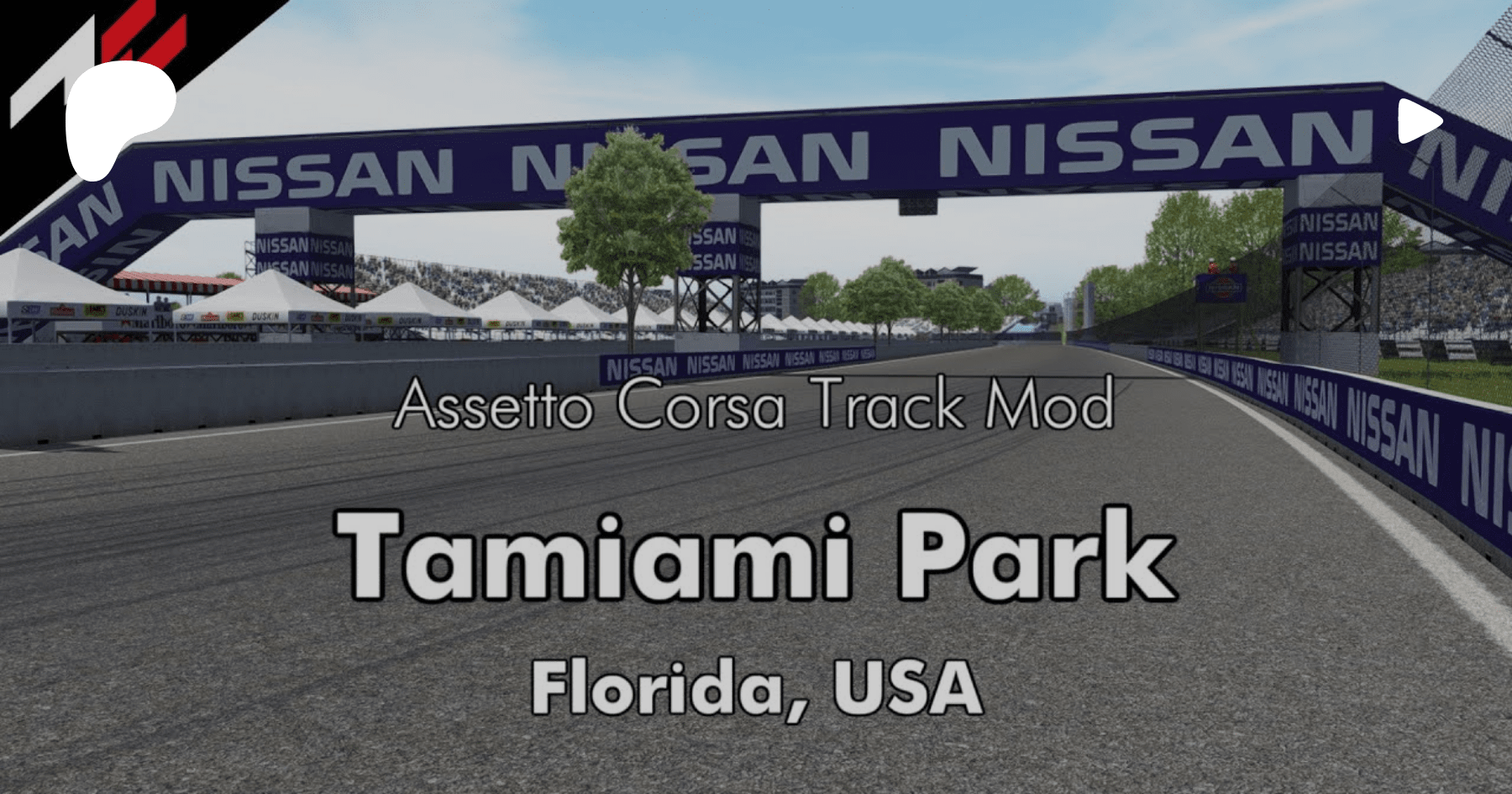
Tamiami Park v1.2
View attachment 1247699![]()
A temporary street circuit in Tamiami Park a small outdoor sports facility in the nearby suburb of University Park. (Florida, USA) (Wikipedia)
Conversion from rFactor.
-CSP recommended
-36 pit/start
-AI, cam
NOTE; If you are using Sol and the track screen is dark, rename ext_config_for_sol.ini to ext_config.ini in the extension folder.
Credits & Thanks;
rFactor Original Track by AR rFactor Tracks
-Thank you for giving me permission.
AC Converted by @shi (shin956)
logo.png and sections.ini by @Fanapryde
.lua and font by @gunnar333
marshall, cameraman and some textures by kunos
Test and Feedback by @Breathe , @slider666
Download (mediafire)
Enjoy.
Converted upon request by Patreon member Gavin Stewart.
;;;;;;;;;;;;;;;;;;;;;;;;;;;;;;;;;;;;
v1.01 changelog;
-Fixed an issue where cut penalties were being detected in the final corner.
-Renamed the font.
-Updated ai_hints.ini
(Thanks for the report, Manstein1111 and FFF789.)
-Updated ext_config.ini.
(Thanks for the report, slider666.)
-Added cam by DaBaeda.
v1.1 changelog;
-Re-created fast_lane.ai and sidelines.
-Fixed semaphore.ini.
-Fixed trees mapping.
-Fixed guardrails that was double-sided. (Guardrails are no longer sticky.)
-Deleted ai_hints.ini.
-Updated ext_config.ini.
-Updated camera_facing.ini.
-Changed camera_facing spectators (texture by Kniker97).
v1.2 changelog;
-Fixed billboards mapping.
-Fixed flickering windows.
-Fixed grandstands and trees bright.
(Thanks Mascot for the report.)
-Updated fence texture. (Edited by Mascot.)
Try setting "General Patch Settings/CPU optimizations.../Chunks optimization" to "Basic"To be honest i don't remember on which tracks i had the issue (first because i did too much config to remember all of them, second because since i noticed the "issue", i keept using the csp which works fine for my needs). Anyway since now many (paid) mods start requires a specific version of CSP (like the new VRC FA) this will force me to update someday to newer version, which means i have to found a solution. I have to update Peter Boese as soon as i can hit my AC-pc
Don't you all hate the AC thing that the same Jedi trick work well with some mods and not with others? It's maddening...I don't understand the problems, man... right for me, I have water.
Thank goodness the Community is amazing...!!!Greek Island (by @carTOON ) sea fix + more...
Thanks to all of you, who make it possible.... thanks on behalf of the community...