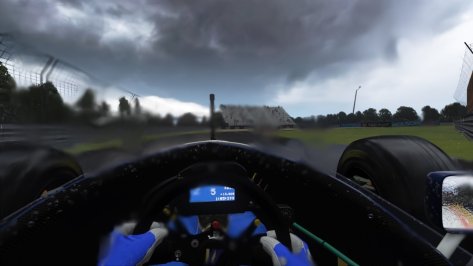
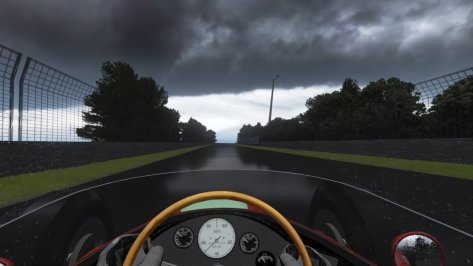
- 547

- United Kingdom
Has anyone had any issues with the ai app lately? For some reason the ai lines i'm making aren't saving. The game has also started auto-saving replays.
Ah, me too. Really frustrating.
Has anyone had any issues with the ai app lately? For some reason the ai lines i'm making aren't saving. The game has also started auto-saving replays.


CSP 2.6 and 2.7 issues. Reversing back to 2.3.1 make them working again!Ah, me too. Really frustrating.
I don't play VR, but I have the same "effect", and I also thought it was a new feature, but I noticed that the only way to back to the original brightness is restart the session.
That's not a big problem, but sometimes is a bit annoying.
Seems that's the same issue i have with csp 2.7? It's really random. I also have to restart the session or alt-tab to CM and load the CSP preset while ingame. Then it comes back to life again.It's pretty random, with any ppfilter, either Pure or random ones.
It happens after 15 mins, sometimes less. Restarting the session fixes it for now.
Here are 2 pics, same time of the day, same spot, same ppfilter, when the brightness suddendly drops :
View attachment 1420282
View attachment 1420290
When it works though, the new glare effects of Pure and whatever happens in csp 2.7 are absolutly insane (on that note, the purecandy is so bright it actually set all my desk papers on fire), i've never seen my game look so good. The light at noon is now perfect. I'm still exploring the new possibilities - that is, until the game decides to engage safe mode for my eyes😂. Switching to CSP 2.5 solves the problem but it's hard to let those new features go.
As for the snow, it was indeed the temperature, i didn't check.
I was used to the temp to automatically fit the date (i'm usually driving between may and september), gonna check if it's a feature i disabled in the weather menu.
On a side note, it saddens me a bit cause my ppfilters are now waaaaaay worse than what the big guys can do. I am officially not skilled enough to follow up with the script writing😅

Is the imola_1998 track from the same source, or are they different - thinking of using those files there too.I'v released an update here :
New AI fastlane for Imola 1995 - 2005 - Updates
www.overtake.gg
Let me know what you think about it.


You can't do that level of adjustment in CM Showroom, only overall scaling/rotation/XYZ adjustments.HELP NEEDED (from cars modders if possible).
I almost never ever worked on cars, only tracks, but i have some mods that requires some fixes for the driver position.
Except doing it via blender which requires too much time and effort, i remember that was possible to move the driver in CM.
I tried yesterday, but i was able only to move forward or back, up or down. It was ever possible to move the nodes of the elbows, knee and other parts in CM to make the perfect position, or i remember totally wrong?
Thanks
I was fearing it, all the mods from Hillclimb Heroes have issues with the driver position and they requires a lot of work to fix (for someone like me who don't know how to fix it properly), thanks for the help, much appreciated.You can't do that level of adjustment in CM Showroom, only overall scaling/rotation/XYZ adjustments.
You need to use the driver model rig to make limb or detailed posture adjustments, I think. Never used it.




driver3d.ini ?I was fearing it, all the mods from Hillclimb Heroes have issues with the driver position and they requires a lot of work to fix (for someone like me who don't know how to fix it properly), thanks for the help, much appreciated.

I'd love to know as well, hate it when things just appear.can someone tell me what this belongs to and how do I get rid of it?
it shows up in free practice / track day offline play
using latest preview patch
pureLCS
Nobody took the hint, so here's the floating digits fixed for the dashboard displayHas anyone tweaked the digital_instruments.ini yet to fix the floating digits on the dash display? If so, please share.
If any VR users find the flickering roll cage welds a little distracting, hide them with this:
Code:;hide the flickering roll cage welds [MODEL_REPLACEMENT_...] FILE=?.kn5 HIDE=int16
Edit: Also, anyone interested in unique numbers for each skin rather than all cars being No.1?
If so, I'll rename them appropriately and pack them up into each skin folder for an easy insertion.
I'll also redo them to match the car numbers rather than 00-17.
They work fine with the LODs too.
View attachment 1420190
Edit 2: they'll look something like this, with edge transparency fixed and a Castrol Edge logo footer.
View attachment 1420191


Thank you. 🙏Hey @MS6Driver
The completionist in me has many, many thanks for your work on the DTM Dreamrace liveries (and ALL the quality DTM liveries) that you've done.
My grids runneth over


This is XYZ coordinate that you can move thru CM showroom.driver3d.ini ?
POSITION=0, 0, 0
The position of the driver is right, is the hand that are not well aligned (or too forward over the steering wheel, or too datached from it or compenetrated), it's properly a matter of wrong placementdriver3d.ini ?
POSITION=0, 0, 0
can someone tell me what this belongs to and how do I get rid of it?
it shows up in free practice / track day offline play
using latest preview patch
pureLCS
I'd love to know as well, hate it when things just appear.
www.overtake.gg
Welcome to my world.The position of the driver is right, is the hand that are not well aligned (or too forward over the steering wheel, or too datached from it or compenetrated), it's properly a matter of wrong placement
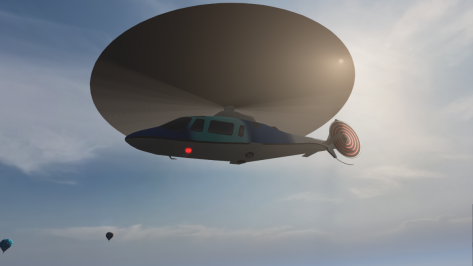
I tried disabling it and it broke the rotors on one of the choppers.Nothing good can come from the "New KN5 Loader", it should be nuked to a death only reserved for most evil of things.
(I disabled this the moment I saw it in the settings, it felt wrong and evil and deserves a horrible destruction)


I was going to post something today about this, but I see you guys were quicker than myself haha.Guys don't sleep on the Silverstone mod released today on Overtake. This is trully next level. Not only visually.
Silverstone Circuit 2024
O21 Modelling is excited to release an update to Kunos' Silverstone circuit! This updated version adds new layouts to reflect the current circuit state as seen during the 2024 season. Check out o21modelling.com to see all the works conducted in...

CM cannot alter the ks.anim file, only changing the data for the base animation rig (move, rotate, scale, speed, hide objects, etc... as long as it is only for the whole animation itself).HELP NEEDED (from cars modders if possible).
I almost never ever worked on cars, only tracks, but i have some mods that requires some fixes for the driver position.
Except doing it via blender which requires too much time and effort, i remember that was possible to move the driver in CM.
I tried yesterday, but i was able only to move forward or back, up or down. It was ever possible to move the nodes of the elbows, knee and other parts in CM to make the perfect position, or i remember totally wrong?
Thanks
the best way is to left them as they are, i already have too much work on tracks to carry than starting also the fix for cars.CM cannot alter the ks.anim file, only changing the data for the base animation rig (move, rotate, scale, speed, hide objects, etc... as long as it is only for the whole animation itself).
You can create your own entirely on blender, but you will have to open both the car's model and the reference driver's model, with all the bones rigged provided by ks. Which I never, ever have been able to get working. I only have the driver model in T pose linked to the main bone, and all the other bones linked correctly to the main bone... But not to the body. And no way to make it working. And i tried, I'll tell you.
SO the best way to do it is very easy : rely on the many people who actually made it working, search, loot, find the most fitting animation for steer and gear, and voila. Done.

That is the one thing that I would very much like to help with, if I knew how to do it.It would probably be quicker for me to learn how to create custom drivers and animations.
It's a shame Kunos didn't predict how the popularity of modding would explode in AC and provide a poseable 'rag doll' driver whose hands, feet and body could be tethered to the seat, pedals, steering wheel and shifter using 'magnetic' nodes (easily, in the showroom, without needing to edit 3D files in an external graphics package).That is the one thing that I would very much like to help with, if I knew how to do it.
I have looked for tutorials but found nothing.
It can be done, a few, very few, driver fit perfectly and move in a convincing way. In VR it is golden and truly shows AC as a 2025 title.
There's the model inside the sdk folder, but is a 3DSMax model, which i don't think can be opened in blender. I did it in the past for a car, but i would love to avoid try it again since that time took me hours just to learn how to load itIt's a shame Kunos didn't predict how the popularity of modding would explode in AC and provide a poseable 'rag doll' driver whose hands, feet and body could be tethered to the seat, pedals, steering wheel and shifter using 'magnetic' nodes.


for me it doesnt do that, hmmm
From experience, the only way to get the 3D driver correctly is to open the 3DS Max ragdoll project provided by kunos unfortunately... It is a pain in the ass, but the only option to properly edit a modelThere's the model inside the sdk folder, but is a 3DSMax model, which i don't think can be opened in blender. I did it in the past for a car, but i would love to avoid try it again since that time took me hours just to learn how to load it