- 266

- West Virginia
- Swift_13b
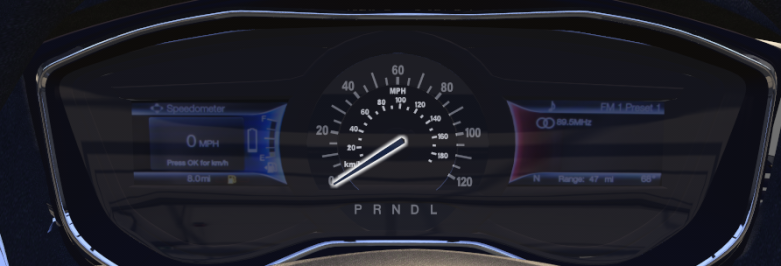
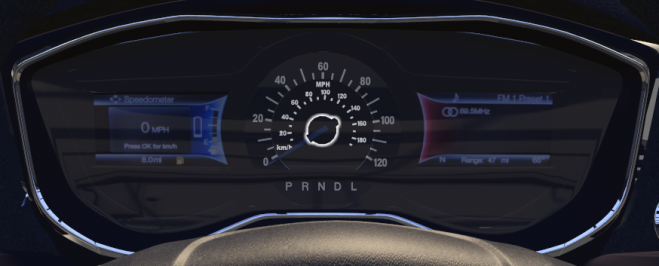
Yeah, thats the gauge cluster for it. There's two meshes for the needle. interior_panel_18 (Needle) and interior_panel_14 (base). I do remember editing the analog_instruments.ini to get a gauge to work for another mod a couple years back. Yet, when I try for this one, it don't work.So I did a bit of digging about the speedometer because it depends if it is analog or digital as to how you sort it out. If I'm right the dash is as per the picture below? I managed to find a video which I presume is the FSR car that shows that the dash doesn't work. Being an analog it will require a dummy and physical needle to work properly, after that its just a bit of fiddling numbers in analoginstruments.ini to sort it out. Not sure if the model already has a dummy and needle in it.
You can also add the digital info as well, but that requires a dummy too. So some model editing will be needed.
Unless someone has a better idea...
View attachment 1436982
[SPEED_INDICATOR]
OBJECT_NAME= interior_panel_14, interior_panel_18
ZERO=0
STEP=1.45
I know STEP controls the angle from 0 iirc.
Now the digi gauges on the sides, I don't have enough experience for that yet. Got lucky with the Android auto thanks to a tutorial and a long night of fidgeting with numbers.
Also, if anyone is interested about the android auto, here's the numbers I got for that in my config.
//////////////////////////
Android Auto
//////////////////////////
[INCLUDE: android_auto/config.ini]
[Display_AndroidAuto]
Meshes = interior_panel_10,interior_panel_12 ; display mesh
Resolution = 665,720 ; texture resolution
Size = 650,247 ; size of the screen area
Offset = 2,467 ; left top corner of screen area
Scale = 1.3 ; might need adjusting to get the scale right
RearCameraPosition = 0, 0.25, -2.5 ; position of rear view camera
aftermarketComponent = 0