Assetto Corsa PC Mods General DiscussionPC 

  • Thread starter Thread starter daan
  • 154,769 comments
  • 48,693,188 views
Now all that's missing is for some generous soul with an AMD GPU to share their settings to serve as a guide for those of us who, like me, go crazy moving sliders up and down, getting nowhere and wanting to throw the PCs out the window... 🤬
Gift: (just you put your Whell peak torque & Max peak torque in FFb tweak)
 

Attachments

Last edited:
Finally CSP has the DLSS integration.

Visual quality is really great, sure it eats fps!


For DLSS you need to activate ExtraFX, so it only works in singlescreen for now. It will download the DLSS dll, if not, maybe search for it and you will fastly find it, it is round about 25MB, place it in your AC root folder.

You can set ExtraFX to "exterior only" and it will still work. ExtraFX pass is just the insertion point for the DLSS AA.


Here is a comparison with most of the ExtraFX things on except TAA for sure:

https://acstuff.club/u/comparison/uZU

In the mean time virtual mirror:

View attachment 1523306
Could be a setting for that? The real mirror and the display are ok!
It's only in PURE_LCS and is related to the sun and the time of the day. it's normal in the night and the brightness decreases on cloudy weather. Maybe a fix somewhere in LCS?
 
Last edited:
Now AC has DLSS integration with the latest CSP build what's the chances of DLSS 5 being implemented with the A.I. generated enhancements
It looks weird on game characters but for racing Sims the improvement to rendering of cars and tracks could be a .......... " Game changer "
 
It's only in PURE_LCS and is related to the sun and the time of the day. it's normal in the night and the brightness decreases on cloudy weather. Maybe a fix somewhere in LCS?
Your virtual mirror has no postprocessing activated!
There was an option in former CSP versions and maybe you still have this deactive in your settings
1774366320275.webp


Have a look in your Documents/Assetto Corsa/cfg/extension/smart_mirrors.ini if there is such an entry.


Or do you use a 3rd party app for the virtual mirror?


Edit:
Yes i checked it, you clearly have this in your smart_mirrors.ini
[VIRTUAL_MIRROR_YEBIS]
ENABLED2=0

remove it!
 
Last edited:
Your virtual mirror has no postprocessing activated!
There was an option in former CSP versions and maybe you still have this deactive in your settings
View attachment 1523320

Have a look in your Documents/Assetto Corsa/cfg/extension/smart_mirrors.ini if there is such an entry.


Or do you use a 3rd party app for the virtual mirror?


Edit:
Yes i checked it, you clearly have this in your smart_mirrors.ini
[VIRTUAL_MIRROR_YEBIS]
ENABLED2=0

remove it!
That's my smart_mirror.ini

[PIECE_0]
WIDTH=0.1485 * screen.height * 4
HEIGHT=0.1485 * screen.height
CENTER_X=0.5 * screen.width + 10.0
CENTER_Y=85.0 + 0.1485 * screen.height / 2
OPACITY=1
APP_VIRTXOFFSET=10.0
APP_VIRTYOFFSET=85.0

[REAL_MIRRORS]
ENABLED=1
RENDER_ONLY_VISIBLE=0

[SHAKING]
BLUR=0

[CUSTOM_RENDER_DISTANCE]
ENABLED=1

And no other app for virtual mirror installed. Is there another place I can look?
I added [VIRTUAL_MIRROR_YEBIS]
ENABLED2=1 but no luck.

Edit: There is this entry in smart_mirror.ini from CSP config folder in assettocorsa\extension\config:
[VIRTUAL_MIRROR_YEBIS]
; hidden
; Post-processing for virtual mirrors
ENABLED2=1 ; Active (doesn’t affect FPS); 1 or 0

but that is good, like you said.
 
Last edited:
Yes, That is my mistake. tere are no mirror mesh.
It will be fixed sooner. thanks
@Young78 thanks again for this F40 pack, they're wonderful to drive in VR.
If you are updating the mirror mesh (along with some other fixes) and are planning on releasing an updated pack, can I please request that the rear-view mirrors in all the cars are tilted to face the driver, like it would be in the proper car? Always looks slightly odd when it's just flatly parallel with the windscreen. It's such a small detail, but helps a lot with immersion. Cheers.
 
Last edited:
I do hope he will make the job complete for Intels XeSS and who knows, DirectX12 ultimate.
Highly unlikely Ilja adds DX12 or DX12U support, while Ilja probably can just wrap it onto Assetto, Assetto's engine lacks the means to effectively communicate with DX12 and utilize any of it's features so I think at best you see a negligible performance decrease because of the extra translation layer, a fraction of a percent, if anything. Unless Ilja is some kind of dark wizard and actually can somehow just tell the engine to bend to his will, but without the source code from Kunos I doubt that. Optiscaler in this latest CSP being able to use DX12 exclusive upscalers at a performance penalty seems to indicate this.
 
Last edited:
I suspect this applies not only to DDsimdesign skins (and you're right, these silver skins are like aluminum, so it's quite accurate), but also to Auriel 4's material/shader settings.

With the skin below, there's no [Material_CarPaint_Metallic] line in the skin's folder, and it's the same issue:
View attachment 1513410
I know i am late, but i can`t find the Audi Logo. The few skins i have from OT all has those fake logos ...
 
Last edited:
Now AC has DLSS integration with the latest CSP build what's the chances of DLSS 5 being implemented with the A.I. generated enhancements
It looks weird on game characters but for racing Sims the improvement to rendering of cars and tracks could be a .......... " Game changer "
Looking at those zombie lollipop guy, It can never be worser with the use of DLSS5. But now with DLSS it should be easier to implement the future DLSS5.
Highly unlikely Ilja adds DX12 or DX12U support, while Ilja probably can just wrap it onto Assetto, Assetto's engine lacks the means to effectively communicate with DX12 and utilize any of it's features so I think at best you see a negligible performance decrease because of the extra translation layer, a fraction of a percent, if anything. Unless Ilja is some kind of dark wizard and actually can somehow just tell the engine to bend to his will, but without the source code from Kunos I doubt that. Optiscaler in this latest CSP being able to use DX12 exclusive upscalers at a performance penalty seems to indicate this.
According to some here DLSS was also not possible in AC, so who knows. Think it’s indeed very difficult as you probably did read in my link, but there are still wizards that can do what seems to be impossible.
 
Last edited:
I have a problem with this car that let me not able to use it. when appear the menu to start, the wheel go slowly on right, the visual go to the sky and I can only exit. this happen only with this car and also for the previous version. do you have any idea why and/or how to fix? thanks a lot
I was having the same issue just now (I thought it was the new CSP update at first actually) and for whatever reason, unpacking the car data fixed it. I had a similar issue with the Ligier JS4 that released recently. Anybody aware of why packing data may cause these issues?
According to some here DLSS was also not possible in AC, so who knows. Think it’s very difficult but there are still wizards that can do what seems to be impossible.
I think I actually said that but was referring to kludging it with DLSS-swapper (Unless I got my wires crossed and claimed it wasn't possible outright, which could have happened as I'm kind of dumb) But DX12 actually just won't do anything because it interacts with the game at such a low level and the game engine was designed before DX12 existed so it has no way of hooking into these new features DX12 has. You can probably wrap Assetto to DX12 right now with dgVoodoo but it just won't actually do anything beneficial.
 
Last edited:
This is something I've been working on for a few days now, still missing the correct front rims but this will suffice for now. Leaving it here in case anyone's interested.

This is a skin btw, trying to replicate the car of a former portuguese driver.


Screenshot_ac_legends_gt_porsche_906_6thgpmexico67_23-2-126-21-44-54.webp
 
Ho avuto lo stesso problema poco fa (inizialmente pensavo fosse dovuto al nuovo aggiornamento CSP) e, per qualche motivo, la decompressione dei dati dell'auto lo ha risolto. Ho avuto un problema simile con la Ligier JS4 uscita di recente. Qualcuno sa perché la compressione dei dati possa causare questi problemi?

Credo di averlo già detto, ma mi riferivo a una soluzione improvvisata con DLSS-swapper (a meno che non mi sia confuso e abbia affermato che non fosse possibile, cosa che potrebbe essere successa visto che sono un po' tonto). Ma in realtà DX12 non serve a niente perché interagisce con il gioco a un livello troppo basso e il motore di gioco è stato progettato prima che DX12 esistesse, quindi non ha modo di sfruttare le nuove funzionalità di DX12. Probabilmente si può adattare Assetto a DX12 con dgVoodoo, ma non porterà alcun beneficio concreto.
Hi Mate, you are right, I unpacked the data and now everything is normal. thank you very much for the help!
 
Did anyone on AMD manage to get FSR2, 3 or optiscaler working from CM options?
They all crash for me.

I have been able to install optiscaler manually, choose DLSS in CM and run FSR 3 / 4 that way so still an improvement!
For anyone else who tries this:

When I chose dxgi.dll (default) in optiscaler setup, it caused problems with all encrypted content - loading as blue triangles etc. Re-installing optiscaler and choosing version.dll seems to be working ok.

It might have just been me being unlucky though!
 
Yes, MSAA in Assetto Corsa Video Settings
And what about the rest of the settings in CSP?

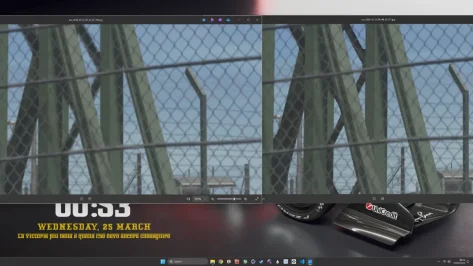
by the way i took the freedom to make a comparision with dlss withouth and with the msaa, on the left is the screen with and on the right without, i play at 4k and I set the dlss to quality, and preset k
 

Attachments

  • Screenshot 2026-03-25 005310.webp
    Screenshot 2026-03-25 005310.webp
    63 KB · Views: 1
well... I thought I was going nuts but my Spa (converted from GTR2) has an issue nearly exactly like this.
It "appears" to be CSP related but I cant pin it down, but if I change the road shader to ksPerPixel it goes away.
This is the only place where it happens and nearly exactly from the same viewpoint as your screen.

It's really killing my progress in getting v2 to a release state. Any and all help wanted and needed.
View attachment 1511884
Sorry to be a month and a half late to this, but I just drove the track and have the same issue. What exactly do I need to edit to fix this until a, hopefully, v2 version is released?
 
Testing out the new CSP upscaling feature, I found that if I enable DLSS it looks like the draw distance of things are like closer to me. I can see the track side lines being "drawn" in a short distance in front of the hood of the car and the brake markers going from like kinda blurry to you can read the numbers when you get close to it. If I disable upscaling it goes back to normal.....
 
We don't need DLSSLop5 in AC though. Unless you want a yassified version of your car...

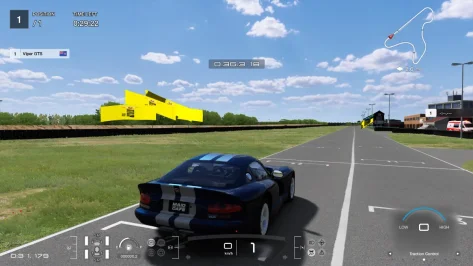
edit : new CSP is great but there's a funny bug also present in the previous CSP iteration : broken ass flags at Aldo Scribante (CrisT86 & Pugsang version) lol
 

Attachments

  • bruh.webp
    bruh.webp
    101.4 KB · Views: 1
Last edited:
Sharing a mod? Host it on GTPlanet Downloads. Free, public hosting for files up to 10GB in size.
Back