

- 748

- Australia
that would be sloppyslop is as slop does
edit:
watching Atomic Blonde on the side, and a particular scene would have been perfectly applicable for this expression...
Last edited:
that would be sloppyslop is as slop does

Sorry i don't really understand what you mean. Are you the dev of this app or are you in that group?You've posted an interesting image depicting performance - have a query if you would be so kind to reply...
I see in the image you're monitoring the CPU % load (render-stats app), and CPU memory (debug app)...
How would you categorically rate the values shown on a user-performance-scale using say - Low, Low-Med, Medium, Med-High and High... Noting that user CPU model & speed varies somewhat across users - eg. what kind of PC performance are you using to achieve these resuts - apologies in advance for the thorough question - just being analytically inquisitive, many thanks.
Not associated in any way, form or shape with any App... Stumbled across it, as an alternate or parallel use to Content Manager...Sorry i don't really understand what you mean. Are you the dev of this app or are you in that group?
In the Lua Debug app you see how much memory the app currently is using. This number is constantly climbing, because you can't avoid some memory leaks, like with strings.
In Lua if you create a table it will reserve memory for this. Like you do:
local tbl = { 1, 2, 3, 4, 5, 6, 7, 8, 9 }
But if you do this again:
tbl = { 1, 2, 3, 4, 5, 6, 7, 8, 9 }
It will reserve a new area in your RAM for this and Lua markes the old area as garbage. And after some time the Lua garbage collector goes through this list and clears all the memory and marks it as usable again.
This process costs a lot of time and in case of this Horizon app the memory value jumps from 0 to 100MB in less then a second.
So if you have 90 fps, this app creates garbage of more than a megabyte in a frame.
Usually this memory value is moving slowly, like with Pure Planner app it wastes 10-50kb per second if it draws much text and so it uses much string functions.
So the garbage generation in the horizon app is like 1000-2000x higher.
And you see the result of this crazy garbage cleaning as a direct influence on the CPU.
Esp. if you monitor the frame time of the update cycle:
View attachment 1556108
If you need 5 ms to do 1 cycle in this app, you can only achieve a resulting fps of 200 Hz if this would be the only thing that is done on the CPU in the CPU/Lua interpreter. But there are actually scripts for cars, track, displays, weather which must be calculated within a frame.
Actually it is not a replacement for Content Manager, because this is "just" an ingame HUD app.Not associated in any way, form or shape with any App... Stumbled across it, as an alternate or parallel use to Content Manager...
Not even close to being a coder but do have a level+ of understanding when it comes to I.T. and the interaction between hardware & software, so your response even though digressive - makes sense, so, thank you & no, it was not what I was after.
Just a happy user of Assetto Corsa (mainly) and this forum (and acutely inquisitive about everything else life throws at you).


Thanks very much for the answer. Also @Fullnoiseand you forgot that the vanilla content has the 3 aswell due to it being 2004/2005 season from spa 24
edit: dare i'd say GTR with mods is the only game to have all 3 "Versions" of the M3 GTR in 1 game.
edit 2: to answer you question @andrevr - V1 doesn't have a little vent on the roof and has the split front bumper, the V1 is more well known from NFS. V2 is the PTG (which raced the same year as the V1), That one has a more curved front split than the V1 (as fullnoise has shown) as well as the vent on the roof of the car. V3 is a mix between V1 and V2 with no roof vent and the curved front bumper but more smoother when it comes to the vents in comparison to the 1 and 2. (in AC the Version 1 and Version 3 are the more well known releases, Version 2 wise the best one I know so far is Forza having a V2 model)
for pictures in real life:
this is the V1.
View attachment 1555982
V2 aka the PTG
View attachment 1555983
and the V3
View attachment 1555984
That's precisely my initial thought - an ingame HUD that enables live-changes to cars only - and that is an outstanding idea (product).Actually it is not a replacement for Content Manager, because this is "just" an ingame HUD app.
Sure you can configure many things there in one place! So that's a nice idea. But you can't manage things there like tracks, cars and such stuff. It switches between things live, and then again i have the fear more memory leaks are produced in those features. But idk, i did not check it. I deleted it already, because the app runs all the time and so it will produce real heat in these days!


This is why standard kunos app keeps being superior. So many new apps coming out are vibe coded to ****, They ai generate those god awful looking images (whoo i love having 70C summers poggers!!!) and they are so damn easy to avoid. Never download anything using Ai images. I pray Peter & Ilja never ends up touching it without at least looking over it properly. Cause so far every single Ai i app i have tried have been abysmal dog****.I read a theory on Discord, totally speculative and unsubstantiated (and probably bollocks), that vibe coding might be finding its way into a certain extremely popular Assetto Corsa app, explaining why recent builds have reintroduced old problems that were previously solved, and why performance and efficiency have decreased. Like I said, probably* bollocks.
*definitely
Not entirely surprised, but yeah, rapid advancement does not necessarily mean better... We must be old dogs, stick to what works best.I read a theory on Discord, totally speculative and unsubstantiated (and probably bollocks), that vibe coding might be finding its way into a certain extremely popular Assetto Corsa app, explaining why recent builds have reintroduced old problems that were previously solved, and why performance and efficiency have decreased. Like I said, probably* bollocks.
*definitely
What would Mr Mentiroso say in this regard? (humour)This is why standard kunos app keeps being superior. So many new apps coming out are vibe coded to , They ai generate those god awful looking images (whoo i love having 70C summers poggers!!!) and they are so damn easy to avoid. Never download anything using Ai images. I pray Peter & Ilja never ends up touching it without at least looking over it properly. Cause so far every single Ai i app i have tried have been abysmal dog.
The day the bubble finally explodes and all these AI datacentres gets firebombed is the day we got back to humans.


Well, mate, that makes two of us, at least...... Have only used digital AI for Google research... and have zero interest on all else to do with it...

I decided to not use it at all as a principle! I prefer taking more time doing research. I will never use AI to code, because it makes no sense for me. I see the silly output of it and everytime I get a report “my AI found an improvement in your code” it is maybe an improvement on the first look but not after it’s implementation, because the AI can’t think a step further. It just uses what is currently there and so you need to think yourself anyway.This is why standard kunos app keeps being superior. So many new apps coming out are vibe coded to , They ai generate those god awful looking images (whoo i love having 70C summers poggers!!!) and they are so damn easy to avoid. Never download anything using Ai images. I pray Peter & Ilja never ends up touching it without at least looking over it properly. Cause so far every single Ai i app i have tried have been abysmal dog.
The day the bubble finally explodes and all these AI datacentres gets firebombed is the day we got back to humans.


 www.overtake.gg
Did you already try the grassfx sliders in Pure Config Light tabIs there a workaround to tone down the grassfx textures, e.g. with an ext_config entry? I don´t like the nuclear green since some csp versions.


Hi, I'd also like to know if there's a line of code I can insert into ext_config to change the grass color directly in-game in real time.Is there a workaround to tone down the grassfx textures, e.g. with an ext_config entry? I don´t like the nuclear green since some csp versions.

Where do you get the ACF car from. Thanks.
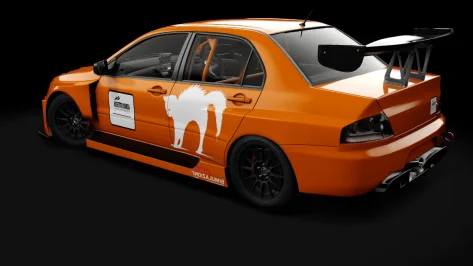
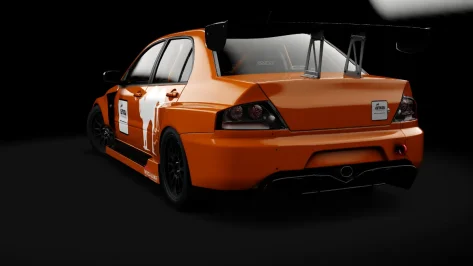
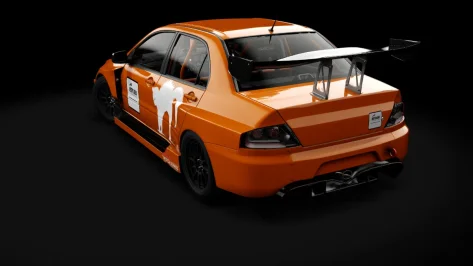
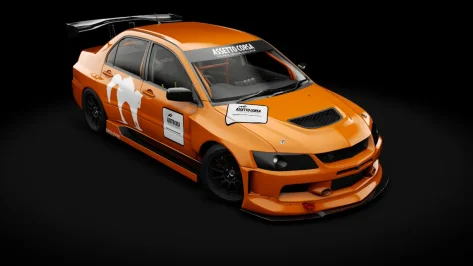
Beer o-clock and the last skins i will be making for this car. I am waiting for Cyril to release his Renault 19 BTCC.
why is nobody talking about "version 0"? this car raced in the ALMS in 2000 with yet another different kit on it.................
so now its actually 4 different versions.......
not. going. to. happen
get an early version and a late version and call it a day. f302 is on the case for the early version
the number 40 was just done for fun, i wanted to do it because it was never going to be done otherwise. The other 2 are the ones that i gave more time to.
View attachment 1556214
View attachment 1556170
View attachment 1556171
View attachment 1556180
Its literally in both uploads mate, Cheers KenWhere do you get the ACF car from. Thanks.

Yes, but it does not solve the issue, see how the grass looks compared to the trees.Did you already try the grassfx sliders in Pure Config Light tab


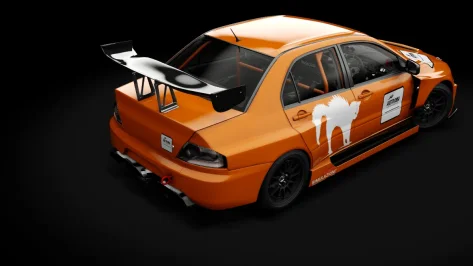
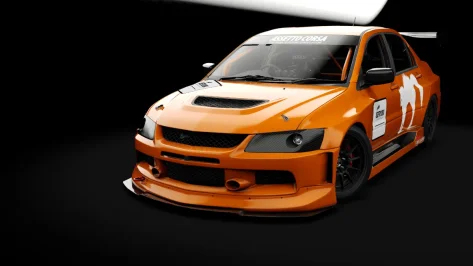
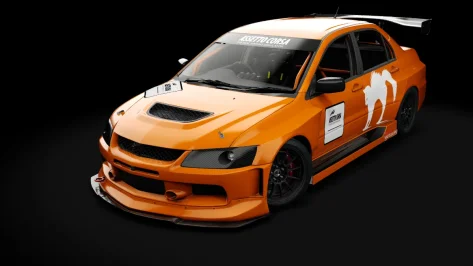
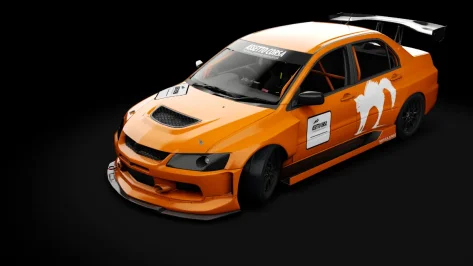
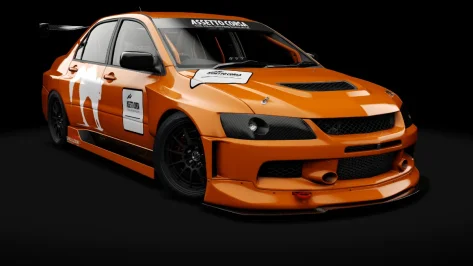
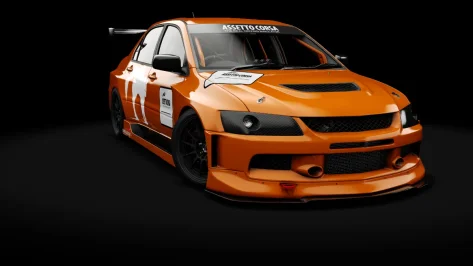
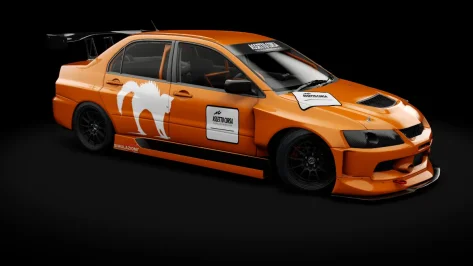
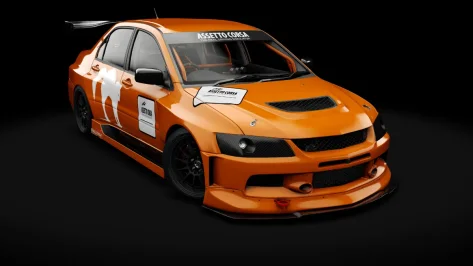
In all seriousness though... Artificial Intelligence has been with us for a long time, mostly lurking in the background of tech-processes that we would not even be aware of, or have thought of - but now that it's literally in your face and rapidly taking momentous progression in all sorts of manner - it's inherently here to stay. On a personal level I wish to remain away from it, but workwise though, that's another story, I use it - not to cull down personnel, but to remove mundane & repetitive tasks, data-mining analysis, compute terabytes of info for rapid results, cluster anomalies, etc... In my opinion, AI does have a place in society alongside our species - it's the unintended consequences that spooks the bejesus in me. Being old school & all, I still play Pacman, Mahjong & the odd crossword now & then, table soccer (football), pinball, karting - meh, I still even skateboard after 30years - the longboard that is, can't get enough of the speed - now with safety gear though. Keep delivering your witty sense of humour, love the odd chuckle & smiles.Well, mate, that makes two of us, at least...
Totally agree with your sentiment in this regard... We've been using computer technology for circa 90 odd years, and for us that thoroughly enjoy Assetto Corsa, it's a wonderful thing & hope to be playing it with further improvements down the line, or at least before my toes permanently point skywards... The true artists that shaped the way we see the world today will remain the true Masters of all time (in my eyes at least) - Picasso, Dali, Matisse, Khalo, Braque, Van Goh, Mone, Da Vinci & the many more. Many thanks for the many contributions that you've made - all smiles.AI should be used to tackle the boring stuff like form sorting, not for creative projects. Vibe coding won't teach you how to code. AI generating decals won't teach you how to create. AI generating models won't teach you how to model (and look buttugly too).
Art is only art when its human made!
And thank you for the time & effort undertaken doing these liveries - taking a break is a good thing - otherwise we'd burnout, cheers!
Beer o-clock and the last skins i will be making for this car. I am waiting for Cyril to release his Renault 19 BTCC.
why is nobody talking about "version 0"? this car raced in the ALMS in 2000 with yet another different kit on it.................
so now its actually 4 different versions.......
not. going. to. happen
get an early version and a late version and call it a day. f302 is on the case for the early version
the number 40 was just done for fun, i wanted to do it because it was never going to be done otherwise. The other 2 are the ones that i gave more time to.
View attachment 1556214
View attachment 1556170
View attachment 1556171
View attachment 1556180


The cars from 2000 and 2006 were the 3.2 liter straight-6 engined version. They got hammered by the Dick Barbour Porsche 993's in 2000.
Beer o-clock and the last skins i will be making for this car. I am waiting for Cyril to release his Renault 19 BTCC.
why is nobody talking about "version 0"? this car raced in the ALMS in 2000 with yet another different kit on it.................
so now its actually 4 different versions.......
not. going. to. happen
get an early version and a late version and call it a day. f302 is on the case for the early version
the number 40 was just done for fun, i wanted to do it because it was never going to be done otherwise. The other 2 are the ones that i gave more time to.
View attachment 1556214
View attachment 1556170
View attachment 1556171
View attachment 1556180

thanks mate, same to you also thankyou for your work.In all seriousness though... Artificial Intelligence has been with us for a long time, mostly lurking in the background of tech-processes that we would not even be aware of, or have thought of - but now that it's literally in your face and rapidly taking momentous progression in all sorts of manner - it's inherently here to stay. On a personal level I wish to remain away from it, but workwise though, that's another story, I use it - not to cull down personnel, but to remove mundane & repetitive tasks, data-mining analysis, compute terabytes of info for rapid results, cluster anomalies, etc... In my opinion, AI does have a place in society alongside our species - it's the unintended consequences that spooks the bejesus in me. Being old school & all, I still play Pacman, Mahjong & the odd crossword now & then, table soccer (football), pinball, karting - meh, I still even skateboard after 30years - the longboard that is, can't get enough of the speed - now with safety gear though. Keep delivering your witty sense of humour, love the odd chuckle & smiles.
Totally agree with your sentiment in this regard... We've been using computer technology for circa 90 odd years, and for us that thoroughly enjoy Assetto Corsa, it's a wonderful thing & hope to be playing it with further improvements down the line, or at least before my toes permanently point skywards... The true artists that shaped the way we see the world today will remain the true Masters of all time (in my eyes at least) - Picasso, Dali, Matisse, Khalo, Braque, Van Goh, Mone, Da Vinci & the many more. Many thanks for the many contributions that you've made - all smiles.
And thank you for the time & effort undertaken doing these liveries - taking a break is a good thing - otherwise we'd burnout, cheers!
---
Now back to hand pick another classic livery for the beema...
But to be honest, the trees are much too dark! Didn’t you do that fix as an example for this tree fix app that uses shader replacements and such.Yes, but it does not solve the issue, see how the grass looks compared to the trees.
View attachment 1556336
@Vintagedriver Are you able to download the mods? 😅I found this Legion mod archive on Reddit, but I can't download the files...😅😅


