- 2,157

- Australia
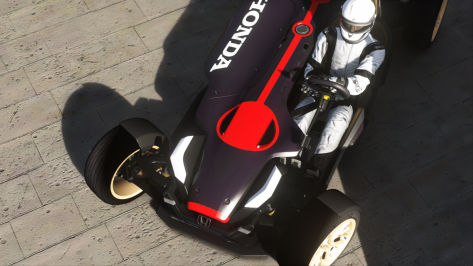
Flared arches, exhaust pipe and looking much meaner than in its original guise as a rally car....


Thanks, will try that.Look at the file modified date on your prefered ai line and your preferred sidelines. If the sideline files are dated before the ai line I've found they do not want to integrate with the ai line upon pressing "shift". I recommend changing the date on the two sideline "csv" files by opening each in a text editor and re-saving them such that their dates are now newer than the ai file. The newly dated sideline files should then integrate with your chosen ai file.

It was free from here.Which car is this, and what's the folder name? If it isn't a pay mod, do you have a link to it?
This is an occasional issue with some cars, certain versions of CSP, and VR.
There's usually an easy-shortcut way to fix it in the showroom, that usually works. Settings for the "inside glass" need to be changed.
I might be able to fix it if I have the mod, or a link to download it, and can replicate the problem.
BTW, see my signature below for PCVR videos.

the lobsided special... lolMany thanks for this.
I'm curious. 18 and 19 are special? 😂


Hey guys i play using quest 2 in vr, it brilliant just started playing and suddenly im getting these trails in cockpit view only...wtf...edit it might be the car?...tried another seems ok..





And I did a "clean install" via CM today, trusting its a worthful update.For anyone that visits RD: DON'T download the Fiorano Circuit shared today, it's a downgrade of the track i released (months or year ago) without all the features i implemented in my update. They only kept my cams and rewrite an incomplete config unfortunately, but due to the fact it's the same base it will overwrite my full track if you already have it on your HDD.
I've planned to update it (with the new features available as today) as soon as i found time for this update too

I asked clarification on RD and they replied with a no-sense (write us an email), for what? For asking why they've removed my work and put their half done?And I did a "clean install" via CM today, trusting its a worthful update.


I'm so confused. So you're saying RD removed one of your resources and let someone else post a replacement resource with the same name on their account, but no one at RD contacted you to see if that was ok? That's pretty poor of RD to do something like that because it sets a pretty bad precedent.I asked clarification on RD and they replied with a no-sense (write us an email), for what? For asking why they've removed my work and put their half done?
If they didn't used my own track it would have a sense, but they taken mine (same layouts name without the removed useless foggy-wet ones from the original), kept my cams and replace my config with their one...
Totally no-sense and not because i'm god or else, but because my config is way more complete than the one they shared and over 350 people have downloaded (oh and btw is a rip, why is still on RD is a mistery) -_-
EDIT: anyway i'm planning to rework it, adding the bulbs where missing for the pole lights, and improve the config with the new features. Don't know when i will be able to work on it and finish it, but i will do XD
No, i've explained in a confused way:I'm so confused. So you're saying RD removed one of your resources and let someone else post a replacement resource with the same name on their account, but no one at RD contacted you to see if that was ok? That's pretty poor of RD to do something like that because it sets a pretty bad precedent.

hi!!, I have a problem putting the skins on the helmets of the ferrari 365gtb by pessio, my problem that you see the skin of the helmets in the showroom but don't see in the game, in the game see the default colour, how can i solve?
Hi, Gabrielix234,hi!!, I have a problem putting the skins on the helmets of the ferrari 365gtb by pessio, my problem that you see the skin of the helmets in the showroom but don't see in the game, in the game see the default colour, how can i solve?


Thanks for the heads-up - the previous version was balls-out fun in spec races and this one is even better.Facebook find:
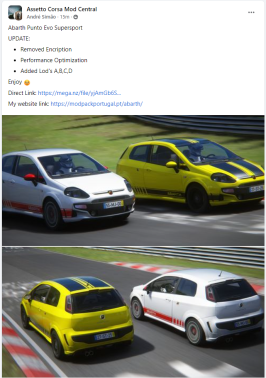
Abarth Punto Evo Supersport (Simaothekid, https://www.facebook.com/groups/modpackportugal)
UPDATE:
Enjoy
- Removed Encription
- Performance Optimization
- Added Lod's A,B,C,D
Direct Link: https://mega.nz/file/yjAmGb6S...
My website link: https://modpackportugal.pt/abarth/
View attachment 1176430
I seems to have been removed from RD.For anyone that visits RD: DON'T download the Fiorano Circuit shared today, it's a downgrade of the track i released (months or year ago) without all the features i implemented in my update. They only kept my cams and rewrite an incomplete config unfortunately, but due to the fact it's the same base it will overwrite my full track if you already have it on your HDD.
I've planned to update it (with the new features available as today) as soon as i found time for this update too
It was a conversion, whatever the source was. Probably why it was removed.I seems to have been removed from RD.
Was this a hoax or is it still going to be released?@Pyyer You might want to hold back on the Paul Ricard 2022 extension - there should be an ACC conversion being released this weekend by javire. (Dunno when, exactly, unfortunately.)
But since it's a laser-scanned conversion, it should be much better than the best version currently out there.
thanks a lot for your help, i solved the problem!!!!Hi, Gabrielix234,
I think you're describing an issue with Content Manager that only showed the helmets in game as red. There are two ways to fix this. Update CM (the issue is fixed in the latest version I have which is 0.8.2441.39642). Or you edit (or create) 'skin.ini' file and specify the path to the helmet. Here is an example from my system:
[driver_70]
SUIT=\plain\white
GLOVES=\ac_road\red_white
HELMET=\Helmet_1975\[drivername]
Copy the HELMET_1975.dds file into the [drivername] location and they should show up in game.
For example, on my system, the drivername folder path looks like this:
'HELMET=\Helmet_1975\RStommelen_v2'
Hope this helps.


Added a rear facing exhaust with shake,glow and flow.
View attachment 1174800 View attachment 1174801
Download the mod from safi hellie's original post if you do not already have it.

Assetto Corsa PC Mods General Discussion
I changed that for myself (not a criticism, just adapted to my taste). Otherwise very good work. As always. ORIGINAL_GRASS_MATERIALS = grass2 With that one (if i'm not remember bad) you will hide the fake 2d grass, but also some small trees, that's why i didn't removed the 2d grass
www.gtplanet.net
Make a backup just in case,overwrite when asked.
edited sr5.kn5 and necessary .ini's.




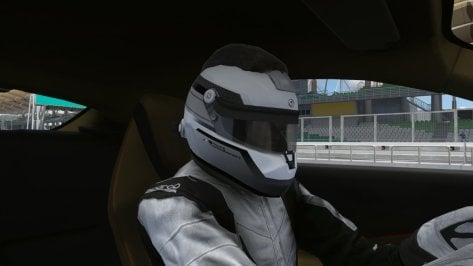
Nice, but spotted something rather peculiar with the driver model...


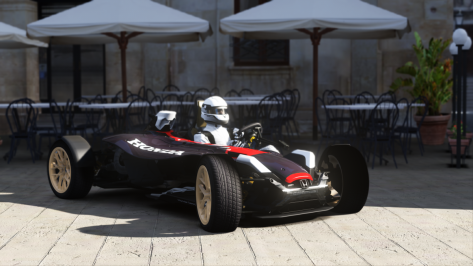

The driver model for the Ferrari Roma is driver_501, which is a non-helmet model. Maybe you didn't have that model installed?Nice, but spotted something rather peculiar with the driver model...
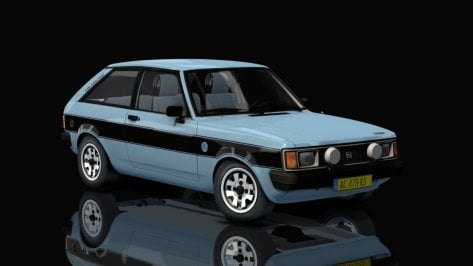
[SPEED_INDICATOR]
ZERO=0
STEP=1.08
OBJECT_NAME=ARROW_SPEED
Hi. I’m loving all the 1988 track updates! Will any more be receiving the upgrade treatment, as I’m eagerly anticipating Estoril and Hermanos Rodriguez in particular.HOCKENHEIM 1988 update v2.0v2.0 (after 7 years without updates)
- updates by DaBaeda: new tree and asphalt textures, cams, GrassFX, added RainFX and AI by KevinK2
- updates by CrisT86: night lights, vao patch, new cams
- shader adjustments
- new ui
- new loading screens
Hockenheimring 1988 v2.2 by SBB project
MediaFire is a simple to use free service that lets you put all your photos, documents, music, and video in a single place so you can access them anywhere and share them everywhere.www.mediafire.com
View attachment 1176386
View attachment 1176387
View attachment 1176388