- 60

- Gabon
Adding safety nets and racelogic to the AMG GT3



I must of missed the Seattle track , so getting that now. The San Fran track I got works great on a solo drive , but I can't seem to find any Ai fix.

View attachment 832019
The 2009 BMW 134 JUDD from Georg Plaza (RIP)
http://www.mediafire.com/file/x4z7skd1rmpqjtd/BMW_134_judd-v0.5-DRD.rar


Something really strange in the virtual mirror on the non-S1 version. When you start to turn to the right at a high rate of speed , your car , on the driver side seems to be being chased by an over sized wheel of some sort? Like 5' tall , 6" wagon wheel. The S1 version doesn't get it , and you can only see it in the VM while driving , nothing in the replay.




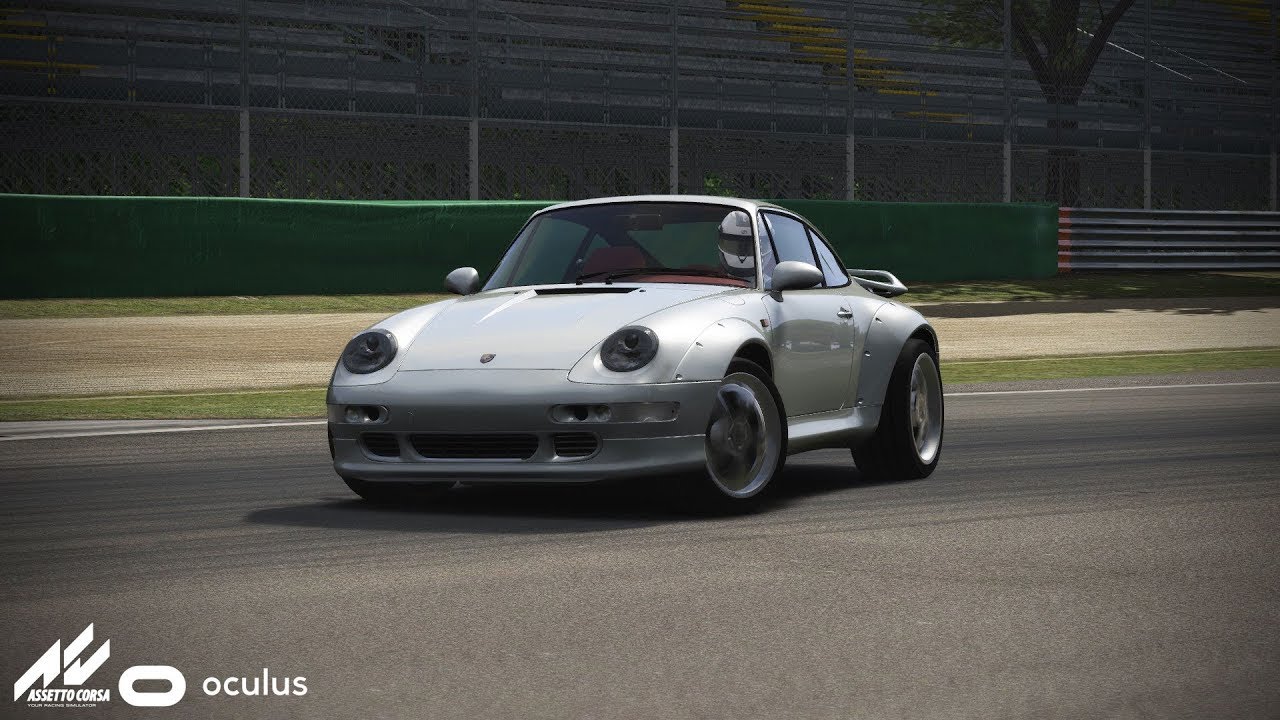


search this thread for pdfs i guess. there is still some of them active´does anybody have the 993 turbo from assettodrive?
-if your i7 is older than 5/8 years, its probably too slow for more than 10 cars at those tracks, on older machines you should NOT use all oppenents available; thats simply too much, use only 10 or so cars,
-use kunos car, as mod cars tend to be performance hogs, when badly made (most dont have LOD a, b or c)
-'GeForce Nvidia 960' is below the official recommendation, GeForce GTX 970, although its higher than minimum requirement, so no wonder here...


this guy has the xj220 lm and won't give it to anybody!
i tried asking him


I have a non-K i7 3rd gen and just tested le mans FM7 with 20 RSS F2019 cars with most settings on maximum or ultra and using SOL mod + 8xMSAA and SMAA on ultra (these are my standard settings when not using VR), it hovers around 60-80fps on this track starting at the back of the grid and stays around that mark with the odd drop into 50's. Not ideal but I could dial some options down. I have a RTX 2060 so as you have stated it will be more to do with his graphics card rather than the CPU and possibly (as someone else said) some FPS killer apps? I had to remove some F1 style HUD apps as they halved my FPS!
@MrLonguinha17 I suggest you make sure you have the CPU overclocked as much as you are able, this will always help and even non K series i7's can be overclocked to an extent. Check what apps you are using and disable them all, check FPS again and start enabling one at a time and rechecking. If you haven't installed MSI Afterburner, get that and experiment with overclocking the GTX960 but this will be the real killer here sadly and you may not get far. Also I suggest ignoring suggested graphics setting and finding your own sweet spot. The Le Mans FM7 track with a lot of cars is ideal to find out what settings are a good choice for you. Turn all of your graphics settings off or to minimum and see what FPS you are hitting, then gradually enable one by one. It's a long process but it will be worth it. Lastly and the obvious one, make sure you have nothing running on your PC in the background taking up valuable resources while playing AC. But seriously consider investing in a new graphics card, it will help you a great deal!

Yes..at the end of the year I intend to upgrade on my PC. Firstly switching the processor and motherboard (at least generation eight, an i7 or maybe an i5), then the video card, or a 1050, 1060, or 1070, or that say a price more in account, I have to go changing gradually . And these "parts" step for my brother. Memory RAM, 16gb, for now is enough, let's slowly, as I said. Hugs to all by comments ..
your pc specs?On this mid range pc, I can run 24-26 cars, world detail,draw distance maxed, and nearly everything else turned up and stay right around 60+fps, less cars obviously it goes up.
But of all the weathers etc, rain,mist nothing really effects it more than simple headlights. Running 24 cars same track etc I'm at 60+ but just changing the time to where all headlights come on and not dark enough to trigger track lighting - frame rate starts jump around especially with replay views that have that long eye effect.
Headlights of all things!


Your hardware shouldn't be overheating, if you are experiencing overheating your cooling solution is failing.my rx560 (4gb) keeps overheating same with my ryzen 3 2200g im guessing because all my settings are on high including the newest SOL
its probably my room i also haven't cleaned my Case maybe dust is causing that if not that it could be a problem with my driver however it doesn't overheat as much as forza horizon 3 i literally need to cap that game to 30 fps just so it would less overheatYour hardware shouldn't be overheating, if you are experiencing overheating your cooling solution is failing.
your pc specs?

Ya, CM or not, the AI line for that track has been wonky for sometime now. If I have time tonight, I'll make one.
@P1ButtPlug, I started working on a new Indi oval AI and cameras tonight, but wanted to check with you first so as not to step on your toes if you were already in the process. Let me know. I won't post anything until I hear from you. Thanks!




The Donkervoort looks a whole lot better with the carbon dash.
Heads up for "Legion" 👍

If someone (like me) prefers the logo on a transparent background: