Oh my lord, that's what I call a helping hand. I would do a sight on Breathe's list to check if I find what I search, but until now, in most cases, I found "faster_ai" for track versions that I don't have and it multiplicates my work to do: To search for that other versions, download it and install (one by one) improvements. I'll ask you by PM.Breathe list includes some links to various track improvments including many AI "patches"
You could also tell me what you needbecause i am a passionate vs AI driver since years and i always tried to collect all best avaiable AI files for tracks i use (these are about 150) I have also some request made by some buddies, so could be i can help ya out here and there.





you´re welcomeOh my lord, that's what I call a helping hand. I would do a sight on Breathe's list to check if I find what I search, but until now, in most cases, I found "faster_ai" for track versions that I don't have and it multiplicates my work to do: To search for that other versions, download it and install (one by one) improvements. I'll ask you by PM.
In other way of things, Is it possible that now, CM doesn't recognize the files (even if they are stored in correct order) if they don't have all their complete properties? For example, I tried to drag some "faster_ai" files that only contains the /assettocorsa/content/tracks/whateverthetrack/Data & ai and it says that couldn't find, so it requires to be installed manually in the file.
Sorry for being so bad at explanations, maybe lack of sugar and other addictive and not so nutritious substances the last days in my brain. (Oh god, how bad it sounds, no I'm not an ex-polydrug addict, only quit smoking)
Man, I hope I can remember your post in the future. There have been so many times lately where I've stopped a championship race just to look for better AI for certain tracks. Thanks in advance for your help, NivekBSBreathe list includes some links to various track improvments including many AI "patches"
You could also tell me what you need
Haha no Problem. Just put me in your favoritesMan, I hope I can remember your post in the future. There have been so many times lately where I've stopped a championship race just to look for better AI for certain tracks. Thanks in advance for your help, NivekBS
And don´t thank me for nothing. You can thank me, IF i have a AI you didn´t find elswhere.


As you have found out, CM won't install things like faster_ai, ext_config, and similar things if that is all that is in the directory, even if the correct full folder structure is there.In other way of things, Is it possible that now, CM doesn't recognize the files (even if they are stored in correct order) if they don't have all their complete properties? For example, I tried to drag some "faster_ai" files that only contains the /assettocorsa/content/tracks/whateverthetrack/Data & ai and it says that couldn't find, so it requires to be installed manually in the file.


I've put them in the download section ...anyone interested in these cabrio conversions I did?
View attachment 1343513View attachment 1343512
View attachment 1343516View attachment 1343517
 www.gtplanet.net
www.gtplanet.net
www.gtplanet.net


You know that all the stuff in [_EXTENSION] is affecting Physics only? And even that only if certain variables in car.ini are set correct.Is there a way to disable raycasting in tyre fx without having to disable tyrefx entirely? Depending on the PP filter it looks way too overkill
View attachment 1343598
I think there was a thing like this
[_EXTENSION]
EXTENDED_RAYTRACING=0
LATERAL_RAYS=0
LONGITUDINAL_RAYS=0
DISABLE_RAY_DOUBLING=1
But it's not workiing as it is.


Yeah thanks, i kinda noticed that it wasn't the right tag, but i have checked in tyresfx wiki and there's no raycasting argument. So i was kinda confused about where i took this code from.You know that all the stuff in [_EXTENSION] is affecting Physics only? And even that only if certain variables in car.ini are set correct.
Hope that will help a bit
To control specular on tyre you'll only need to tweak alpha of txDiffuse and txBlur. Black = no specular, White = specular.Yeah thanks, i kinda noticed that it wasn't the right tag, but i have checked in tyresfx wiki and there's no raycasting argument. So i was kinda confused about where i took this code from.
I'll try to ask the csp guys directly


At least give credits to the real author of the car which is JC Modding


Yeah that's exactly it, thanks a lot for your helpTo control specular on tyre you'll only need to tweak alpha of txDiffuse and txBlur. Black = no specular, White = specular.
View attachment 1343742
Great work! Just one thing missing: the dds files must be saved generating mip-maps. That´s why the cars look blurry.Thanks, looking good (in game).
But I encountered a strange issue that I have never seen before.
I always make my own (identical) previews and doing so I get to see a rather out of focus image.
In showroom the same happens but when I zoom in, everything sharpens and looks OK.
I tried other skins, all OK, tried other cars, all OK, so it's not a setting that I changed by accident. But to be sure I tried changing every setting I can think of and nothing solves the issue. I wonder what's causing this ?
Pics from CM showroom, but in (darker) previews it's even more visible.
View attachment 1239554
View attachment 1239555

The skins were not mine, I only reported the blur issue I had.Great work! Just one thing missing: the dds files must be saved generating mip-maps. That´s why the cars look blurry.


vary coolWe are working on the Courage C60 Pack. The release should be very soon.
View attachment 1343653
View attachment 1343654
View attachment 1343655
View attachment 1343656
View attachment 1343657
View attachment 1343658
View attachment 1343660
View attachment 1343659
View attachment 1343661
View attachment 1343662
Possibly in the first pack still needs more work 2003 Courage C65 JPX (work with rear wing scaling and etc.)
View attachment 1343665
View attachment 1343666


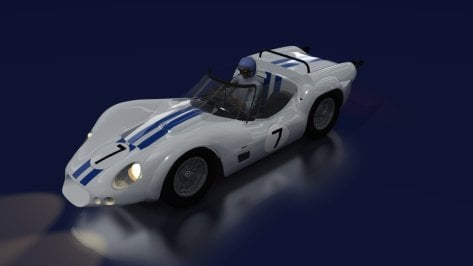
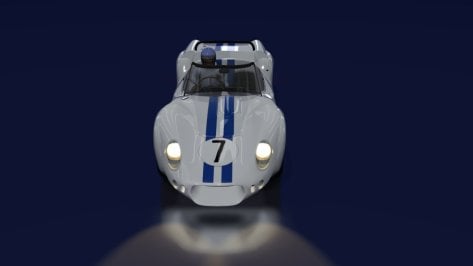
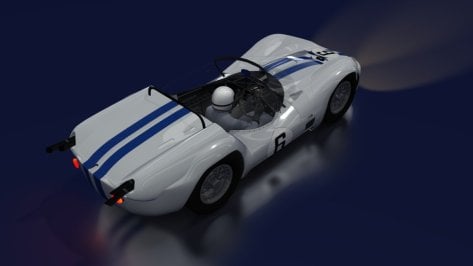
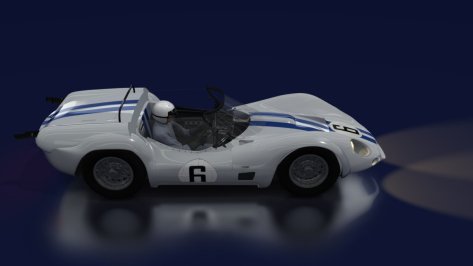
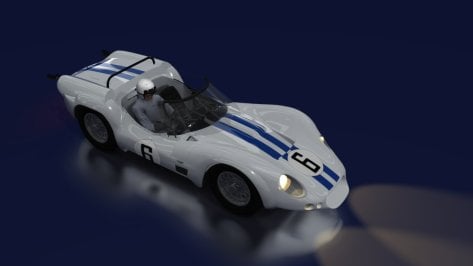
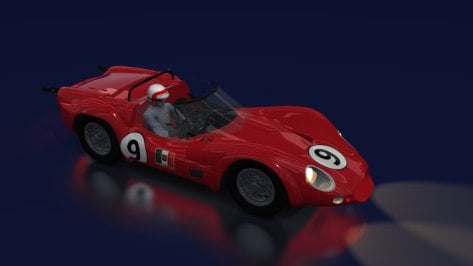
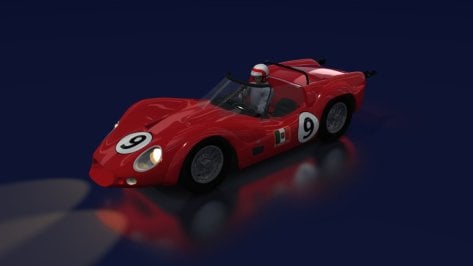
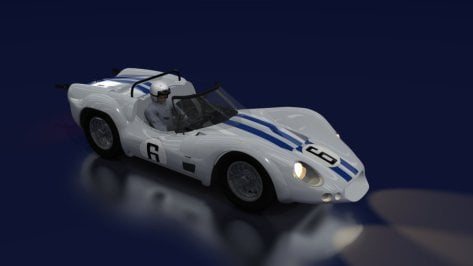
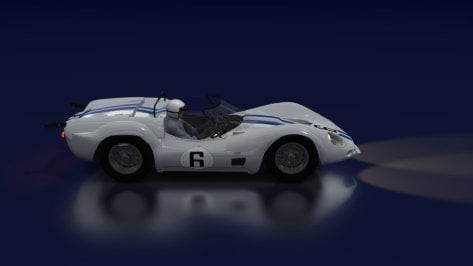
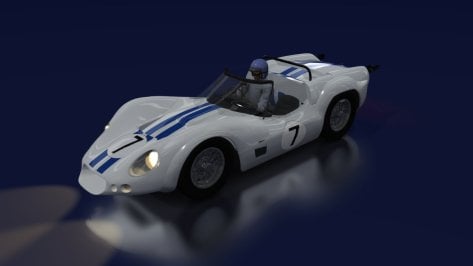
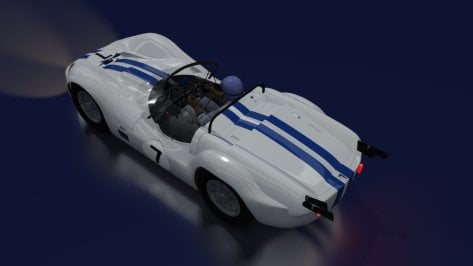
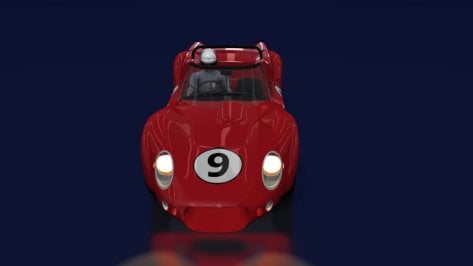
Looks like a mix-up between a Birdcage and a Ford P68, right ?Another adaptation completed to make up the grid (Le Mans in the 60s), Maserati Tipo 63 (used as a basis for the Maserati Tipo 61 by Adalexis).
It wasn't 100% the same, until someone decided to make a more accurate model. We'll be heading to on-track testing for one (BoP) soon.
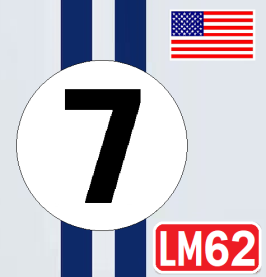
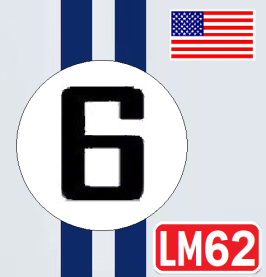
6- Briggs Cunningham - Bruce Mclaren / Walt Hansgen
7- Briggs Cunningham - Augie Pabst / Richard Thompson
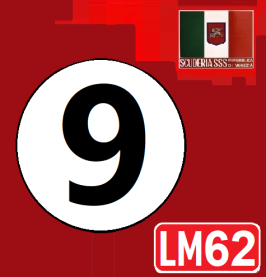
9- Scuderia Serenissima - Ludovico Scarfiotti / Nino Vaccarella
I decided to adapt the model again (I think it was a little better)


i can confirm the front is from a P68 and there is a Lotus 23 rear on it aswelLooks like a mix-up between a Birdcage and a Ford P68, right ?
@JK1977 now that's a fat boy ! Looking really cool
you will not solve any of that graphics problems with that fog shader to be honest. Those graphics problems are caused by the VR renderer and how good it utilizes AA and in which render resolution you render the original image. There are big differences between the hmd renderes. Like the one WMR is using, the picture quality is really good and such aliasing is not a big problem there, whereas with the oculus renderer there is a really bad picture quality in normal resolutions.@Peter Boese, let us know here, when you release this “Fog” pure
Normally, I prefer to spent all my adjustments in CM to shimmer eliminating and a frame rate to 90fps straight, so my AC is lean, without any addons nor external injectors, like PURE/PPfilters or whatever that have influence on my ideal VR view. Only with that fog PURE, I see some potential to reduce all the distance shimmer and other visual artifacts even more, which are always for me a massive immersion killer in VR.


You mean the Thai script below the TOTAL logo, right?New livery skin for the Nissan R32 JTCC "AIM Motorsports" (WIP)
I will need a little help with the text in Thailand if someone knows what it is or can give me the text because with Google helps it says something else, the letters don't do much within the image
View attachment 1343948
View attachment 1343950
 wwos.nine.com.au

A big thanks for clarifying, indeed I do prefer blurred images more then shimmering and have absolutely no problem in hiding those shimmering objects by fog. That shimmering also depends on the circuit or creator. Those converted from old racegames are mostly the worst.you will not solve any of that graphics problems with that fog shader to be honest. Those graphics problems are caused by the VR renderer and how good it utilizes AA and in which render resolution you render the original image. There are big differences between the hmd renderes. Like the one WMR is using, the picture quality is really good and such aliasing is not a big problem there, whereas with the oculus renderer there is a really bad picture quality in normal resolutions.
I just did a direct comparison between the HP Reverb G2 (WMR) and the Meta Quest 3 (Oculus - cable) and the "shimmer" or better called "aliasing jitter" is very minor in the G2 but huge in the Quest.
So sure fog could solve this, but only because you just have no objects / contrast in the renderer then.
One thing you can also do is gaining the mip lod bias. This will prevent high detail in those "line" or stait textures/objects:
Just an exaggerated example:
View attachment 1343954
So distant objects will sooner use lower mips and so the textures become more blurry and the aliasing jitter is therefore way lower.
Another fog solution you can do is lower the fog distance of the track then, like here in Pure Config:
View attachment 1343956
When gaining the FOG_SHAPE, the AC fog gets less distance and will so mask such objects, but with all resulting visual downgrades in view distance.
Good morning. You know everything.i can confirm the front is from a P68 and there is a Lotus 23 rear on it aswel