- 34

- Portugal
It will haha, was me who said I was going to ask a friend so thanks a lotOh well - hopefully that video will help others see how easy it is!
Looks like he just imported the GTR2 wheel and called it a day. Which is very apparent since he didn't bother updating the 3D model for AC either and just straight ported the low poly GTR2 model.Did something go wrong while converting, or is it like this in the original ? In that case the wheels, tires and wheel arches sure need some TLC (to name just a few things)...
View attachment 1382883
Links for both versions have been updated with fixes for two small but important issues. Use the links in the quote above to get the updated versions. Thanks to @MasterFocus , @Masscot and @leBluem for the help with how to fix the problems.Spa 2022 Update
This is my take on the excellent Spa 2022 mod by guigui0256. I cannot stress enough how I take no credit for this what so ever. Please do not give me any credit or thanks for this. I did basically nothing other than fix a couple of technical issues with the treeline lighting and altered a few textures. I realize this is not a cool thing to do to alter someone else's work without permission. I did reach out to the creator awhile back about these issues and he said he was happy with the track so I don't feel like I am doing anything wrong. If he sees this and asks, I will pull it.
The download is rather large because it is a full track folder. I run the track as it's own separate track, not as an addon in the original Kunos Spa folder. Reason being, his extension impacted how the original Spa looked and I didn't want to change that so I made it a separate track. Sorry for the big download.
Spa 2022 Update
Spa 2022 Update to work with original Spa Folder. Won't alter the original track.
Spa 2022 Update for original Spa Folder
The mods have full support for all of Pyyer's Spa F1 and WEC extensions. In order for them to work properly, please follow the directions below.
1.) Install whichever version of the mod you choose to use.
2.) Install Pyyer's Spa extensions into the track folder. Do not drag them into the root 'assettocorsa' folder or they will not get installed to the correct location.
3.) Install the files in the included 'Files_for_Pyyer_extensions' folder and overwrite anything it asks.
View attachment 1205882
Notes:
-- If you want the sound effects back, open up the ext_config file and set the ext_config-audio section at the top to ACTIVE = 1. It does weird things on my system so I had to disable it.
You mean the modelling or the physics ? Because first one is probably one of the easiest part to do on a car model, in my opinion, so I would be kind of surprise with what you already can doLogbook - I've lost count of how many I've done.
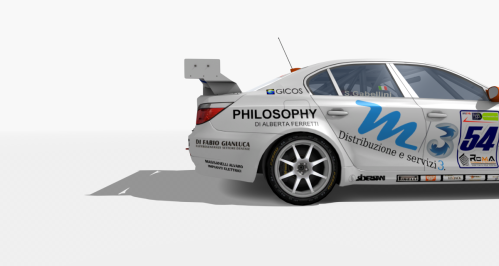
The z3 is almost finished, I just have to do some fixes, finish the sound and do some km on the track to see if everything is ok (hoping that the summer heat decreases a bit). Unfortunately, I had to put aside the idea of doing everything on a single model due to several problems, including the shadows that disappear when I perform the rim swap via ext_config. They are not exactly the same, the aerodynamics and power change slightly between the two versions. I think I can finish everything by mid-September, I want to check and try everything calmly, balancing it compared to other cars.
The other thing I had to give up on are the tyres: I'm not good at making them from scratch. I kindly asked for some tires from a team that runs an MC12 GT1. I interpreted their silence as a "yes" 🙄 😂
I would like it to be adequate in terms of performance compared to other FIA GT cars. The z3, at least on GTR2, is a bit of a water heater, but I would still like to ensure that it is neither too much like a shopping cart nor as fast as a 575 (at the beginning she was even faster LOL)You mean the modelling or the physics ? Because first one is probably one of the easiest part to do on a car model, in my opinion, so I would be kind of surprise with what you already can do
If it's about physics, well hum... I'm not convinced I should be the one giving any advice on it![]()
Do you mean your P70 i've spent hours driving, that i believe turned me into an actual racer and that i was going to base my next grocery shopping trip on is a lie?You mean the modelling or the physics ? Because first one is probably one of the easiest part to do on a car model, in my opinion, so I would be kind of surprise with what you already can do
If it's about physics, well hum... I'm not convinced I should be the one giving any advice on it![]()
Settings -> Content manager -> Content -> Car Skins -> Sort byis there to sort skins alphabetically inside cntent manager?
Are you using SOL or PURE ?Help who knows! On some tracks, the display screen looks very light. Is there a general setting for all tracks or is it necessary to adjust the brightness of the displays in each track? CSP 0.2.5 - 1.
View attachment 1383187
Not a lie if you can't prove it's not the truthDo you mean your P70 i've spent hours driving, that i believe turned me into an actual racer and that i was going to base my next grocery shopping trip on is a lie?
Still couldn't find it. Anything else?Probably hidden system folder. You can type %appdata% in the address field in file explorer. It will take you to AppData\Roaming, so you'll have to navigate up to find AppData\Local, but it's an easy starting point.
del.Still couldn't find it. Anything else?
In Windows Explorer, go to the View tab at the top, find the box for View Hidden Files and Folders, make sure it's ticked, then you should be able to see the app data folder.Still couldn't find it. Anything else?
I have done this, but unfortunately it still doesn't pop up. Thanks for the suggestions so far.In Windows Explorer, go to the View tab at the top, find the box for View Hidden Files and Folders, make sure it's ticked, then you should be able to see the app data folder.
type this into your explorer and hit enter...I have done this, but unfortunately it still doesn't pop up. Thanks for the suggestions so far.
I have done this, but unfortunately it still doesn't pop up. Thanks for the suggestions so far.
How many user names do you have under Users? Have you tried looking under another one? Sometimes its not always the obvious choice.did all of those things and still nothing.
go to the root of C: and type "AcTools Content Manager" in search bar in the top right corner, it has to exist so it will find itdid all of those things and still nothing.
Despite the update I still get the lap invalidated at this point on the Hairpin Fast layout.Updated.
Thanks Masscot for noticed an issue.
Corrected cam_facing.ini, surfaces.ini
surfaces.ini for Hairpin Fast layoutDespite the update I still get the lap invalidated at this point on the Hairpin Fast layout.
View attachment 1383338
"...They are not lies, they are changes of opinion...", as a relevant Spanish "canny" said... 🙄Not a lie if you can't prove it's not the truth
![]()
Fix confirmed - thanks for the quick reply.surfaces.ini for Hairpin Fast layout
thank you.