I just did a lap of the Targa Florio and hit 238km/hr down the straight (give or take 1kph because it's hard to read the speedo when it is so far offset from the driver) with wind set to zero. I was running the highest gear ratio and I reckon if I ran a slightly lower one I would top 240, maybe hit that 245. 260kph might be highest gear ratio at max rpm, so you could hit that downhill or with a tailwind.at first glance, everything is absolutely normal for this type of car
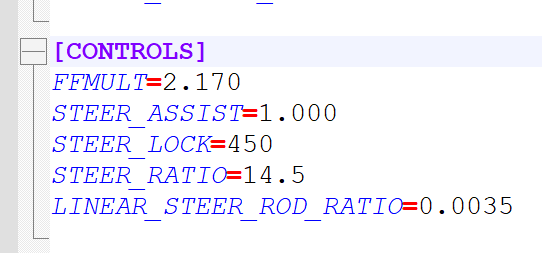
STEER_LOCK=450
STEER_RATIO=16.0
except that the value
LINEAR_STEER_ROD_RATIO=
was not quite accurate, but not critical.
but there are problems with the car's performance, the mod specification states a maximum speed of 260 km/h, in the mod description 245 km/h, in practice, on 2000 meters of drag racing I was able to reach only 215 km/h.
i can see al the stickers now which is what i wanted. Thankshttps://modsfire.com/27937VtPiH4r7SW there you go
Hello! that's totally fine! I will find more photos and send them hereView attachment 1389956View attachment 1389957View attachment 1389958View attachment 1389959View attachment 1389960View attachment 1389961View attachment 1389962View attachment 1389963


Ah! I had this exact same issue. I solved it by bringing the ffb gamma to 2.4, a band aid since it keeps the setting for other cars, glad that i wasn't the only one noticing it.Note: I had terrible ffb in the mod with a crazy high self-centering force but editing the STEER_ASSIST from 0.5 to 1 sorted that all out for me in case anyone else has tried it and had the same problem.


Yes, that's probably my fault, if you applied my update. It uses a different rim diameter than the original, that's why the rim replacement doesn't work right. I'm not too familiar with the procedure used in @Alis_70 skins, but the update brings 16" rims, which would have 0.203 m radius, so using that value in the skin ext_config seems to solve it.I installed some update / improvement which were shared some days ago, maybe that´s the reason for. Maybe someone else can check it too, otherwise I just delete the ext_config from your skin folder.
Edit: decreased the value of the diameter from 0.243 to 0.200 and now it´s fine.
View attachment 1389967


looks okay to me.I'm very surprised because you have below the result ingame for me with my settings
I'm curious to see if everyone has the same problem as you.
The question is, why do you need to set something with pure? Just use the default settings and the pure PPfilter. You just don't set something with default weather style because there are no settings in game. It is mostly a tech demo.Unpopular opinion: noob remark I got pure and i think I prefer racing with the default setting. There is to much option with the pure config that I don’t know if it is that important to have the best looking game. If at the end, I just want to race. Pure seem awesome for picture or replay but I don’t see how cool it is just for driving?


I keep going back to the regular pure filter/candy because it just looks great and just works. Other filters sometimes look too dark etc.The question is, why do you need to set something with pure? Just use the default settings and the pure PPfilter. You just don't set something with default weather style because there are no settings in game. It is mostly a tech demo.
So just ignore the fact that there is a pure config app and try the default settings and you are good to go.
It's z-fighting, and the reason it's more prominent with some tracks than others has to do with the precision of the depth buffer. On large tracks, the depth buffer will often be less precise because it has to be larger than on smaller tracks. For objects that are really close, a small change in the depth buffer precision like this can trigger z-fighting on some tracks, while others are just fine. Not really a track problem, and not really a car problem - just a synergy of bad luck. (Someone smarter than me explained it to me some time back.)I have textures clipping with some cars and (I don't really understand why) more with some tracks than others
and the entire car seems to shake a little bit.
For example, with sx_lemans track, it's horrible, and many of other tracks this issue is less important.
Does someone could solve this issue ? if I haven't this issue in several tracks, I think it's not an issue from the car itself ...
Below with the new URD DALLAS at Le Mans :
View attachment 1389982

Thank you, but I'm not sure if I have understand, so what setting I can change / disable to solve this issue ?It's z-fighting, and the reason it's more prominent with some tracks than others has to do with the precision of the depth buffer. On large tracks, the depth buffer will often be less precise because it has to be larger than on smaller tracks. For objects that are really close, a small change in the depth buffer precision like this can trigger z-fighting on some tracks, while others are just fine. Not really a track problem, and not really a car problem - just a synergy of bad luck. (Someone smarter than me explained it to me some time back.)
There are settings in CM that can aid in this, but I can't come up with any specific advise right now.
For reference, I have no similar problems with the same car on the same track, and I'm just running default settings for everything that should matter. And the Dallas/Cadillac is a really nice car.

 www.overtake.gg

You should test the "Natural Mod PP Filter". It now works perfectly with Pure LCS.That a very good point, but also hope that @Peter Boese will include some pre-settings, like best performance for VR users, for low spec hardware and “state of the art” systems etc. Etc.
www.overtake.gg


Even worse here:Thanks, but the tyres are screwed with your skins.
View attachment 1389964


Even worse here:
View attachment 1389994
When I remove the config from the skin I have the original wheels/tires again...



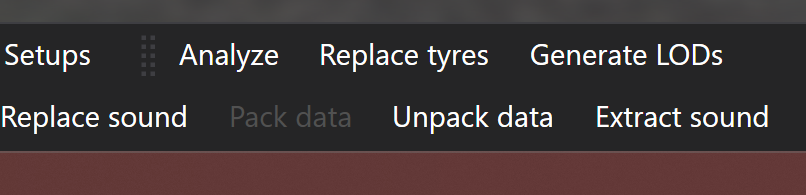
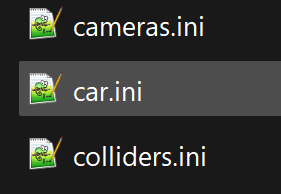
Unpack Data -- car.ini -- (controls) -- save -- Pack Data -- ENJOY!Ah! I had this exact same issue. I solved it by bringing the ffb gamma to 2.4, a band aid since it keeps the setting for other cars, glad that i wasn't the only one noticing it.
That completely ruined the experience at first try, to my utter sadness considering the quality of everything else.
Thanks for the tip, now where do you guys find this config file to edit 😆?


I have no doubt that downhill, and even with a tailwind, it will go 245. But as a rule, measurements of maximum speed are not carried out while going downhill. In any case, my goal was not to somehow belittle this mod, I just hoped that the author, having learned about this, will correct it in the next update, if there is one.so you could hit that downhill or with a tailwind.



Just click on it and put the fastest you go, 260 being the theoritical max speed of the longest 5th gear available...I have no doubt that downhill, and even with a tailwind, it will go 245. But as a rule, measurements of maximum speed are not carried out while going downhill. In any case, my goal was not to somehow belittle this mod, I just hoped that the author, having learned about this, will correct it in the next update, if there is one.
edit:Just click on it and put the fastest you go, 260 being the theoritical max speed of the longest 5th gear available...
View attachment 1390037

Following maintenance of overtake.gg, the RaceDepartment/Overtake add-ons icons have disappeared.It will take me months to change them. (I'm looking for a way to change them into batch...)@Breathe, as a quick note, I'm missing about ~70% of the icons for addendums/extensions in the most recent version of the Track List. All sources (Mega, Mediafire, GTP, Overtake, etc.) are affected.
Latest Firefox, tweaking settings and AdBlock did nothing. Switching to a Chromium browser does nothing either.
EDIT: Also, it might be wise to link Mike08's Patreon page for the Autopolis update, rather than the Overtake link which leads to a now deprecated version.
Can someone repost/link me to the diy for animating suspension from cimmerian? I know someone mentioned it some time ago...
 cimmerian.gitbook.io


did you put the new .kn5 files in the car´s extension folder? and you have to replace the ext_config.Even worse here:
View attachment 1389994
When I remove the config from the skin I have the original wheels/tires again...
I think he didn't...did you put the new .kn5 files in the car´s extension folder? and you have to replace the ext_config.

Edit -> Find and ReplaceFollowing maintenance of overtake.gg, the RaceDepartment/Overtake add-ons icons have disappeared.It will take me months to change them. (I'm looking for a way to change them into batch...)
Thanks for the Autopolis, I updated to the latest version but forgot to change the link. (I was a little too confused by this icons problem)
Thank you very much. (I tried that but I forgot "Also search within links)Edit -> Find and Replace
In the Find box put https://www.racedepartment.com/favicon.ico
In the Replace box put https://overtake-data.community.forum/styles/100/styles/overtake/xenforo/cropped-favicon-270x270.png
Change the Search field to "All Sheets"
Tick "Also search within formulae" and "Also search within links"
Click "Replace All"
I made a copy of the sheet and did exactly that and it worked, took seconds.
I used Real Favicon Generator's Favicon Checker to check www.overtake.gg/ which gave that much longer URL above.
Theoritical top speed based on gear ratio vs RPM.edit:
Okay, maybe I was a little rude, I'll explain it differently. I don't want to change the numbers in the "maximum speed" column, I want the car to be able to reach the stated maximum speed (245), on a straight, level section (without hills, slipstream and tailwind) that's what I wanted to convey to you.