Assetto Corsa PC Mods General DiscussionPC 

  • Thread starter Thread starter daan
  • 157,774 comments
  • 52,012,461 views
OK, and now I want my money back :lol:
I almost never drive open wheelers, but I wanted to try this one.
In replays I see the front wheels aren't turning and a piece has been cut out:

View attachment 1431473
will push a paid update so that you have the full rim. Free base car only has 3/4 of the rim. Pay to unlock the last 1/4th!


Joke aside, it's normal, the front rim cover during 2007-2009 is not supposed to rotate. That's how it was designed. If you check cars pic from that era you would see that for most cars it's designed to redirect the front brake airflow in a way that improve the downforce by making the airflow go a certain path. That's why you have a cutout on the front rim cover, to force the airflow to go through the hole. And why it doesn't spin.

39CB4A4A-76CE-46FA-BB4A-7999C63B9722.jpeg
 
Last edited:
Fantastic as well, but seems like the Super Aguris Display on the steering wheel is not there, or am I really stupid this time?
Delete the old car folder and copy the new one without overwriting the old one.
 
will push a paid update so that you have the full rim. Free base car only has 3/4 of the rim. Pay to unlock the last 1/4th!


Joke aside, it's normal, the front rim cover during 2007-2009 is not supposed to rotate. That's how it was designed. If you check cars pic from that era you would see that for most cars it's designed to redirect the front brake airflow in a way that improve the downforce by making the airflow go a certain path. That's why you have a cutout on the front rim cover, to force the airflow to go through the hole. And why it doesn't spin.

View attachment 1431553

So, this must have been Goodwood FOS only ?


EDIT: Seems to be the same for Spa:
 
Last edited:
24H
@Opperslang
what do you think mate? any possibility?
or a 300CE AMG, please
And I want to ask, I have the last mods from @Opperslang and the interior looks a bit dark, other Kunos cars and some other mods looks good, How I can change the dark appearence of the interior, for this Hammer for example?
 
So, this must have been Goodwood FOS only ?


EDIT: Seems to be the same for Spa:


It was a complicated system that was banned by the FIA after 2009. Ferrari stopped making them and on an event like goodwood they didn't need to produce these to gain extra performance, not mentioning adapting it to work with Pirelli tyres.

1740557918894.png

1740558360469.png


Source : https://www.motorsport.com/f1/news/f1-tech-wheel-rim-covers-2022/7078251/


Though in 2010, Ferrari tried to bypass the ban by adding two circular piece on the rim that actually rotate with the rim.
1740557902240.png


Yes. They probably didn’t install those wheel covers because they were absolutely hideous.

I actually love them, they looked really cool
 
Last edited:
Delete the old car folder and copy the new one without overwriting the old one.
Yeah just did that Yesterday when the hotfix came out, thanks


And... @kakauiyt what mod is the next that's gonna get an update? Any paid ones as well?
Maybe doing AC mod OF Account for that...
 
Last edited:
when its bop“ed to their other cars, why not :D
 
Edit: verified from another pc, file is labelled as zip while it isn't, renaming to 7z solves the kerfuffle
 
Last edited:

Attachments

Last edited:
Thanks, despite warning I get when loading, all seems fine:
blimp.kn5 is present in the models.ini though...

View attachment 1431709
Since the last CSP update this warning is popping up constantly when loading tracks. In the end they all load/work fine.

Not sure if this is the culprit in custom_shaders_patch.log:
DEBUG | FSW: Monitoring: 'C:\Program Files\Steam\steamapps\common\assettocorsa\content\tracks\ks_nordschleife', i.: 0000025509282F50
INFO | Inserted: FBX: nuerburg_castle_ns.fbx, class: Node [2], children: 2
WARN | Target not found: txNormal, material: MATscoretable
 
Thanks, despite warning I get when loading, all seems fine:
blimp.kn5 is present in the models.ini though...

View attachment 1431709

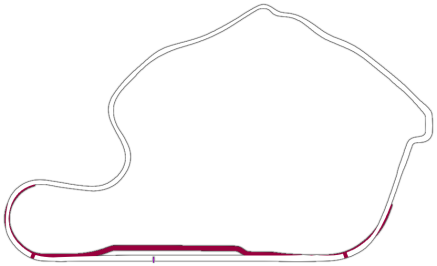
Here the sections file for the new layout:
The blimp.kn5 file is missing inside the Reboot Team track archive, but there is still a reference inside the models ini files. It should be the Michelin blimp, just copy it from another track (or delete the blimp reference inside the models ini files)
 
Last edited:
How can I fix this error? This stage was running well, but with CSP 0.2.4 and 5 it crashes and send that message:
1740593888787.png
 
1740644666895.png


So as you can see, left side is chrome, right side and the small front wing plate under vodaphone too is grey
I didn't remember that I had a different material for the right side so it had wrong diffuse texture, and no chrome shader.

Surprised no one really noticed even when doing pictures lmao


Anyway 2.1 is out to fix that, as well as making the red brighter
 
Feel free to give it a try if you want. Even though I didn't change any kn5 files, for the love of God make a backup of your existing track folder first. The mod is designed to use with the version Sergio released in 2022. If you are still using the 2021 version of the track, let me know. I have a version of this mod for that as well. Any file I altered has the original file included so you can easily revert back to the stock look with a few file name changes.

All color and lighting choices are based on what I like and my own personal ppfilters\scripts. This may look terrible on your end.

sandev_f3ct_mod_v3

Plenty of notes:

-- If you were using my past version of this mod, disable and delete all the track skins to be safe.

-- The track skin setup is a bit confusing (as usual). I wanted somewhat of a consistent look between all three layouts and this was the best way I could achieve that. If you are driving either of the 60s layouts, enable the 60s Base Grass skin and one of the other three 60s Grass skins depending what look you prefer. Same goes for the 70s layout. Keep the 70s Base Grass skin enabled and one of the other 70s Grass skins. You can use one of the three 70s Grass skins with the 60s layouts and visa versa. All that will do is reverse what areas of the grass are green and what areas are more burnt out looking.

If you find a look you want to use all the time, you can copy the files into one folder and delete everything else to lessen the confusion. If you go that route, put all the files in the 'Base' folder though. There's some important files that reference those two folders.

-- The Road and Trees skins are optional, but I use them. All they do is take some of the yellow out of the trees and blue tint out of the road.

-- The included vaos are optional. They help to eliminate some of the really dark shadow areas. They are not all gone, but there are far far less of them. The mod is designed to use them. Without them some of the bushes are too dark, but you can decide for yourself.

-- I have issues with night vision so I added extra light poles on some of the turns to help me see better at night. They are disabled by default. You can turn them on if you want. Just open the ext_config file and at the top under Additional Lights, change the Active status to 1.

4.jpg
 
Last edited:
Sharing a mod? Host it on GTPlanet Downloads. Free, public hosting for files up to 10GB in size.
Back