Assetto Corsa PC Mods General DiscussionPC 

  • Thread starter Thread starter daan
  • 157,355 comments
  • 51,230,591 views
Hi all, since the new CSP version (581) I cannot start a race.
I have this message :
d:\dev\csp\csp.cpp (1): [pCQJGO83f3k]
AC\car.cpp (1671): Car::pollControls
d:\dev\csp\csp.cpp (1):
AC\car.cpp (414): Car::step
d:\dev\csp\csp.cpp (1): [CerwmkbZaB4]
d:\dev\csp\csp.cpp (1): [YMdqm+tdn5w]
d:\dev\csp\csp.cpp (1): [FmswK9TwGBs]
d:\dev\csp\csp.cpp (1): [l++KgzLT+EM]
d:\dev\csp\csp.cpp (1): [UqKKuO2BNfs]
00007FFB7FA1CCB7 (kernel32): (filename not available): BaseThreadInitThunk
00007FFB7FF6AD6C (ntdll): (filename not available): RtlUserThreadStart
Any ideas ? I attached the LOG file in case of.
No problem with practice mod.
Thank you for anyone take time for help m
in errors.txt :

INIReader: content/cars/ferrari_f40_jgtc_1994/data/aero.ini > KEY_NOT_FOUND: [WING_3] CD_GAIN


This usually happens with modified cars (like this 1994 Ferrari F40 JGTC) when the physics engine expects a certain number of winglets or data keys, but the aero.ini file doesn't define them correctly. How to fix it Locate the file: Go to your Assetto Corsa installation folder and find the car data directory: assettocorsa\content\cars\ferrari_f40_jgtc_1994\data\ (Note: If you only see a data.acd file instead of a data folder, you'll need to extract it first using Content Manager's developer tools). Open the file: Open the aero.ini file using any standard text editor like Notepad. Find the section: Scroll down or use the Ctrl+F function to look for the [WING_3] Add the missing key: Look under that heading for CD_GAIN. If it's missing entirely, paste it. It should look something like this: ini[WING_3]
...
CD_GAIN=0.0
Use the code with caution. (Setting it to 0.0—a very low value, such as 0.05—is generally a safe placeholder that prevents the game from crashing without drastically altering the car physics.) Save and verify: Save the file and launch the game to see if the error is resolved.
 
Last edited:
Interesting: Someone has created an add-on for importing GTR2 (and GT Legends—I'm sure it works with that too), rFactor, and F1 Challenge models… if anyone wants to convert their old tracks or cars with Blender… it's easier now


1788552046944.webp
1788552087546.webp
 
Last edited:
Attachments

  • Screenshot 2026-09-04 182448.webp
    Screenshot 2026-09-04 182448.webp
    25.2 KB · Views: 1
  • Screenshot 2026-09-04 182144.webp
    Screenshot 2026-09-04 182144.webp
    25.2 KB · Views: 1
  • Screenshot 2026-09-04 181739.webp
    Screenshot 2026-09-04 181739.webp
    35.7 KB · Views: 1
  • Screenshot 2026-09-04 181425.webp
    Screenshot 2026-09-04 181425.webp
    29.7 KB · Views: 1
  • Screenshot 2026-09-04 181308.webp
    Screenshot 2026-09-04 181308.webp
    44.8 KB · Views: 1
  • Screenshot 2026-09-04 182949.webp
    Screenshot 2026-09-04 182949.webp
    40.9 KB · Views: 1
  • Screenshot 2026-09-04 182930.webp
    Screenshot 2026-09-04 182930.webp
    37.3 KB · Views: 1
  • Screenshot 2026-09-04 182858.webp
    Screenshot 2026-09-04 182858.webp
    26.3 KB · Views: 1
  • Screenshot 2026-09-04 182827.webp
    Screenshot 2026-09-04 182827.webp
    46.5 KB · Views: 1
  • Screenshot 2026-09-04 182751.webp
    Screenshot 2026-09-04 182751.webp
    28.9 KB · Views: 2
  • Screenshot 2026-09-04 182718.webp
    Screenshot 2026-09-04 182718.webp
    22.4 KB · Views: 1
  • Screenshot 2026-09-04 183458.webp
    Screenshot 2026-09-04 183458.webp
    49.5 KB · Views: 1
  • Screenshot 2026-09-04 183147.webp
    Screenshot 2026-09-04 183147.webp
    32.1 KB · Views: 1
  • Screenshot 2026-09-04 183128.webp
    Screenshot 2026-09-04 183128.webp
    24.1 KB · Views: 1
  • Screenshot 2026-09-04 183110.webp
    Screenshot 2026-09-04 183110.webp
    38.8 KB · Views: 1
  • Screenshot 2026-09-04 183050.webp
    Screenshot 2026-09-04 183050.webp
    51.1 KB · Views: 1
  • Screenshot 2026-09-04 183028.webp
    Screenshot 2026-09-04 183028.webp
    26.1 KB · Views: 1
  • Screenshot 2026-09-04 183537.webp
    Screenshot 2026-09-04 183537.webp
    41.2 KB · Views: 1
  • Screenshot 2026-09-04 183603.webp
    Screenshot 2026-09-04 183603.webp
    26.2 KB · Views: 1
  • Screenshot 2026-09-04 183656.webp
    Screenshot 2026-09-04 183656.webp
    26.5 KB · Views: 1
  • Screenshot 2026-09-04 183720.webp
    Screenshot 2026-09-04 183720.webp
    45.9 KB · Views: 1
videoframe_57383.webp

Update on BR Engineering BR1, last month wasn't as productive as i wanted, because getting into FMOD and making sounds for AC was very hard for me.
AER sound is finished for the most part, at least it's good enough for me to move on, idk about Gibson sound for now, need to work on other things.
When this mod will be released, i will include FMOD project for download, so you can edit the sound to your preference.

Here's videos with AER sound at Silverstone, high downforce aero setup with both dive planes. And don't mind car behavior and some strange visual things, it's all temporary. Traction control can't be heard on recorded replay, so it sounds a bit different when driving.

https://recordit.dev/record/9e519ae1-36bb-42b3-9011-ccb2de5ac8ed


https://recordit.dev/record/10e864b0-968b-4003-a0b5-f6bcc2f3eea4

Google drive link for videos, in case if first two won't open.

 
Last edited:
Pollcontrols -> any app that uses the override controls API? I suspect aiwhisperer lol. Not compatible with csp 0.3.581


So far i think it's on CSP, not the lua. Only option is to either load less cars (5 max) or to dismiss aiwhisp completely. You can change the aiwhisperer.lua name to anything else so that the lua never starts, until a fix comes, like in this screen :

View attachment 1563052


Or copy the whole Aiwhisperer folder out of assettocorsa\apps\lua to save it for later.
I had a similar issue, removing Nuzzis Mechanical app made it work, so check which Luas you have active perhaps, it maybe one of those...
 
I had a similar issue, removing Nuzzis Mechanical app made it work, so check which Luas you have active perhaps, it maybe one of those...
Thank you, that's it!
Nuzzi's app don't work anymore with this CSP version (only FIA flag works).
Thanks too @Tetri and @Kwara for help (I don't use AIwhisperer and it's not only with the car in the LOG file).
 
Last edited:
__custom_showroom_1788574285.webp

I thought the recently upgraded toyota_gr_gt3 could use a few more skins...so I played around a bit, (that's quite a template in 2D) and made a couple fictional Gazoo Racing IMSA skins, the #86 GTD Pro & #68 GTD.
The car already came with a fictional #14 Vasser Sullivan GTD Pro skin so I took the liberty of simply using it to create the #12 GTD teammate and add a few touches. (I hope I'm not stepping on anybody's toes with that).
https://mega.nz/file/uh5zgIjZ#BqfZxnRM9Rwvy-SAHQc2ahrgZmWi2d6JN_pCdbRplV8
Complete with drivers and crews to add colour to pit lane. Enjoy!
20260903-225755-vir-toyota_gr_gt3.webp
20260831-224511-vir-toyota_gr_gt3.webp
20260904-210525-vir-toyota_gr_gt3.webp
20260903-225400-vir-toyota_gr_gt3.webp
 
Here is a solution for the monitors in several RSS GT-M cars, that are too bright and have too less contrast and saturation, if using Pure LCS.

You must edit a section of "rss_cas_v2.ini" in the folder "rss_gtm_.../extension/cas" of each car.

rss_gtm_adonis_v8_evo:

[DEFAULTS]
.
.
.
PreExposure = 0.5
PreBrightness = 1.6
PreSaturation = 1.5
PreGamma = 1.3


rss_gtm_bayer_i6_evo, rss_gtm_cortex_v8, rss_gtm_furiano_96_v6, rss_gtm_hyperion_v8, rss_gtm_macca_72_evo_v8, rss_gtm_protech_p92_f6:

[DEFAULTS]
.
.
.
PreExposure = 0.4
PreBrightness = 1.5
PreSaturation = 1.5
PreGamma = 1.2
 
Last edited:
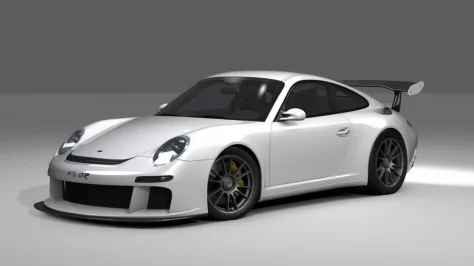
Does anyone know of any decent pre-2017 LMP2 mods? Stuff like the old HPD/Acuras, etc. I can't really find such mods...
I would check at the big 3:

Do not know if it contains what you are searching, but these mods will not be a disappointment. Real names and logo’s can be found at websites like the Overtake mod section.
 
Last edited:
Here is a solution for the monitors in several RSS GT-M cars, that are too bright and have too less contrast and saturation, if using Pure LCS.

You must edit a section of "rss_cas_v2.ini" in the folder "rss_gtm_.../extension/cas" of each car.

rss_gtm_adonis_v8_evo:

[DEFAULTS]
.
.
.
PreExposure = 0.5
PreBrightness = 1.6
PreSaturation = 1.5
PreGamma = 1.3


rss_gtm_bayer_i6_evo, rss_gtm_cortex_v8, rss_gtm_furiano_96_v6, rss_gtm_hyperion_v8, rss_gtm_macca_72_evo_v8, rss_gtm_protech_p92_f6:

[DEFAULTS]
.
.
.
PreExposure = 0.4
PreBrightness = 1.5
PreSaturation = 1.5
PreGamma = 1.2
Ho Thanks a lot this is very helpful and look nice now.
 
I don't understand, why RSS didn't fix the problem with the latest update of these cars. The new Lanzo V8 has a monitor without this problem. It uses better values in rss_cas_v2.ini.

PreExposure = 0.75
PreBrightness = 1
PreSaturation = 2
PreGamma = 1.1
 
Last edited:
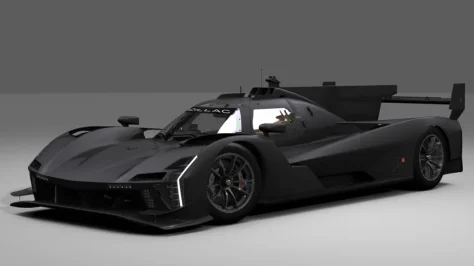
URD teased an ARX-06, as well as an update to their V.Series R and an M Hybrid V8. It'll be interesting to see with their new quality standard how the Caddy compares to the VRC one.
 
Karjala Raceway - CAMS+
brg01.webp


Here's a phenomenal track & car combination that I've come to enjoy driving at full speed, taking advantage of most of the track-width and then some...

F1 1983 - LODs
preview.webp


Here's a four-lap video showcasing cameras:


Mod-Features:
  • replay cams x4
  • game loading images
  • new track-outline-file (original-copy included)
  • LOD files for the F1 1983 mod
  • new lod.ini file (original-copy included)


Happy racing!
 
Last edited:
Sharing a mod? Host it on GTPlanet Downloads. Free, public hosting for files up to 10GB in size.
Back