Assetto Corsa PC Mods General DiscussionPC 

  • Thread starter Thread starter daan
  • 157,265 comments
  • 51,145,921 views
It's common knowledge that in order to copy one cars' engine to another, you have to copy these files:

Drivetrain.ini
engine.ini
power.lut
sounds.ini

However, results are far from optimal. It almost never works as you would expect.
Anyone knows what files complete the engine swap and achieve the best result?

 
TRACK UPDATE by CrisT86 & @pugsang

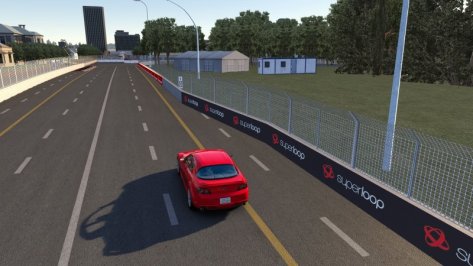
Adelaide 2021


v0.0 by Tewie
  • Original track by Tewie (huge thanks for allow us to update it to 2021)

v1.0 by CrisT86 & Pugsang
  • New pit building
  • New 3d stuff around the track (briges, Helicopters, ambulance etc)
  • New buildings
  • TV screens
  • New city wall around the track
  • Fixed UV mappings and sponsor billboards. Old skins might work partially
  • Track skin from 2020 skin modified to match last years race the best possible way
  • Lights all around the track
  • New Ferris wheel
  • Soft collision deformable tyre walls
  • Aerials and ai from @KevinK2
  • New EXT_CONFIG featuring GrassFX, LightFX, RainFX, Seasons
  • New VAO
  • New TV Cams

View attachment 1098988View attachment 1098989View attachment 1098990View attachment 1098987View attachment 1098991View attachment 1098992View attachment 1098993
Original post updated with the download link, enjoy it and once again thanks to @pugsang for his work and Tewie for the permission ;)
 
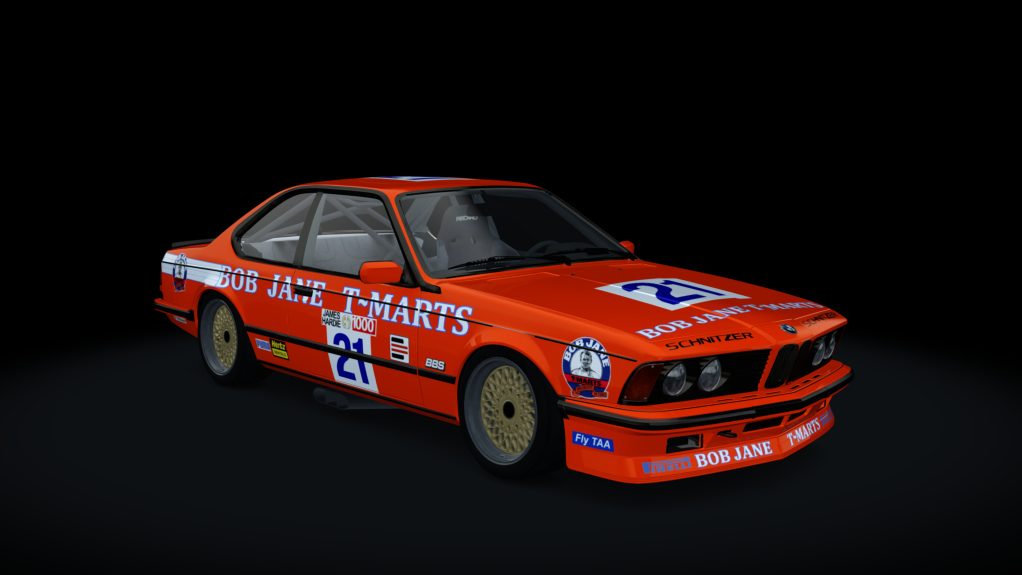
its quite close to what the actual car is minus some parts i couldn't do. the main being the button box above the gear shifter. if anyone knows of a triangular shaped button box i might be able to add it. long shot tho.

as far as sound goes its the same as the road version at the minute. i was messing around with the audi r8 lms 2016 but not sure if i like it. the road car version its based on has that high pitched v10 sound.

there is also the Huracan gt3 v10, which is another audi group v10 but again the Carrera unit is quite unique sounding.

any other candidates or suggestions are very welcome


This one sounds accurate to me
 
TRACK UPDATE by CrisT86 & @pugsang

Adelaide 2021


v0.0 by Tewie
  • Original track by Tewie (huge thanks for allow us to update it to 2021)

v1.0 by CrisT86 & Pugsang
  • New pit building
  • New 3d stuff around the track (briges, Helicopters, ambulance etc)
  • New buildings
  • TV screens
  • New city wall around the track
  • Fixed UV mappings and sponsor billboards. Old skins might work partially
  • Track skin from 2020 skin modified to match last years race the best possible way
  • Lights all around the track
  • New Ferris wheel
  • Soft collision deformable tyre walls
  • Aerials and ai from @KevinK2
  • New EXT_CONFIG featuring GrassFX, LightFX, RainFX, Seasons
  • New VAO
  • New TV Cams

View attachment 1098988View attachment 1098989View attachment 1098990View attachment 1098987View attachment 1098991View attachment 1098992View attachment 1098993
Is it just me or there are no shadows on the ground? not from the wall/barriers, nor poles or buildings..
 

Attachments

  • Screenshot_mazda_rx8_r3_adelaide2021_12-11-121-20-27-38.jpg
    Screenshot_mazda_rx8_r3_adelaide2021_12-11-121-20-27-38.jpg
    79.8 KB · Views: 37
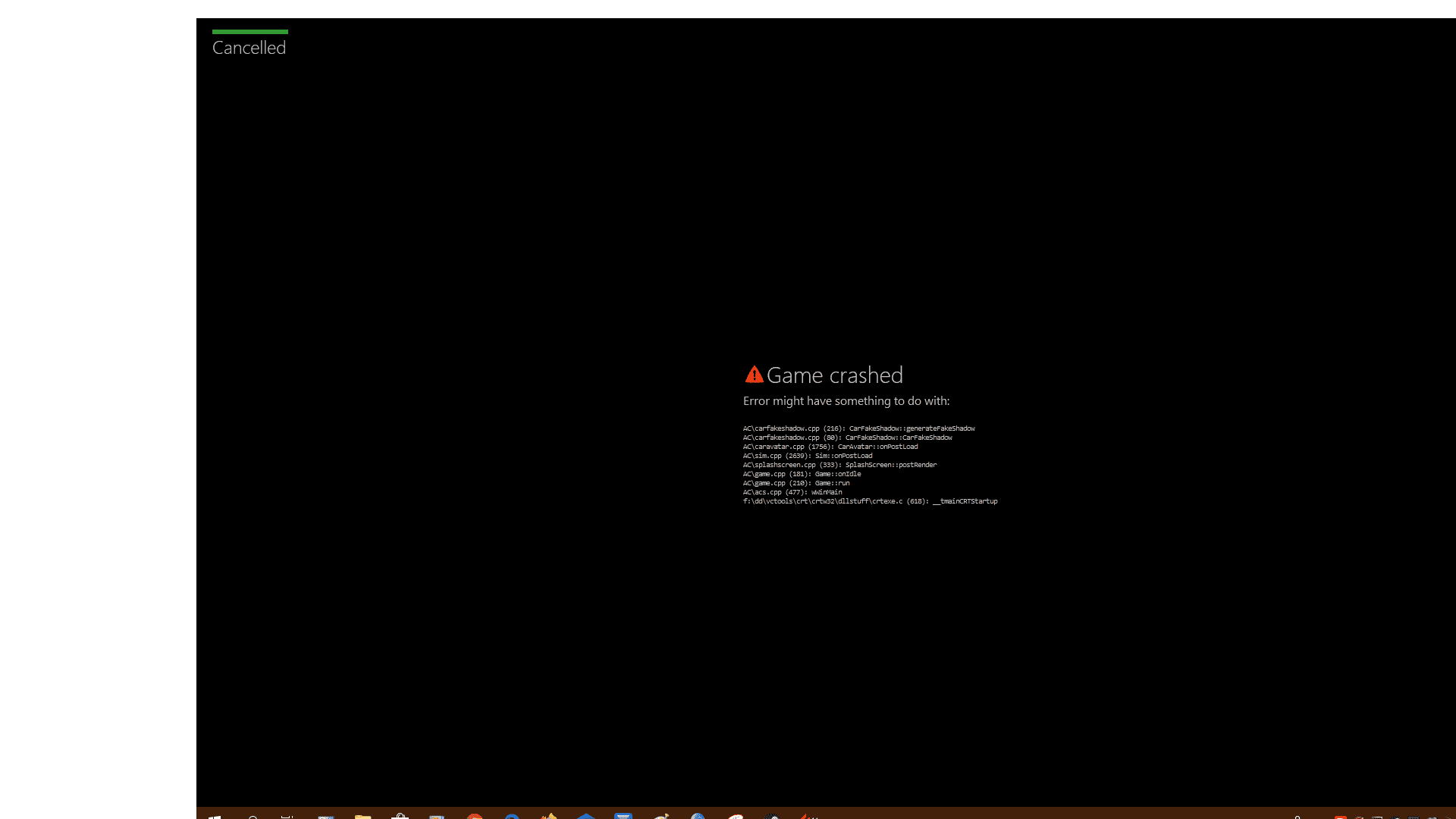
Looks like I have an issue with AC.
Every time I chose a car and track (different ones for testing the issue), the game doesn't load untill the end.
In other words, can't play.

yteo.png


Tried with,
CSP 1.75 - SOL 2.2.1
CSP 1.75 - Pure 0.32

Anyone had this issue? Anyone knows what to do?

Thanks for the help.

sometimes i have this issue too. no race will load .

i just restart my PC and then it works as normal.
Don't work restarting PC neither CM.
Can't play yet.
Help needed please. Thank you.
 
Last edited:
Yeah, weird, shadows be gone.

BTW @CrisT86, if you ever update the track, since the pit building has changed, the rain streams there no longer line up. Bridges should be fine, but should be checked as well.
we are checking all you reports, when more than 50% were replaced, something can happen. We will check it as soon as possibile, meanwhile use the track as it is which is working fine btw except some minor problems ;)
 
I'll try and post the result. Thx.

On my settings, it's 4x and the other one is same as yours... 2 faces per frame

I checked what that is and it's active but the game exe files are on the sth. like "exception list"... was it the problem?
If you haven´t excluded the acs.exe from FTH in WIN10 you will experience really bad stuttering. Even CM has an implemented feature to check and avoid it. Have you checked this one:

1639340708274.png


Enable it at least and you´re fine.
 

Lamborghini Countach LPI 800-4 2022 by ExMods for AC v1.16.4

This was added to Assettoland today, from ExMods. As expected, it's mostly good, but not great.
It still needs some things polished up, and I'm sure they copied and pasted the physics from another Lamborghini.

Direct download from Assettoland.

View attachment 1099034
Mostly good ? 400 mega kn5 size , 550 objects , 600 000 k poly count , an automatic dirty uv mapping , no LODS ....

You gotta explain me what is good on that please ^^
 
If you haven´t excluded the acs.exe from FTH in WIN10 you will experience really bad stuttering. Even CM has an implemented feature to check and avoid it. Have you checked this one:

View attachment 1099137

Enable it at least and you´re fine.
Sadly, that was checked like this already.

What I don't understands is the game runs perfect, nothing should be able to stutter it that much (at least). But it annoys a lot to not found the reason.

Graphics... even the lowest settings still. Same as the highest.
CPU... this might be the one but not because of capacity, probably compatibility. Threadripper things maybe.
Memory & Others... can't get any better to play smoother. Except M2s.

Some tweaks needs to make but which affects which, I couldn't tell exactly.

Maybe someone sends their CSP Presets and I'll try it. Obviously PC can take the load, but sth. messed it.

Btw. This is my settings presets. You can look and see... maybe sth. I did cause it.

Video Settings: https://acstuff.ru/s/2NEz0K
CSP Settings: https://acstuff.ru/s/msvzch
 
Sadly, that was checked like this already.

What I don't understands is the game runs perfect, nothing should be able to stutter it that much (at least). But it annoys a lot to not found the reason.

Graphics... even the lowest settings still. Same as the highest.
CPU... this might be the one but not because of capacity, probably compatibility. Threadripper things maybe.
Memory & Others... can't get any better to play smoother. Except M2s.

Some tweaks needs to make but which affects which, I couldn't tell exactly.

Maybe someone sends their CSP Presets and I'll try it. Obviously PC can take the load, but sth. messed it.

Btw. This is my settings presets. You can look and see... maybe sth. I did cause it.

Video Settings: https://acstuff.ru/s/2NEz0K
CSP Settings: https://acstuff.ru/s/msvzch
Invidia settings maybe?
 
Sadly, that was checked like this already.

What I don't understands is the game runs perfect, nothing should be able to stutter it that much (at least). But it annoys a lot to not found the reason.

Graphics... even the lowest settings still. Same as the highest.
CPU... this might be the one but not because of capacity, probably compatibility. Threadripper things maybe.
Memory & Others... can't get any better to play smoother. Except M2s.

Some tweaks needs to make but which affects which, I couldn't tell exactly.

Maybe someone sends their CSP Presets and I'll try it. Obviously PC can take the load, but sth. messed it.

Btw. This is my settings presets. You can look and see... maybe sth. I did cause it.

Video Settings: https://acstuff.ru/s/2NEz0K
CSP Settings: https://acstuff.ru/s/msvzch
If its the same results regardless of graphic quality settings, it's something else. Probably external. Is your pc downloading windows version 11 in the background ready to upgrade? Have you switched to windows 11? I wouldn't say your pc is a beast either. It's probably down to texture file sizes and you running low on video ram and textures being written in and out of ram.
 
which settings was on your mind that causes it? I can look it up.

Driver is up-to-date. No auto optimization used.
Got no clue, honestly. On a video card like yours keeping drivers updated makes more sense, but I can't say I blindly trust automatic updates. If you remember any recent update, maybe a roll-back or a previous build might help.
 
Sharing a mod? Host it on GTPlanet Downloads. Free, public hosting for files up to 10GB in size.
Back