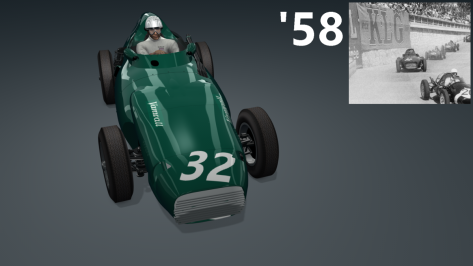
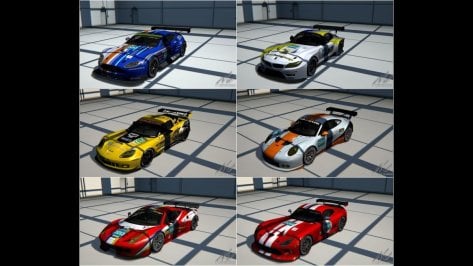
Good find. Very solid mod. And nicely unencrypted, just like Jesus wants.FYI : a new mod released by SDW, here of a Hyundai i30 Fastback N 2019 (FWD / 275HP / 363Nm)
just tried it and it's a very decent mod imho


ive decided to make a SDD W13 halo mod that puts the new halo on the SDD car the mercedes ran in the hungary 2022 grand prix
heres the link:
Credits for the halo: https://www.gtplanet.net/forum/members/bensrac32.323327/#recent-content go check out bensrack32s amazing content
And also thank you to jaygo#1905 for telling me step by step how to do this


 www.racedepartment.com


ACU COTA 2021 Update
Link :https://www.mediafire.com/file/ocxrjipgb1wg6on/acu_cota_2021.zip/file
- delete older version for best result,
- PYYER extension not included ( 1.5 version works fine but they are little incompatibity with this update, PYYER will work for 100 % adapted extension to this update )
- NEW grass texture with a best grass FX extension,
- Simili TECPRO textures to old tyres walls,
- NEW big Texas star texture on the ground
- NEW tribunes on last corners,
and others minors stuffs



Might be better asking in the AC VR thread?Hello. I'm thinking of moving from SteamVR to openXR and I want to know if anyone has tried it to see if it's really worth it. The doubt is because with AC/CM/SOL/PURE/ etc... sometimes you feel that you never finish configuring and configuring and... configuring again. And obviously adding openXR to the equation adds more configuration options (and bugs?). I appreciate any light on the subject.
 www.gtplanet.net

Yes running Windows 11 with vr with CSP and cm. Running on a 1080 for a while but have to run my G2 at 40%. But upgrading to the new 4090 so it should be awesome.Question: Looking at a new rig. It will come with Windows 11. Anyone running VR in Windows 11 with CM/CSP etc without issue?



@Pyyer could i suggest also the more recent Fenryr conversion from ACC (laser scan)?Hi @Breathe
I am working on 2022 extension for COTA 2021 and this version from @marc_13000 seems to be more recent than the one on your listing, I guess you'll want to update it 😉
EDIT: however ext config is more complete in the one from your listing. So now I really don’t know which one to use… 😅
Is there an updated all-in-one version?
Yes. I will. Although openXR is technically a mod, since it modifies the way the original game is played. But I accept the suggestion and will move the question to the VR forum. Thanks.Might be better asking in the AC VR thread?

Assetto Corsa in VR
I'm thinking on quest2 for AC good or bad idea? anyone have that combo for AC rv? BTW my specs ryzen 5 3600, rtx2060, 16gb ram

I'm not sure about the tutorial part. I think Peter includes a guide of sorts in the package for Sol and Pure. You can also look at one of Peters filters to get an idea on how it works. He usually adds comments to most of his entries that describes what each one does.I was wondering if there is any good tutorial for making ppfilters in Assetto Corsa. I would like to make a personalized ppfilter for my reshade mod. In particular I would like to know if there is a way to change the lighting depending on the weather conditions
Thank you for these. I will try and figure out what each one is and make flag textures out of them. Here's the new flag texture with just the white side edges like your pictures.This is as clear as i can find:
View attachment 1199859
I've earnestly consulted the UK Flag Protocol and still don't understand why this seemingly non-standard Union Flag was flown at Goodwood. I was imagining the wind changing direction and Lord March ordering some poor sap to run up and turn all the flags around.
Here are some from previous years (not my pics)
2013:

2014:

2015(?):

2017:

Thanks that is good, where can I find this guide? In the installation package? In this way I could finally create a single preset and rely on the ppfilter for the overall lookI'm not sure about the tutorial part. I think Peter includes a guide of sorts in the package for Sol and Pure. You can also look at one of Peters filters to get an idea on how it works. He usually adds comments to most of his entries that describes what each one does.
I can tell you that it is possible to change anything based on weather conditions with a weather parameter. And when I say anything, I mean anything. Lighting, contrast, saturation, etc. can all be altered based on a weather type.
Don't know if you are using Pure or Sol, but Pure has a pdf document called Pure Scripting you can use. The weather parameter setup is the same with Pure or Sol so that guide should get you started. Look for the Custom weather variables section.Thanks that is good, where can I find this guide? In the installation package? In this way I could finally create a single preset and rely on the ppfilter for the overall look
But is it possible to make changes in real time? Would be nice to set values and change them like the pure config app, if I open the ppfilter app and press edit, nothing shows regarding the possibility to set specific weather parameters, I am trying to look at this guide but it seems like you need to manually insert the script parametersDon't know if you are using Pure or Sol, but Pure has a pdf document called Pure Scripting you can use. The weather parameter setup is the same with Pure or Sol so that guide should get you started. Look for the Custom weather variables section.
As mentioned above, also study one of Peter's filters for reference. When I started making my own, I started by using one of his and altering numbers to see exactly how things changed. I also asked a lot of questions on his Discord channel. Now I know enough to get something I like, but honestly, not as much as I should know. He does some advanced stuff that I still don't understand, but wish I did.
It is possible to do it in real time, but the things you want to change can't be done through the ppfilter or the ppfilter app. They need to be done via an accompanying pure script created with a text editor that has the same name as your ppfilter. I should have made that clear. My bad. So I guess you should be looking at one of Peter's Pure scripts, not his filter.But is it possible to make changes in real time? Would be nice to set values and change them like the pure config app, if I open the ppfilter app and press edit, nothing shows regarding the possibility to set specific weather parameters, I am trying to look at this guide but it seems like you need to manually insert the script parameters
 It is worth the time to learn how this stuff works IMO. We all have different tastes and making your own filter is the best way to get AC to look exactly how you want it. I've tried just about every filter there is and as good as they all are, none of them make AC look how I want it to look.
Hi, I have found a link for the track in the video below, which was used in JGTC races.
The link is below the video and the password is in Japanese: クソMODでも気にしない!!


For TMM Club variant, yes:Just wondering if anyone has better AI for Oschersleben? Faster cars tend to crash and pile up on the first left-hander, as well as at other corners around the track, making it nearly impossible to have a decent race.
 www.racedepartment.com


I have no problems with those cars, so URD has probably fixed that. You can find their updates here:Hello, I tried to use he URD EGT pack cars, but I discovered they have all an error in aero file, so the game crashes. I thoght was my files, so I download the mod again from URD website but I didn't solve. And seems to be in all car.
Please can someone make a fix or give a link for a fix? I'im interested mostly in Darche EAT because it's the only 911 RSR m.y. 2013 avaible (the model between 911 gt3 rsrs and 911 rsr gte).
Thank you very much
Thanks. I can sort it myself when I have time, but was wondering if anyone else had already made better AI to save myself having to do it.For TMM Club variant, yes:
TMM Oschersleben Club Config AI
New AI line and boundaries for TMM Oschersleben Club config. Have fun! The track can be downloaded here. Just unzip and copy the specific track folder to your assettocorsa\content\tracks, it will automatically copy the new ai to the correct...
Maybe ask the OA for the GP layout as well?

Hey mate is the best way to check for any updates to your list simply via your signature here at GTP?It was already in the listing but without a link --> link added.
Thank you
Wow thanks for this kind explanation, I'll read through it and when have a bit of time I might open a conversation if you don't mind helping me further in this. This will be a game changer for me as it is exactly what I was looking for, especially changing the colour temp and brightness for specific weather. I am sure there are other things I can change and probably studing Peter's lua file can be helpful for other modifications I can do for other weather conditionsIt is possible to do it in real time, but the things you want to change can't be done through the ppfilter or the ppfilter app. They need to be done via an accompanying pure script created with a text editor that has the same name as your ppfilter. I should have made that clear. My bad. So I guess you should be looking at one of Peter's Pure scripts, not his filter.
If you have notepad++, have a look at this sample script. Now this is just a part of my own personal script. I only left the stuff in it regarding weather variables. The full script has a lot more stuff in it.
The two __PURE__add_weather_variable entries at the top define a name for the two things I want to change depending on the weather type. PP filter Brightness and PP ColorTemp. The __PURE__set_weather_variable defines a percentage or value I want to change the base number by depending on the weather. I'll get into that in a second.
We will start with ColorTemp. This line ac.setPpColorTemperatureK(6500 - weathercolortemp), sets the ppfilter colortemp to 6500 minus the value I defined above for a specific weather. For example, for Few Clouds the ppfilter color temp will be 6450 because I gave FewClouds a value of 50. So the color temp is 6500-50. For every other weather type, it will still be 6500. But you can define values for any weather type there is. I just used one type for this example.
Same goes for brightness, but done a different way. The line ac.setPpBrightness(1.00 * weatherbrightness) means brightness will be one for all weather types times the value I gave in the weather variable. In this instance, FewClouds brightness will be 1.05 because I multiplied 1 by 1.05 as set in the variable. I could have set the variable to 0.05 and made the line ac.setPpBrightness(1.00 + weatherbrightness) and accomplished the same thing.
I hope you can understand this. I'm sure there is a better way to do this, but as I mentioned above, my knowledge is limited on scripting. I do what I can. This is why I thought studying one of Peter's filters might be beneficial. He's kind of an expert on this stuff.
Hi Shaun,Hey mate is the best way to check for any updates to your list simply via your signature here at GTP?