Assetto Corsa PC Mods General DiscussionPC 

  • Thread starter Thread starter daan
  • 157,267 comments
  • 51,146,626 views
New York Safety Track, version 0.3 BETA:

This is not the final release and there are still lots of issues and nothing is final yet, including trees, textures, sidelines, AI, models, etc. Also not much optimization has gone into this version yet.

Note:
there's no start/finish line on this track as it's not a race track by design. The (invisible) S/F lines are right behind the marhsall posts in the pitlane. Maybe I'll add S/F lines to dedicated race layouts and remove them for trackday layouts...

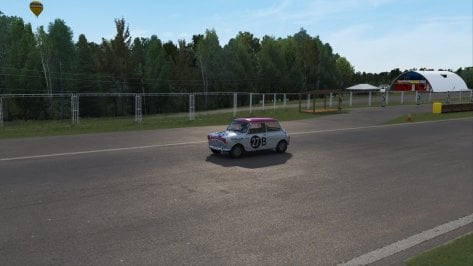
1674324018047.jpeg1674323992353.jpeg1674324003510.jpeg
 
Last edited:
Small update to my Nords and Monza Fall\Winter trees skins. The trees should look more like trees now as opposed to my poor attempt to make them on my own. Thanks to @CrisT86 for pointing me in the direction of a website with tree textures. I didn't go there looking for these, but when I saw them, it made sense to use them. You may need to do some editing on the textures to get the brightness where you like depending on what track config you use. They are setup for my own personal config.

Monza Fall\Winter Trees skin

Nords Fall\Winter Trees skin
Is this compatible with the new treefx for monza recently released?
 
As all of about 3 people liked the Autosport Arena on here, and I know how much these UK oval tracks are received, I thought i'd share some pics of actual tracks i'm in the process of making myself.
They are about as easy a track as you could find, but so far very rewarding using the GIS thing on blender. Obviously when the GRASS FX kicks in it works well in game.

Pretty chuffed. They look like dog poo in 3dsimed, but i'll add some more props along the way.

CAP.PNG
Cap2.PNG
 
Hi, I have a problem for quite long time, is there a special setting to adjust or what can be done with leefless trees ? (for example latest racinjoe13 nordschelife skin, but i have this in other skins too) First picture in Track adjustments trees A2c dithering off, second picture on. Its bad either way.
trees 1.jpg
trees 2.jpg
 
Hi, I have a problem for quite long time, is there a special setting to adjust or what can be done with leefless trees ? (for example latest racinjoe13 nordschelife skin, but i have this in other skins too) First picture in Track adjustments trees A2c dithering off, second picture on. Its bad either way.


Don't use any winter skin, these are winter trees. A2c dithering off actually look better, I've always wanted to get rid of those tree artifacts, I thought it was caused by AA, thanks for showing me the way!
 
Last edited:
So here is Santa Pod progress, made the base more appealing, pics tell all.

Screenshot_ks_mazda_miata_mad_v12_santa_pod_racewaytrk_22-0-123-1-3-54.jpg
Screenshot_ks_mazda_miata_mad_v12_santa_pod_raceway_22-0-123-1-2-25.jpg
Screenshot_ks_mazda_miata_mad_v12_santa_pod_racewaytrk_22-0-123-1-3-44.jpg
Screenshot_ks_mazda_miata_mad_v12_santa_pod_raceway_22-0-123-1-1-47.jpg

Screenshot_ks_mazda_miata_mad_v12_santa_pod_raceway_22-0-123-1-2-9.jpg


Then Calthwaite grass track. Very early but raceable, just needs better trees etc as much is placeholders. But my first 'scratch' made track, in AC.

Screenshot_mk1_escort_70s_hr_wsmw_calthwaite_autograss_22-0-123-0-28-26.jpg
Screenshot_mk1_escort_70s_hr_wsmw_calthwaite_autograss_22-0-123-0-22-33.jpg
Screenshot_mk1_escort_70s_hr_wsmw_calthwaite_autograss_22-0-123-0-14-44.jpg


The bumps and elevation changes are something else, never driven a surface like it in AC incredible.


Last edited:
Can someone please explain the time acceleration setting in the Sol Planner? For example, why this plan always defaults to 40x time acceleration on start-up, even when I've previously changed it back to 1x?
Time is also set to 1x in CM/Drive settings.
@Peter Boese?
View attachment 1224550
It's bugging me too. The only workaround I figured out is to set the desired time acceleration value for each slot (aka single plan) export it to disk, and import it again. Reimporting the plan after saving is important, otherwise it won't keep the acceleration value. Exporting/importing the preset for all plans didn't work either.
 
I just came across the ACU Barcelona City track. Dunno how I could have missed that one out :confused:
Here are some spectators to fill up the empty grandstands (camera_facing.ini)
 
Add this to the ext_config.ini

[MODEL_REPLACEMENT_...]
FILE=mclaren_720s_gt3.kn5, mclaren_720s_gt3_lodb.kn5, mclaren_720s_gt3_lodc.kn5, mclaren_720s_gt3_lodd.kn5, mclaren_720s_gt3_lod_b.kn5, mclaren_720s_gt3_lod_c.kn5, mclaren_720s_gt3_lod_d.kn5
HIDE=Object-002


Is this screenshot from a race which took place within AC Evolution? If yes, the author has set it´s races to 40x time acceleration by default.
Thank you good sir! This is the appropriate fix 👍👍
 
Man.

I really miss playing Firemint Real Racing HD on IOS.

It's been some years of not playing it and i'm on Android since 2013 and no longer plays Ios since 2017.

but can we get these Real Racing 1 models to be imported to AC? cause it'll be a great memories for it.

Vehicles list:
2 Door 1.8 Litre
2 Door 3.8 Litre
2 Door 4.0 Litre
2 Door 4.7 Litre
2 Door 5.0 Litre
2 Door 6.0 Litre V12
2 Door 6.5 Litre V12
4 Door 2.0 Litre
2010 GTI 2 Door

Include the team vehicles as part of the Assetto Corsa import too:
Beecherton
Flight Controll
IEJ
Monacato
NrGee
Pazvul
Raft
Telkodata
Ubermart
Zannoil
Screenshot (2411).png

Screenshot (2414).png

Source: IGCD
 
Last edited:
Small update to my Nords and Monza Fall\Winter trees skins. The trees should look more like trees now as opposed to my poor attempt to make them on my own. Thanks to @CrisT86 for pointing me in the direction of a website with tree textures. I didn't go there looking for these, but when I saw them, it made sense to use them. You may need to do some editing on the textures to get the brightness where you like depending on what track config you use. They are setup for my own personal config.

Monza Fall\Winter Trees skin

Nords Fall\Winter Trees skin
These look so good...
 
Last edited:
No. This is for those that are not using the treefx version.
I did run yesterday a couple of races using the treeFX tracks and I think you as a good modder should seriously consider the use of TreeFX, because its a much better view and maybe not at a flat monitor but sure its leveling up the immersion factor in VR. And yes like all beautiful aspects in life, it do cost you in this case a seriously loss in performance. But think that can be reduced by adding lesser FX trees near the tarmac and only use the ugly 2D trees at the distance.
 
Last edited:
313
It's bugging me too. The only workaround I figured out is to set the desired time acceleration value for each slot (aka single plan) export it to disk, and import it again. Reimporting the plan after saving is important, otherwise it won't keep the acceleration value. Exporting/importing the preset for all plans didn't work either.
Ah, good tip. I tried something similar yesterday, but what I did was import one of the 1x presets then edit the weather slots. I'll try what you suggest when back home later.
 
I did run yesterday a couple of races using the treeFX tracks and I think you as a good modder should seriously consider the use of TreeFX, because its a much better view and maybe not at a flat monitor but sure its leveling up the immersion factor in VR. And yes like all beautiful aspects in life, it do cost you in this case a seriously loss in performance. But think that can be reduced by adding lesser FX trees near the tarmac and only use the ugly 2D trees at the distance.
Good point you have there about the possible difference between VR and flats.
I'm on triples and tbh the whole treeFX as it is now is looking quite bad. Last time I tried was the Monza circuit. After half a lap I went back to the original. Others I tried were equally bad looking.

 
I did run yesterday a couple of races using the treeFX tracks and I think you as a good modder should seriously consider the use of TreeFX, because its a much better view and maybe not at a flat monitor but sure its leveling up the immersion factor in VR. And yes like all beautiful aspects in life, it do cost you in this case a seriously loss in performance. But think that can be reduced by adding lesser FX trees near the tarmac and only use the ugly 2D trees at the distance.
treefx is very expensive, i cant use it in vr with a 3080...
 
Can someone please explain the time acceleration setting in the Sol Planner? For example, why this plan always defaults to 40x time acceleration on start-up, even when I've previously changed it back to 1x?
Time is also set to 1x in CM/Drive settings.
@Peter Boese?
View attachment 1224550
I'll have a look. The time multi is saved with the plan/preset. So maybe it doesn't get updated after leaving AC.
 
Can someone please explain the time acceleration setting in the Sol Planner? For example, why this plan always defaults to 40x time acceleration on start-up, even when I've previously changed it back to 1x?
Time is also set to 1x in CM/Drive settings.
@Peter Boese?
View attachment 1224550
Hey,
I fixed it. If you look at Sol's Discord Sever in the "pre-release" channel, you will find Sol 2.2.6. It also has the new controller, which has a "difficulty" slider for the new rainFX physics. It will generate less wetness with the very new CSP versions if wanted.

I will release Sol 2.2.6 end of the month, together with Pure 0.154....
 
Hey,
I fixed it. If you look at Sol's Discord Sever in the "pre-release" channel, you will find Sol 2.2.6. It also has the new controller, which has a "difficulty" slider for the new rainFX physics. It will generate less wetness with the very new CSP versions if wanted.

I will release Sol 2.2.6 end of the month, together with Pure 0.154....
Thanx a lot :lol: Now it works perfect. As I'm using Pure, I just copied over the SOL Planner App from the archive.
 
@Vintagedriver

I think that if you take a look at latest dirt track from @RMi_wood - Michigan trail, you will see that using the correct textures in Y trees doesn't take away anything from immersion.

Not saying this track is bad, it's actually very good, but I think that's the difference between using VR-3D or flat monitor user? And maybe this go's further because most track modders do not have VR so they can not check anything for VR users. Because I do see lots 2D cardboard trees and while most of them are repeating in one line its even more noticeable.

BTW a small remark to @RMi_wood : the water of the lake and waterfall are a bit unrealistic in color and behavior. I'm running the 1.79/SOL & no PPfilter, curious why nobody noticed this, any adjustment in CM that is wrong?
And that's personal I would like to see a warm welcome (spectators, sponserboards) when reaching the finish, its a bit lone now.
 
Last edited:
I'm searching for needle in a haystack.... Turninglights turn off automatically, after the corner when the wheel is centered again. This is conflicting with my real turn lights switch, which also automatically turns off after the corner.

Where do I find the software-solution, so I can remove it?

I've searched everywhere I could think off. Please do not confuse my problem with CSP>Car instruments>Switch turning lights on off automatically. I've turned that setting off. It still might have something to do with it. But that means it's a bug in CSP.
 
Last edited:
Sharing a mod? Host it on GTPlanet Downloads. Free, public hosting for files up to 10GB in size.
Back