Assetto Corsa PC Mods General DiscussionPC 

  • Thread starter Thread starter daan
  • 157,268 comments
  • 51,148,288 views
View attachment 1326929
Released : TVR Sagaris GT
Author:F302
3D Model: The Crew2
Texture Update : F302 (rework)
Skins: F302
3d work: F302
hope u enjoy the Car
ps : send feedback ,bugs ,missing things
tested on CSP 0.2.3-preview1
PP filer GT_Sport 1.4
have fun!
To install, move folders to "...\SteamApps\common\assettocorsa" or simply
drag'n'drop archive to Content Manager
The original car was a street car and I converted it into a racing car for the GT4 class

I already noticed a few things wrong with the car:

In the CM Showroom the livery shows up like this, but ingame and when changing previews it works fine.

__custom_showroom_1707574459.jpg


Also the flames are positioned wrong, they're not attached to the exhausts.

__custom_showroom_1707574478.jpg


And lastly when loading the car it says grey.dds is missing.
 
I already noticed a few things wrong with the car:

In the CM Showroom the livery shows up like this, but ingame and when changing previews it works fine.

View attachment 1326931

Also the flames are positioned wrong, they're not attached to the exhausts.

View attachment 1326932

And lastly when loading the car it says grey.dds is missing.
yep sorry i upload new k5n fiele
 
Strange, it seems that the skins that come with the car are broken but the one i made for test actually works perfectly in the showroom. I can try reinstall the car again to see if it solves the problem.

__custom_showroom_1707578976.jpg


EDIT: I tried install the car again with the updated kn5 but the skins are still broken in the showroom.
 
Last edited:
Strange, it seems that the skins that come with the car are broken but the one i made for test actually works perfectly in the showroom. I can try reinstall the car again to see if it solves the problem.

View attachment 1326943

EDIT: I tried install the car again with the updated kn5 but the skins are still broken in the showroom.
wich showroom ?
 
Strange, it seems that the skins that come with the car are broken but the one i made for test actually works perfectly in the showroom. I can try reinstall the car again to see if it solves the problem.

View attachment 1326943

EDIT: I tried install the car again with the updated kn5 but the skins are still broken in the showroom.

It seems fine to me, I have the first release of the car without the fix too. I even tried making test liveries and nothings wrong, apart from the front bumper is mapped backwards just like his C6R (That part seems to be a common occurrence with his models).

__custom_showroom_1707581240.png
 
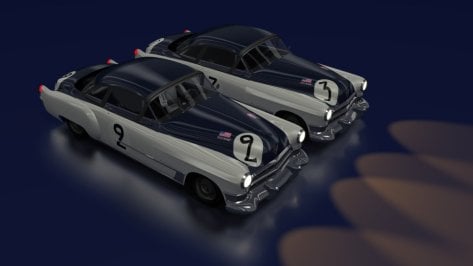
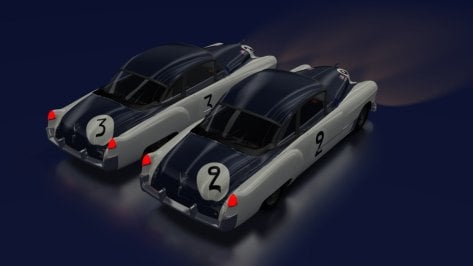
I don't remember if I had shared this "Cadillac 49/50" with the skins adapted by our comrade "Aleroy".

I had just changed the wheels on the model.
Unfortunately the other model from 1950 is very difficult to adapt (for now I have given up).


Attachments

  • __custom_showroom_1707606960.jpg
    __custom_showroom_1707606960.jpg
    60.5 KB · Views: 45
  • __custom_showroom_1707606970.jpg
    __custom_showroom_1707606970.jpg
    54.5 KB · Views: 44
Last edited:
What are the requirements for for Content Manager to track distance? Cause I have a couple of cars that simply won't their distance.
 
Not sure if this had been posted but I highly recommend it!


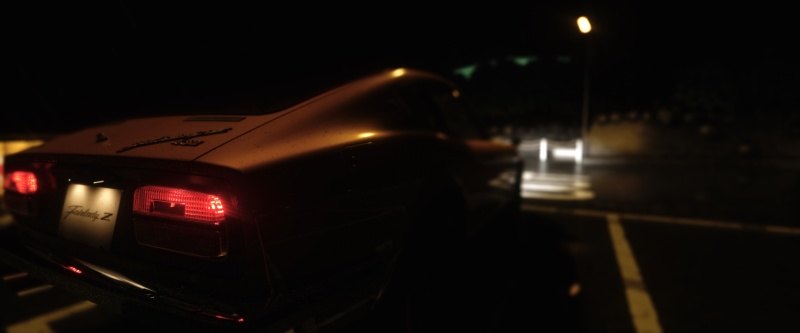
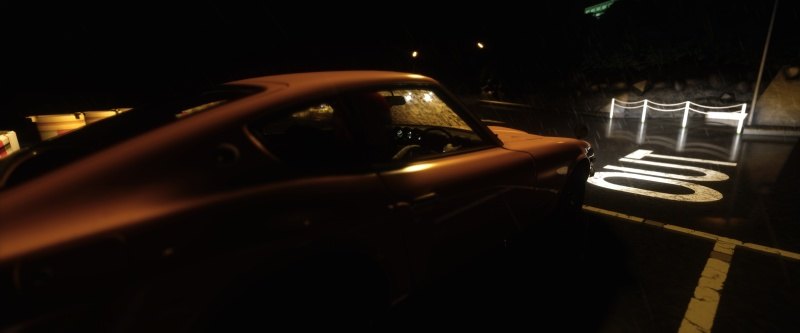
It completely transforms the feeling of the Hakone Turnpike track. I started my drive in a hazy sunset, with Tidy's Fairlady Z432, to then encounter a thunderstorm at night in the middle of my journey. I ended having to drive slowly and carefuly, because of the traffic (via traffic planner mod, available on RD), and I was so tense when I finally made it to the end and parked the car 😅

It was pure bliss, not because of speed or the excitement of racing, just thanks to the incredible atmosphere and the simple pleasure of driving...pure bliss 😍

 
Last edited:
Sharing a mod? Host it on GTPlanet Downloads. Free, public hosting for files up to 10GB in size.
Back