Could you describe what the issue is ?I apologize to keep bumping this, but I've been desperately trying to figure out why this has been happening, my installation has never properly been the same since moving the game and re-verifying everything.
Been trying to ask around and I haven't been getting any response. Its something that badly sets off my OCD.
Happens to any vehicle, including Kunos cars.
View attachment 1349003
View attachment 1349004
Despite my best efforts, I just can't seem to find the fix for it.
I've a dumb question, but do you have the drive(s) that your original Assetto install was on? Your ACTools folder, Documents, and the main AC folder in Steam dir?I apologize to keep bumping this, but I've been desperately trying to figure out why this has been happening, my installation has never properly been the same since moving the game and re-verifying everything.
Been trying to ask around and I haven't been getting any response. Its something that badly sets off my OCD.
Happens to any vehicle, including Kunos cars.
View attachment 1349003
View attachment 1349004
Despite my best efforts, I just can't seem to find the fix for it.
Since I moved my installation over when I obtained a new SSD, I noticed a few things broke, notably with steering lock causing several cars' tires to completely break and cause bizarre bugs when using CSP for creating previews.Could you describe what the issue is ?
I still have the drive.I've a dumb question, but do you have the drive(s) that your original Assetto install was on? Your ACTools folder, Documents, and the main AC folder in Steam dir?
Ah, didn't think of that since I never use chase cam. But I just checked, it looked OK and I can change it in the chase cam app...Since I moved my installation over when I obtained a new SSD, I noticed a few things broke, notably with steering lock causing several cars' tires to completely break and cause bizarre bugs when using CSP for creating previews.
Removing the steering lock fixes it, so I've been using that for now.
The main issue I am currently having is that the camera for looking behind is much higher than it should be, as I tried to show there with the pictures I attached, compared to when looking forward. Despite any of the settings I've tried in the 'Chaser Camera' options, I can't seem to find a fix for it. It did NOT use to be like this for me.
It's not here, is it?Since I moved my installation over when I obtained a new SSD, I noticed a few things broke, notably with steering lock causing several cars' tires to completely break and cause bizarre bugs when using CSP for creating previews.
Removing the steering lock fixes it, so I've been using that for now.
The main issue I am currently having is that the camera for looking behind is much higher than it should be, as I tried to show there with the pictures I attached, compared to when looking forward. Despite any of the settings I've tried in the 'Chaser Camera' options, I can't seem to find a fix for it. It did NOT use to be like this for me.
That's what I was trying to change.It's not here, is it?
View attachment 1349032
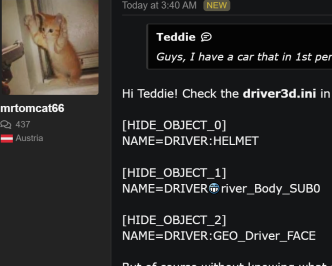
Hi Teddie! Check the driver3d.ini in the cars data-dir. There should be lines like this:Guys, I have a car that in 1st person cockpit view, there are goggles in front of my face/view. Is there a way to disable that?
long_beach_2023 by @LuisB updated link : https://www.gtplanet.net/forum/downloads/long-beach-2023.6838/Does anyone know what's up with the version of Long Beach that keep popping up then getting deleted from RD? long_beach_2023 and _2024, I saw people had been praising the surface textures but they're gone again...
Found my problem. In blender I can't seperate the item from the body model, I need to actually create a new item to replace it instead. When I seperate it its still keeping its association to the main body texture, even though I've assigned a new texture to it. Live and learn!I think you're better off deleting the whole ini file
You sure about that?Hi Teddie! Check the driver3d.ini in the cars data-dir. There should be lines like this:
[HIDE_OBJECT_0]
NAME=DRIVER:HELMET
[HIDE_OBJECT_1]
NAME=DRIVERriver_Body_SUB0
[HIDE_OBJECT_2]
NAME=DRIVER:GEO_Driver_FACE
But of course without knowing what car your are talking about, I cannot tell you what is missing. Of course you also can move your "head" a little bit forward to avoid seeing the glasses, but that is just a bad workaround.
Also, if you generally find his tracks a little low-contrast and washed out (which might be a vintage design choice, who knows) then try adding this to the end of the config to darken the grass and trees slightly. I find it helps.If anyone's grabbed Sergio Loro's new '60s Pukekohe, you'll want to add the following lines to the ext_config.ini for proper car shadows:
[SHADER_REPLACEMENT_...]
ACTIVE=1
MATERIALS = grilla, paint?, grid_start, road?, sand_fu
BLEND_MODE = ALPHA_TEST
IS_TRANSPARENT = 0
[SHADER_REPLACEMENT_...]
DESCRIPTION=darken trees
ACTIVE = 1
MATERIALS = ?tree?, ?TREE? ;assumes 'tree' naming convention, any non-compliant will need adding manually
MESHES = ?tree?, ?TREE? ;assumes 'tree' naming convention, any non-compliant will need adding manually
PROP_...=ksAmbient, 0.15
PROP_...=ksDiffuse, 0.12
[SHADER_REPLACEMENT_...]
DESCRIPTION=darken grass
ACTIVE = 1
MATERIALS = ?gras?, ?GRAS? ;assumes 'grass' naming convention, any non-compliant will need adding manually
MESHES = ?gras?, ?GRAS? ;assumes 'grass' naming convention, any non-compliant will need adding manually
PROP_...=ksAmbient, 0.25
PROP_...=ksDiffuse, 0.15
UPDATEThat's what I was trying to change.
Works well when looking forward, but the camera sits too high when looking back;
View attachment 1349080
danbow already seen it. he is up to nfs2se cars. i am sure he will try this at some point?Hello everyone, I have acquired the 3d fbx model for the Ford Mustang Mach 3. Would anyone be interested to model this one for the NfS2SE collection? It could use a detailed interior and the edges rounded off a bit, but it might reduce the amount of work.
View attachment 1348273 View attachment 1348274 View attachment 1348275
Guys, I have a car that in 1st person cockpit view, there are goggles in front of my face/view. Is there a way to disable that?
in CM Showroom , you can go to car tab and click the checkbox to show driver...Hi Teddie! Check the driver3d.ini in the cars data-dir. There should be lines like this:
[HIDE_OBJECT_0]
NAME=DRIVER:HELMET
[HIDE_OBJECT_1]
NAME=DRIVERriver_Body_SUB0
[HIDE_OBJECT_2]
NAME=DRIVER:GEO_Driver_FACE
But of course without knowing what car your are talking about, I cannot tell you what is missing. Of course you also can move your "head" a little bit forward to avoid seeing the glasses, but that is just a bad workaround.
Analyse the car, then one-click to fix the driver parameters where prompted.Guys, I have a car that in 1st person cockpit view, there are goggles in front of my face/view. Is there a way to disable that?
this does not always work, and it fixes it by changing the data.acd , so online is a no-go after that ...Analyse the car, then one-click to fix the driver parameters where prompted.
You may need to unpack the car data first.
View attachment 1349193
UPDATE
Fiddled around with the 'Chaser Camera' some more, seems like the issue was the 'Pitch' option. I zeroed it out and now its giving me results I'm much more satisfied with.
View attachment 1349161
Can't recall changing it before, but I suppose something must've changed when moving stuff over.
Thanks for the help regardless!
Now all that's left to solve is why applying a steering lock is causing physics freakouts like this when rendering previews through CSP mode..
View attachment 1349162
I'm having a very recent problem with the ai cars rejoining the races, after teleporting back to the pits when spinning out/crashing.
In CSP’s ’NEW AI BEHAVIOR’ tab, I have the ‘Get back to the race after going to pits’ box unchecked, but now they’re still leaving the pits.
I’m running CSP version 0.22.
Does anyone else have this problem?![]()
Hmmm, at least I'm not the only having this issue... A bit better than being alone with a problem
fyi (just a spot, not mine) a new fictional track just released :
seems to be a real vr-legs tester...![]()