I think so...?Is there a cablefix for Spa?
It seems that cables and masts are one mesh.
Thanks in advance!...
... -- Separated the powerline\telephone pole meshes on top of the hill after Les Combes so I could apply the cable fix to the wires....


Pyyer extension, you need to open the archive and copy/paste its content into your AC folder. Wont work thru drag&drop into CM and no mod will work if you put the zip file into a folderOk I think I'm close. I got this.
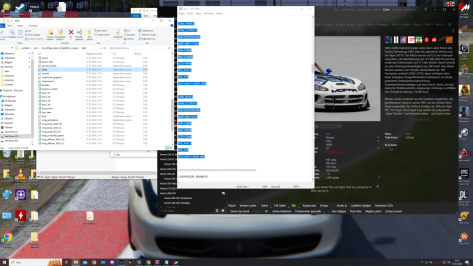
View attachment 1376886
And then I put the pyyer extension folder here into the track folder.
View attachment 1376888
But it isn't showing up. It's just the regular track without the F1 24 stuff.


If you click on a rar/zip file and anything inside of it says content then that 1000% goes into the main AC. If you click onto a rar and it looks like a track name as the folder then logic would dictate that it'll go straight into the tracks folder, the same logic goes for folders that have car names... That'll go straight into the car folder. Is this the first game that you've modded (just trying to gauge how computer literate you are). AC can be quite overwhelming to begin with but once you know it is actually one of the easiest modding games out there.Yes I am unzipping or unraring them first to see where things go. You're right, the easy ones are when you open them up and it says CONTENT, I know that goes into the main assettocorsa file. It's when there are multiple options that I seem to struggle with. Now last night after I finally got the main spa_2022 track installed, I downloaded the pyyer extension file from @racinjoe013 and opened it up and it said CONTENT, but he said to put that to the spa_2022 track file and not the assettocorsa file but it's not showing up.
I had a similar issue with @DaWallace car pack. Downloaded the main file and opened it up and there were subfolders like DW_VIPER and I'm paraphrasing from memory, so I installed each one of them into CARS. But that caused an error. So I was trying to figure out what happened so I went back and looked at those files again and further opened up each one I think two or three more times and then got to dw_viper which is where the actual car file was and installed each one in CARS and they showed up.
If every file opened up with CONTENT then I probably wouldn't have as much trouble as I do. But it's when there are multiple subfolders that I really struggle with. I'm sure more computer savy people see these instructions as clear as day but a lot of them are very blurry to me.

Sorry, I should have been clearer in my directions. All my mods are setup to drag them into the root 'assettocorsa' directory. The reason I mentioned it goes in the Spa_2022 folder was so people would know which version of the Pyyer files to download.Yes I am unzipping or unraring them first to see where things go. You're right, the easy ones are when you open them up and it says CONTENT, I know that goes into the main assettocorsa file. It's when there are multiple options that I seem to struggle with. Now last night after I finally got the main spa_2022 track installed, I downloaded the pyyer extension file from @racinjoe013 and opened it up and it said CONTENT, but he said to put that to the spa_2022 track file and not the assettocorsa file but it's not showing up.
I had a similar issue with @DaWallace car pack. Downloaded the main file and opened it up and there were subfolders like DW_VIPER and I'm paraphrasing from memory, so I installed each one of them into CARS. But that caused an error. So I was trying to figure out what happened so I went back and looked at those files again and further opened up each one I think two or three more times and then got to dw_viper which is where the actual car file was and installed each one in CARS and they showed up.
If every file opened up with CONTENT then I probably wouldn't have as much trouble as I do. But it's when there are multiple subfolders that I really struggle with. I'm sure more computer savy people see these instructions as clear as day but a lot of them are very blurry to me.


Looks like ITC Bauhaus Pro Demi but you might need to tweak the number 1...Good afternoon. I need help, maybe someone is familiar with this font (racing number) and knows its name?
View attachment 1376975
This forum is a well of wisdom... 🙃Looks like ITC Bauhaus Pro Demi...


cool, this suits me, thank you very much!Looks like ITC Bauhaus Pro Demi but you might need to tweak the number 1...

currently very broken on the latest versions of CSP, for those wondering.Use Nuzzis pit stop app.
you can force the tyre use @ start


This forum is a well of wisdom... 🙃

Hello my dear friend. I can solve the problem experienced in viper by deleting the arb front and arb rear parameters and the car is ready for the race. You may want to look.You can try a higher CSP version, no?
I meant the stock versionI think so...?

Yes that I have learned that anything labeled CONTENT goes straight in the "assettocorsa" folder. I like those, they are simple. And I do know about the files labeled for a specific car or track but it's sometimes how far you have to go to eventually get to those that confuses me.If you click on a rar/zip file and anything inside of it says content then that 1000% goes into the main AC. If you click onto a rar and it looks like a track name as the folder then logic would dictate that it'll go straight into the tracks folder, the same logic goes for folders that have car names... That'll go straight into the car folder. Is this the first game that you've modded (just trying to gauge how computer literate you are). AC can be quite overwhelming to begin with but once you know it is actually one of the easiest modding games out there.
So there are two Pyyer files to install, his and yours. I did not know that. I believe his zip file comes up as CONTENT when you open it up. But you're saying you have to dig deeper into it to find those individual files you listed? Then install your Pyyer files.Sorry, I should have been clearer in my directions. All my mods are setup to drag them into the root 'assettocorsa' directory. The reason I mentioned it goes in the Spa_2022 folder was so people would know which version of the Pyyer files to download.
Originally, I just had one standalone version named Spa_2022 that had it's own track folder. Then some people asked me if I could make a version that installs into the Kunos Spa folder so I did. Unfortunately that means now I have to do every update twice and things can get a little confusing. The files needed to make the Pyyer extensions work are not the same for both versions so I needed to make two versions of those files as well. I was just trying to make people aware of which version went with what. I should consider dropping the Spa folder version so things are not as confusing moving forward.
To clear things up for you, here's the exact directions you need to follow:
1.) Install the Spa_2022 track by dragging the contents folder into the root 'assettocorsa' folder.
2.) Manually install the Pyyer extensions into the newly created spa_2022 folder. And when I say manually, don't just drag his files into the root 'assettocorsa' folder or they won't get placed in the right location. Navigate through his .zip file until you get to where all the files are located. The common, layout, ui folders, etc. Drag all of those into the spa_2022 folder.
3.) Download the appropriate updated Pyyer files I provided and drag the contents folder directly into the root 'asettocorsa' folder and overwrite anything it asks.
It can easily be ported over to the stock track if people are interested.I meant the stock version


Deleting them is no option, but i will look at the ARB settings and why it causes this issue. 👍Hello my dear friend. I can solve the problem experienced in viper by deleting the arb front and arb rear parameters and the car is ready for the race. You may want to look.
Written with google translate
Since there are a ton of Spa mods out there, I can't provide an ext_config file or it will overwrite one you might already have. So you will have to do a little leg work yourself to get this installed. First, you will need to have an extension folder in your Spa track directory. If you already do, then that means you already have an ext_config file which makes this easier. If you do, copy and paste the code below to the bottom of your current ext_config file. Then download the attached file and extract it to the root assettocorsa folder.I meant the stock version

Thanks man. I don`t know what cosequences it has deleting the ARB Settings, but indeed the car is working now on CSP 179. How did you find out?Hello my dear friend. I can solve the problem experienced in viper by deleting the arb front and arb rear parameters and the car is ready for the race. You may want to look.
Written with google translate
I reaffirm myself: this forum is a well of wisdom. @yavuzazgin, thank you very much for sharing your discovery, I have finally been able to drive the Viper; your solution will serve as a temporary fix for 0.1.79 CSP users until DaWallace fixes it permanently.... I can solve the problem experienced in viper by deleting the arb front and arb rear parameters...
Yeah, how did you find out, @yavuzazgin?Thanks man. I don`t know what cosequences it has deleting the ARB Settings, but indeed the car is working now on CSP 179. How did you find out?
The best advice someone gave me a long time ago about entangle with AC files is, before doing anything, to make a copy of the mod you want to mess with and keep it safe. This way, in case of disaster, you can always return to the starting point.... There's no way I would try that. You're talking about digging way deep into files and I'm certainly not confident about doing that...
I think this track lacks some roughness on the asphalt, you can't feel anything, it's too smooth, don't you think?Addon Layout for
Antalya Autodrome
by Shin956...
We will never thank you enough for your patience and collaboration for others... Thanks for share. 😃... First...

Oh awesome! My bad I didnt know you already had a 3.6 update. I appreciate your work man you've given us a whole new generation of high quality gt3/gt2 carsI don't know if you used the newest version, because the Vertigo got a new sound (new sound since v3.5, newest version is v3.6) and it is all OK. No cutting of rev range at the outside and internal sound is even OK. checked it again few minutes before i wrote this answer. 🤷♀️ 🤔
Yeah, this was mentioned before. forgot to fix this.😑 will fix this with next update.
I will change the sound of the Vertigo again. I'm not really happy with the current sound. 🤔Oh awesome! My bad I didnt know you already had a 3.6 update. I appreciate your work man you've given us a whole new generation of high quality gt3/gt2 cars
Edit: Just did a clean install of the 3.6 vertigo, im still getting the same audio issue. It's only with the exterior audio, if I manually lower the rpm limit to 96% then it sounds perfect, but for some reason that last 4 percent causes the audio to cut out for me. I have had one other issue with a car's audio screwing up this week so maybe it's an issue on my end. (csp 2.5 preview/Sol 2.5)

Is it normal if content manager propose me a 1.6 version for the viper ?I will change the sound of the Vertigo again. I'm not really happy with the current sound. 🤔
1.6 is the most current version, definitely the one I'd recommend. You can get the most up to date mega pack from his discord page (1.1)Is it normal if content manager propose me a 1.6 version for the viper ?
When i use you'r megaupload link, the car is still 1.0.

The question is to what exactly? The 3L Alfa V6 or the Maserati V8?I will change the sound of the Vertigo again. I'm not really happy with the current sound. 🤔

For some reason, the chicane layout won't load for me...seems to get stuck while initializing the AI spline. Any ideas?Addon Layout for
Antalya Autodrome
by Shin956
just drop in track folder


try this. Delete .txtFor some reason, the chicane layout won't load for me...seems to get stuck while initializing the AI spline. Any ideas?
What kind of problems you have? For me it is working as usual.currently very broken on the latest versions of CSP, for those wondering.