Assetto Corsa PC Mods General DiscussionPC 

  • Thread starter Thread starter daan
  • 157,293 comments
  • 51,167,000 views
Good mod! But a simple question. Why is the body split into 2 parts? and why is all the sponsor decals their own object on the car? Would it not be better to merge the entire car model into 1 part??? I'm so confused. I shall leave this UV mapping as a final question
View attachment 1379304

Please dont see this as an direct attack or anything, I'm just trying to figure out if this is better than the common route i have seen from other creators.
GT and FM models all have the decals as a separate objects, nothing much you can do about it - just gotta hide them when you start making skins...
 
She's slowly taking shape :D

1723152677494.png
1723152704885.png

1723152743541.png
 
Anyone able to help? I seem to be having a brain fart or something...I can't remember how to hide these damn numberplates. I can "alt+h" to hide them in showroom but I've not been able to hide them in game. Thanks in advance!
View attachment 1379417
[MESH_ADJUSTMENT_...]
MESHES = some_mesh
; MATERIALS = some_material ; all objects using same mat would be affected
IS_RENDERABLE = 0
 
just an example
Unfortunately, for this mod I could only use car mods that don't have Extended Physics
Since I drive against AI and in rain
When it rains, the AI with extended physics has a total chaos(no fun)
so i hope in future more modmakers think of offline-players and do two versions of their mods (with and without Extended physics)
or dont encrypt their mods
VRC do this with their mods(FerrenzoP49 and Pageau 9T8)
they release two versions (for CSP or not CSP)
If the driving-physics are real or not I don't care.
When i want ultra and over ultra real driving-physics i drive ACC or other games.
I only want to have fun putting someting together and give life to other peoples work(skinners, track-texturemakers and so on)
When you want to do a project like this,
where you want to have the whole racing series of cars
it is a nightmare to put everything together when more and more mods are encrypted
I understand the modmakers, yes encrypt your 3D models but when possible dont encypt the Data-Files or give other alternatives.
I enjoy the freedom of Assetto corsa to putting, setting and regulating what I need for such projects.
encryped things kill this freedom
thanks for listening
enjoy my videos
https://www.gtplanet.net/forum/threads/assetto-corsa-video-thread.290887/post-14311112
 
Presentation T88.png


EDIT - apologies, error in the driver model, the link has been updated.

Released - Lola T88/00


The first of our 1988 Indycars is now available on our Patreon page for free. Link below

A big thank you to the ISO team of David Sabre, Jason White, Richard Wilks, Richard Coxon and Alberto Ibanez for their permission to convert this mod to AC. ISO still runs a very active series of leagues which is worth checking out -https://intlsimracingforum.boards.net/

Car Link:

Screenshot_bd_lola_t88_judd_ks_laguna_seca_8-7-124-21-27-41.jpg


Screenshot_bd_lola_t88_judd_long_beach1998_8-7-124-21-30-34.jpg
 
Last edited:
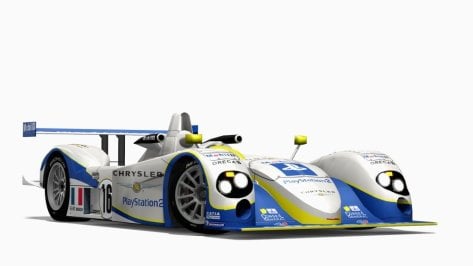
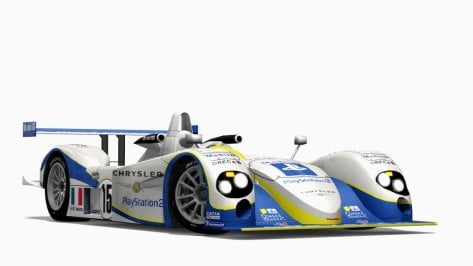
Chrysler LMP, Doran-Lista Dallara SP1's LMP900's Version 1.1

download: https://www.mediafire.com/file/9dn7jg2fku2zi8w/RMS_Chrysler_LMP%2C_Doran-Lista_Dallara_SP1%27s_Pack_version_1.1.7z/file

Please delete earlier versions.

Credits

Team: RMS

Model: PerfectDark, Unknown

Converstion: Marneus_boss

Model Scaling and Model Work: Marneus_boss, Peugeot905, Kamil Cader,

Physics: Peugeot905,Kamil Cader

Sound: RMS

Other Lemans Prototypes: https://www.mediafire.com/folder/7g6488jsyt2ux/Lemans_Prototype_Near_Finalized

Screenshots: AndyGTR

Version 1.1 Updates

-Updated sounds for the Chrysler LMP, Doran-Lista Dallara SP1 GV4 and GV5
-Updated drivetrain for GV5 Doran-Lista Dallara SP1
-Updated onboard setting's and inertia for the Chrysler LMP, Doran-Lista Dallara SP1 GV4 and GV5
-Correct naming for Doran-lista cars
-Increased drag on both Doran-Lista Dallara SP1's
-Updated fuel consumption for Doran-Lista GV4, Chrysler LMP and Doran-Litsta GV5
-Chrysler LMP lower consumption
-Doran-Lista Dallara SP1 GV4 and GV5 higher consumption
-slight changes to ai.ini file.
-Updated flame/backfire position for Chrysler LMP, Doran-Lista Dallara SP1's
preview 1.jpg

preview 2.jpg

preview 3.jpg

ybB0bj.jpg

vsT2At.jpg

SViXTn.jpg

aN9iTo.jpg

FahEoi.jpg

gqjdUa.jpg

iLAZnD.jpg

JcxMpu.jpg

KyW1B8.jpg

MNUcGP.jpg
 

Attachments

  • preview 5.jpg
    preview 5.jpg
    41.3 KB · Views: 28
  • preview 4.jpg
    preview 4.jpg
    41.2 KB · Views: 29
Last edited:
24H
Maybe you can have a look here :)

The 430 Challenge does not even have a modelled wiper. Anyway.

@racinjoe013 using your latest Spa_2022 and Pyyer´s extension, do you know a fix for these white digital flags? I suppose they should be green during hotlapping, shouldn´t they?

1723207291728.png
 
Last edited:
The 430 Challenge does not even have a modelled wiper. Anyway.

@racinjoe013 using your latest Spa_2022 and Pyyer´s extension, do you know a fix for these white digital flags? I suppose they should be green during hotlapping, shouldn´t they?

View attachment 1379597
Since I have never used a hotlap session on any track, I wasn't aware that they were white. I will look into it and see how to fix it.

EDIT: I just tried a hotlap session on the WEC 24H layout and my digital lights are green like they should be. Can anyone else confirm whether they are seeing white or green lights on a hotlap session?
 
Last edited:
Since I have never used a hotlap session on any track, I wasn't aware that they were white. I will look into it and see how to fix it.

EDIT: I just tried a hotlap session on the WEC 24H layout and my digital lights are green like they should be. Can anyone else confirm whether they are seeing white or green lights on a hotlap session?
did you change anything on pyyer´s ini files? or just copy-paste into your folders, since this is what I did and you advised.
 
Since I have never used a hotlap session on any track, I wasn't aware that they were white. I will look into it and see how to fix it.

EDIT: I just tried a hotlap session on the WEC 24H layout and my digital lights are green like they should be. Can anyone else confirm whether they are seeing white or green lights on a hotlap session?
which CSP version do you use?

Because i just copied Pyyer's extension to the spa track and i have this too, but with all CSP versions from 0.2 to 0.2.5p1

So it must be something different. And it also doesn't matter if Spa 2022 is used or Pure or default weather style (gamma or lcs)

I did not install your changes on top of it yet...
 
Last edited:
Since I have never used a hotlap session on any track, I wasn't aware that they were white. I will look into it and see how to fix it.

EDIT: I just tried a hotlap session on the WEC 24H layout and my digital lights are green like they should be. Can anyone else confirm whether they are seeing white or green lights on a hotlap session?
I just checked a couple (of the many, many 🤪 ) layouts, and they're all green and good ovah heya.
CSP 0.2.5-preview1, WeatherFX default (no Pure), LCS, Modern PP.

Disregard. I was in Practice mode. Switching to Hotlap makes white panels. Pardon me.
 
Last edited:
did you change anything on pyyer´s ini files? or just copy-paste into your folders, since this is what I did and you advised.
AH, in a race those are green when the cars wait for the start, but soon after the start lights, they become white again.
Idk, realy strange bug. I tested with all combinations of default wfx or Pure / LCS or Gamma. They are always blown out white.

1723211572570.png

1723211588846.png

This is with Pure LCS (newest dev 0.56) btw


So maybe this is a bug. Like they go to a negative color and this will switch to the brightest color possible in CSP.
 
Last edited:
did you change anything on pyyer´s ini files? or just copy-paste into your folders, since this is what I did and you advised.
I did change some of Pyyer''s extension files, but if you followed my instructions correctly, you should have the files I needed to edit.

Proper steps (if using the standalone version):

1.) Install the track\mod.

2.) Install Pyyer's Spa extensions into the newly created spa_2022 track folder.

3.) Install the files from the 'Files_for_Pyyer_extensions' folder in my download package into the spa_2022 track folder and overwrite anything it asks.
 
I did change some of Pyyer''s extension files, but if you followed my instructions correctly, you should have the files I needed to edit.

Proper steps (if using the standalone version):

1.) Install the track\mod.

2.) Install Pyyer's Spa extensions into the newly created spa_2022 track folder.

3.) Install the files from the 'Files_for_Pyyer_extensions' folder in my download package into the spa_2022 track folder and overwrite anything it asks.
Ok, we just experience a bug with those dig. flags and we try to find out the problem. But i already found out something, you see in the post before this.
 
did you change anything on pyyer´s ini files? or just copy-paste into your folders, since this is what I did and you advised.
I've got white unfortunately. Rather distracting, and distracting on certain parts of the circuit that you really don't want to be distracted......I feel like I just said distracted a lot.


Distracted.
 
Sharing a mod? Host it on GTPlanet Downloads. Free, public hosting for files up to 10GB in size.
Back