- 557

- American Samoa
Ah alright, guess that makes sense.That's because the original car was like that, I just split something so that you could also make the number 7
the original uv map was empty
Ah alright, guess that makes sense.That's because the original car was like that, I just split something so that you could also make the number 7
the original uv map was empty


Yeah I just need to scale it down from 2.925 to 2.87 wheel base relative to it's size, the car side by side with the others in the pack is larger for some reason.Be careful using BaseY to adjust height, unless it is at an unrealistic height for the suspension geometry of the car. If it is just a graphics issue it is much better to use the adjustments in car.ini to adjust height, position, and pitch. Only use BaseY if the CoG is inaccurate with respect to the suspension geometry (the suspension tool in CM showroom or standalone KnSusEditor are both helpful with visualizing this).
That unfortunately is going to need some modeling fixes. The wheel positions are based off of the physics, and if the car body doesn’t fit the wheelbase then the car body is too long. Hopefully the entire model is too big and can just be scaled down X% but that’s the only way I know how to fix that but I’m not very knowledgeable in that department.


Yeah i had the issue for the gamma being too high as well. They're actually not really good in terms of overall looks, they work either great in niche tracks and very poorly on the average. Going back and forth with Natural Mod i could spot the issues.Alright so it of course changes wildly depending on anyone’s particular screen/setup but for me (in VR on an HP Reverb G2) but both of the filters are rather whitewashed to me, but I also don’t use reshade because it was not available in VR when I set up my system (and still may not be).
One thing I can comment on is they are both pretty resource heavy, especially TB2. I ran three sessions doing the exact same thing just changing filter (warm up lap followed by hot lap followed by a few donuts at the Andretti hairpin to get some graphic intensive tire smoke) and TB2 had the lowest average frame rates, with TB3 about 4% better, both using skydomes. I then tried the same with my normal setup (“Natural Mod” albeit with 3D clouds, which should’ve handicapped it further) and I averaged 5% better FPS than TB3.
This again is solely based on my system, which is very much resource limited because of VR, LCD screens in my headset (which will look very different from, say, OLED screens) and my admittedly aging machine. Keep it up though and thanks for sharing!
Edit: sorry for taking so long to respond, spent most of the weekend at the emergency vet for my pup so I didn’t have a chance to try until late last night.



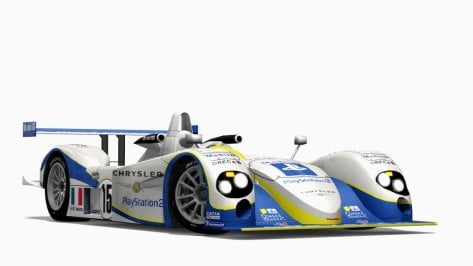
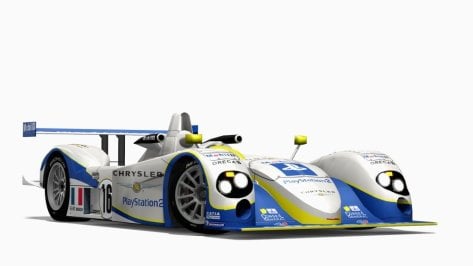
GT and FM models all have the decals as a separate objects, nothing much you can do about it - just gotta hide them when you start making skins...Good mod! But a simple question. Why is the body split into 2 parts? and why is all the sponsor decals their own object on the car? Would it not be better to merge the entire car model into 1 part??? I'm so confused. I shall leave this UV mapping as a final question
View attachment 1379304
Please dont see this as an direct attack or anything, I'm just trying to figure out if this is better than the common route i have seen from other creators.


Should be. I didn't change any mesh names for the trees or add anything to the track. I simply changed a few textures and fixed some lighting issues with the treelines. So the 3D tree addons should still work the same.@racinjoe013 is ur spa also compatible with 3d trees?




[MESH_ADJUSTMENT_...]Anyone able to help? I seem to be having a brain fart or something...I can't remember how to hide these damn numberplates. I can "alt+h" to hide them in showroom but I've not been able to hide them in game. Thanks in advance!
View attachment 1379417


When is it releasing?


Maybe you can have a look here
Since I have never used a hotlap session on any track, I wasn't aware that they were white. I will look into it and see how to fix it.The 430 Challenge does not even have a modelled wiper. Anyway.
@racinjoe013 using your latest Spa_2022 and Pyyer´s extension, do you know a fix for these white digital flags? I suppose they should be green during hotlapping, shouldn´t they?
View attachment 1379597
did you change anything on pyyer´s ini files? or just copy-paste into your folders, since this is what I did and you advised.Since I have never used a hotlap session on any track, I wasn't aware that they were white. I will look into it and see how to fix it.
EDIT: I just tried a hotlap session on the WEC 24H layout and my digital lights are green like they should be. Can anyone else confirm whether they are seeing white or green lights on a hotlap session?
which CSP version do you use?Since I have never used a hotlap session on any track, I wasn't aware that they were white. I will look into it and see how to fix it.
EDIT: I just tried a hotlap session on the WEC 24H layout and my digital lights are green like they should be. Can anyone else confirm whether they are seeing white or green lights on a hotlap session?


I just checked a couple (of the many, many 🤪 ) layouts, and they're all green and good ovah heya.Since I have never used a hotlap session on any track, I wasn't aware that they were white. I will look into it and see how to fix it.
EDIT: I just tried a hotlap session on the WEC 24H layout and my digital lights are green like they should be. Can anyone else confirm whether they are seeing white or green lights on a hotlap session?
AH, in a race those are green when the cars wait for the start, but soon after the start lights, they become white again.did you change anything on pyyer´s ini files? or just copy-paste into your folders, since this is what I did and you advised.
I did change some of Pyyer''s extension files, but if you followed my instructions correctly, you should have the files I needed to edit.did you change anything on pyyer´s ini files? or just copy-paste into your folders, since this is what I did and you advised.
Ok, we just experience a bug with those dig. flags and we try to find out the problem. But i already found out something, you see in the post before this.I did change some of Pyyer''s extension files, but if you followed my instructions correctly, you should have the files I needed to edit.
Proper steps (if using the standalone version):
1.) Install the track\mod.
2.) Install Pyyer's Spa extensions into the newly created spa_2022 track folder.
3.) Install the files from the 'Files_for_Pyyer_extensions' folder in my download package into the spa_2022 track folder and overwrite anything it asks.

i think i found it!did you change anything on pyyer´s ini files? or just copy-paste into your folders, since this is what I did and you advised.