

View attachment 1402965
Is anybody else having to right click in the content screen of CM to show this bar or have I ticked/unticked something in error?


Is there any "patent fix" for the "injured ai cars" when they start crawling on the track 20 km/h after they hit the wall? And when they do, they create annoying traffic problems. Especially on Monaco.
Anyone has found out something during this 10 years?


I fall into that category of foliage aficionado. Thank you for the config solution!Updated today to fix a few errors.
If anyone thinks the foliage is a little bright for their PPF, add this to the end of the config:
Code:___________________________________________________darker foliage [SHADER_REPLACEMENT_...] DESCRIPTION=DARKER FOLIAGE ACTIVE = 1 MATERIALS = shader:ksTree, ?tree?, ?TREE? ;assumes 'tree' naming convention, any non-compliant will need adding manually MESHES = ?tree?, ?TREE? ;assumes 'tree' naming convention, any non-compliant will need adding manually PROP_...=ksAmbient, 0.15 PROP_...=ksDiffuse, 0.1 [SHADER_REPLACEMENT_...] DESCRIPTION=ADJUST 3D PALMS AFTER GENERAL FOLIAGE DARKENING ACTIVE = 1 MESHES = kt_palm_trunks, PALMA? PROP_...=ksAmbient, 0.4 PROP_...=ksDiffuse, 0.1


So the latest version is v1.2? Because i redownloaded it, but the ui says 1.1 @leBluemOh little mistake in version number, Sainte Croix v1.1 was latest, now behind the dl-link now is the same as i posted yesterday, just w updated version number, sorry.
GT Sainte Croix v1.2
-made big tents a bit nicer-added E/E2 layouts all around the edges
--including that long stretching corner north-east of the circuit
--ai line might not be the best


Which one is this circuit called?Perfect timing…

CSP---> Track Adjustments ---> Fixes for Common Track issues ---> UNCHECK "Draw Grooves over Track, But Before Dynamic Entities"@RMi_wood (or anyone else),
I have a weird error on the GRID Washington DC track. When I click the look-back view (from cockpit view), I don't see the normal rear view. I see a drone-like flyover of the track. Screenshot below. Any solution?
I'm on the current public release of CSP 0.2.4. It's only this track. (GRID Miami Smugglers Blue is fine.) I've tried different cars, and the same error happens.
View attachment 1402994


Glance back camera hovering high up like heli cam... feels like a quick fix but no idea where to change parameters - anyone? thxEdit: link updated to 3.1 with AI start grid fix by @twobegreen (many thanks), plus some other minor tweaks.
Please download again and perform a clean installation.
Automotodrom Brno v3.1
This release includes brand new 3D topography and tree planting based on satellite images and contour data.
Huge thanks to everyone involved, especially @pugsang and Tyrone/Nukedrop for their extensive and tireless contribution to the new 3D environment and foliage.
View attachment 1402628
Changelog v3.1 updated November 2024:
- New 3D trackside topography and perimeter environment created using Brno satellite images and contour data.
- Hundreds of new Y-trees and bushes planted in the correct positions. All previous X-trees have been removed. All 2D treewalls have been removed to open up sight lines.
- New grid box and finish line markings.
- Animated flock of birds added.
- Animated camera jib, marshals and cameramen added.
- Some adboard/sponsor textures updated. Some adboard meshes fixed.
- New fence textures, distance markers, pit entry signs, and marshal hut numbers.
- New road texture and skidmarks. Race '07 skidmarks removed.
- Solar path corrected to enable proper shadow casting for Brno's geolocation and orientation.
- Paddock helicopter relaced, now with animated rotors.
- Crowd audio samples and levels adjusted.
- Various other tweaks and fixes, including: alpha corrections on pit entry road markings; marshal hut number sequence corrected and missing number textures remapped; s/f gantry banner mapping fixed on the rear side; floating hillside fences fixed; various jumbotron tweaks; various texture/shader/normal tweaks, various config tweaks, fixes and additions.
Anyone?
It's almost like the ai cars are stuck into 6th gear and can't downshift when they start driving like a grandma. But when you crash them from behind they find their speed again.
I noticed that ASR cars never, ever have this problem. ASR cars have this in ai.ini
[GEARS]
UP=13100
DOWN=80 <<------------ !!!!
SLIP_THRESHOLD=1.1
GAS_CUTOFF_TIME=0.050
while Lotus98T based SD cars have this.
[GEARS]
UP=11500
DOWN=6400 <<-----------!!!!
SLIP_THRESHOLD=0.95
GAS_CUTOFF_TIME=0.360
Could this make the difference?
This forum is full of very experienced car modders. Surely someone has a clue, huh? Trying to solve this issue.I know the SD cars are garbage but I've managed to improve them in so many ways already. This one issue still left and it's very difficult to test because the problem only happens rarely (and mostly on the street circuits).

I don’t have that setting checked. It is unchecked by default, and I never touched it.CSP---> Track Adjustments ---> Fixes for Common Track issues ---> UNCHECK "Draw Grooves over Track, But Before Dynamic Entities"
I had this problem on one of the Autopolises and this fixed it. Hitting "Look Back" would fling the camera to a corner of the usable map.

This fixed my issue, thanks.Link updated to 3.1 with AI start grid fix by @twobegreen (many thanks), plus some other minor tweaks.
Please download again and perform a clean installation.
I don’t understand your question. Did you want to reply to my post?Which one is this circuit called?
Sorry, that was my bad. I thought there was a New York city street circuit.I don’t understand your question. Did you want to reply to my post?
I shared Breathe’s track list for another user that was looking for city street circuits.
I've raced that mod at the ADAC Sim Racing Expo 24 (4th in the sunday final) and I was surprised by the force required to turn the steering wheel!When I saw this car, I was honestly surprised, from all those pictures published at their webpage I thought this is the "real deal", finally official TCR car, data based, CAD 3D model, fully optimized, carefully crafted... Thought my TCR cars are thing of a past... Then I downloaded it, opened it and... yes, it was probably made by the same guy who did Virtual TCR mod. It has the same sounds like old Virtual TCR Elantra, wheel blur is always on in CM showroom, the car glows at night, even some sponsor logos glow, I believe physics is that infamous esport physics from Virtual TCR car as well. The model is from the same source like mine, so Hum3D just with remodeled front and some details, but no LODs, no optimization, quickly put together. When I tried to drive it, it almost broke my hands for some reason with my DD wheel...
I don't think the bar for AC TCR cars is set so low that we should be happy for this kind of mods. I am not sure how I should feel about **** like this, really. I was honestly pissed for a while... Anyways, all modesty aside, if you guys want to drive proper TCR cars, avoid this one and grab proper TCR mods at my Patreon (free to download)... Especially try Cupra or Audi with new sounds and with headphones, erection guaranteed!


Piranema Winter Test Track v1.2
View attachment 1228889
Fictional circuit in Brazil.
Conversion from Grand Prix 4.
-CSP recommended
-32 pit/start
-AI, cam
Credits & Thanks;
Original Track by Gildoorf Rozencrantz, Ruboy, PrBlanco, Ricardo Lampert
-Thank you for gave me permission (Gildoorf)
AC Converted by @shi (shin956)
AI, sidelines and ai_hints.ini by IMEAN
.lua and font base by @gunnar333
ext_config by @slider666
logo.png by @Fanapryde
Crowds texture by Kniker97
some objects and textures by kunos
Test and Feedback by @Fanapryde , @slider666 , @Breathe , @Mike08, @twobegreen, @Masscot
Enjoy.
;;;;;;;;;;;;;;;;;;;;;;;;;;;;;;;;;;;;;;;;;;;;;;;
v1.01 changelog;
-Added new church building. https://www.cgtrader.com/free-3d-models/exterior/historic-exterior/old-little-church
(Thanks for the report by @twobegreen .)
-Smoothed edges of road surface and kerb.
-Fixed floating buildings.
(Thanks for the report by @Masscot .)
-The AI line was broken, so it was re-created.
-Other minor fixes.
v1.1 changelog;
-Extended pit lane entrance. (Thanks to Meatfraiche for the report.)
-Some textures were upscaled with AI.
-Fixed tree wall mapping.
-Changed background.
3D mountains from Chuck_CG's Landscape pack.
-Added Summer Mountain Skin.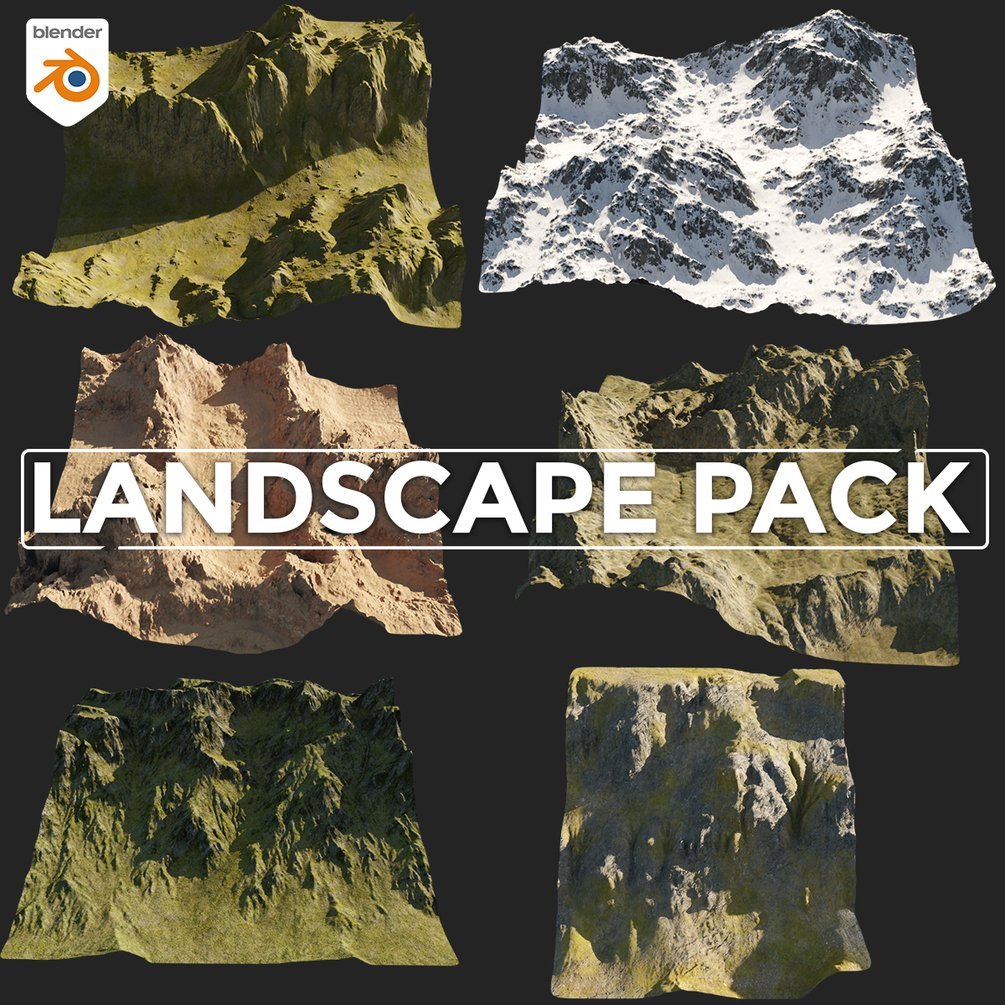
Landscape pack
6 Terrains, 5 displacement maps(1k, 2k)4k PBR textures(color, roughness, normal)open with blender 3.3+Increase subdivision levels for more details.in the images below you can see the levels at 5 then at 0My Portfolio https://www.artstation.com/chuckcgchuckcg.gumroad.com
-Updated preview.
v1.2 changelog;
New AI, sidelines and ai_hints.ini by IMEAN. (Thanks!)
Changed crowd textures by Kniker97. (Thanks)
Added garage doors that open and close.
Added grid and s/f line meshes.
Updated billboard mapping and textures.
Updated ext_config.ini.


I remember Megane TCR from the Virtual TCR pack, the tyre wear was bugged on this one and you had always full gripI've raced that mod at the ADAC Sim Racing Expo 24 (4th in the sunday final) and I was surprised by the force required to turn the steering wheel!
And there has been some controversies in the Virtual Cup since the aero part of the setup seems to be broken and other CSP related stuff.
I remember a friend of mine (who races TCRs) tested the Cupra a couple of year ago on my company motion sim and he was very pleased with the behaviour of the car. You already use feedback and inputs from real racing driver, and I know it, but to hear that from a different source is usually appreciated.
 Nobody noticed though, because Megane was not very used as it is not very popular IRL as well
hey Masscot, a second time the subdir in the track folder is that a mistake or supposed to be like this? (containing ai and data folder, so I guess it needs to be in the main track folder as well... )Link updated to 3.1 with AI start grid fix by @twobegreen (many thanks), plus some other minor tweaks.
Please download again and perform a clean installation.
it's needed, it's how the layout is called (you can get rid of it and make as you own with data/ai outside), but this will break your version for online use since it will be different than the one you have.hey Masscot, a second time the subdir in the track folder is that a mistake or supposed to be like this? (containing ai and data folder, so I guess it needs to be in the main track folder as well... )
View attachment 1403126
cheers and thanks for this wonderful track !


Fixed it not having 1.2 as ver#. Note: its probably final.Oh little mistake in version number, Sainte Croix v1.1 was latest, now behind the dl-link now is the same as i posted yesterday, just w updated version number, sorry
GT Sainte Croix v1.2
-made big tents a bit nicer-added E/E2 layouts all around the edges
--including that long stretching corner north-east of the circuit
--ai line might not be the best

Genuine question from @jac0 though. I have made the same remark earlier, but got no response.it's needed, it's how the layout is called (you can get rid of it and make as you own with data/ai outside), but this will break your version for online use since it will be different than the one you have.
well it seems to be nesc. in this case, my CM says there is no map when I past the content of the subfolder in the root folder ...Genuine question from @jac0 though. I have made the same remark earlier, but got no response.
I understand the need if there would be another layout, but since there isn't, it makes little or no sense to have the file structure like that. It only clutters the ui unnecessary (my OCD you know)
Since I don't go online anymore, I always get rid of that kind of structure (there are more tracks like this).

hey Masscot, a second time the subdir in the track folder is that a mistake or supposed to be like this? (containing ai and data folder, so I guess it needs to be in the main track folder as well... )
View attachment 1403126
cheers and thanks for this wonderful track !
If you change it don't forget to rename "models_brno_circuit_reworked.ini" to "models.ini"Genuine question from @jac0 though. I have made the same remark earlier, but got no response.
I understand the need if there would be another layout, but since there isn't, it makes little or no sense to have the file structure like that. It only clutters the ui unnecessary (my OCD you know)
Since I don't go online anymore, I always get rid of that kind of structure (there are more tracks like this).


If you knew the significant and exhausting issues that the team has been dealing with when updating this track then you'd realise that things like this were at the bottom of a very long list. The track works, please just try to enjoy it without being distracted by tiny little non-issues that at worst have minor aesthetic impact on the UI.hey Masscot, a second time the subdir in the track folder is that a mistake or supposed to be like this? (containing ai and data folder, so I guess it needs to be in the main track folder as well... )
View attachment 1403126
cheers and thanks for this wonderful track !
Yeah, forgot to mention that...If you change it don't forget to rename "models_brno_circuit_reworked.ini" to "models.ini"


0ne question, will there be a new Gran Tursimo 7 track?Fixed it not having 1.2 as ver#. Note: its probably final.



