Assetto Corsa PC Mods General DiscussionPC 

  • Thread starter Thread starter daan
  • 157,272 comments
  • 51,155,763 views
Hi folks pure planner is just appearing in my top left hand corner of the screen as a small box big enough for the x to close . Any ideas how i can reset its size and position? thankyou.
Two things.
Sometimes Windows display scaling changes can make weird stuff like this happen.
If you change the game resolution or full screen vs windowed, the refresh might help you get it back under control?

 
Update on the WTCR 22 Norbi livery...

Screenshot_fw_elantra_tcr_2024_rt_macau_2-10-124-14-12-51.png
Screenshot_fw_elantra_tcr_2024_rt_macau_2-10-124-14-10-5.png


Still figuring out how to do the stripe pattern on the side and top
 
If you knew the significant and exhausting issues that the team has been dealing with when updating this track then you'd realise that things like this were at the bottom of a very long list. The track works, please just try to enjoy it without being distracted by tiny little non-issues that at worst have minor aesthetic impact on the UI.

hey, sorry to have caused a fuss... I just thought there was an error in the zip file folder structure (which was not the case in fact) and I posted that as a question, but rather I should have tried to install it as it was and I would have seen that it works perfectly fine as-is... sorry.
(the ui issue of CM stating no map file , was after I manually moved the content of the double folder , so that was my mistake)
 
Last edited by a moderator:
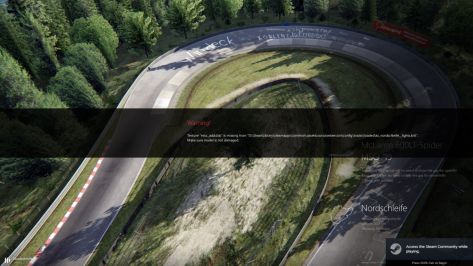
it clearly says you are missing texture misc_add.dds

updating the config here should fix this.
1730873782863.png


Honestly I have 0 of these installed and have cleaned my \assettocorsa\extension\config\tracks\loaded of any extra configs. When tracks are released by modders that have this convention, I convert them to standard style of /tracks/trackname/extension (same with cars except for the fonts and drivers).
 
Last edited:
After more then 10 postings here about a few words that can let to a big confusing, thats what happen being from different cultures, we all did miss this Cooper grand prix car
https://www.overtake.gg/downloads/cooper-t43.73125/

Please guys I do not want to lose you by a ban, but keep in your mind before escalating, the moderator is also keeping a close watch to this conversation. Please use the PM.

Edit: And yes look at the editing text, he is already been acting here by removing and changing messages.
 
Last edited:
- First: a question...

Taking advantage of the comment... does anyone know if the problem with CSP Patch updates to configurations, vao, textures, etc., which caused buildings, walls, etc. to disappear, is now fixed Sorry the yoke has been gone by deleting the screenshot.

That’s not the problem here, I see clearly in your screenshot that you have selected TAA or using the TAA/DLAA app from Snowy moon, because TAA can give you “ghosting” on moving objects. While at the objects that are not moving this aliasing effect is absent.
Here some info, let me know if it helps :-)
 
Last edited:
it clearly says you are missing texture misc_add.dds

updating the config here should fix this.
View attachment 1403236

Honestly I have 0 of these installed and have cleaned my \assettocorsa\extension\config\tracks\loaded of any extra configs. When tracks are released by modders that have this convention, I convert them to standard style of /tracks/trackname/extension (same with cars except for the fonts and drivers).
I have the same issue. It was up to date but reinstalled it anyway. It didnt help. Same message.
 
Nissan 300ZX GTS Pack

Now the Nissan 300ZX comes with two cars.
One is the Nissan 300ZX GTS (LM or IMSA) specs.
The other is the Nissan 300ZX JGTC (BETA) with "original" specs.
The 300ZX JGTC has the two original livery skins (finally)
Number 25 Bros Factory FedEx '96
Number 75 Team LeMans FedEx '97
New engine V8 NA specs with the JGTC regulations
with sound by ACFAN


Download Patreon

Coming soon on the GTplanet

__custom_showroom_1730884661.jpg
__custom_showroom_1730884651.jpg
 
Nissan 300ZX GTS Pack

Now the Nissan 300ZX comes with two cars.
One is the Nissan 300ZX GTS (LM or IMSA) specs.
The other is the Nissan 300ZX JGTC (BETA) with "original" specs.
The 300ZX JGTC has the two original livery skins (finally)
Number 25 Bros Factory FedEx '96
Number 75 Team LeMans FedEx '97
New engine V8 NA specs with the JGTC regulations
with sound by ACFAN


Download Patreon

Coming soon on the GTplanet

View attachment 1403258View attachment 1403259
Thank you so much for this mod it's awesome but where is the Nissan R33 JGTC '98 I'm looking forward to it every day I go to this site to see the link to it
 
X90
CSP---> Track Adjustments ---> Fixes for Common Track issues ---> UNCHECK "Draw Grooves over Track, But Before Dynamic Entities"


I had this problem on one of the Autopolises and this fixed it. Hitting "Look Back" would fling the camera to a corner of the usable map.
Your a boss, that did the trick with my glance back issue @ brno too! Thx mate ;-)
 
Does somebody know how to turn off these false headlights for openwheeler in heavy fog in custom shader?
I adjusted the rainlight so that I can flick it on or off, but there is this sideeffect.
 

Attachments

  • Screenshot_asr_1996_ferrari_f310_ks_laguna_seca_5-10-124-16-32-57-accum.png
    Screenshot_asr_1996_ferrari_f310_ks_laguna_seca_5-10-124-16-32-57-accum.png
    164.4 KB · Views: 26
Does somebody know how to turn off these false headlights for openwheeler in heavy fog in custom shader?
I adjusted the rainlight so that I can flick it on or off, but there is this sideeffect.
Deactivate the headlights option in Pure Config app - shaders - groundfog then.
And it reminds me to check the car's headlights feature in the groundfog shader!
Will be fixed with the next major update then...

Edit: I checked it and Pure's groundfog already checks if the car even has headlight, so maybe its also the car mod that do it wrong...
 
Last edited:
Deactivate the headlights option in Pure Config app - shaders - groundfog then.
And it reminds me to check the car's headlights feature in the groundfog shader!
Will be fixed with the next major update then...

Edit: I checked it and Pure's groundfog already checks if the car even has headlight, so maybe its also the car mod that do it wrong...
As I mentioned, I changed the rainlight to act like a rearlight, so I can turn it on/off and having working rainlights for AI.

My light.ini reads as follows:

[LIGHT_0]
NAME=hlglo_ds
COLOR=255,0,0
PITLINE=1

SPECIAL=1 -> Means rainlight not working in rainy conditions, right? So I deleted this line.

Maybe there is another way to check if a car had headlights or not? Or another idea to force the Rainlight on?
Something like the car tags in the ui_car.json, when it says singleseater, the shadows above wheels disappear. 🤷‍♂️
 
Last edited:
As I mentioned, I changed the rainlight to act like a rearlight, so I can turn it on/off and having working rainlights for AI.

My light.ini reads as follows:

[LIGHT_0]
NAME=hlglo_ds
COLOR=255,0,0
PITLINE=1

SPECIAL=1 -> Means rainlight not working in rainy conditions, right? So I deleted this line.

Maybe there is another way to check if a car had headlights or not? Or another idea to force the Rainlight on?
Something like the car tags in the ui_car.json, when it says singleseater, the shadows above wheels disappear. 🤷‍♂️
Have you checked if singleseater is used as a tag in the specific car?
1730921473865.png

It prevents that AC thinks it´s a normal car with headlights being active.

Ah Edit, forget about, I read you already have that being in use.
 
Last edited:
Have you checked if singleseater is used as a tag in the specific car?
View attachment 1403342
It prevents that AC thinks it´s a normal car with headlights being active.

Ah Edit, forget about, I read you already have that being in use.
I have deleted all the tags in exchange for tags that are more useful for me like using year and specific raceclass. Is there any overview or list, on what tags have certain functionality for the car.
And is it “single seater” or “singleseater” thats activates that functionality.
 
Last edited:
I have deleted all the tags in exchange for tags that are more useful for me like using year and specific raceclass. Is there any overview or list, on what tags have certain functionality for the car.
And is it “single seater” or “singleseater” thats activates that functionality.

"singleseater" and "openwheeler" work for these cars to delete the shadows of nonexistent wheelarches.
 
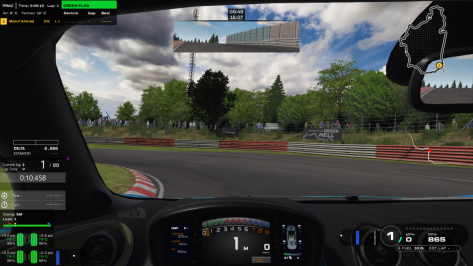
I have a question to the ambient occlusion (Nvidia) in extra fx. With triple screen it costs me more than 40 fps, but the visual difference in cockpitview is often huge. Do you have the same expierence?
 
There is a better compression than DXT5 for DDS files with less visual glitches. In paint.net it's called "BC7 (Linear, DX11+)". You should use this instead of "BC3 (Linear, DXT5)" und compare the results with the uncompressed file. The file size of the DDS will be the same as with DXT5, but you must ALWAYS save the DDS with mipmaps as AC can't create the mipmaps for the new format and the game will crash otherwise. But 21.3MB with mipmaps is better than 64MB for a 4K uncompressed DDS without mipmaps. Just test it.
After having a look at this myself for compressing car skins and track textures I discovered that you may run into issues if a track texture resolution isn't a power of 2 e.g. 510x510 or 510x500. AC will just stall while loading the kn5 where the texture originally came from.

To work around this in a sum what automated way I've created a few batch files that scans all subfolders for any dds files. The first one uses texconv.exe to convert all dds textures to a uncompressed format, remove mips and resizes if required to a pow2 resolution. The second compresses all the uncompressed files with nvcompress.exe to bc7 with mips (lowest h or v size set to 2).

You can also use a tool called DDS Converter but I've been advised the bc7 compression via nvcompress yields better results.

I have a question to the ambient occlusion (Nvidia) in extra fx. With triple screen it costs me more than 40 fps, but the visual difference in cockpitview is often huge. Do you have the same expierence?
Triple screen is hella taxing when enabled in extra fx. I just use extra fx on triples but single screen rendering with a fov of 27 to 30 dep on the car mod, looks good enough for me with minimal performance hit.

You could also try enable the amd fx superres or something under graphics adjustments to gain a bit more perf.
 
Sharing a mod? Host it on GTPlanet Downloads. Free, public hosting for files up to 10GB in size.
Back