Assetto Corsa PC Mods General DiscussionPC 

  • Thread starter Thread starter daan
  • 157,256 comments
  • 51,139,618 views
I like mk1 as well. The problem with that car is, that brakes are *****. They never heat up. Same for AI. Change the values in brakes.ini to heat up earlier and stay hot. I used rss formula 70s values and copied them over and it will help you and the ai.

I could check this evening but if I remember well, in the tyre.ini file, there are 2 parameters DX_REF and DY_REF that basically modify the tyre whole grip on X axis and Y axis. I dont remember which one is longitudinal and other lateral.
You should increase them to get more grip.
You should try to modify each one separately and check which one gives better behaviour.
Thanks a lot guys, i will try both solutions. Note that those are strictly AI cars, player is not supposed to use them, and i enjoy the Heat the way it handles. Those cars, at least on this track (Sergio's Watkin glens), all have like a different balance but i achieve 1.03.5 with each of them, the Honda being the easiest. The idea is to make the AI run around this pace, with strictly race incidents to influence the results.

The GPlaps AI for this track is already pretty good (the hairpin needs a few tweaks), and the track have everything that could feck up an AI : big bumps, fast corners, elevation changes, and chicanes in the middle. If it works good here, i'd assume it would transfer well to other tracks.

Also, i picked up this Honda RA300 for the set, which looks like the GPL67 pack one (before BOP). There's no author, if you have a better one, please link it here. This one is amazing for the AI, drifting a lot without loosing speed, so it makes for a great opponent, but some materials used are questionable. If anyone could make an extension ini to fix the glary wheels and maybe replace some shaders for the materials used, it' d be great.

Edit : the brakes ini is pretty cryptic (as usual when i discover something), there's cool transfer and core transfers values. There's the breaks lut as well. I have absolutly no idea what to tweak lol
 
Last edited:
Feedback: After a long, long time using non-CSP ClearGT, and trying what feels like hundreds of CSP preview presets to try to deal with encrypted cars, while maintaining a consistent preview look with what I actually preferred, I believe this will be my new standard. It solves the low-contrast problem that I had with many CSP preview presets perfectly, as well as some "opinionated modder" DDS choices.

Thank you very much for sharing :cheers:
You´re welcome. Nice to read.
Hard to make a car/skin combo look bad.
I'd say maybe the view is slightly low for very few cars (rss formula70, berta tornado) but it has ruined my plans and I spent lot of time doing previews. A keeper @Fall Guy
View attachment 1421282
View attachment 1421283
View attachment 1421284
View attachment 1421285

You always can adapt the view with the camera sliders (X,Y,Z coordinates) to your personal taste (don´t use the mouse otherwise it leads to inconsistent car previews). I do previews since several months now, so I know what you mean. ;)
 
Last edited:
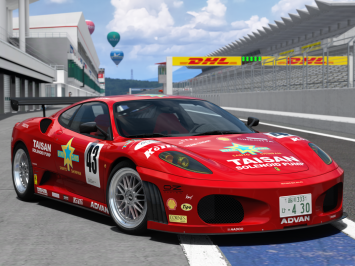
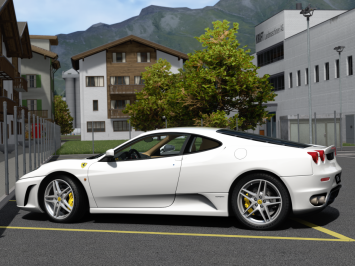
Opperslang has added three Ferrari F430s to his gumroad.
These are easily the best F430s available for Assetto Corsa.


1737022481845.png 1737022551230.png
 
Do any track modders here (or anyone else) know why, on a clear track under a clear blue sky, with no shadows from trees or flying objects etc falling across the car, the lighting inside the cockpit can dim at various places around certain tracks, as if you're driving under dappled faint shadows?
I thought it might be an issue with Pure faking cloud shadows (even in clear sun), but it doesn't do it at all on, for example, Kunos Laguna Seca, but it DOES do it at Brno. If you start a hot lap at Brno in clear sun, no clouds at all, the cockpit lighting starts dimming and brightening as you make your way up the hill, even before you get to the first corner. This then continues all around the track. Gamma and LCS, both are the same. But it seems to be track-specific and not a weather issue.
It's very weird. Something is causing it. Any ideas what?
 
Do any track modders here (or anyone else) know why, on a clear track under a clear blue sky, with no shadows from trees or flying objects etc falling across the car, the lighting inside the cockpit can dim at various places around certain tracks, as if you're driving under dappled faint shadows?
I thought it might be an issue with Pure faking cloud shadows (even in clear sun), but it doesn't do it at all on, for example, Kunos Laguna Seca, but it DOES do it at Brno. If you start a hot lap at Brno in clear sun, no clouds at all, the cockpit lighting starts dimming and brightening as you make your way up the hill, even before you get to the first corner. This then continues all around the track. Gamma and LCS, both are the same. But it seems to be track-specific and not a weather issue.
It's very weird. Something is causing it. Any ideas what?
maybe this is related to VAO?
 
Genius!
I renamed the Brno VAO patch and the problem goes away.
This flickering has been a constant annoyance on quite a few tracks. I bet all of them have VAO patches.
Thank you very much! :cheers:
So, solution is the non-use of VAO patch applied to a track?
 
So, solution is the non-use of VAO patch applied to a track?
If you notice the cockpit flickering on a certain track, it's worth investigating.
The VAO patch might be too aggressive, or track VAO patches in general might have got borked in a CSP update perhaps.
I'm going to test some other tracks with VAO patches. Not all might be affected?
Edit: it doesn't seem to be a general issue with track VAO patches, but rather track-specific (or rather, VAO patch-specific).
 
Last edited:
Do any track modders here (or anyone else) know why, on a clear track under a clear blue sky, with no shadows from trees or flying objects etc falling across the car, the lighting inside the cockpit can dim at various places around certain tracks, as if you're driving under dappled faint shadows?
I thought it might be an issue with Pure faking cloud shadows (even in clear sun), but it doesn't do it at all on, for example, Kunos Laguna Seca, but it DOES do it at Brno. If you start a hot lap at Brno in clear sun, no clouds at all, the cockpit lighting starts dimming and brightening as you make your way up the hill, even before you get to the first corner. This then continues all around the track. Gamma and LCS, both are the same. But it seems to be track-specific and not a weather issue.
It's very weird. Something is causing it. Any ideas what?
Other than the tracks' specific vao patches @Den_88 told you about, some ppfilters are heavily relying on them. The usual go to is in Pureconfig, Light tab, vao.amount, vao track exponent and vao dynamic exponent.

Bur the new one that is trickier to discover is in the "ambient light V2" menu, at the bottom.

Depending on the ppfilter they can exponentially interfere with global ao, especially if the light.ambient.level and the daylight.multiplier are at high values
 
Last edited:
I'm confused. What's up with posts that are nothing but pictures of cars. There are no links to mods, no text, nothing but pictures. And they always have likes. Is this just people showing off their photo skills? Some of which are outstanding. Not critical, just wondering.
The most recent ones are from modders who show their upcoming work so no links yet
 
Other than the tracks' specific vao patches @Den_88 told you about, some ppfilters are heavily relying on them. The usual go to is in Pureconfig, Light tab, vao.amount, vao track exponent and vao dynamic exponent.

Bur the new one that is trickier to discover is in the "ambient light V2" menu, at the bottom.

Depending on the ppfilter they can exponentially interfere with global ao, especially if the light.ambient.level and the daylight.multiplier are at high values
I just tested Luis B's Algarve Portimao 2023 which also has a main kn5 VAO patch and there's no issue with flickering light in the cockpit, so maybe the VAO patch for Brno (and other affected tracks) is borked, or too aggressive or something?
Anyway, it doesn't seem to be an issue with track VAO patches in general, which is good news.
If anyone is able, please try making a new VAO patch for Automotodrom Brno and I'll gladly test it.
 
I just tested Luis B's Algarve Portimao 2023 which also has a main kn5 VAO patch and there's no issue with flickering light in the cockpit, so maybe the VAO patch for Brno (and other affected tracks) is borked, or too aggressive or something?
Anyway, it doesn't seem to be an issue with track VAO patches in general, which is good news.
If anyone is able, please try making a new VAO patch for Automotodrom Brno and I'll gladly test it.
In general, is that an issue only with VR? Because I mostly don´t recognize any of the issues you post here. Just wondering.
 
In general, is that an issue only with VR? Because I mostly don´t recognize any of the issues you post here. Just wondering.
Maybe, or one of a gazillion different CSP tickbox combos.
So, for you there's no varying light levels in the cockpit at Brno on a clear sunny midsummer day with high sun angle?
 
I just tested Luis B's Algarve Portimao 2023 which also has a main kn5 VAO patch and there's no issue with flickering light in the cockpit, so maybe the VAO patch for Brno (and other affected tracks) is borked, or too aggressive or something?
Anyway, it doesn't seem to be an issue with track VAO patches in general, which is good news.
If anyone is able, please try making a new VAO patch for Automotodrom Brno and I'll gladly test it.
Yeah, i remember when the SKY ppfilter was peaking, they were all about baking (cooking? Can't remember) all tracks over and over, cause it looked great in forest sceneries.

If it's cockpit related, i'll definitly have a look in the ambient.v2 menu, i used to cap the light.advanced_ambient_light_vao_exp at 0,35 in my ppfilters, and your post immediatly made me think of why i use to do that
 
Thanks to Rob McNail for fixing the no-pitlane-ai problem with Southport Gold Coast... V2 update available now!
c1@southport_1954-01.png

Beautiful!
 
Last edited:
I just tested Luis B's Algarve Portimao 2023 which also has a main kn5 VAO patch and there's no issue with flickering light in the cockpit, so maybe the VAO patch for Brno (and other affected tracks) is borked, or too aggressive or something?
Anyway, it doesn't seem to be an issue with track VAO patches in general, which is good news.
If anyone is able, please try making a new VAO patch for Automotodrom Brno and I'll gladly test it.
you can experiment with the config,perhaps the creator of the VAO patch used a different algorithm or settings.
look here
1737040168386.png
 
I'm more curious as to why a VAO patch seems to be affecting ambient light by casting invisible shadows over clean-and-clear areas of the track, as if the car is driving under winter trees or something.
There are many things which are influenced by VAO, like in Pure ppfilters it is used to determine if you are in a closed building or not and then graphics are adapted. So if there would be a wrong VAO it wiould really cause strange things.

You can have a look at the Pure Config "Scene" tab. There you have some helper functions and you can switch them off:
Maybe also watch those state values

1737042029446.png


Actually this tunnel helper is just active for the Shutoko map, where it is kind of needed. But there you can see if you are in an area where the VAO is much present.
 
Last edited:
AC Evo is out! 32 Euro
Now we can start to convert everything from new. :-)

well, i completely forgot about it. See you in 48 hours!

Edit : well, it's so much an early access that i will not play it that much tonight.

Graphically, it's... Not great. Not bad, but it lacks personnality, zverything looks like some kind of roblox. No bloom, a few settings (natural, cinematic, etc...)The grass fx is the same as what we have, but smaller😂. The cars feel like they were imported from another game and quickly sent into the game engine, it's very uncanny.

The FFB, despise lacking any optimisation, is already an absolute pleasure, although i'm gonna hate that very little surface feeling if they don't optimize it. A bit heavier in the sand but that's it.

The immersivity, as expected, is not great, with a pretty basic sense of speed and not much head movment, even with everything maxed out. I was expecting. Abit more on that.

Lastly for now, the AI seems to be as competent as our game😂😂😂. Managed to beat it on a car i didn't know (ford cosworth) on a track i barely played this year (brands hatch), but they just hit eachother, try to accelerate with a car in the way, or just enter corners 4-wide. As bad as usual, like, hell, come on.

Gonna test a few other things, the offline mode is not working and i have those weird artifacts on textures that make the game barely playable. Ah, also, the mirrors are rendered in a better quality than the game, but they only work at 12 frames per second.

It's an alpha!
 
Last edited:
EVO doesn't even launch lmao
Man i'm a patient man but i think Kuno is going to get destroyed with this early access. It took me 15 mins to setup my wheel and the throttle was reversed, i can't use my wheel buttons, half the textures are bugged😬, the AI is definitly on mushrooms. This is a very VERY weird experience
 
Last edited:
Man i'm a patient man but i think Kuno is going to get destroyed with this early access. It took me 15 mins to setup my wheel and the throttle was reversed, i can't use my wheel buttons, half the textures are bugged😬, the AI is definitly on mushrooms. This is a very VERY weird experience
once again "Early access"
 
Man i'm a patient man but i think Kuno is going to get destroyed with this early access. It took me 15 mins to setup my wheel and the throttle was reversed, i can't use my wheel buttons, half the textures are bugged😬, the AI is definitly on mushrooms. This is a very VERY weird experience
Maybe the rumours are correct and it IS based on CSP code after all...
 
Sharing a mod? Host it on GTPlanet Downloads. Free, public hosting for files up to 10GB in size.
Back