Assetto Corsa PC Mods General DiscussionPC 

  • Thread starter Thread starter daan
  • 150,454 comments
  • 45,758,523 views
Does anyone know if there's a replacement to AC Simple Championship Tracker by MK-SG? There's a issue with team view I reported a few weeks ago, and it seems that they're no longer active.
 
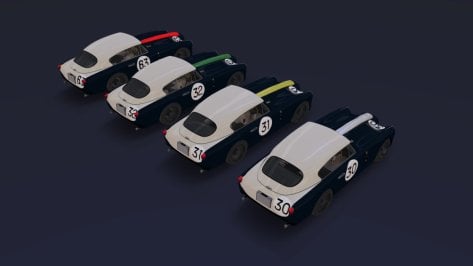
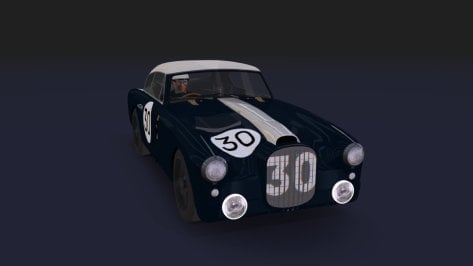
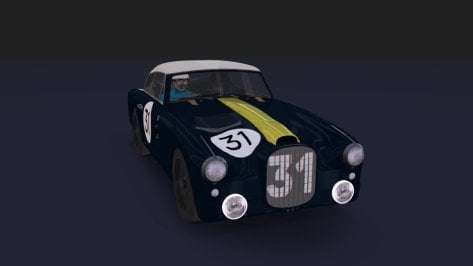
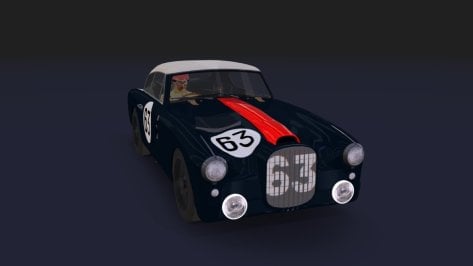
Release: DTM 2003 Audi ABT TT-R (FREE)

View attachment 1365738
View attachment 1365739
View attachment 1365740
View attachment 1365741


Heres the 1.0 release of the DTM 2003 Audi ABT TT-R.

Includes all 2003 season skins.

Physics by @MS6Driver / Me.

BOP'd to match the Mercedes 2003 DTM car.

Last car of the pack, the 2003 Opel Astra is still being woked on.

Enjoy

May I ask for an updated link (@MS6Driver)?
Abt's TT-R is one of my all-time favourite racing cars, but other mods are lacking.
Thank you!

Best,
Underbird II
 
Very cool Italian Muscle car. Here.
alfa mont.jpg
 
I have a similar problem. I have followed all instructions (but I have installed other showrooms, is not the first), but this is what I obtain...

View attachment 1463045

Any ideas?

P.S.: the car is not encrypted, it happens with all cars.
Normal to see the showroom like that for this one, but it should generate correctly when you make the preview provided you have the option selected to use CSP for preview generation.
 
Very cool Italian Muscle car. Here.
View attachment 1463038
If you are the "owner" of this site, you should put the "DOWNLOAD" button in another color so its easier to find, even tho its always at the same spot!
I have a similar problem. I have followed all instructions (but I have installed other showrooms, is not the first), but this is what I obtain...

View attachment 1463045

Any ideas?

P.S.: the car is not encrypted, it happens with all cars.
See quote under to get the corrected preset 👇
I had the same issue. Try this adjusted preset, plus drop the models.ini in the TAV_moderna showroom folder.

View attachment 1462151
 
Does anyone happen to have a RainFX config for Chang International Circuit?
Author unknown, but the folder is just called 'chang'.
Ta muchly.
 
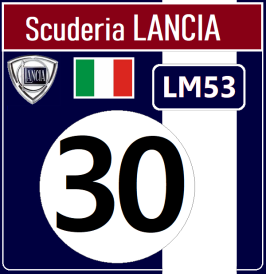
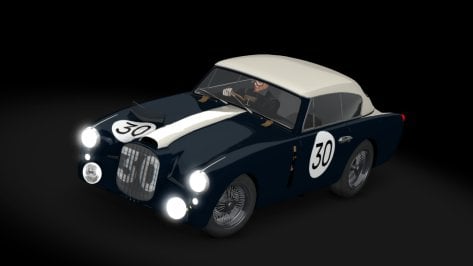
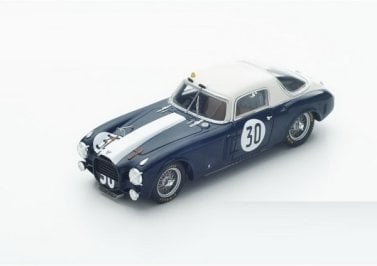
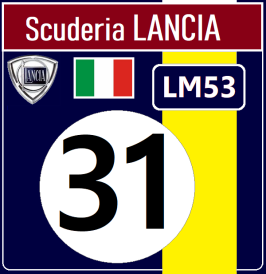
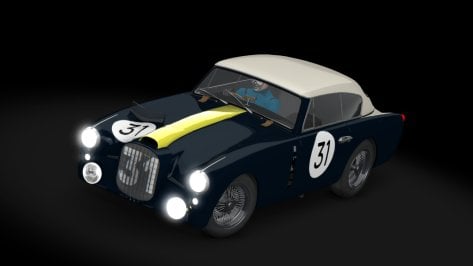
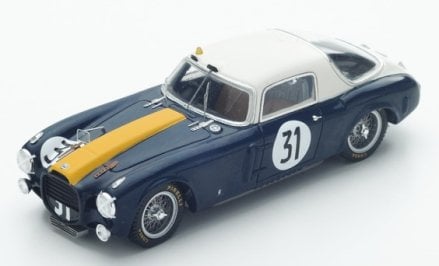
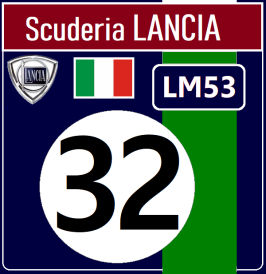
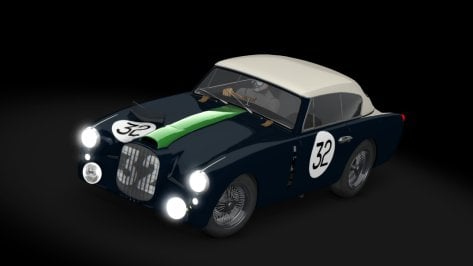
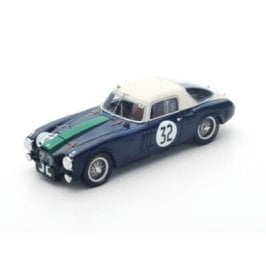
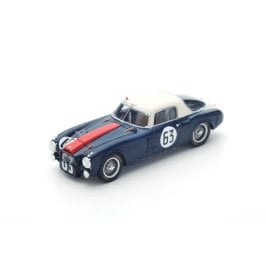
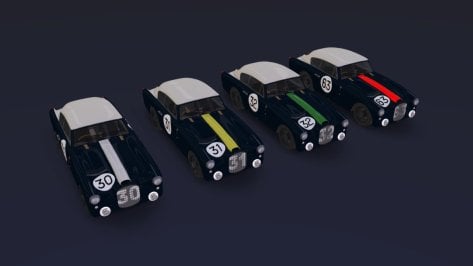
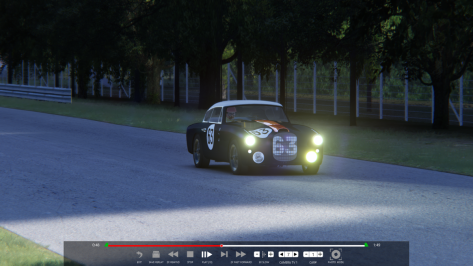
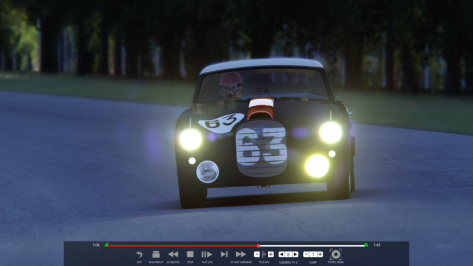
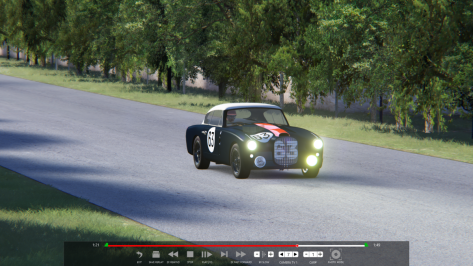
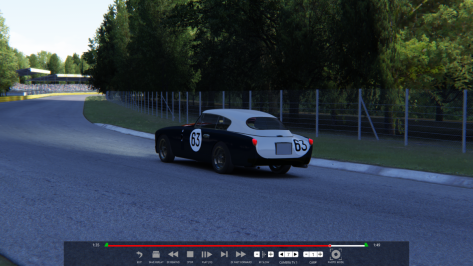
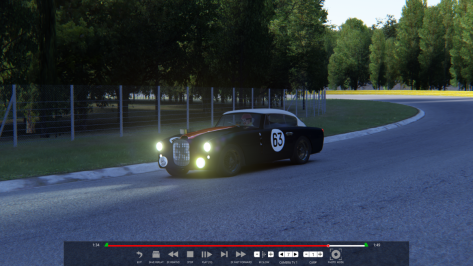
Final attempt to adapt a Lancia D20 Compressor (Le Mans 1953). I think it turned out better than the others. Later on, I will do tests on the track with other cars from the same year.


First tests ( Jose Froilan Gonzalez )...for now the "right fog light" is not working.
 

Attachments

  • livery.png
    livery.png
    16 KB · Views: 9
  • preview.jpg
    preview.jpg
    40.4 KB · Views: 12
  • s4721.jpg
    s4721.jpg
    23.4 KB · Views: 9
  • livery.png
    livery.png
    14.7 KB · Views: 11
  • preview.jpg
    preview.jpg
    40.5 KB · Views: 9
  • LM53.31.jpg
    LM53.31.jpg
    28.9 KB · Views: 11
  • livery.png
    livery.png
    15.4 KB · Views: 10
  • preview.jpg
    preview.jpg
    40.6 KB · Views: 8
  • s-l400.jpg
    s-l400.jpg
    12.3 KB · Views: 7
  • livery.png
    livery.png
    16.3 KB · Views: 11
  • preview.jpg
    preview.jpg
    41.5 KB · Views: 8
  • s-l120.jpg
    s-l120.jpg
    48.6 KB · Views: 7
  • __custom_showroom_1751835312.jpg
    __custom_showroom_1751835312.jpg
    50.5 KB · Views: 9
  • __custom_showroom_1751835404.jpg
    __custom_showroom_1751835404.jpg
    49.4 KB · Views: 6
  • __custom_showroom_1751835342.jpg
    __custom_showroom_1751835342.jpg
    38.9 KB · Views: 8
  • __custom_showroom_1751835350.jpg
    __custom_showroom_1751835350.jpg
    38.9 KB · Views: 7
  • __custom_showroom_1751835359.jpg
    __custom_showroom_1751835359.jpg
    38.8 KB · Views: 7
  • __custom_showroom_1751835366.jpg
    __custom_showroom_1751835366.jpg
    39.6 KB · Views: 6
  • Assetto Corsa 06_07_2025 21_00_39.png
    Assetto Corsa 06_07_2025 21_00_39.png
    284.1 KB · Views: 6
  • Assetto Corsa 06_07_2025 21_02_50.png
    Assetto Corsa 06_07_2025 21_02_50.png
    394.5 KB · Views: 5
  • Assetto Corsa 06_07_2025 21_03_22.png
    Assetto Corsa 06_07_2025 21_03_22.png
    272.1 KB · Views: 5
  • Assetto Corsa 06_07_2025 21_04_09.png
    Assetto Corsa 06_07_2025 21_04_09.png
    494.6 KB · Views: 7
  • Assetto Corsa 06_07_2025 21_04_39.png
    Assetto Corsa 06_07_2025 21_04_39.png
    470 KB · Views: 7
  • Assetto Corsa 06_07_2025 21_04_52.png
    Assetto Corsa 06_07_2025 21_04_52.png
    478.6 KB · Views: 10
Last edited:
Yes 512 is the best setting. Tried changing it to 1024 and it was worse. That's why I said that AC has problems with anything over 512. Maybe Ilya could take a look if anything could be improved. If any of the people here is in contact with him.

I did an easy test, took out 24 of stock new RSS ferrucio's. Then changed the sound of the car in CM to the sound of some other car, I think I took chemmflummy sound, took the same 24 cars out and the frame rate improved drastically. So it is something to my logic.
Never knew this!

And it's made a really nice difference! Just changing the channels to 512 in the ini definitely helped with the lows and stutters, even with CSP limiting sounds to 3 cars.

Previously, the lows at the start were in the high-70s and low 80s - now, they're in the ~88-92 FPS range at starts, and even out towards my target 100 after just a few seconds.

The stutters are still there, but considering they happen on collisions and when I can see AI cars going over kerbs, I assume it's just the CSP spaghetti code overloading the CPU. I can see that my CPU3 is getting absolutely hammered - while the bottom 8 cores are at less than 15%.

Such is the state of AC - hopefully that "hyperthreading fix" for CSP eventually becomes more fleshed out.


Still though, really nice shout with this recommendation.
 
Does anyone happen to have a RainFX config for Chang International Circuit?
Author unknown, but the folder is just called 'chang'.
Ta muchly.
Here's what I've got:

[RAIN_FX]
PUDDLES_MATERIALS = Material #39, Material #31, 06 - Default, 12 - Default, Material #668, Material #32, 02 - Default, Material #924, Material #36
SOAKING_MATERIALS = Material #39, Material #31, 06 - Default, Material #668, 03 - Default, Material #36, Material #924, Material #36
SMOOTH_MATERIALS = Material #696, Material #667, 12 - Default
ROUGH_MATERIALS = 03 - Default, 13 - Default
LINES_MATERIALS = Material #668
STREAM_EDGE_... = -463.42, 14.48, -8.21, -440.05, 14.55, 3.28
STREAM_EDGE_... = 546.19, 5.86, 53.46, 550.09, 5.92, 30.59
STREAM_EDGE_... = -84.15, 12.3, -42.73, -81.34, 12.14
STREAM_EDGE_... = -363.69, 12.11, 173.43, -373.86, 12.05, 194.28
STREAM_EDGE_... = 54.84, 12.14, 55.59, 52.53, 12.16, 72.89
STREAM_EDGE_... = -245.87, 12.5, 288.91, -246.11, 12.52, 265.67
 
Last edited:
Was giving these audio changes a spin, and I've found out that my AI on Magnificent Park now has a problem - the AI brakes in the middle of the back straight for no reason.

The only thing I've changed is the CSP version since I've worked on this (0.2.8preview, now 0.2.11preview). With the AI app open, everything looks just fine - there's no crossing of sidelines or anything out of the ordinary. Disabling the New AI Behavior extension does nothing.

Has someone else ran into this issue before? On this CSP or otherwise? I'd prefer not to have to roll back to test.

Give my AI a spin (click on my username and then Resources) if you'd like. Obviously, I didn't just brake in the middle of a long straight on my AI line lap - so something must have been broken in the background.
 
Last edited:
I tried lowering the values you suggested, but they didn't help.. :(

Has anyone tried this config file?
Try fully extending the Render Stats menu app. It shows your CPU/GPU performance, bottleneck and FPS loss.

The first image shows how Riverside performs with no lights (0.01 CPU ms usage)

p1.jpg


With the lights are turned on it shows a 0.06% CPU ms usage and 5.2 FPS performance cost. (Which would matter if I'm using an unlocked frame rate) You can also see my CPU/GPU usage when up from 18.1% to 19.7%. another good indication is those little color graph bars next to the stats numbers. (Green = Good) it varies from computer to computer.

p2.jpg


My rig
CPU: i5 - 14600k
GPU: RTX 4070 Super
Nvidia Driver: 560.94
1080p 60fps (Using old 60hz AOC monitor)
-
CSP: 0.2.12-p1
PP Filter: PHOTOreal (Some filters heavily affect performance, I just really like this one)
Nearly every CSP setting left at default.
 
re: Lights perf

A few things can help, you can add this to a lights statement
Code:
SHADOWS_HALF_RESOLUTION =1

Also be aware of cluster threshold
Code:
Both [LIGHT_...] with mesh and [LIGHT_SERIES_...] with meshes split their meshes into groups.
The basic principle is simple: 
starting with zero groups, for each vertex, find nearest group. 
If it’s closer than certain distance, add it to that group. 
Instead, create a new group. That threshold distance can be controlled:

CLUSTER_THRESHOLD = 10  ; distance in meters

Minimal value is 1 meter. Please check how many lights are actually being created:
lower values might spawn too many lights, and all of them take time to render.

 
Last edited:
X90
Was giving these audio changes a spin, and I've found out that my AI on Magnificent Park now has a problem - the AI brakes in the middle of the back straight for no reason.

The only thing I've changed is the CSP version since I've worked on this (0.2.8preview, now 0.2.11preview). With the AI app open, everything looks just fine - there's no crossing of sidelines or anything out of the ordinary. Disabling the New AI Behavior extension does nothing.

Has someone else ran into this issue before? On this CSP or otherwise? I'd prefer not to have to roll back to test.

Give my AI a spin (click on my username and then Resources) if you'd like. Obviously, I didn't just brake in the middle of a long straight on my AI line lap - so something must have been broken in the background.
Have you tried changing the car? I occasionally get the AI slowing and stopping on some tracks in spec races using certain cars.
It's all part of CSP's rich tapestry.
 
Have you tried changing the car? I occasionally get the AI slowing and stopping on some tracks in spec races using certain cars.
It's all part of CSP's rich tapestry.
yes, sorry, forgot to mention. tried with the URD Oreca, the RSS NSX, and the Kunos Porsche Cup car.


All three of them were test cars when I made the AI (with the Oreca being the feature car), and worked fine. All three of them now slam on the brakes in the middle of the back straight. Must be a backend issue.

There's so much nonsense with AIs and CSP. I remember not too long ago, there were multiple versions in a row where it was Russian Roulette as to whether the AI would get off the line at all...

I suppose I'll report it on the CSP Discord.
 
Last edited:
Here's what I've got:

[RAIN_FX]
PUDDLES_MATERIALS = Material #39, Material #31, 06 - Default, 12 - Default, Material #668, Material #32, 02 - Default, Material #924, Material #36
SOAKING_MATERIALS = Material #39, Material #31, 06 - Default, Material #668, 03 - Default, Material #36, Material #924, Material #36
SMOOTH_MATERIALS = Material #696, Material #667, 12 - Default
ROUGH_MATERIALS = 03 - Default, 13 - Default
LINES_MATERIALS = Material #668
STREAM_EDGE_... = -463.42, 14.48, -8.21, -440.05, 14.55, 3.28
STREAM_EDGE_... = 546.19, 5.86, 53.46, 550.09, 5.92, 30.59
STREAM_EDGE_... = -84.15, 12.3, -42.73, -81.34, 12.14
STREAM_EDGE_... = -363.69, 12.11, 173.43, -373.86, 12.05, 194.28
STREAM_EDGE_... = 54.84, 12.14, 55.59, 52.53, 12.16, 72.89
STREAM_EDGE_... = -245.87, 12.5, 288.91, -246.11, 12.52, 265.67
Thanks for this, works a treat.
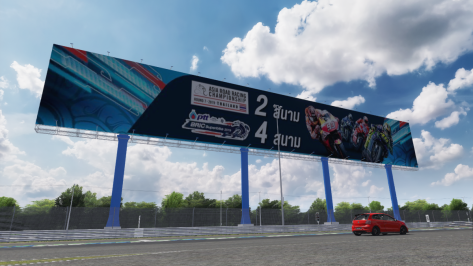
I did a quick skin to replace the large adboard if anyone wants it, which was originally very low-res.

1751871329411.png
 

Attachments

Hi Peter, I opened it in one of the moments when I have the fps collapse but I don't know how to interpret, I took a screenshot.

View attachment 1463019


@Perico Lospa
For those who wanted to know, I play at 1440p with fairly high settings despite a 3070ti graphics card, practice mode, only one car, I go from day with 120 fps and if I set night it becomes 15fps.

@MeltFire
I tried lowering the values you suggested, but they didn't help.. :(

Has anyone tried this config file?
Na, sorry then, if there would be any error, you would see a red dot. Also LUA fps breaker is only on the CPU side if error are happen.
But on your side it is really a GPU issue:
1751873815873.png

So something must exponentially use the GPU then. Just make the CSP render stats app bigger and you see the single parts, maybe you can isolate the reason for this.
 
X90
Was giving these audio changes a spin, and I've found out that my AI on Magnificent Park now has a problem - the AI brakes in the middle of the back straight for no reason.

The only thing I've changed is the CSP version since I've worked on this (0.2.8preview, now 0.2.11preview). With the AI app open, everything looks just fine - there's no crossing of sidelines or anything out of the ordinary. Disabling the New AI Behavior extension does nothing.

Has someone else ran into this issue before? On this CSP or otherwise? I'd prefer not to have to roll back to test.

Give my AI a spin (click on my username and then Resources) if you'd like. Obviously, I didn't just brake in the middle of a long straight on my AI line lap - so something must have been broken in the background.
At least two laps around the Track are required to create an AI line.
Starting in Hotlap mode and making one lap is not enough to complete the AI.
(Sorry if you already understand this.)
 
shi
At least two laps around the Track are required to create an AI line.
Starting in Hotlap mode and making one lap is not enough to complete the AI.
(Sorry if you already understand this.)
I do understand this, not sure what you mean. I never just do one lap, it takes many to get the line right, especially if I don't know the track.

The AI was tested and working in a full 18 lap race on my previous CSP build.
 
@Aldo Raine

Suggestion:
A method/tool I've had some success with is:
At a point when the FPS has dropped, stop the car, and use the F7 camera and the cursor keys to "exclude" objects of suspicion (look away from, so that obj is not in the rendered scene), checking for FPS at the same time. I've used this idea in the car too, to isolate FPS-hungry PBR shadered textures.
If you can isolate a culprit, Object Inspector gives you a mesh/material name, to hide or change shaders for, in ext-config.ini ?

Observation in this vein, from your screenshot:
Chase-cam puts ALOT of renderable stuff on the screen, esp at night with many lights. In this view the car's rear lights, the 4/8K skin etc, etc. Lotsa work for the GPU. Easy to check. Does shifting the camera to in-cockpit make any change to the FPS?
 
Sharing a mod? Host it on GTPlanet Downloads. Free, public hosting for files up to 10GB in size.
Back