Assetto Corsa PC Mods General DiscussionPC 

  • Thread starter Thread starter daan
  • 154,882 comments
  • 48,746,537 views
Was No107064 / AC MODS dropped on its head as a child or is he just yet another dumb GT-to-AC modder ?

View attachment 1502657

2534K. Lol.

The civic wins, 2714k

Captura.png
 
What type of tracks interest you? There are hundreds of quality tracks, so narrowing to top 10 will be preference.

Look at Breathe's track list. There is no ranking system for the tracks, but it is a good database for you to find tracks.
Thank you for the reply and the extremely helpful link which gives me a reference point.

I will have a look through that initially and hopefully that will help me narrow down my thought process. It's just kind of overwhelming in that the list of mods is soooo long it makes it hard to see the wood for the trees and i dont want to waste time on poor quality mods or ones that dont work properly with CM anymore.

I will start checking out the traxion mods first - I'm not sure but if you can order tracks by "likes" or something like that on traxion, that would at least avoid the worst quality mods.

i think I'm probably looking into real circuits (as they will be familiar from other games) and road layouts which are good for cruising on (i remember there is a great Project Cars road "California Highway"?) to start with.

(Catalunya will be an obvious one as i was there last year for the grand prix.)
I'm a huge GT fan, so my "essential tracks" would be fantasy tracks that originate from there.

You've already downloaded Trial Mountain and Grand Valley, so you could probably go with Red Rock Valley, Grindewald, Mid-Field Raceway, Tokyo R246 and Seattle (its mod is a bit old though). There are also renditions of modern GT fictional tracks, like Sainte Croix, Dragon Trail and Lago Maggiore, if that might be of interest for you since you said you're coming from GT7.

As far as cars go, Assetto is a gold mine for unusual road cars. With some effort you can find whatever it is you're looking for most of the times, it'll just take some effort and the quality of those mods may vary (Still waiting for a road 916 GTV or a Cerbera Speed Six, alas). If you have something specific in mind, I'm sure the thread will be more than happy to assist you in your research.
I have found Mid-Field Raceway, thanks. And I will look for Dragon Trail as I really like that track (even with the Chicane of Death :lol:).

I have also found a version of Transfagarasan which I used to drive on rfactor, although that looks to be an old mod.

As for vehicles, I will be looking for classics for cruising with (I remember having a Thunderbird long ago on my old laptop and an old station wagon) and more modern vehicles for track racing.

My focus is on finding good tracks first though, once I have a decent track list I can then find cars that suit the tracks.

I will start with Breathe's track list related to traxion mods first and go from there.

Thanks to both of you.

I need to restart my YT vids too. Here's a blast from the past...


PS Does FRAPS still exist? No doubt there's a much better recording method these days!
 
Last edited:
Was No107064 / AC MODS dropped on its head as a child or is he just yet another dumb GT-to-AC modder ?

View attachment 1502657

2534K. Lol.

The civic wins, 2714k

Captura.png
The Civic and that BMW might be heavy, but I found an LFA that hits 4 million triangles.
1767061199887.webp

I guess optimization is just a suggestion these days. No wonder people think they need a 4090 to run Assetto Corsa.
 
I beg for someone's help. I have installed Supercars 2022 mod several times (manually and through CM) because something is wrong. Feet are at wheel height and helmet is outside the car. It only occurs with this mod, never experienced anything like this before. Also tried analyzing each car (5) in CM Content, but no bugs are detected.

Captura de pantalla 2025-12-30 033844.webp


Captura de pantalla 2025-12-30 033852.webp
 
Macca's basically done (for us older CSP users) except for the small displays at the top and the race logic screen. Not sure what to put on the race logic screen. I'll have to look and see what other cars display on it. As for the small top displays, i'm not sure what to use for those either. Some are obvious, others i'm not sure what info they reference. This one was a bit easier than the Adonis because the display textures worked out of the box. All I had to do was put info on them. I do wish I could display the tyre icons in the tyre data area like the RSS display does. It probably can be done, but that's way above my pay grade.

I also figured out how to get the speed displayed in the units you use instead of the default km/h. So for people like me, it will show mph instead of km/h. I'll be updating the Adonis mod with this as well when I finish the Macca.

macca1.webp

macca2.webp
 
Thank you for the reply and the extremely helpful link which gives me a reference point.

I will have a look through that initially and hopefully that will help me narrow down my thought process. It's just kind of overwhelming in that the list of mods is soooo long it makes it hard to see the wood for the trees and i dont want to waste time on poor quality mods or ones that dont work properly with CM anymore.

I will start checking out the traxion mods first - I'm not sure but if you can order tracks by "likes" or something like that on traxion, that would at least avoid the worst quality mods.

i think I'm probably looking into real circuits (as they will be familiar from other games) and road layouts which are good for cruising on (i remember there is a great Project Cars road "California Highway"?) to start with.

(Catalunya will be an obvious one as i was there last year for the grand prix.)

I have found Mid-Field Raceway, thanks. And I will look for Dragon Trail as I really like that track (even with the Chicane of Death :lol:).

I have also found a version of Transfagarasan which I used to drive on rfactor, although that looks to be an old mod.

As for vehicles, I will be looking for classics for cruising with (I remember having a Thunderbird long ago on my old laptop and an old station wagon) and more modern vehicles for track racing.

My focus is on finding good tracks first though, once I have a decent track list I can then find cars that suit the tracks.

I will start with Breathe's track list related to traxion mods first and go from there.

Thanks to both of you.

I need to restart my YT vids too. Here's a blast from the past...


PS Does FRAPS still exist? No doubt there's a much better recording method these days!

You can sort overtake by most downloaded, top reviewed etc. I think most of us here have at spent at least an evening or two going through that list :D. Upload & last updated date may give you a little hit as to whether the car may have "new" CSP goodies (Extended phsyics etc). Plenty of good cars that are a few years old+, but just something to look at when browsing imho

Of course everyone has their own preferences and likes when it comes to tracks, but if you want somewhere to "start" with, this is a small list of modders whos tracks (mostly race tracks) I drive a lot and can usually expect a quality "product". Most of them have at least 3-5 tracks if not 10+ I apologize in advance if miscatorgirized anyone on it.

Scratch Built
  • Lilski
  • Sergio Loro
  • JohnR
  • Fat Alfie
  • Gunnar333
  • Todd K (Not race tracks, but has some interesting track mods on overtake that use photogrammerty to build the track, which gives it a very unique & lifelike feel)

Conversions from other games
  • Reboot Team
  • Rainmaker
  • Shin956
  • 13x (NASCAR focused)
  • RMI
  • Gabenhood (Dirt Rally Conversions - Great Pikes Peak)
  • Terra21
  • Legion
  • ACU

Neither
  • racinjoe013 (Track fixes & additions)
  • Mascot (Track fixes & additions)
Another great resource I used along the way was GutBomb's Multiple Track Review list (I think this is the "most recent" version). For many tracks that have multiple versions this gives you a run down on what each brings to the table. Not all encompassing for some newer tracks, but super helpful nonetheless.

As far as screen recording goes, I use the built in windows recording with the win+alt+R keyboard shortcut. But it's more for shorter clips, haven't done long recordings on it.
 
Last edited:
I beg for someone's help. I have installed Supercars 2022 mod several times (manually and through CM) because something is wrong. Feet are at wheel height and helmet is outside the car. It only occurs with this mod, never experienced anything like this before. Also tried analyzing each car (5) in CM Content, but no bugs are detected.

View attachment 1502718

View attachment 1502717
you should adjust the drivers position manually through CM

1. Open the car @ CM Showroom
2. make sure you "tick" the driver and movable, and press "T" on your keyboard (see image below)
1767065029748.webp

3. you can adjust the position (drag the "gyro" with yellow boxes) with your own liking
4. don't forget to save pos. and save KNH

hope it helps!
 
you should adjust the drivers position manually through CM

1. Open the car @ CM Showroom
2. make sure you "tick" the driver and movable, and press "T" on your keyboard (see image below)
View attachment 1502722
3. you can adjust the position (drag the "gyro" with yellow boxes) with your own liking
4. don't forget to save pos. and save KNH

hope it helps!
Tried that and, sure, I can move the driver's position, but the original position showed in Showroom (shows the correct one, but it isn't) is not equivalent to the original position showed in the game (outside head), so I would have to adjust the position many times and slowly, until I get the correct one (will be the Hell). How do you activate free camera in Showroom? I can only move around the car.

Thanks for your help! Appreciate it.
 
Macca's basically done (for us older CSP users) except for the small displays at the top and the race logic screen. Not sure what to put on the race logic screen. I'll have to look and see what other cars display on it. As for the small top displays, i'm not sure what to use for those either. Some are obvious, others i'm not sure what info they reference. This one was a bit easier than the Adonis because the display textures worked out of the box. All I had to do was put info on them. I do wish I could display the tyre icons in the tyre data area like the RSS display does. It probably can be done, but that's way above my pay grade.

I also figured out how to get the speed displayed in the units you use instead of the default km/h. So for people like me, it will show mph instead of km/h. I'll be updating the Adonis mod with this as well when I finish the Macca.

View attachment 1502719
View attachment 1502720
looks very good:)
the race logic screen shows mostly Laptime i think.
The small screen on the left shows the Laptime, so i think we dont need the race logic.
I think Race Logic is an old relic like a pager.:D
 
Last edited:
Tried that and, sure, I can move the driver's position, but the original position showed in Showroom (shows the correct one, but it isn't) is not equivalent to the original position showed in the game (outside head), so I would have to adjust the position many times and slowly, until I get the correct one (will be the Hell). How do you activate free camera in Showroom? I can only move around the car.

Thanks for your help! Appreciate it.
1767070288901.webp


here's my camera setting, make sure "tick" only orbit camera, and "untick" the rest.

btw, which mod did you use?
 
View attachment 1502085
Hello all and happy holidays! Curious if there is a skin for Labre's 1998 FIA GT entrant ran in rounds 4-5. Can't seem to find this livery with the proper number plate.
Porsche 911 GT1 Evo - Larbre Comp 1998 #17

This is a quick & rough take on the missing livery for that era (FIA GT Championship Dijon 1998). Could not find some decals - let me know if you happen to have them.

No17_Larbre_comp_1.webp

No17_Larbre_comp_2.webp

More info:
DOWNLOAD

Happy racing!
 
Hello and good morning (Netherlands here).

CM latest / CSP_212 / PURE 3.10 (High Res) / 4K (3840x2160) / RTX 4070 Super / 120Hz / V-Sync in CM (~116-117 FPS)
When I select a PPF all turns black and white for some reason. This with every PPF I may select BTW, does not matter which one I select. All is on default on my system.

What can be the cause of this? Does anyone know and also how to fix this?
(I can do without adding a PPF on top, that is not the problem, but it might 'enhance' the overall visual aspects a bit.

Also, is it normal (and to be expected more or less?) that when selecting a PPF, the frames drop with like ~40 frames?
 
Last edited:
I have also found a version of Transfagarasan which I used to drive on rfactor, although that looks to be an old mod.
If that's the SIMTRAXX version you're looking at, there's a more recent version by a fella on Overtake:
Free version on OT, paid on his Patreon (link in the OT post) with more layouts.
Don't know about accurate, but I certainly enjoy this one more.
 
Last edited:
If that's the SIMTRAXX version you're looking at, there's a more recent version by a fella on Overtake:
Free version on OT, paid on his Patreon (link in the OT post) with more layouts.
Don't know about accurate, but I certainly enjoy this one more.
I have both installed, but SIMTRAXX’s also has the C13 Refresh skin applied, can’t decide yet on which one I enjoy more.
 
It would be nice if you showed us ho

It would be nice if you showed us how you got "use CSP for final previews render" to work with 1.79. It does not show as an option in Settings>Content Manager>Custom Showroom for 1.79.
I'm guessing, rolling back removes that option which is what is causing the issue. I can only comment on what works for me. With 2.11/12 whatever it is (not by my computer), the reflections and shadows are frankly, ******. So out of curiosity I rolled it back and, hey presto, everything came back. It seems to be able to render the images much faster too. So that's what I do every time I need decent preview(s) generated. Not ideal but it does the job, like I said, sorry to hear it didn't help you out.
 
Hello and good morning (Netherlands here).

CM latest / CSP_212 / PURE 3.10 (High Res) / 4K (3840x2160) / RTX 4070 Super / 120Hz / V-Sync in CM (~116-117 FPS)
When I select a PPF all turns black and white for some reason. This with every PPF I may select BTW, does not matter which one I select. All is on default on my system.

What can be the cause of this? Does anyone know and also how to fix this?
(I can do without adding a PPF on top, that is not the problem, but it might 'enhance' the overall visual aspects a bit.

Also, is it normal (and to be expected more or less?) that when selecting a PPF, the frames drop with like ~40 frames?
Maybe you turned the saturation down?!
1767089907862.webp


BTW - Yes, activating PostProcessing in AC Video settings will have this impact. Imagine it does a whole effects suite with 10+ effects shaders then!

The no PP mode of AC is sending the plain HDR picture to the GPU. Without any tonemapping and exposure adjustments and no Glare and Bloom and everything!
 
Thank you for the reply and the extremely helpful link which gives me a reference point.

I will have a look through that initially and hopefully that will help me narrow down my thought process. It's just kind of overwhelming in that the list of mods is soooo long it makes it hard to see the wood for the trees and i dont want to waste time on poor quality mods or ones that dont work properly with CM anymore.

I will start checking out the traxion mods first - I'm not sure but if you can order tracks by "likes" or something like that on traxion, that would at least avoid the worst quality mods.

i think I'm probably looking into real circuits (as they will be familiar from other games) and road layouts which are good for cruising on (i remember there is a great Project Cars road "California Highway"?) to start with.

(Catalunya will be an obvious one as i was there last year for the grand prix.)

I have found Mid-Field Raceway, thanks. And I will look for Dragon Trail as I really like that track (even with the Chicane of Death :lol:).

I have also found a version of Transfagarasan which I used to drive on rfactor, although that looks to be an old mod.

As for vehicles, I will be looking for classics for cruising with (I remember having a Thunderbird long ago on my old laptop and an old station wagon) and more modern vehicles for track racing.

My focus is on finding good tracks first though, once I have a decent track list I can then find cars that suit the tracks.

I will start with Breathe's track list related to traxion mods first and go from there.

Thanks to both of you.

I need to restart my YT vids too. Here's a blast from the past...


PS Does FRAPS still exist? No doubt there's a much better recording method these days!

At Overtake you can use a filter and sort the tracks by user rating. The first 60 tracks are all well made and must have tracks.

And don't miss the fictional tracks by doublezero. They are all master pieces, especially the last one "Kameno 1970-71".
 
I'm guessing, rolling back removes that option which is what is causing the issue. I can only comment on what works for me. With 2.11/12 whatever it is (not by my computer), the reflections and shadows are frankly, ******. So out of curiosity I rolled it back and, hey presto, everything came back. It seems to be able to render the images much faster too. So that's what I do every time I need decent preview(s) generated. Not ideal but it does the job, like I said, sorry to hear it didn't help you out.
as far as I know the CSP preview function came after the .179
Previews are generated much quicker, because the vanilla previews do not use any ext_config files for cars / skins. CSP previews does
 
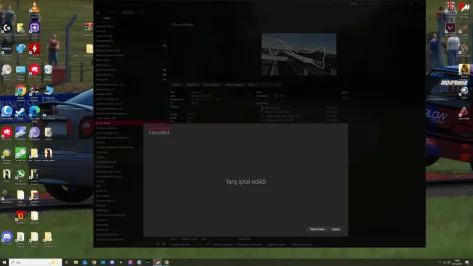
Dear friends, I'm having a problem with the RT Zolder 1.3 track. I've ridden it for a total of 1000km before, but it suddenly stopped working. I only did one race and then left. Now it won't load. Any ideas?

I deleted and reinstalled the track, but it didn't work.
This is complete nonsense. I've tried everything I could think of, but I couldn't do it. I didn't change anything. The track that worked one race ago stopped working 5 minutes later. This is so frustrating. The worst part is it doesn't give an error message. Just this screen... ugh.
 

Attachments

  • Adsız.webp
    Adsız.webp
    53.9 KB · Views: 8
At Overtake you can use a filter and sort the tracks by user rating. The first 60 tracks are all well made and must have tracks.

And don't miss the fictional tracks by doublezero. They are all master pieces, especially the last one "Kameno 1970-71".
If looking in the star list ranking with @gutbomb 2D-festival Brno 1965 at a 4.5 star and faulty @Ginot team Pau 1967 as an 4.5 star track, I do not think this ranking is real star of quality. :boggled:
 
If looking in the star list ranking with @gutbomb 2D-festival Brno 1965 at a 4.5 star and faulty @Ginot team Pau 1967 as an 4.5 star track, I do not think this ranking is real star of quality. :boggled:
Did you check the list? These 60 tracks have more than hundred ratings and if only one rating is 4 stars, you will only see a 4.5 star rating for the track, even if it has a 99% rating overall. I know all of these tracks and have driven them and they are all very good.
 
Maybe you turned the saturation down?!
View attachment 1502738


BTW - Yes, activating PostProcessing in AC Video settings will have this impact. Imagine it does a whole effects suite with 10+ effects shaders then!

The no PP mode of AC is sending the plain HDR picture to the GPU. Without any tonemapping and exposure adjustments and no Glare and Bloom and everything!
THANK YOU @Peter Boese

1. This must be it for sure, since....I turned saturation down as I found all overly saturated. Could not relate myself!
2. Activating PPF and impact; understood and also understandable.
3. Can imagine this, and...explains with with no PPF things look a bit 'dull'.

Might well be I have to switch to 1440p as of then with PPF and 4K things will become 'sluggish' for sure.
Either way, I will see what it will bring.

BTW: Why are you on 119.98 HZ? Any specific reason for this? I have mine on 120 Hz (2160p). 119.98 Hz is better?
 
THANK YOU @Peter Boese

1. This must be it for sure, since....I turned saturation down as I found all overly saturated. Could not relate myself!
2. Activating PPF and impact; understood and also understandable.
3. Can imagine this, and...explains with with no PPF things look a bit 'dull'.

Might well be I have to switch to 1440p as of then with PPF and 4K things will become 'sluggish' for sure.
Either way, I will see what it will bring.

BTW: Why are you on 119.98 HZ? Any specific reason for this? I have mine on 120 Hz (2160p). 119.98 Hz is better?
i have running AC on my side monitor and it has 120Hz. It is a technical thing, but actually what you see as 120Hz as entry somewhere is 119.98 Hz technically. Don't think about it...
 
Did you check the list? These 60 tracks have more than hundred ratings and if only one rating is 4 stars, you will only see a 4.5 star rating for the track, even if it has a 99% rating overall. I know all of these tracks and have driven them and they are all very good.
I did drive every track from 1970 and earlier.
Prove: do a simple test, by a race in Brno’67 from @Gitbomb, Pau’67 from @Ginot team and a track of your choice from Fat-alfie. All in your list of quality tracks . Compare them and see if Brno/Pau are still 4,5 stars compared to the masterpieces of Fat-alfie.

Note: I’m not attacking you, my criticism is about the whole star ranking at OV is hilarious. 5 star for an unfinished track, poorly optimized, full of shimmering/jaggies/flashing, sinkholes, hovering objects, low/high polymodels side by side, bad AI, same trees in a straight row, straw bale as a square concrete block etc etc. Sure all tracks have small imperfections, but some are simply not good. Then is not helping the modder to give him a 5 star at first glance, but it’s more helping in publishing your remarks or even better if have the knowledge on how to improve.
 
Last edited:
I did drive every track from 1972 and earlier.
Prove: do a simple test, by a race in Brno’67 from @Gitbomb, Pau’67 from @Ginot team and a track of your choice from Fat-alfie. All in your list of quality tracks . Compare them and see if Brno/Pau are still 4,5 stars compared to the masterpieces of Fat-alfie.

Note: I’m not attacking you, my criticism is about the whole star ranking at OV is hilarious. 5 star for an unfinished track, poorly optimized, full of shimmering/jaggies/flashing, sinkholes, hovering objects, low/high polymodels side by side, bad AI, same trees in a straight row, straw bale as a square concrete block etc etc.
I understand what you mean and I know the tracks, but Brno’67 from @Gitbomb, Pau’67 from @Ginot team aren't in the list of the first 60 tracks. I only said, that the first 60 tracks of this list are all well known and well done tracks. That's all. The 4.5 stars for all the tracks is nonsense of course, but the sorting of the list is done by the number of reviews and the percentage and not the stars you see for the tracks.
 
Sharing a mod? Host it on GTPlanet Downloads. Free, public hosting for files up to 10GB in size.
Back