Assetto Corsa PC Mods General DiscussionPC 

  • Thread starter Thread starter daan
  • 152,117 comments
  • 46,559,015 views
Good afternoon

Friends, yesterday I updated my CSP to version v0.3.0-preview212, but when starting a session on the track, the screen resolution decreases and changes the video settings.
Currently, I'm using a 34-inch monitor, 144Hz, and CM settings at 5120x2160.
This resolution works fine in CSP 0.2.12-preview1, but, as mentioned above, not in the other CSP.
I tried copying the documents folder from AC to the C: drive, but CSP 3.0 has a different interface, and I also couldn't find the option to change this screen resolution...
If anyone knows how to solve this, I would appreciate it.
Another question, would there be any performance or optimization improvements with version 3.0?
 
Monza 2025 (beta 0.90)

monza_2025_beta

Throwing this out there for anyone to try in the hopes to get a little feedback. I am concerned about flickering on the sponsor banners. I had to fix a lot of them and redo a lot of the uv mapping for the textures. I do not see any but i'm on an old CSP version and don't know if that would make a difference.

Don't let the name fool you. This is not a representation of the track in 2025. It's just a name I picked so I can separate this version from the Kunos version in my CM track list. It is nothing more than all of the mods i've created or downloaded for Monza rolled into one track so I can keep the original Kunos version 'clean'. It is a beta version (about 90% complete) so you can expect to see some obvious mistakes and maybe some poor texture choices. Because it's based on the original Kunos track, you are free to use any mods for that track with this one, such as ai files, track skins, etc. The one thing you can't do is use a mod that will overwrite the ext_config file. That would cause some issues.

Credits:
-- @Masscot for the animated flagmen and balloons
-- Assets used from the monza2022crf version of the track.
-- knicker for the crowd files.

While this track is not as confusing as some of my other ones, I still need to explain a few things:

-- There are two layouts, the base layout and a raceday layout that adds sponsor banners in some spots based on a 2025 GT World Challenge video I watched as a reference. The raceday layout is best to use with modern cars because the sponsors wouldn't make much sense for cars 10+ years old. Also, when using the raceday layout, I would suggest enabling the 2025 Raceday track skin to complete the look.
-- There are four 'Years' track skins that will bring back certain buildings and structures to make the track more period accurate. For example, enabling the 2010 (probably should have been named pre-2010) skin will make the track look like the Kunos default version with no structures hidden.
-- For performance reasons, I have the animated flagmen and live jumbotron displays off by default for older computer users. You can turn them on by enabling the appropriate track skin. Plus it's nice to turn them off when driving a practice session.
-- Last thing, there is a huge difference in how bright the crowds look depending on whether you use CSPs 'New spectators rendering method' so you might have to do some adjusting to the ambient and diffuse values in the camera_facing file. I have it setup for my CSP options, but yours may be different.

Have fun and hope to hear from someone on any issues you may see. If not, then i'll just keep plugging along thinking everything is all right.
Mod has been updated to beta 0.90. Use the link in the quote to get the updated version. It would be best to delete the old folder first. If you made any changes on your own, be sure to make backups.

I completely re-worked the track setup. By default, if you use no track skins, the track will look like a decent representation of how it looks in 2025 based on race footage. To roll back to how the Kunos track looks (and to use skins you already have for the Kunos Monza track), simply enable one of the older track skins for 2010 or 2013. This will swap out the new objects with the old ones. The 2023 skin will look like the base track but with one bridge structure still enabled and the s/f line banner changed. I'm not even sure the 2025 skin is needed anymore, but I couldn't remember so I left it in there just in case.

I'd be interested to hear of any issues you have using the 2010 or 2013 track skin. I think I hid and enabled everything correctly, but I could have overlooked something.

Known issues:

-- The new 2025 walls have very wavy texture mapping. It may or may not be my fault from re-mapping the textures on the mesh. They are not noticeable at speed but hopefully I can fix them some day.
-- There's a weird burnt out grass line where the old wall used to be in front of the big grandstand at Variante del Rettifilo. You don't see it when driving, but it may look odd watching a replay. I'll get to it eventually.

bgr00.webp
 
does anyone knows how i can fix this surface issue? surface.ini maybe?some parts of the track is super white (pic 1) but what really bother me is the "light" on the road follow the car (pic 2+3)
Screenshot 2026-01-24 064925.webp
Screenshot 2026-01-24 065020.webp
Screenshot 2026-01-24 065125.webp
 
I'm testing the new versions of the wonderful AC Legends GTC 60's pack and I have to say: the Ginetta G10 is amazing, absolutely gorgeous!

(I still haven't gotten the hang of the damn Photo Mode app; there's no way I can get the photos to turn out the way I want... 😤)
I don't consider myself to be that great at photo mode but I learned a few things that aren't super obvious that I could maybe make a quick video explaining if you're looking to do motion shots like this.
Screenshot_lp_033_lmh_lilski_road_america_6-0-126-5-11-51.webp

iHTuning re-imported the Acura ARX-06 over to AC. But since i don't want Ian Bell to DMCA strike my ass you can find an direct link to that car in the IMSA tab for the 2026 grid, Including the Aston Martin Valkyrie.
Thank God, was hoping somebody other than FSR would port it.
 
Last edited by a moderator:

Ah, That would be why i didn't find anything, Its all on facebook, and that website is basically blocked on my browser so anything posted on there just don't appear when i search around

In other things i have done.

Small update on the Livery Archive we are now almost at 3000 liveries archived, Still plenty to go trough, i have not bothered going trough the skin pack that came with the WSC update will get around to that some day.

Secondly iHTuning re-imported the Acura ARX-06 over to AC. But since i don't want Ian Bell to DMCA strike my ass you can find an direct link to that car in the IMSA tab for the 2026 grid, Including the Aston Martin Valkyrie.

--Basic credit--
3D model: Project Motor Racing
Physics: BBi Muggo / ACF (idk we just re-used their physics as they are somewhat decent)
Shaders: BBi Turro
Rest: BBi Discord for providing all the WEC parts etc and for helping create all the dumb annoying LUA crap.


That's about it i think

View attachment 1508099
Happy Pumped Up GIF by Universal Pictures Home Entertainment
 
Last edited by a moderator:
Quick word of warning for anyone interested in the "Assetto Corsa Evoluzione" mod.

I paid in to see how the project was progressing about a week ago - and promptly cancelled the "subscription", as I do for all Patreon purchases like Pure, CSP, Marco17, formerly Nuzzi (I am a "no subscriptions if at all possible" person). I exclusively make one time purchases for mod content.

Upon cancellation, it is explicitly stated that I will be returned to the "Free" tier - but I have all Premium access and permissions until the end of the month (sometime in mid-February).

I am able to download the files with no problem. However, there is a ludicrous Patreon DRM check on every launch (!) that will physically boot you out of the game and open a browser page to complete the check. Worse, it fails me - as I cancelled my subscription the very minute I made the purchase.

Apparently, the "Premium member benefits" do not even extend to the DRM check - so I have paid $3.50 for a digital paperweight.

I would have been infinitely better off finding a pirated copy. Yes, it was just $3.50, but again, it's the absolutely ludicrous principle of it all. A beautiful microcosm of the ****hole "future" we currently live in. The irony of DRM checks on a project that only organizes content and actually makes none of it (cars, tracks, AI behavior, racing regulations, etc) is also not lost on me. The nerve.


It doesn't really matter anyway, I've heard mixed reviews from users and let's be honest - the AI in AC isn't yet up to snuff for any of these career mods.

Hopefully, with some of the AI apps starting to leak out, that changes. And if we see progress on that front in the next year or two, maybe a "loose" copy of this mod might be worth a download.
 
I was just wondering if anyone who uses Assetto in VR can confirm something. I was using custom shader patch v0.2.12-preview1 because I found it pretty stable, but I wanted to try Fenryr's Losail 2.0, and it doesn't work on that version.

So, I updated to csp v0.3.0-preview212. I usually use Pure Gamma weather without any ppfilter, but I found the headset was black when I tried playing. Turns out it won't display in the headset using Gamma unless I use a ppfilter.

I was just wondering if this was just my setup (HP Reverb G2 with the Oasis driver) or does this happen for other people?
To be clear, csp v0.3.0-preview212 doesn't display in the headset using Pure Gamma without using a ppfilter.
 
Mod has been updated to beta 0.90. Use the link in the quote to get the updated version. It would be best to delete the old folder first. If you made any changes on your own, be sure to make backups.

I completely re-worked the track setup. By default, if you use no track skins, the track will look like a decent representation of how it looks in 2025 based on race footage. To roll back to how the Kunos track looks (and to use skins you already have for the Kunos Monza track), simply enable one of the older track skins for 2010 or 2013. This will swap out the new objects with the old ones. The 2023 skin will look like the base track but with one bridge structure still enabled and the s/f line banner changed. I'm not even sure the 2025 skin is needed anymore, but I couldn't remember so I left it in there just in case.

I'd be interested to hear of any issues you have using the 2010 or 2013 track skin. I think I hid and enabled everything correctly, but I could have overlooked something.

Known issues:

-- The new 2025 walls have very wavy texture mapping. It may or may not be my fault from re-mapping the textures on the mesh. They are not noticeable at speed but hopefully I can fix them some day.
-- There's a weird burnt out grass line where the old wall used to be in front of the big grandstand at Variante del Rettifilo. You don't see it when driving, but it may look odd watching a replay. I'll get to it eventually.

View attachment 1508101
Fantastic work, mate, congratulations and thank you for sharing.
However, I'm not finding the skin for the 2025 layout (after the resurface of 2024 and the changes, especially in ascari, as shown in the pics below). Sorry if I'm doing something stupid.

asc.webp
asc2.webp
 
X90
Quick word of warning for anyone interested in the "Assetto Corsa Evoluzione" mod.

I paid in to see how the project was progressing about a week ago - and promptly cancelled the "subscription", as I do for all Patreon purchases like Pure, CSP, Marco17, formerly Nuzzi (I am a "no subscriptions if at all possible" person). I exclusively make one time purchases for mod content.

Upon cancellation, it is explicitly stated that I will be returned to the "Free" tier - but I have all Premium access and permissions until the end of the month (sometime in mid-February).

I am able to download the files with no problem. However, there is a ludicrous Patreon DRM check on every launch (!) that will physically boot you out of the game and open a browser page to complete the check. Worse, it fails me - as I cancelled my subscription the very minute I made the purchase.

Apparently, the "Premium member benefits" do not even extend to the DRM check - so I have paid $3.50 for a digital paperweight.

I would have been infinitely better off finding a pirated copy. Yes, it was just $3.50, but again, it's the absolutely ludicrous principle of it all. A beautiful microcosm of the ****hole "future" we currently live in. The irony of DRM checks on a project that only organizes content and actually makes none of it (cars, tracks, AI behavior, racing regulations, etc) is also not lost on me. The nerve.


It doesn't really matter anyway, I've heard mixed reviews from users and let's be honest - the AI in AC isn't yet up to snuff for any of these career mods.

Hopefully, with some of the AI apps starting to leak out, that changes. And if we see progress on that front in the next year or two, maybe a "loose" copy of this mod might be worth a download.
Have you canceled the subscription before launching ACE? Maybe that's the reason why you can't use your copy. Afaik the mod verifies your subscription the first time you launch it. When you cancel your sub early, you can still use your advantages but your account will be immediately marked as "free user" for that creator. So, when you launch ACE EVO, you can't play because the mod doesn't see any active sub for Alex Mail. Unfortunately Patreon is a bit of a mess when it comes to these situations 😪
 
Last edited:
Fantastic work, mate, congratulations and thank you for sharing.
However, I'm not finding the skin for the 2025 layout (after the resurface of 2024 and the changes, especially in ascari, as shown in the pics below). Sorry if I'm doing something stupid.

View attachment 1508126View attachment 1508127
As I sad in my description, "a decent representation of how it looks in 2025". I was never going for an exact duplication. For that you will have to wait for someone with more skill than I have.
 
I risk a potential "sheet"storm with a question to the Kunos Lotus 98T.
View attachment 1507921
I love this car by its look and the feeling in the corners, but what I dont like is the massive turbo lag, despite I had so many races in that car.
My question: Has anyone ever considered to remove the turbo and adapt the engine to not lose the performance of the car?
I really hope you dont hate me for that question.

Dog Smile GIF
If you want a quick and dirty way, you can try to play around with this app https://www.overtake.gg/downloads/assetto-corsa-car-tuner.13946/ (app can be a little buggy sometimes)

It'll create a new folder with the car data and you can play around with turbo numbers (not sure if you can remove it?) but you can also do a full engine swap to some other car if you wanted.

I know there are more thorough ways to play around with car data, but this usually works well enough for my purposes.
 
Have you canceled the subscription before launching ACE? Maybe that's the reason why you can't use your copy. Afaik the mod verifies your subscription the first time you launch it. When you cancel your sub early, you can still use your advantages but your account will be immediately marked as "free user" for that creator. So, when you launch ACE EVO, you can't play because the mod doesn't see any active sub for Alex Mail. Unfortunately Patreon is a bit of a mess when it comes to these situations 😪
Yes, I purchased, and cancelled immediately afterwards. As I always do.

It's stupid and shortsighted at best that it verifies a "subscription" and not whether I've paid or not - and duplicitous and heavy-handed at worst.

I simply wanted a refund - and was denied by Patreon and the creator did not respond/ghosted in over 2 weeks.

Money down the drain, but lesson learned.
 
Last edited:
Mod has been updated to beta 0.90. Use the link in the quote to get the updated version. It would be best to delete the old folder first. If you made any changes on your own, be sure to make backups.

I completely re-worked the track setup. By default, if you use no track skins, the track will look like a decent representation of how it looks in 2025 based on race footage. To roll back to how the Kunos track looks (and to use skins you already have for the Kunos Monza track), simply enable one of the older track skins for 2010 or 2013. This will swap out the new objects with the old ones. The 2023 skin will look like the base track but with one bridge structure still enabled and the s/f line banner changed. I'm not even sure the 2025 skin is needed anymore, but I couldn't remember so I left it in there just in case.

I'd be interested to hear of any issues you have using the 2010 or 2013 track skin. I think I hid and enabled everything correctly, but I could have overlooked something.

Known issues:

-- The new 2025 walls have very wavy texture mapping. It may or may not be my fault from re-mapping the textures on the mesh. They are not noticeable at speed but hopefully I can fix them some day.
-- There's a weird burnt out grass line where the old wall used to be in front of the big grandstand at Variante del Rettifilo. You don't see it when driving, but it may look odd watching a replay. I'll get to it eventually.

View attachment 1508101
For those that downloaded version 0.90 already, replace the vao patches with the two attached files. It fixes a shadowing issue on the front straight grails when using the 2010 or 2013 layouts\track skins. The full track mod already includes these for new users.
 

Attachments

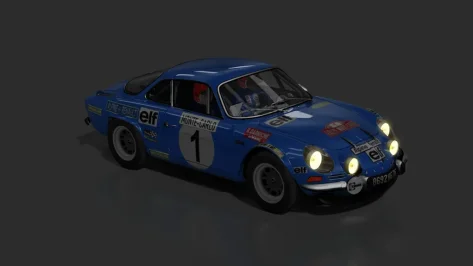
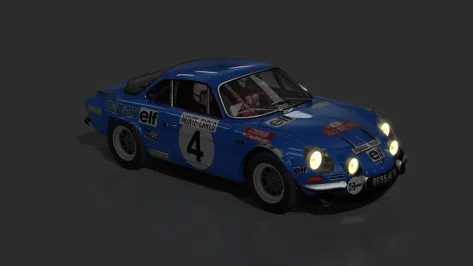
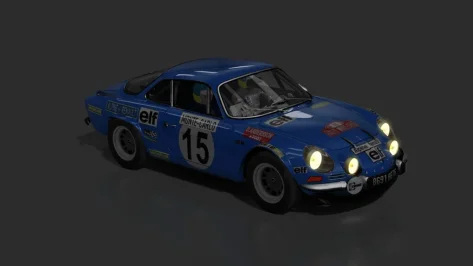
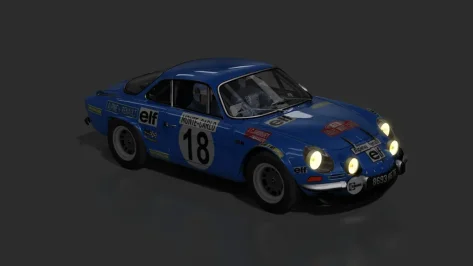
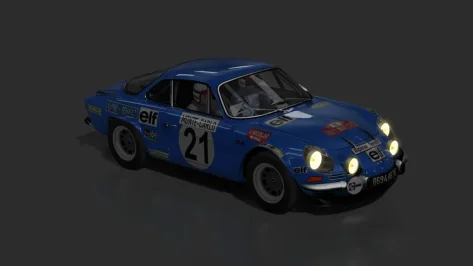
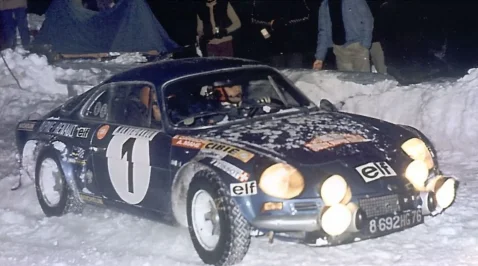
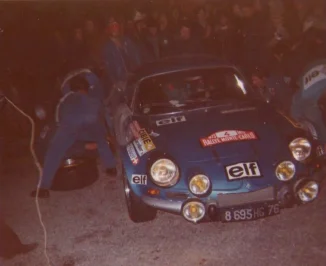
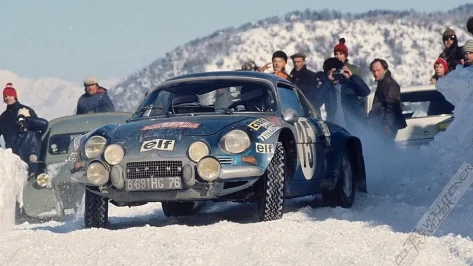
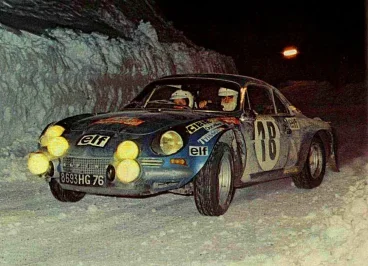
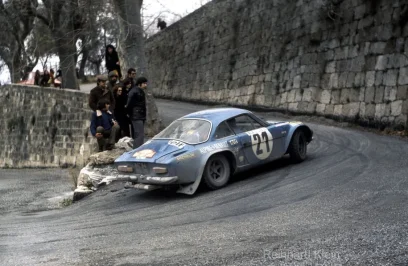
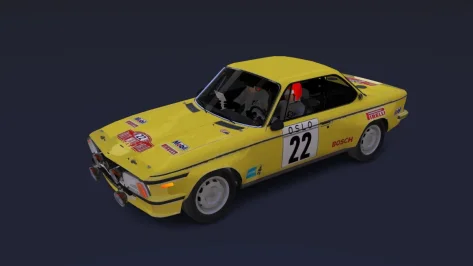
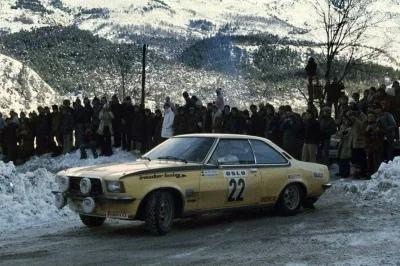
To celebrate the "Monte Carlo Rally"...we're adapting/adjusting new cars for new seasons.

For now, for 1973 (Alpine-Renault Team).
Since it's difficult to find (helmet color scheme and driver suit)...we're adapting (as best as possible) with what little we can get.

In this case, I adapted the Alpine version (Tarmac) for (Gravel/Ice/Snow), with a (higher suspension and narrower tires), but it needs to be tested (I didn't modify much).

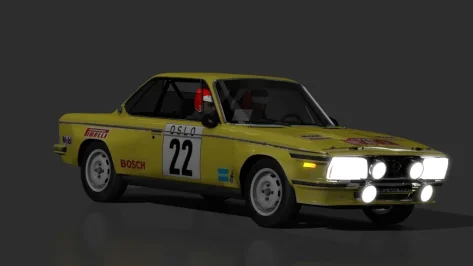
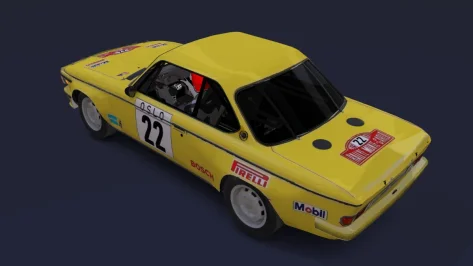
Then move on to the Fiat 124 Abarth, Lancia Fulvia, Renault 12 Gordini, Datsun 240z, Ford Escort 1600, Simca Rally 2, Opel Ascona A and Opel Commodore GS.E (which I decided to test an adaptation of)...
As soon as I can test it...I'll share it with anyone interested...
 

Attachments

  • preview.webp
    preview.webp
    20.8 KB · Views: 2
  • preview.webp
    preview.webp
    20.8 KB · Views: 1
  • preview.webp
    preview.webp
    21.1 KB · Views: 1
  • preview.webp
    preview.webp
    21.1 KB · Views: 1
  • preview.webp
    preview.webp
    20.8 KB · Views: 1
  • preview2.webp
    preview2.webp
    66.6 KB · Views: 1
  • preview2.webp
    preview2.webp
    57.5 KB · Views: 2
  • preview2.webp
    preview2.webp
    99.2 KB · Views: 4
  • preview1.webp
    preview1.webp
    84.1 KB · Views: 1
  • preview2.webp
    preview2.webp
    145 KB · Views: 2
  • preview.webp
    preview.webp
    22.2 KB · Views: 3
  • __custom_showroom_1769229570.webp
    __custom_showroom_1769229570.webp
    37.3 KB · Views: 1
  • __custom_showroom_1769229556.webp
    __custom_showroom_1769229556.webp
    33.5 KB · Views: 2
  • preview1.webp
    preview1.webp
    177 KB · Views: 1
I was just wondering if anyone who uses Assetto in VR can confirm something. I was using custom shader patch v0.2.12-preview1 because I found it pretty stable, but I wanted to try Fenryr's Losail 2.0, and it doesn't work on that version.

So, I updated to csp v0.3.0-preview212. I usually use Pure Gamma weather without any ppfilter, but I found the headset was black when I tried playing. Turns out it won't display in the headset using Gamma unless I use a ppfilter.

I was just wondering if this was just my setup (HP Reverb G2 with the Oasis driver) or does this happen for other people?
To be clear, csp v0.3.0-preview212 doesn't display in the headset using Pure Gamma without using a ppfilter.
Did you try CSP 0.3.212 with its own "default" weatherFX style and using the gamma shaders?

1769237958576.webp


Is it the same then?

On my side it crashes if i try to run it without PP in Pure AND default weatherFX. I'm trying to find the setting, but it could be it does not work anymore in the newest CSP versions.

EDIT!

I got it running.

Try this:
Goto Documents/Assetto Corsa/cfg and rename the "extension" folder to something different.
(this will reset your CSP settings to default)

Restart CM

One time launch with AC+VR wtih PP active in AC video settings.

Then switch it off. On my side it works then...

1769238817863.webp
 
Last edited:
Hi! First of all before I get attacked for asking for stuff - I have been a member already many years ago but totally lost my PW etc. and so decided to register new.

My two humble requests / questions:

Has anyone made realistic helmets for the overall so awesome DRM mod yet!? If not - that would be my suggestion.

Second question is for the Alfa Romeo 158 that literally abuses the sound of the so grand Lotus 98t and so I wanna ask if there has a soundmod been made for the Alfa yet or if not which sound you guys would recommend for me to try instead of that so absurd wrong sound!? Others I have tried so far are not working correctly i.e. sound breaks up when lifting and or shifting.

OK that's about it for today. Again cos I might get negative comments I am not a rookie here and most of all not demanding anything, just asking and suggesting. Thank you also to all great people on this legend place.👍
 
Hi! First of all before I get attacked for asking for stuff - I have been a member already many years ago but totally lost my PW etc. and so decided to register new.

My two humble requests / questions:

Has anyone made realistic helmets for the overall so awesome DRM mod yet!? If not - that would be my suggestion.

Second question is for the Alfa Romeo 158 that literally abuses the sound of the so grand Lotus 98t and so I wanna ask if there has a soundmod been made for the Alfa yet or if not which sound you guys would recommend for me to try instead of that so absurd wrong sound!? Others I have tried so far are not working correctly i.e. sound breaks up when lifting and or shifting.

OK that's about it for today. Again cos I might get negative comments I am not a rookie here and most of all not demanding anything, just asking and suggesting. Thank you also to all great people on this legend place.👍
Welcome back :)

100% agree about the Alfetta. I use the Kunos Alfa 33 Stradale SFX, and I add these lines to the ext_config.ini
Disclaimer, I'm old and like it loud :)

[AUDIO_VOLUME]
ENGINE_EXT = 3.0
ENGINE_INT = 3.0
GEAR_EXT = 1.3
GEAR_INT = 1.5
BODYWORK = 0.3
WIND = 2.5
DOWN_SHIFT = 1.3
BACKFIRE_EXT = 1.6
BACKFIRE_INT = 1.6
TRACTION_CONTROL_EXT = 1.3
TRANSMISSION = 4.0
TURBO = 3.0
WHEEL = 3.0

[AUDIO_PITCH]
ENGINE_EXT = 0.9
ENGINE_INT = 0.9

I also wish and hope for a real, made from recordings, 1500cc straight-8 sound, with mechanical supercharger whine, but we do what we can with what we have, right?
 
Last edited:
... I learned a few things that aren't super obvious that I could maybe make a quick video explaining if you're looking to do motion shots like this...
Thank you very much for the offer, but I'm from the era of manual SLRs and film, and I have basic knowledge about depth of field, shutter speed, aperture, etc.

My problem is that in the latest versions, the way the app processes the image has changed; before, the app was more basic and the image you saw on the screen was practically the same as the one you got in the capture, now it seems that the app interacts with multiple filters, effects and all that jazz, which complicates things too much...

Another strange thing that happens to me sometimes, seemingly randomly, is that when I take a screenshot, the photo (always in 16:9 format and of what I see on the central monitor) appears shifted to the left, so the photo includes part of the left monitor and part of the central monitor, overlapping vertically. I'll see if I can reproduce it and upload an image.

Perhaps I'm the one who doesn't know how to configure it properly, but sometimes, less is more.
 
Welcome back :)

100% agree about the Alfetta. I use the Kunos Alfa 33 Stradale SFX, and I add these lines to the ext_config.ini
Disclaimer, I'm old and like it loud :)

[AUDIO_VOLUME]
ENGINE_EXT = 3.0
ENGINE_INT = 3.0
GEAR_EXT = 1.3
GEAR_INT = 1.5
BODYWORK = 0.3
WIND = 2.5
DOWN_SHIFT = 1.3
BACKFIRE_EXT = 1.6
BACKFIRE_INT = 1.6
TRACTION_CONTROL_EXT = 1.3
TRANSMISSION = 4.0
TURBO = 3.0
WHEEL = 3.0

[AUDIO_PITCH]
ENGINE_EXT = 0.9
ENGINE_INT = 0.9

I also wish and hope for a real, made from recordings, 1500cc straight-8 sound, with mechanical supercharger whine, but we do what we can with what we have, right?
Wow, I never knew there was a simple way to adjust volume levels. I have a couple of car mods where the engine sound is ridiculously loud and didn't think I could do anything about it. Thanks for posting this.
 
Can a member please correct this purple Indy'60 road surface from @GzeroD at the Legion site, see link in Googledrive


Or see in the Breathe tracklisting

View attachment 1507729

Its odd but the version I have on my PC seems to work fine without that missing texture.

 
Its odd but the version I have on my PC seems to work fine without that missing texture.

Thanks but here the same at 2.12 CSP, it looks like its missing a dds surface file as I'm clearly see the purple NormalMap.dds surfaces.
 
Last edited:
As the more I try ACE, the less I like the way it drives, more than ever, I wish I could use the ACE cars in AC, as the way they are modelled in EVO is superb.
Why don't we have access to cars converted from ACE? it is had been a year ACE is on our drive now
 
Wow, I never knew there was a simple way to adjust volume levels. I have a couple of car mods where the engine sound is ridiculously loud and didn't think I could do anything about it. Thanks for posting this.
Not only the volume, the pitch as well. For example:

[AUDIO_VOLUME]
ENGINE_EXT = 3.0
ENGINE_INT = 3.0
GEAR_EXT = 1.0
GEAR_INT = 1.0
BODYWORK = 2.0
WIND = 1.0
DIRT = 1.0
DOWN_SHIFT = 5.0
HORN = 1.0
GEAR_GRIND = 0.0
BACKFIRE_EXT = 9.5
BACKFIRE_INT = 9.5
TRACTION_CONTROL_EXT = 0.0
TRACTION_CONTROL_INT = 0.0
TRANSMISSION = 5.0
LIMITER = 0.5
TURBO = 5.0
HIT = 1.0
SCRAPE = 1.0
WHEEL = 1.0
SKID_EXT = 1.0
SKID_INT = 1.0

[AUDIO_PITCH]
ENGINE_EXT = 1.0
ENGINE_INT = 1.0
GEAR_EXT = 1.0
GEAR_INT = 1.0
BODYWORK = 1.0
WIND = 1.0
DIRT = 1.0
DOWN_SHIFT = 1.0
HORN = 1.0
GEAR_GRIND = 1.0
BACKFIRE_EXT = 1.0
BACKFIRE_INT = 1.0
TRACTION_CONTROL_EXT = 1.0
TRACTION_CONTROL_INT = 1.0
TRANSMISSION = 1.0
LIMITER = 1.0
TURBO = 1.0
HIT = 1.0
SCRAPE = 1.0
WHEEL = 1.0
SKID_EXT = 1.0
SKID_INT = 1.0

You can also change the revs/sounds behavior, as well. For example:

[AUDIO_PARAMETER_TRANSFORM]
ENGINE_EXT_RPMS = (| 0=0 | 7500=7000 |)
ENGINE_INT_RPMS = (| 0=0 | 7500=7000 |)

For me here, I run with the following audio settings

cap.webp


ext_config is a mother... temperamental but loving lol
 
Wow, I never knew there was a simple way to adjust volume levels. I have a couple of car mods where the engine sound is ridiculously loud and didn't think I could do anything about it. Thanks for posting this.
For in game, this app I found to be a game changer for per car volume adjustment. Can't tweak as much as the ext_config file, but overall engine volume, transmission, tires etc can be changed in game on the fly and it will load up everytime you use the car

 
Did you try CSP 0.3.212 with its own "default" weatherFX style and using the gamma shaders?

View attachment 1508254

Is it the same then?

On my side it crashes if i try to run it without PP in Pure AND default weatherFX. I'm trying to find the setting, but it could be it does not work anymore in the newest CSP versions.

EDIT!

I got it running.

Try this:
Goto Documents/Assetto Corsa/cfg and rename the "extension" folder to something different.
(this will reset your CSP settings to default)

Restart CM

One time launch with AC+VR wtih PP active in AC video settings.

Then switch it off. On my side it works then...

View attachment 1508255
No luck. I tried everything and it just refuses to run in vr on my headset without enabling post-processing.
 
Welcome back :)

100% agree about the Alfetta. I use the Kunos Alfa 33 Stradale SFX, and I add these lines to the ext_config.ini
Disclaimer, I'm old and like it loud :)

[AUDIO_VOLUME]
ENGINE_EXT = 3.0
ENGINE_INT = 3.0
GEAR_EXT = 1.3
GEAR_INT = 1.5
BODYWORK = 0.3
WIND = 2.5
DOWN_SHIFT = 1.3
BACKFIRE_EXT = 1.6
BACKFIRE_INT = 1.6
TRACTION_CONTROL_EXT = 1.3
TRANSMISSION = 4.0
TURBO = 3.0
WHEEL = 3.0

[AUDIO_PITCH]
ENGINE_EXT = 0.9
ENGINE_INT = 0.9

I also wish and hope for a real, made from recordings, 1500cc straight-8 sound, with mechanical supercharger whine, but we do what we can with what we have, right?
Hi and thank you very much! That is really a 100% improvement to that Alfa. Awesome! 👋👍
 
For in game, this app I found to be a game changer for per car volume adjustment. Can't tweak as much as the ext_config file, but overall engine volume, transmission, tires etc can be changed in game on the fly and it will load up everytime you use the car

Thank you, it helps a lot improving my gaming experience.
 
Sharing a mod? Host it on GTPlanet Downloads. Free, public hosting for files up to 10GB in size.
Back