Phillip Island v1.3
View attachment 1514725
The Phillip Island Grand Prix Circuit is a motor racing circuit located near Ventnor, on Phillip Island, Victoria, Australia. The current circuit was first used in 1956.(Wikipedia)
Conversion from rFactor2.
-CSP recommended
-32 pit/start
-AI, cam
Credits & Thanks;
rFactor2 Original Track by R1CHO.
rFactor2 version updated by Obbzy_XR_.
-Attempts to contact them have gone unanswered. Thank you for his work.
AC Converted by @shi (shin956)
some objects, cam by Terra21 version Phillip Island
AI, some textures by @macko68
logo.png and sections.ini by @Fanapryde
cams, ext_config by @CrisT86
cams by @DaBaeda
some billboard textures by @Skuby
Crowds texture by Kniker97
marshall, some textures by kunos
Test and Feedback by @macko68 , @Masscot , @Fanapryde , @KevinK2 , @Skuby
Enjoy.
Converted at the request of my Patreon member @Skuby .
Patreon-only track requests are now being accepted.
;;;;;;;;;;;;;;;;;;;;;;;;;;;;;;;;;;;;;;;;;;;;;;;
v1.01 changelog;
Added new cams, ext_config by CrisT86.
Added new cams by DaBaeda.
Fixed some normals.
Some billboards have been placed.(The video of the 2021 FANATEC GT WORLD CHALLENGE is referenced.) Some billboard textures by @Skuby
Unnecessary objects have been deleted.
Adjusted ext_config.
Fixed track name and melbourne billboard mapping.
Other minor fixes.
v1.1 changelog;
Smoothed corner edges. (Suggestion by Papifix. Thanks.)
v1.2 changelog;
Added sand edges.
Recreated groove and skidmarks.
Fixed tire walls.
Updated ext_config.ini.
Changed crowd textures by Kniker97. (Thanks)
v1.3 changelog;
Changed the tire wall model. (Suggestion by Mascot. Thanks.)
Expanded the sea area.
Increased the height of the trees.
Added 3d terrain kn5.
Fixed the flickering of the s/f gantry.
Fixed floating objects.
Updated ext_config.ini and VAO-patch.


I think Damgam made an automatic transmission app on overtake to fix this, give it a try https://www.overtake.gg/threads/custom-automatic-gearbox.291411/I use the automatic transmission, in some models, when I go from 3 to 4, it seems to go crazy, it goes to 5, then goes down to 4, then back to 5, 6, what parameters do I have to touch to fix this?
Elasticaution is supposed to work on acceleration mainly, decreasing the aicaution. It's not without flaws : a lower aicaution means no overtake line switch, hairpins after long straights can become a hazard, stuffs like that. Sometimes, depending on the fastlane and car types, it works wonder and keep the AI at very close range and i'm happy, but it's far from perfect. It's a "try and see" behavior. One of my main issue with it so far is the AI ramming the player on occasions, but there's an explanation for it : the AI often leaves it's dead angle open when another car enters its space, whereas players usually cut the line for apex or switch line just before a corner. I've fixed it in different ways since, but still looking for the perfect combo.Thanks!
If the settings for close racing and anti-ramming actually do anything (I set them to -.250 and -.1 immediately on startup) seem to be contributing to the almost crash-free races I'm experiencing. (Can you get those two settings saved somewhere to reload automatically? Or default them to pre-settings?)
Question: Is elasticaution related to the rubber-band setting in CSP? Just curious... I don't use the rubber-band thing but elasticaution seems like a really good thing! I set Gas-Brake Lookahead to 15 any time a car rams anything and it seems to work. I don't like that I say "seems" all the time, but it's because I can't believe it actually works!
Just tried a complete track Danger Zone (0-.9999 0.5 0.5)... seems(!) to work great! Freedom to apply the modifiers any time. Further evaluation, seems like some tracks can do this... Not a bad way to start, then maybe cut Danger up after...
(AIW babble mode OFF)


Gamermuscle rocks!!


URD Ferrucci 926T v2 on Fenryr Nordschleife.

Figured I would also share the code here, this is for the Trial Mountain REDUX mod by PieZello.Trying to improve the foliage look on this Trial Mountain track mod.


In no particular order: Lotus 3-Eleven, KTM X-Bow R, Ferrari 488 GT3, Porsche 911 GT3 Cup 2017 and Abarth 500 EsseEsse, which is one of my cars in real life (or almost, because mine is the 2018 version) and the reason I chose Assetto Corsa among the sim games available on the market.... What are, in your opinion, the best vanilla Kunos cars? Or your favorites?...



Most likely the pit has no definition in surfaces.iniDoes anyone know how to implement pitlane speed limits for tracks? I've just done an endurance race round Kameno by Doublezero and the AI came in full clip, smashed into the barrier, did their stop and then reached the start finish line and disappeared and went back to their pit stall. I was going to try and see if sticking a speed limit on that section of track might help the AI. I think it totally confuses the RSS air jack system too (I just wanted to see what a modern car round that circuit would be like!).
No I've checked that. Proper head scratcher! Oh well, thanks for the help.Most likely the pit has no definition in surfaces.ini
something like:
[SURFACE_1]
KEY=PIT
FRICTION=0.97
DAMPING=0
WAV=
WAV_PITCH=0
FF_EFFECT=NULL
DIRT_ADDITIVE=0
BLACK_FLAG_TIME=0
IS_VALID_TRACK=1
SIN_HEIGHT=0
SIN_LENGTH=0
IS_PITLANE=1
VIBRATION_GAIN=0
VIBRATION_LENGTH=0
KEY = some mesh prefix like 1PIT_foo or 1PITS_bar etc


Wooow, You are indeed very right on this, it’s definitely a good car mod. 👍Just buy the VRC car instead. It's like $3-5 and worth every penny.


Na próxima atualização, acho que esta será mais rápida do que a atualização do meu Porsche, tipo...
Hellonext update, i think this would be faster than my porsche update, like this weekView attachment 1514699

The issue is caused by the pit lane mesh which is shifted to the left (about half width) and the track mesh is were the pit lane mesh should beDoes anyone know how to implement pitlane speed limits for tracks? I've just done an endurance race round Kameno by Doublezero and the AI came in full clip, smashed into the barrier, did their stop and then reached the start finish line and disappeared and went back to their pit stall. I was going to try and see if sticking a speed limit on that section of track might help the AI. I think it totally confuses the RSS air jack system too (I just wanted to see what a modern car round that circuit would be like!).


I agree to that!I loved it when he met Marco Mazerutto (spell?) of Kunos at some expo and they got very friendly (despite GM previously loathing EVO's force feedback in his many videos).
Then GM tested the game in the expo and released another positive video of EVO (said 0.4 has a lot of potential).
All big influencers praised the update.
Then when it was released and GM finally got to test it on his home rig he completely loathed it again.
I love the guy. He is absolutely spot on with his EVO observations (imho). And doesn't want to kiss the manufacturer's butts with useless praise. This is, imho, the only way sim racing goes forward. Give constructive feedback and if the FFB and driving is not good, say it loud and don't care what other people say.
Afterwards a professional GT3 driver complained about the exact same things as GM already pointed out a long time ago. I think GM knows what he's talking about... and generally he's right about iRacing physics too... but I think he's too hard on LMU though, I don't think its FFB is that bad.
I love his channel although I have argued with him several times. Cool character.
I'm guessing that was most likely intentional then?The issue is caused by the pit lane mesh which is shifted to the left (about half width) and the track mesh is were the pit lane mesh should be


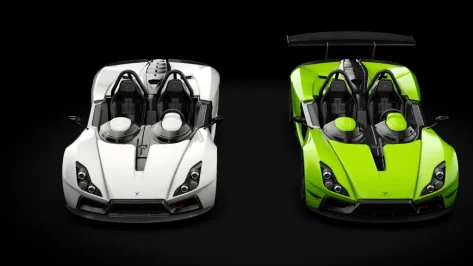
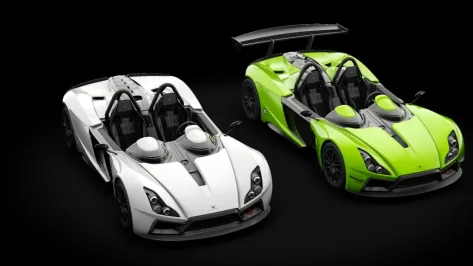
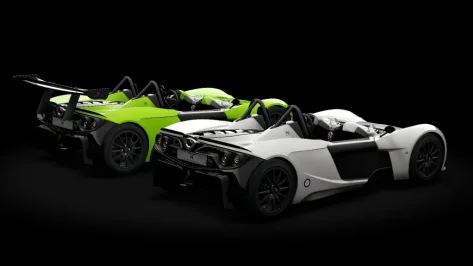
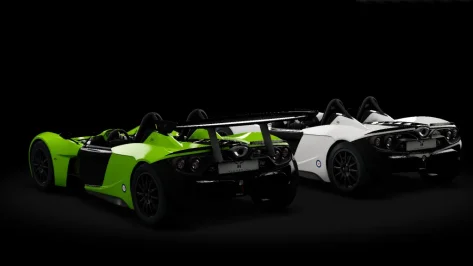
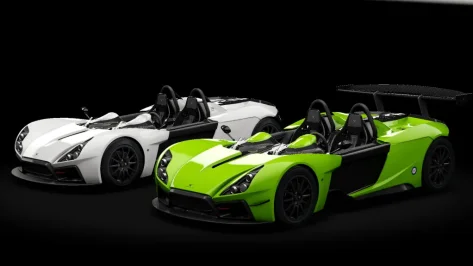
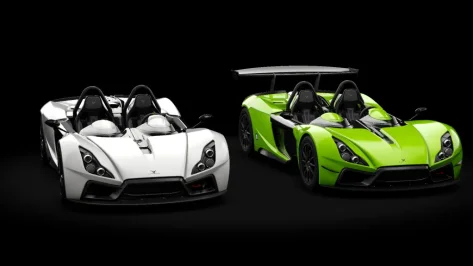

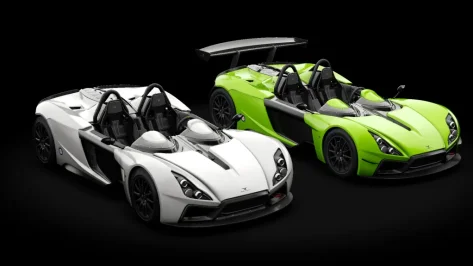
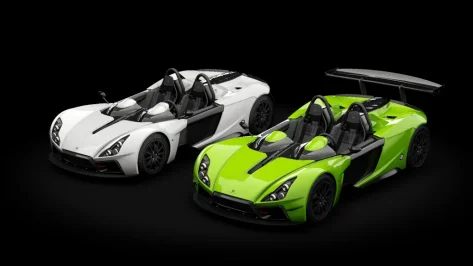


Yes on My Patreon Page its free to Join we have made a ATCC VersionHi, does anyone happen to own the Alfa Romeo 75 Gr.A (not DTM) from AssettoCorsaRacer (ACR)? It's no longer on their Facebook page. Th

Likely safe for this part as it only access an AC folder and as a read only (loading a config file with .ini format)Hi all!
I downloaded a car mod and in the screen.lua file i found this line...
Is this safe or suspicious?
Thanks!
Thanks🙏Yes on My Patreon Page its free to Join we have made a ATCC Version
Aussie Big Bangers and ATCC 1960 to 1992
patreon.com/aussiebigbangers
I belive not. In the track forlder there is a "track_normal_pitlane.kn5" in which the mesh wide is correctI'm guessing that was most likely intentional then?
Read also my writing’s at https://www.gtplanet.net/forum/threads/small-writing-on-ac-security.436304/Hi all!
I downloaded a car mod and in the screen.lua file i found this line...
Is this safe or suspicious?
Thanks!


Hi. I know its better safe than sorry. But no need to panic over any line of code. Ilja mentioned in his patreon post, that lua files within car, only can access assetto folders, and only apps can execute files outside of it, but this does not mean all apps are not safe.Hi all!
I downloaded a car mod and in the screen.lua file i found this line...
Is this safe or suspicious?
Thanks!

the ac.getFolder() command just return the preset folder paths from CSP:Hi all!
I downloaded a car mod and in the screen.lua file i found this line...
Is this safe or suspicious?
Thanks!
mostly solid advice here, "os.xxxxx" or esp. "io.xxxxx" calls are "on the money"the ac.getFolder() command just return the preset folder paths from CSP:
View attachment 1514977
So in this case it just loads a certain setting from the assists.ini
This command is an easy way to get a certain AC settings or data folder.
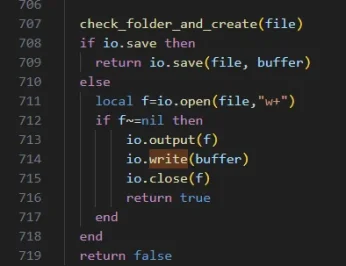
The only thing you should look for suspicious things if you see a "os.xxxxx" or esp. "io.xxxxx" calls.
Then something tries to access Windows system functions. But also this is not suspicious at all. Like if you load or write files, you must use this functions. But then again it relies to the logic or functionality why this commands are called.
Like this is a function to save a file:
View attachment 1514978
But also then again it matters where and what file is writing it.
You can write scripts with lua or python to delete your AC settings or AC root folder. But also any other app on your PC could do this.
It is like with everything. Maybe only use things from trusted persons and avoid people you don't know, even they have the supreme special ultra mega best car or track mod on this planet...