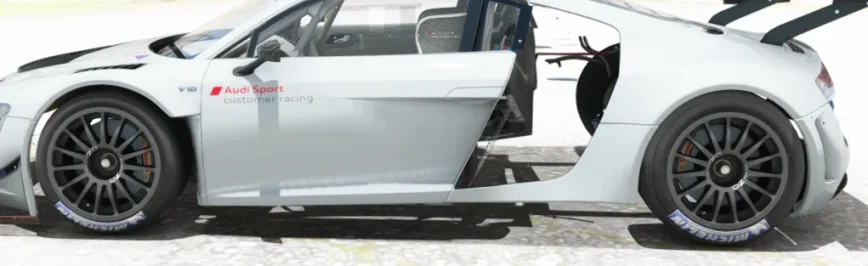
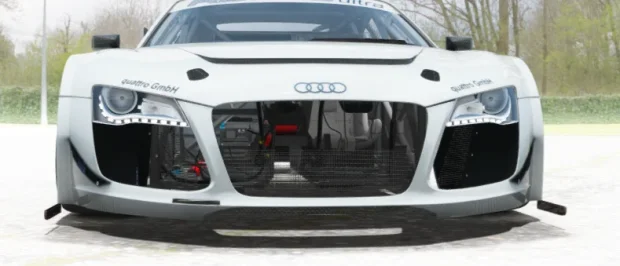
Getting a mod from the source vs getting the mod from ACTK


@Tetri Forgive me, but I'm not sure if your mod is a separate download or not, and how to use it. I don't often compete against AI, but when I do, I'd like competitive AI.I went to check my really old replays (2022).
On Macau with Kunos Porsche RSR73, the AI was running at 2.46.5
On late CSPs, it runs at 2.45.5, so a little better (with new ai behavior Off).
My latest batch of aiwhisp runs it at 2.43🤘, so whatever happens to that poor AI in the process should be solved.
Talking about that, i already have a few users with the next alpha-ultimate-pleasesuscribe-nonpatreon version of AIwhisp 0.82.
That's barely 20 people from discord, Racedep and here, but if anyone wants to give it a shot/feedback, PM is open. I'm tweaking the UI this evening to make it less unbearable.


i still dont have the clock displayed ingameYou can add this code to ext_config.ini in the extension folder of this car.I'll add this to GitHub later.Code:[ANIMATION_...] FILE=car_door_L.ksanim TIME= 1.3 BIND_TO_EXTRA_B=1 [ANIMATION_...] FILE=car_door_R.ksanim TIME= 1.3 BIND_TO_EXTRA_A=1 [ANIMATION_...] FILE=stopwatch.ksanim TIME= 1.3 BIND_TO_EXTRA_C=1


Hey, there's a version of AIwhisperer on overtake https://www.overtake.gg/downloads/assetto-corsa-ai-whisperer-0-8a-behaviors-refined.80352/@Tetri Forgive me, but I'm not sure if your mod is a separate download or not, and how to use it. I don't often compete against AI, but when I do, I'd like competitive AI.
Thank you and forgive me.


Click the Extra C key when ingame and the clock will appear magically. Furthermore, if you add...but
i still dont have the clock displayed ingame

I've tried it on different versions of CSP and I don't have the problem with the shift animation. What version of CSP were you using?Thank you for fixing the transparency.
As for the shifting animation, you mentioned doing something different, so it is probably not compatible with my CSP version. As a VR driver it is more obvious to me than for single screen driver, as most don’t even see the shifter when driving.



Select it in the setup menu under 'Generic'but
i still dont have the clock displayed ingame


Nah, pure. Not linear. Just pure.You use pureLineair as PP?


Having the up and down animations mapped separately is fantastic, but I think it'd be good if the animations themselves were sped up a little. Sequential shifting in race cars is often quite a fast/violent process, certainly quicker than currently implemented. I wanted to try reducing the timings in driver3d.ini but unfortunately the encryption won't allow it. I suspect the 'local duration' in driver_anim.lua would then also need adjusting down to match the new timings.I've tried it on different versions of CSP and I don't have the problem with the shift animation. What version of CSP were you using?
If you want, you can try this: in the animations folder, delete gear_shift_up.ksanim and gear_shift_down.ksanim and replace them with the two .ksanim files I've attached. In the extensions folder, delete driver_anim.lua and ext_config.ini and replace them with the ext_config.ini file I've attached here. This should restore the basic Kunos-style shift animation. It's a shame it's not working for you because I designed it with VR users in mind, but at least it won't be broken for you.
39.1 KB file on MEGA
mega.nz


Thank you very much, much appreciated.I've tried it on different versions of CSP and I don't have the problem with the shift animation. What version of CSP were you using?
If you want, you can try this: in the animations folder, delete gear_shift_up.ksanim and gear_shift_down.ksanim and replace them with the two .ksanim files I've attached. In the extensions folder, delete driver_anim.lua and ext_config.ini and replace them with the ext_config.ini file I've attached here. This should restore the basic Kunos-style shift animation. It's a shame it's not working for you because I designed it with VR users in mind, but at least it won't be broken for you.
39.1 KB file on MEGA
The latest CSP is very good mate, has great new features and lots of fixes. Any particular reason why you aren't using it?Thank you very much, much appreciated.
The hand animation works now, even like that, it is almost perfect in motion and timing. The legs movement is very good.
I am using CSP: 0.2.3-preview211.
Somehow, my config does not recognise something in the gear_shift_up.ksanim and gear_shift_down.ksanim.
At first I forgot to delete driver_anim.lua, and it worked just fine as well.
Thank you for the recommendation, as historically you have had very good recommendation for me, the best ever being using the G2, I am not saying no, just not yet.The latest CSP is very good mate, has great new features and lots of fixes. Any particular reason why you aren't using it?
But you can easily test the latest CSP and if you hit any problems, revert to p211 at the click of a button. There is zero risk with potentially huge gains. You can chop and change between versions with a single click of the mouse.Thank you for the recommendation, as historically you have had very good recommendation for me, the best ever being using the G2, I am not saying no, just not yet.
I am happy with what I have and have had for at least over a year now.
To me, Ac in VR works fantastic, stable 90FPS, Christal clear. When comparing to any other game, my 0.2.3-preview211 AC, is way ahead of anything else, works, from my perspective, flawlessly.
So I am not motivated to try to pursue, what feels to me, like dubious advantages at the risk of having new issue to fix, I would rather keep spending my time playing than taming CSP.
i have more content, cars and track, that I can reasonably use, despite playing AC daily. I add content many time a week and usually have zero issue.
Is my 0.2.3-preview211 AC perfect? no.
But like the rest of my life, it works better than I ever hoped it would and I am now at a stage of my life that does not include quest for perfection.


Cannot confirm this.Using latest CSP and Pure, colours looks flat in preview using CSP for final preview render. Is anyone experiencing that? Any advice? I am using Nvidia RTX 3050
In my case, yep...Using latest CSP and Pure, colours looks flat in preview using CSP for final preview render. Is anyone experiencing that?...
Yep... do your best to get used to it... The latest versions do strange things with the previews, the way the loading screens looks, and the Photo Mode app...... Any advice?...
Thanks for the replies, CSP settings attached. Guess I should remain patience to see if the next update improves.
In this case, the animation isn't controlled by driver_3d.ini; it's adjusted in driver_anim.lua and ext_config.ini. The encryption shouldn't even be necessary—no encryption of any kind—and in reality, it's not even effective right now. If there were more respect, none of that would be necessary. Anyway, it's an issue that won't change, and it's a shame, but that's how it is. Going back to the animation, you can try adjusting it yourself, and if you can't or it doesn't work as expected, I'll try to do it for you.Having the up and down animations mapped separately is fantastic, but I think it'd be good if the animations themselves were sped up a little. Sequential shifting in race cars is often quite a fast/violent process, certainly quicker than currently implemented. I wanted to try reducing the timings in driver3d.ini but unfortunately the encryption won't allow it. I suspect the 'local duration' in driver_anim.lua would then also need adjusting down to match the new timings.
Is it possible for the kn5 to remain encrypted to protect your 3D work, but the data folder left open for user adjustments? I've seen this is other encrypted cars, so it must be possible. No problem if you'd prefer to keep it all locked, but it'd be good if the shifting animation was sped up a little.
Ah, didn't think to look in the config - thanks.In this case, the animation isn't controlled by driver_3d.ini; it's adjusted in driver_anim.lua and ext_config.ini. The encryption shouldn't even be necessary—no encryption of any kind—and in reality, it's not even effective right now. If there were more respect, none of that would be necessary. Anyway, it's an issue that won't change, and it's a shame, but that's how it is. Going back to the animation, you can try adjusting it yourself, and if you can't or it doesn't work as expected, I'll try to do it for you.

local duration = 0.4TIME=0.4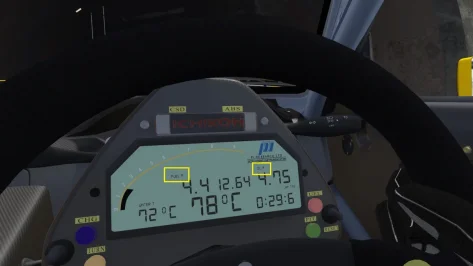
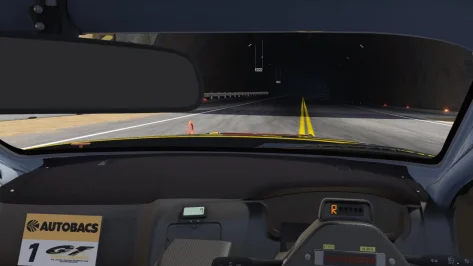

Around 0.3.0-p212Using latest CSP and Pure, colours looks flat in preview using CSP for final preview render. Is anyone experiencing that? Any advice? I am using Nvidia RTX 3050
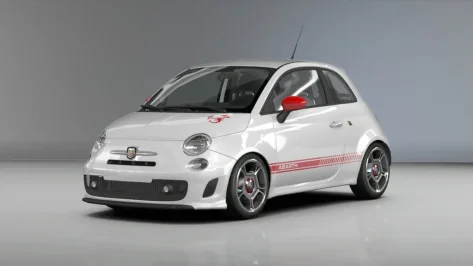
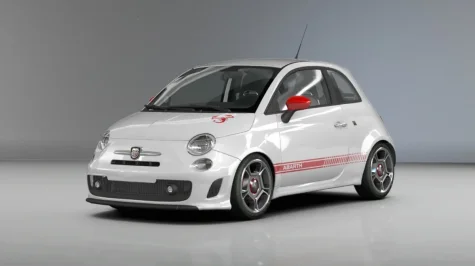
Thanks, I'll check it and update it as soon as I have a little time.Ah, didn't think to look in the config - thanks.
I think these timing adjustments help the shifting:
in drive_anim.lua
local duration = 0.4
in ext_config.ini
TIME=0.4
for both up and down shift animations
Now there's a quicker, more agressive shift action. See what you think.
BTW, I'm being a fussy VR user again but if you do plan on updating the car, the 'FUEL P' and 'OIL P' legends are floating on the display and not on the same plane as the other legends and LCD characters.
View attachment 1522100
Also the dashboard material (alcantara?) has noticeable checkerboard tiling, so maybe the texture mapping needs adjusting (DetailUVMultiplier)?
View attachment 1522101

It might be a post-processing filter issue, i haven't had any problems with body reflections in the latest C13 AEGIS update, for example. But yes, I have noticed some issues in this area with PPF Pure.Thanks for the replies, CSP settings attached. Guess I should remain patience to see if the next update improves.
Ilja mentioned this, but not understanding it
Any chance you can share your settings file? Are you using the pure linear filter? Thx
 www.overtake.gg
I've been searching for the Audi VGT mod. Any download links? Per the post, it appears some additional tweaking was needed for visual performance.not yet ao mapping is missing and some tweaks
some fictional Audi VGT (its the Audi VGT Gr.1 model)
GTO
GT3
GT1
Street
View attachment 1421344
It means that with the start of LCS Ilja rewrote the shaders and the specular part, so the part where the direct sun reflections are calculated did not reach the levels they should have. So the suns reflections were damped and so they could not trigger the post processing glare effect for example.Thanks for the replies, CSP settings attached. Guess I should remain patience to see if the next update improves.
Ilja mentioned this, but not understanding it 100%:
"After all this time, I finally figured out what was wrong with linear color space material conversion that was causing all the materials to lose their shine. The updated conversion brings materials with LCS a lot closer to the way they used to look with old rendering. Unfortunately, it can lead to broken materials if those were specifically adapted to LCS, but hopefully it’ll be fixed soon. And if not, I’ll collect the list of broken mods and hardcode the exceptions for them for the next update."

Did you repair the Steam library recently?have the chemflummi extension installed but its suddenly stopped working yet I have changed nothing in the files