Assetto Corsa PC Mods General DiscussionPC 

  • Thread starter Thread starter daan
  • 154,836 comments
  • 48,721,102 views
What I'm about to say is probably utter nonsense, since I don't really understand how this whole 3D modeling thing works, and I'm sure someone would have already thought of it, but... wouldn't it be possible for modders who share mods for free to also publish for free their 3D models? That way, it would ruin the business for those who blatantly exploit others works...

I'm sure I'm missing some detail...
Not nonsense at all, Yes we can, it's also way easier than making the model roll and drive into a game. On my side, I didn't do it mostly because of procrastination, and also laziness. And also because it was mostly something I learned and did during a long period of free time, It's not a life's work. But my advice would be : yes, do! put them for free on all the big platforms!
So has my Daihatsu, my Isuzu, my Toyota's, my T33's, heck that site even sells my LIVERIES for 50 dollars attached to a ripped 3D model. Where has the respect for creators gone?

We've looked into the site itself, it says its based in Florida but, surprise surprise, it's hosted in Russia.
Such honor.
I am this close to push on and release the Frazer-Nash unfinished just to see how long it would take for it to end up there :lol:
Yeah sure, but are they getting sales on your particular models? For $50? You're just assuming this because you're angry. Being angry is ok, but assuming things and presenting it as 100% is not.
Dunno, don't care.
And if Piper cars were a hit, there would have been at least one already made, somewhere. Of any Piper model, really. I highly doubt it makes him a salary :D
 
Better than RSS? I don't think so...
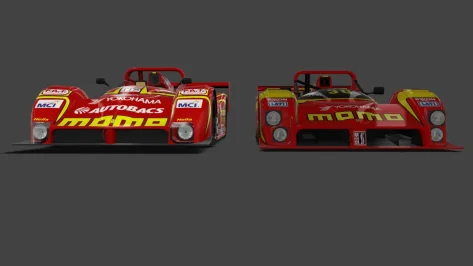
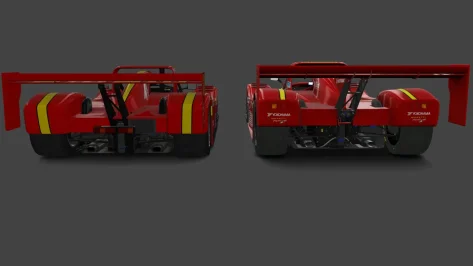
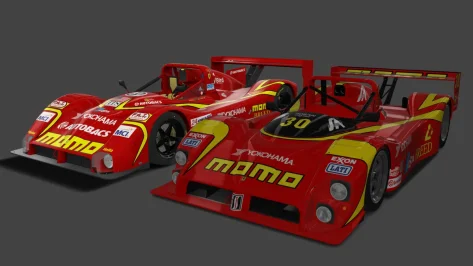
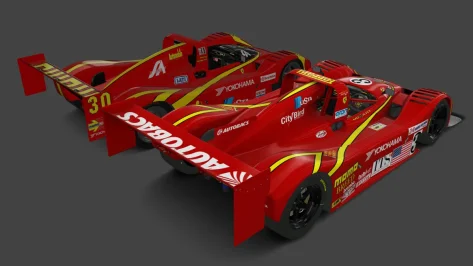
Different cars though. The RSS car is the '99, the MNBA car is the '93. Both are worth keeping.
The MNBA car should have the transmission changed to manual sequential, though. No idea why they made it h-pattern.
Pretty sure it should only be 5-speed too.

1774301915639.webp 1774301955118.webp 1774301995852.webp 1774302021732.webp
 
Last edited:
Better than RSS? I don't think so...
I tried it on spa 98

I think it's better than the RSS
better interior (animated button for startup and functionnal dashboard lights), H shifter and about the physics, less front than the RSS that i think has a too effective front

both cars are very linear and smooth, similar FFB
 
Last edited:
I use the dedicated log to see the tyres type, which also shows their optimal temps. It might not be accurate nor representative, so i'm out of the loop on the matter. Have a look at your tyres and let me know when it feels perfect, i could adjust the tyrehint for the AI to reach those temps.

As a player, do you notice the same diff in pace when playing on different road temps? Cause if the AI is faster eirher way, i guess we can go with that. I have no idea, as a player, how to go lower than 1.14.5 with the ferrari, and that's in optimal conditions, so i'm getting left for dead anyway with them going 1.12.5.

I have absolutly no exp with those cars, so maybe i'm going overkill, but since we reached 1.11.5 maybe it would be an interresting challenge for a trained driver
I've made several tests with the same settings in AIW, New AI behavior deactivated and 19 ferrari opponents.
I thought the car assits settings would change laptimes so I tried with traction control and ABS set to "no" and then to "factory", but it changed nothing at all regarding the best times, either for me or the AI opponents, even if the modifications are noticeable when driving the car.

So I've got a laptime difference around 1s-1.2s for AI opponents and myself between a road at 14°C and a road at 42°C, during qualifications. It looks like the gap is consistent for the AI and the player. I hope it is not just by chance...
Note that to get these laptimes, I had to adjust tyre pressure to get them in the optimal temperature window (100-120°C for the qualifying tyres).

With a road at 14°C :
1774306132418.webp


and with a road at 42°C:
1774306170315.webp
 
I tried it on spa 98

I think it's better than the RSS
better interior (animated button for startup and functionnal dashboard lights), H shifter and about the physics, less front than the RSS that i think has a too effective front

both cars are very linear and smooth, similar FFB
These things have sequential shifters....

RSS car is slower for me, even if I have a setup for it and they have TC on that car enabled. MBNA car as usual seems too fast
 
Different cars though. The RSS car is the '99, the MNBA car is the '93. Both are worth keeping.
The MNBA car should have the transmission changed to manual sequential, though. No idea why they made it h-pattern.
Pretty sure it should only be 5-speed too.

View attachment 1523184 View attachment 1523185 View attachment 1523186 View attachment 1523187
Now we have four of them and they're all different. This is interesting and I like it. Same car, different configs/models, different years. 1993-1999.

__custom_showroom_1774314656.webp
__custom_showroom_1774314724.webp
 
YES!

Version 0.3.0-preview338, found on Ilja's Patreon, now includes additional upscaling methods!

Each one is feature-rich as well. For example, you can change upscaling resolution, sharpness, choose a specific DLSS preset (K, L, M) etc.

FSR settings are reworked into upscale settings (presets remain compatible):
  • FSR updated to 1.0.2;
  • New simple methods: NVIDIA Image Scaling, Snapdragon GSR, Basic (replaces old debugging option);
  • New Extra FX-based methods: FSR2, FSR3, DLSS, Snapdragon GSR 2, OptiScale (currently, requires “Single screen” render mode);
  • Advanced upscalers, as well as regular ones with low resolution scale, force virtual mirror to be drawn last;
  • “Disable for screenshots” option should be working properly;
 
Finally CSP has the DLSS integration.

Visual quality is really great, sure it eats fps!


For DLSS you need to activate ExtraFX, so it only works in singlescreen for now. It will download the DLSS dll, if not, maybe search for it and you will fastly find it, it is round about 25MB, place it in your AC root folder.

You can set ExtraFX to "exterior only" and it will still work. ExtraFX pass is just the insertion point for the DLSS AA.


Here is a comparison with most of the ExtraFX things on except TAA for sure:

https://acstuff.club/u/comparison/uZU
 
Last edited:
Finally CSP has the DLSS integration.

Visual quality is really great, sure it eats fps!


For DLSS you need to activate ExtraFX, so it only works in singlescreen for now. It will download the DLSS dll, if not, maybe search for it and you will fastly find it, it is round about 25MB, place it in your AC root folder.

You can set ExtraFX to "exterior only" and it will still work. ExtraFX pass is just the insertion point for the DLSS AA.


Here is a comparison with most of the ExtraFX things on except TAA for sure:

https://acstuff.club/u/comparison/uZU
Oh crap. So no DLSS for triple screen for now? :(
 
Finally CSP has the DLSS integration.

Visual quality is really great, sure it eats fps!


For DLSS you need to activate ExtraFX, so it only works in singlescreen for now. It will download the DLSS dll, if not, maybe search for it and you will fastly find it, it is round about 25MB, place it in your AC root folder.

You can set ExtraFX to "exterior only" and it will still work. ExtraFX pass is just the insertion point for the DLSS AA.


Here is a comparison with most of the ExtraFX things on except TAA for sure:

https://acstuff.club/u/comparison/uZU
just so i understand step 1: settings/csp/graphics/method:nvidia dlss(v310........)
step 2 : settings/csp/extrafx/extension ...activate
step 3: settings/assetto corsa/video/quality/msaa: off ? or 0xmsaa is in another section?


also for people that race against ai i can confirm that Trajectory straightening is fixed with new lights-patch-v0.3.0-preview338-full
  • AI:
    • Trajectory straightening fixed, shouldn’t let AIs to crash into other cars anymore;
    • Impatient behavior reworked;
    • “Adjust shifting for slow sectors” option is fixed, no longer active at all times, applies in pits, less aggressive for racing cars;
 
just so i understand step 1: settings/csp/graphics/method:nvidia dlss(v310........)
step 2 : settings/csp/extrafx/extension ...activate
step 3: settings/assetto corsa/video/quality/msaa: off ? or 0xmsaa is in another section?


also for people that race against ai i can confirm that Trajectory straightening is fixed with new lights-patch-v0.3.0-preview338-full
  • AI:
    • Trajectory straightening fixed, shouldn’t let AIs to crash into other cars anymore;
    • Impatient behavior reworked;
    • “Adjust shifting for slow sectors” option is fixed, no longer active at all times, applies in pits, less aggressive for racing cars;
0xMSAA = off
 
Finally CSP has the DLSS integration.

Visual quality is really great, sure it eats fps!


For DLSS you need to activate ExtraFX, so it only works in singlescreen for now. It will download the DLSS dll, if not, maybe search for it and you will fastly find it, it is round about 25MB, place it in your AC root folder.

You can set ExtraFX to "exterior only" and it will still work. ExtraFX pass is just the insertion point for the DLSS AA.


Here is a comparison with most of the ExtraFX things on except TAA for sure:

https://acstuff.club/u/comparison/uZU
I'd given up a long time ago on ExtraFX ever coming to VR. I think if it was possible then it would have already appeared, unless it's just way down the priorities list.
 
Finally CSP has the DLSS integration.

Visual quality is really great, sure it eats fps!


For DLSS you need to activate ExtraFX, so it only works in singlescreen for now. It will download the DLSS dll, if not, maybe search for it and you will fastly find it, it is round about 25MB, place it in your AC root folder.

You can set ExtraFX to "exterior only" and it will still work. ExtraFX pass is just the insertion point for the DLSS AA.


Here is a comparison with most of the ExtraFX things on except TAA for sure:

https://acstuff.club/u/comparison/uZU
I do hope he will make the job complete for Intels XeSS and who knows, DirectX12 ultimate. https://hardwaretimes.com/what-is-the-difference-between-directx-11-and-directx-12/

Still waiting for a more logical GUI (its now a spaghetti of settings), hiding complete sections you do not use (as in paid Simhub). Automatic hiding/greyout specific settings that should not be used. Last point is a bit difficult to explain, but why if using only triple screens you still see specific settings for VR use only. If once set to triple screens then these like VR settings or single screen only, should be hidden or locked so contra productive/conflicting settings are avoided.


Do not get me wrong inhere this is really a big step, only my AC is running great on the old 2.12, so as an follower of the “do not fix what isn’t broken” religion I will pass this until something I can not explain is happening at my AC.
Edit, nice explanation about DLSS/DLAA
 
Last edited:
Upgraded Moza wheelbase firmware from 1.2.7.12 to 1.2.8.18.
I'm noticing FFB being significantly different after firmware update.
Feeling is as if there is some additional spring-to-center-with-smooting effect.

Is anyone after update also feeling the difference? Does change feel natural or artificial to you?

I have Moza R3, running with no interpolation, no hands off protection, no game forece effects, just 10% natural damping and 150% natural intertia just so I dont have to go to pithouse when switching between mods e.g. grip, grift, rally
 
Finally CSP has the DLSS integration.

Visual quality is really great, sure it eats fps!


For DLSS you need to activate ExtraFX, so it only works in singlescreen for now. It will download the DLSS dll, if not, maybe search for it and you will fastly find it, it is round about 25MB, place it in your AC root folder.

You can set ExtraFX to "exterior only" and it will still work. ExtraFX pass is just the insertion point for the DLSS AA.


Here is a comparison with most of the ExtraFX things on except TAA for sure:

https://acstuff.club/u/comparison/uZU
Thanks for sharing the tips

Went from:

AC with settings 4k resolution, MSAA 8x, everything else maxed (8192² shadow resolution and 2048² reflexion with 2400m distance) including PP Pure maxed and CSP settings: CMAA 2.0 at Ultra + FidelityFx + Local reflexion SSR HiZ 200 steps + Ambient occlusion Nvidia + Smart shadows + ParticlesFx + ReflexionFx etc...

to:

...the same but with no MSAA, no CMAA and instead DLSS set at NVidia DLSS 310.5.3 - DLAA quality on K mode mixed with a small 10% sharpness.

On every track I tried I prefered the DLSS version😎. In particular I was amazed how those converted from other games had lost any bluriness without small artefacts appearing due to sharpness.

What a good surprise today :)
 
Last edited:
Thanks for sharing the tips

Went from:

AC with settings 4k resolution, MSAA 8x, everything else maxed (8192² shadow resolution and 2048² reflexion with 2400m distance) including PP Pure maxed and CSP settings: CMAA 2.0 at Ultra + FidelityFx + Local reflexion SSR HiZ 200 steps + Ambient occlusion Nvidia + Smart shadows + ParticlesFx + ReflexionFx etc...

to:

...the same but with no MSAA, no CMAA and instead DLSS set at NVidia DLSS 310.5.3 - DLAA quality on K mode mixed with a small 10% sharpness.

On every track I tried I prefered the DLSS version😎. In particular I was amazed how those converted from other games had lost any bluriness without small artefacts appearing due to sharpness.

What a good surprise today :)
VERY interesting indeed. I have roughly the same setup.
What about impact on FPS (if any?) with the changes made as you did? Better, same, lower or still comfortable?
No longer need for SGSSAA (I have 2x currently) after implementation of DLSS? 4K all crisp? No jaggies (or very neglectable)?

EDIT: PURE 3.20 also has been modified with 3.20 Hotfix 1 meanwhile, just to be aware of this as well.
 
Last edited:
Thanks for sharing the tips

Went from:

AC with settings 4k resolution, MSAA 8x, everything else maxed (8192² shadow resolution and 2048² reflexion with 2400m distance) including PP Pure maxed and CSP settings: CMAA 2.0 at Ultra + FidelityFx + Local reflexion SSR HiZ 200 steps + Ambient occlusion Nvidia + Smart shadows + ParticlesFx + ReflexionFx etc...

to:

...the same but with no MSAA, no CMAA and instead DLSS set at NVidia DLSS 310.5.3 - DLAA quality on K mode mixed with a small 10% sharpness.

On every track I tried I prefered the DLSS version😎. In particular I was amazed how those converted from other games had lost any bluriness without small artefacts appearing due to sharpness.

What a good surprise today :)
i test it also ,really nice but digital mirror was super bright/almost white , wonder if yours was ok?
 
In the mean time virtual mirror:

Screenshot 2026-03-24 152229.webp

Could be a setting for that? The real mirror and the display are ok!
 
Last edited:
VERY interesting indeed. I have roughly the same setup.
What about impact on FPS (if any?) with the changes made as you did? Better, same, lower or still comfortable?
No longer need for SGSSAA (I have 2x currently) after implementation of DLSS? 4K all crisp? No jaggies (or very neglectable)?

EDIT: PURE 3.20 also has been modified with 3.20 Hotfix 1 meanwhile, just to be aware of this as well.
I have also 3.20 HotFix 1 installed. :)

I'm capped at 59 fps due to my screen and still had a constant 59.0 fps after DLSS.

Just tested Blackwood reloaded from GranSmurf updated by @CrisT86 which looks cleaner (still have the running shadow on the main straight however :-D)

Also just tested LeMansFM7 and it seems to me the gpu is less venting, if that makes sense.

Some Pure weathers seems less crisp than others, for example Fog & Smoke make things a bit more blurry.
i test it also ,really nice but digital mirror was super bright/almost white , wonder if yours was ok?
Same here, virtual mirror also super bright here. I don't use them so I didn't notice
 
Last edited:
Sharing a mod? Host it on GTPlanet Downloads. Free, public hosting for files up to 10GB in size.
Back