Assetto Corsa PC Mods General DiscussionPC 

  • Thread starter Thread starter daan
  • 155,705 comments
  • 49,717,627 views
Every time you think you have fixed AC but a new problem is about to come

View attachment 1531665
Hi. So mystery is solved by looking at those lines:
Screenshot 2026-04-23 104551.webp
this tells csp to hide and replace some cockpit elements. but replacement file misc.kn5 is not provided. So if You want to replace things include kn5 file too. If You don't have it and not intending to replace anything set ''active = 0''
 
Last edited:
Hi. So mystery is solved by looking at those lines:
View attachment 1531750this tells csp to hide and replace some cockpit elements. but replacement file misc.kn5 is not provided. So if You want to replace things include kn5 file too. If You don't have it and not intending to replace anything set ''active = 0''
It seems to me that the person here simply forgot to place the KN5 for replacement)))))
 
shi
F1 1998 - ROUND 01 - Melbourne v1.2

View attachment 1400354
Conversion from rFactor.

-CSP recommended
-30 pit/start
-AI, cam

Credits & Thanks;
rFactor Track by Grand Prix Team (1998 Track Pack)
-Thank you for giving me permission

AC converted by @shi (shin956)
AI and sidelines by Thockard
ai_hints.ini by wakamatospcl
Some objects from melbourne_2019_chq/ melbourne_2019
Crowds texture by @Kniker97
marshall and some textures by kunos

Enjoy.
;;;;;;;;;;;;;;;;;;;;;;;;;;;;;;;;;;;;;;;;;;;;;;;;;;;;;;;;;;;;
v1.1 changelog;
The walls now have thickness.
Added ai_hints.ini by @wakamatospcl . (Thanks!)
Even when CSP settings → General Patch Settings → CPU optimizations → Chunks optimizations are set to Advanced, ground objects are no longer hidden. (Tested with CSP 0.2.12-preview1.)

v1.2 changelog;
Added the yellow lines in the pit lane. (Reported by DriverOne)
Updated Marlboro logo textures.
Updated s/f Gantry logo textures.
Changed the texture of the palm tree.
Other minor fixes.

Melbourne 1998 v1.2

v1.2 changelog;
Added the yellow lines in the pit lane. (Reported by DriverOne)
Updated Marlboro logo textures.
Updated s/f Gantry logo textures.
Changed the texture of the palm tree.
Other minor fixes.
Screenshot_vrc_1991_jordan_191_melbourne_1998_23-3-126-19-37-14.webp
Screenshot_abarth500_melbourne_1998_19-3-126-11-10-11.webp
Screenshot_abarth500_melbourne_1998_19-3-126-11-12-25.webp

shi
Detroit Street Circuit 1985 v1.1

View attachment 1459103
Detroit Street Circuit with 1985 layout.
Conversion from F1 Challenge.

-CSP recommended
-36 pit/start
-AI, cam

Credits & Thanks;
F1 Challenge Track by dmarques
(Converted from Carrera.4's rF version)

Terms Of Use; (F1C)
Enjoy this mod to the fullest, that's all. If you want to convert or use this
as a base to create other cars, you're welcome in doing so as long as the
appropriate credit is given to the respective authors of the files you are
using. You can find all authors in this file

AC converted by @shi (shin956)
AI line, window light textures and config base from detroit1988 by Rainmaker
cam by @Gregz0r
logo.png and sections file by @Fanapryde
Crowds texture by @Kniker97
marshall and some textures by kunos
Test and Feedback by @Breathe

Enjoy.
;;;;;;;;;;;;;;;;;;;;;;;;;;;;;;;;;;;;;;;;;;;;;;;
v1.1 changelog;
Updated tree textures.
Fixed Crowds texture.

Detroit Street Circuit 1985 v1.1

v1.1 changelog;
Updated tree textures.
Fixed Crowds texture.

Screenshot_vrc_1991_jordan_191_detroit_1985_23-3-126-19-36-35.webp
 
You forgot to attach the MISC.kn5 file.so no one can see your plan
The file is already in the "extension" folder of the car. Is the original. For me new ext_config file is working as intended with CSP 0.3.0preview361
 
Last edited:
The file is already in the "extension" folder of the car. Is the original. For me new ext_config file is working as intended with CSP 0.3.0preview361
I don't have anything there, although there is an extension folder.
 
Nissan R33 JGTC Windows fix
__custom_showroom_1776939701.webp
__custom_showroom_1776939707-webp.1531804

Fixed: Transparent Decal Overlap Issue (Glass / Dashboard)

Decals on the "windows glass" now are not overlap from other decals, like with the dashboard or from the other window decal
This ensures that window decals render correctly without showing dashboard decals through them.
Added window glass dirt

More updates coming soon
Waiting for your comments
Download .kn5 file test
updated version of the mod coming soon on GTPlanet
 

Attachments

  • __custom_showroom_1776939707.webp
    __custom_showroom_1776939707.webp
    31.8 KB · Views: 14
Screenshot 2026-04-23 142811.webp


Maybe this thing is different in CSP car config?

Edit: it's ****** quality but says: Latest version 2801
 
Last edited:
Blender Uv Auto Mapping, the most lazy way & fast it get the job done for texture AO but made every car livery nightmare to make
Someone called LING LING months ago on Discord taught me how to properly unwrap UV manually by hand by marking seams and unwrapping based on angle, while also merging polys by distance and recalculating bad vertex normals. Previously before meeting him there I used a program called RizomUV, but it's pretty much the same UV layout as Blender but as a separate program, even tho I used an addon bridge for that program.
 
Blender Uv Auto Mapping, the most lazy way & fast it get the job done for texture AO but made every car livery nightmare to make
Yep, that reminds me of the renault 5 mapping that took me a week to figure out what was what

you think that Ferrari is bad? easy pickings

try this

I DARE YOU!

thanks franc 23 and msc!

trgfg.webp
 
Last edited:
Blender Uv Auto Mapping, the most lazy way & fast it get the job done for texture AO but made every car livery nightmare to make
I get it from CM showroom, it's the only way I know to make liveries, for personal use, via Paint.net (I don't have any other graphics programs).
Usually it's a .dds file but in this case it's already .png, I can't extract it...
 
View attachment 1531816
No KN5 files were found for this car.
So, most likely, someone posted this file somewhere, but few people know about it.
I believe that file comes from the config files downloadable via CM, like in the @Valyul screenshot. You're right, that kn5 contains exactly what is missing. Try to update the config via CM and then install my tweaked ext_config.ini. See if MISC.kn5 pops up in your extension folder and if everything works correctly. If not I can post the file here for everyone who doesn't have it. :D
 
Someone called LING LING months ago on Discord taught me how to properly unwrap UV manually by hand by marking seams and unwrapping based on angle, while also merging polys by distance and recalculating bad vertex normals. Previously before meeting him there I used a program called RizomUV, but it's pretty much the same UV layout as Blender but as a separate program, even tho I used an addon bridge for that program.
I've been trying to learn how to UV unwrap now because of a new car being made, its quite a nightmare, but I pretty much stumbled upon this method you explained via various Youtube videos. Interesting that you say by angle is best because I found that projected view worked a bit better, but now that I think about issues I'm having with projected view, maybe by angle is the better solution. Ah well, wouldn't be the first redo of this uv map!
 
I believe that file comes from the config files downloadable via CM, like in the @Valyul screenshot. You're right, that kn5 contains exactly what is missing. Try to update the config via CM and then install my tweaked ext_config.ini. See if MISC.kn5 pops up in your extension folder and if everything works correctly. If not I can post the file here for everyone who doesn't have it. :D
It was latest version for me, i redownloaded anyway. No kn5 appeared, if it was csp it would be not in car/extension folder anyway, it would be in csp extension loaded folder.
So please share that mysterious kn5 file.
 
I get it from CM showroom, it's the only way I know to make liveries, for personal use, via Paint.net (I don't have any other graphics programs).
Usually it's a .dds file but in this case it's already .png, I can't extract it...
When you extract the AO from a car in the showroom, the save icon (floppy disk) is not visible until you move the mouse toward the lower right side of the screen, yeah?
Also, sometimes there are two images, accessed by swiping left or right. Only one has the save icon.
I think if the livery file is a dds, you will get the option to save as dds, if it's a png you won't. « (r) I think.
Hope this might help.
 
It was latest version for me, i redownloaded anyway. No kn5 appeared, if it was csp it would be not in car/extension folder anyway, it would be in csp extension loaded folder.
So please share that mysterious kn5 file.
That's right, in order for it to appear automatically for everyone, it needs to be posted on GitHub. GT3Masters97 And perhaps if your config looks better, it can also be edited, with the consent of the previous authors.
 
Last edited:
When you extract the AO from a car in the showroom, the save icon (floppy disk) is not visible until you move the mouse toward the lower right side of the screen, yeah?
Also, sometimes there are two images, accessed by swiping left or right. Only one has the save icon.
I think if the livery file is a dds, you will get the option to save as dds, if it's a png you won't. « (r) I think.
Hope this might help.
Exactly, thanks: it's a PNG file, the floppy disk icon appears if I move to the left, but the image is completely black. How do you create a skin from a PNG file?
 
That's right, in order for it to appear automatically for everyone, it needs to be posted on GitHub. GT3Masters97 And perhaps if your config looks better, it can also be edited, with the consent of the previous authors.
Yes, everyone can tweak the config on his own liking 👀

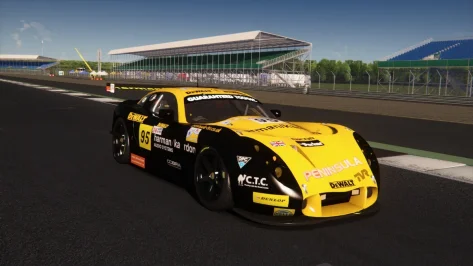
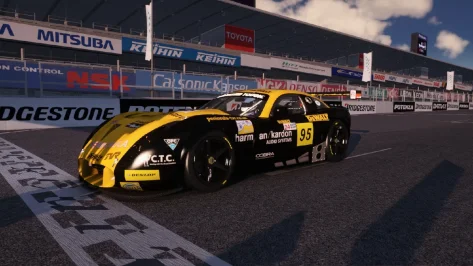
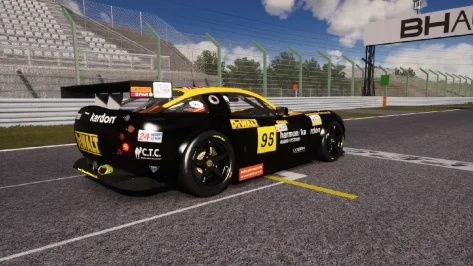
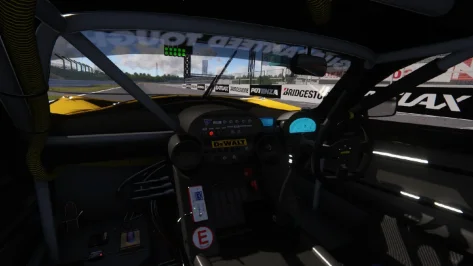
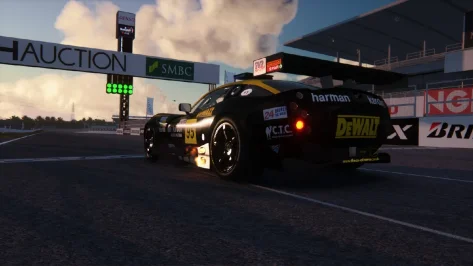
Just a little gift: https://mega.nz/file/ipJXRK4Z#P4pMXWghlMjM-P0w8ChF44AiCkm_SwKE8Z8J3C_toVU (tweaked/new shaders and yes, now she shoots flames after a long time). There is one problem (obviously): the endu lights doesn't work properly anymore. Me and @Pilot3331 are investigating (probably csp strikes again).
 

Attachments

  • MISC.zip
    MISC.zip
    2.1 MB · Views: 5
  • Screenshot_paddock_tvr_ks_silverstone_22-3-126-19-14-42.webp
    Screenshot_paddock_tvr_ks_silverstone_22-3-126-19-14-42.webp
    99 KB · Views: 4
  • Screenshot_paddock_tvr_rt_suzuka_23-3-126-16-9-33.webp
    Screenshot_paddock_tvr_rt_suzuka_23-3-126-16-9-33.webp
    143 KB · Views: 7
  • Screenshot_paddock_tvr_rt_suzuka_23-3-126-16-9-56.webp
    Screenshot_paddock_tvr_rt_suzuka_23-3-126-16-9-56.webp
    194.5 KB · Views: 5
  • Screenshot_paddock_tvr_rt_suzuka_23-3-126-16-10-18.webp
    Screenshot_paddock_tvr_rt_suzuka_23-3-126-16-10-18.webp
    56.1 KB · Views: 5
  • Screenshot_paddock_tvr_rt_suzuka_23-3-126-16-11-15.webp
    Screenshot_paddock_tvr_rt_suzuka_23-3-126-16-11-15.webp
    73.1 KB · Views: 5
Last edited:
Yes, everyone can tweak the config on his own liking 👀
1776953601136.webp

This animation option does not work.I did it this way
Code:
[ANIMATION_...]
FILE=car_door_L.ksanim
TIME=2.0
INPUT=EXTRA_B
AFFECTS_INTERIOR_SHAPE = 1


[ANIMATION_...]
FILE=car_door_R.ksanim
TIME=2.0
INPUT=EXTRA_C
AFFECTS_INTERIOR_SHAPE = 1
perhaps because the animation file has a slightly different name
 
Last edited:
View attachment 1531846
This animation option does not work.I did it this way
Code:
[ANIMATION_...]
FILE=car_door_L.ksanim
TIME=2.0
INPUT=EXTRA_B
AFFECTS_INTERIOR_SHAPE = 1


[ANIMATION_...]
FILE=car_door_R.ksanim
TIME=2.0
INPUT=EXTRA_C
AFFECTS_INTERIOR_SHAPE = 1
perhaps because the animation file has a slightly different name
If you find any other inaccuracies, please post them, so I can publish the updated config in the next package (I'll post them like this, individually I think it's a mess) 👀
 
Last edited:
Exactly, thanks: it's a PNG file, the floppy disk icon appears if I move to the left, but the image is completely black. How do you create a skin from a PNG file?
If the image really is completely black, then the modder hasn't created an AO from the 3D model.
Baking the AO was discussed a few posts up, but it's basically creating a map of where light would be shadowed or highlighted on the car body « this is a gigantic simplification. Baking AO isn't elite tier work, but it's beyond most of us ¯\(ツ)
You can still use the wireframe (from the showroom) of the 3D model to paint a livery, but you won't get the visual "help" of the baked AO shadows that make us understand shape. Cars without AO seem flat, monotonal.
 
Last edited:
If the image really is completely black, then the modder hasn't created an AO from the 3D model.
Baking the AO was discussed a few posts up, but it's basically creating a map of where light would be shadowed or highlighted on the car body « this is a gigantic simplification. Baking AO isn't elite tier work, but it's beyond most of us ¯\(ツ)
You can still use the wireframe (from the showroom) of the 3D model to paint a livery, but you won't get the visual "help" of the baked AO shadows that make us understand shape. Cars without AO seem flat, monotonal.
I understand, thanks. Sorry, how do you use the wireframe in the showroom? Is it the "paint shop" function?
 
I understand, thanks. Sorry, how do you use the wireframe in the showroom? Is it the "paint shop" function?
You get the wireframe from CM when you get the AO there is a button next to "calculate AO" that says "view mapping" thats where your wire frames are.

if you are doing a dark skin then you dont really need AO or at least not as much if it is a white skin. But with a lighter coloured car you do need AO
 
Last edited:
You get the wireframe from CM when you get the AO there is a button next to "calculate AO" that says "view mapping" thats where your wire frames are.

if you are doing a dark skin then you dont really need AO or at least not as much if it is a white skin. But with a lighter coloured car you do need AO
This is the process I did: but when I press "calculate AO", I can only download a completely black image, without the car mapping...😅
 
Sharing a mod? Host it on GTPlanet Downloads. Free, public hosting for files up to 10GB in size.
Back