Assetto Corsa PC Mods General DiscussionPC 

  • Thread starter Thread starter daan
  • 158,807 comments
  • 52,566,028 views
I feel bad when I see an element that should be metallic without any value that makes it so (no reflections etc.) 👀 I've never worked with a GT model directly, but I'll take your word for it.

I just worked with the 595 taken from FH and there were 800 different materials, 800 different 3D elements.. I think I've become dumber than usual because of it LOL


**** LOL I believe some of them are encrypted or something like that because when I unpack them (like the 595 SS) the car stops working 🤔
If you rename a car's folder, and fix the SFX, the car will work fine.
If you then unpack the data.acd into /data, it will be gibberish in the unpacked files.
The car folder name is used as a key when the data is packed.
Unpacking it in a renamed folder (different key) breaks the ACD decryption.
(Key give-away: ~"lods.ini is corrupt or defective")
Might be what you've done?
 
Last edited:
The thing about GT7 Model Opti is not just their unique Tessellation Model (basically Dynamic LOD Subdivision), but they have a very interesting Boolean method & it reminds me of this blender addon that i own for making model detail easier.

i ve seen this some times ago ; that s an incredible tool , would dream for the same in maya
 
If you rename a car's folder, and fix the SFX, the car will work fine.
If you then unpack the data.acd into /data, it will be gibberish in the unpacked files.
The car folder name is used as a key when the data is packed.
Unpacking it in a renamed folder (different key) breaks the ACD decryption.
(Key give-away: ~"lods.ini is corrupt or defective")
Might be what you've done?
This is exactly the case, thanks for the explanation :cheers:

EDIT: I've updated the ext_config for the Alfa Romeo 4C, I've noticed a problem with the color of the pbr_leather_pattern. Now it's correct, no more white dots.

Screenshot_ks_alfa_romeo_4c_ks_silverstone_22-3-126-15-47-33.webp
 

Attachments

Last edited:
Okay, I put your "extension" folder inside "ks_alfa_romeo_4c", put your updated "ex_config.ini" file inside it, and this is what I got...

View attachment 1531606

... a lot of elements are missing. I don't know what I've done wrong...
That's strange 🤔

I have a backup if you need it. Anyway, let's say it's always my usual luck: when I do something, everything explodes LOL I'm also waiting for further feedback to understand if this is an isolated case.
 
Last edited:
That's strange 🤔

I have a backup if you need it. Anyway, let's say it's always my usual luck: when I do something, everything explodes LOL I'm also waiting for further feedback to understand if this is an isolated case.
Hi. Unfortunately same on my end.
 
... I have a backup if you need it... I'm also waiting for further feedback to understand if this is an isolated case.
Thanks, and don't worry; we'll wait a bit to see if it's one of those mysterious glitches that only affect one person and if so, whether it's me... 😅

P.D. Just saw the previous message... 😥
 
Last edited:
Thanks, and don't worry; we'll wait a bit to see if it's one of those mysterious glitches that only affect one person and if so, whether it's me... 😅

P.D. Just saw the previous message... 😥

We'll see what happens, but don't worry...everything always breaks in strange ways for me too. I hope I can help you 😣

Hi. Unfortunately same on my end.
hmm the thing I don't understand is how shaders can make meshes disappear. Let's hypothesize we all have three different versions of the 4C, the config simply shouldn't work.. I'm quite confused.
 
Last edited:
... Let's hypothesize we all have three different versions of the 4C, the config simply shouldn't work...
In my case, it's the vanilla version of the car; I've never modified it... I'd bet my money that the cause would be the use of different PPFs, or versions / settings of the increasingly complex world of CSP... (0.3.0 p342 and pureHDR here).
 
In my case, it's the vanilla version of the car; I've never modified it... I'd bet my money that the cause would be the use of different PPFs, or versions / settings of the increasingly complex world of CSP... (0.3.0 p342 and pureHDR here).
I don't know, I don't think so... I hope so 😶‍🌫️
 
In my case, it's the vanilla version of the car; I've never modified it... I'd bet my money that the cause would be the use of different PPFs, or versions / settings of the increasingly complex world of CSP... (0.3.0 p342 and pureHDR here).
Just guessing out of the blue without trying it, but have you checked in ...\extension\config\cars\loaded if there is another .ini which may interfere with the extension file? Maybe disable this one and try again.

1776884691254.webp
 
Just guessing out of the blue without trying it, but have you checked in ...\extension\config\cars\loaded if there is another .ini which may interfere with the extension file? Maybe disable this one and try again.

View attachment 1531651
Indeed, I have a "ks_alfa_romeo_4c.ini" file located in the "loaded" folder. I've tried renaming or moving it out of the folder, but it hasn't helped. It seems that when the car loads, the system regenerates it automatically, because when I check the "loaded" folder again, the file reappears...

Captura de pantalla 2026-04-22 213238.webp


... although you may have given a clue as to what's happening...
 
Just guessing out of the blue without trying it, but have you checked in ...\extension\config\cars\loaded if there is another .ini which may interfere with the extension file? Maybe disable this one and try again.

View attachment 1531651
I have the same file in the same location but everything works fine :confused:
 
Indeed, I have a "ks_alfa_romeo_4c.ini" file located in the "loaded" folder. I've tried renaming or moving it out of the folder, but it hasn't helped. It seems that when the car loads, the system regenerates it automatically, because when I check the "loaded" folder again, the file reappears...

View attachment 1531661

... although you may have given a clue as to what's happening...
I think it is loaded every time you start because you set it in CM to be loaded automatically?
1776890467729.webp
 
Hi, I can't download the AO file. There's no "save" button at the bottom right. It's not a .dds file, but a .png file. I downloaded the map, but I can't download the AO file...
 

Attachments

  • IMG_20260423_015928.webp
    IMG_20260423_015928.webp
    48.6 KB · Views: 7
Some skins for the WSC Ferrari 330 P3 Berlinetta and Spyder. 2 skins for each model, clean and grimed versions for all. (My quest for grimed skins for upcoming AIW-WSC stuff continues. Halfway to the required 30...)

03_WSC-330-Spyder-#71-4k-02.webp
01_WSC-330-Spyder-#70_&_#71-01.webp

02_WSC-330-Spyder-#70_&_#71-02.webp


01_WSC-330-#70_&_#71-02.webp

03_330_P3_#77-01.webp

02_WSC-330-#70_&_#71-01.webp

 
Last edited:
I think it is loaded every time you start because you set it in CM to be loaded automatically?...

I didn't see your message yesterday, it was late and I had to stop messing around; the alarm clock rings very early.

I think yes, I do have set the car configs to load automatically; I'll try to take a look and test as soon as I can.

Thank you once again for your perseverance in unraveling these mysteries!
 
Just guessing out of the blue without trying it, but have you checked in ...\extension\config\cars\loaded if there is another .ini which may interfere with the extension file? Maybe disable this one and try again.
Shouldnt affect an extension in the cars folder at all. 🤷‍♂️

If there is an extension in a skin folder it overwrites the extension in the cars and the extension in the loaded folder. If there is an extension in the cars folder it overrides the extension in the loaded folder.

At least it always worked that way in the past. So maybe smtg is broken in CSP (again.) It could be helpful to know which version the guys with and without problems are using. :)
 
Last edited:
Hi, I can't download the AO file. There's no "save" button at the bottom right. It's not a .dds file, but a .png file. I downloaded the map, but I can't download the AO file...
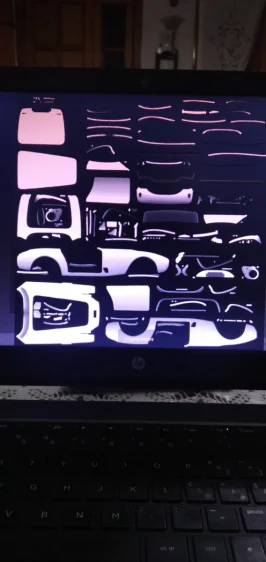
Lmao what the **** is that mapping anyways
 
Every time you think you have fixed AC but a new problem is about to come

View attachment 1531665
Hi. So mystery is solved by looking at those lines:
Screenshot 2026-04-23 104551.webp
this tells csp to hide and replace some cockpit elements. but replacement file misc.kn5 is not provided. So if You want to replace things include kn5 file too. If You don't have it and not intending to replace anything set ''active = 0''
 
Last edited:
Hi. So mystery is solved by looking at those lines:
View attachment 1531750this tells csp to hide and replace some cockpit elements. but replacement file misc.kn5 is not provided. So if You want to replace things include kn5 file too. If You don't have it and not intending to replace anything set ''active = 0''
It seems to me that the person here simply forgot to place the KN5 for replacement)))))
 
This is exactly the case, thanks for the explanation :cheers:

EDIT: I've updated the ext_config for the Alfa Romeo 4C, I've noticed a problem with the color of the pbr_leather_pattern. Now it's correct, no more white dots.

View attachment 1531571
You forgot to attach the MISC.kn5 file.so no one can see your plan
 
shi
F1 1998 - ROUND 01 - Melbourne v1.2

View attachment 1400354
Conversion from rFactor.

-CSP recommended
-30 pit/start
-AI, cam

Credits & Thanks;
rFactor Track by Grand Prix Team (1998 Track Pack)
-Thank you for giving me permission

AC converted by @shi (shin956)
AI and sidelines by Thockard
ai_hints.ini by wakamatospcl
Some objects from melbourne_2019_chq/ melbourne_2019
Crowds texture by @Kniker97
marshall and some textures by kunos

Enjoy.
;;;;;;;;;;;;;;;;;;;;;;;;;;;;;;;;;;;;;;;;;;;;;;;;;;;;;;;;;;;;
v1.1 changelog;
The walls now have thickness.
Added ai_hints.ini by @wakamatospcl . (Thanks!)
Even when CSP settings → General Patch Settings → CPU optimizations → Chunks optimizations are set to Advanced, ground objects are no longer hidden. (Tested with CSP 0.2.12-preview1.)

v1.2 changelog;
Added the yellow lines in the pit lane. (Reported by DriverOne)
Updated Marlboro logo textures.
Updated s/f Gantry logo textures.
Changed the texture of the palm tree.
Other minor fixes.


Melbourne 1998 v1.2

v1.2 changelog;
Added the yellow lines in the pit lane. (Reported by DriverOne)
Updated Marlboro logo textures.
Updated s/f Gantry logo textures.
Changed the texture of the palm tree.
Other minor fixes.
Screenshot_vrc_1991_jordan_191_melbourne_1998_23-3-126-19-37-14.webp
Screenshot_abarth500_melbourne_1998_19-3-126-11-10-11.webp
Screenshot_abarth500_melbourne_1998_19-3-126-11-12-25.webp

shi
Detroit Street Circuit 1985 v1.1

View attachment 1459103
Detroit Street Circuit with 1985 layout.
Conversion from F1 Challenge.

-CSP recommended
-36 pit/start
-AI, cam

Credits & Thanks;
F1 Challenge Track by dmarques
(Converted from Carrera.4's rF version)

Terms Of Use; (F1C)
Enjoy this mod to the fullest, that's all. If you want to convert or use this
as a base to create other cars, you're welcome in doing so as long as the
appropriate credit is given to the respective authors of the files you are
using. You can find all authors in this file

AC converted by @shi (shin956)
AI line, window light textures and config base from detroit1988 by Rainmaker
cam by @Gregz0r
logo.png and sections file by @Fanapryde
Crowds texture by @Kniker97
marshall and some textures by kunos
Test and Feedback by @Breathe

Enjoy.
;;;;;;;;;;;;;;;;;;;;;;;;;;;;;;;;;;;;;;;;;;;;;;;
v1.1 changelog;
Updated tree textures.
Fixed Crowds texture.

Detroit Street Circuit 1985 v1.1

v1.1 changelog;
Updated tree textures.
Fixed Crowds texture.

Screenshot_vrc_1991_jordan_191_detroit_1985_23-3-126-19-36-35.webp
 
You forgot to attach the MISC.kn5 file.so no one can see your plan
The file is already in the "extension" folder of the car. Is the original. For me new ext_config file is working as intended with CSP 0.3.0preview361
 
Last edited:
Sharing a mod? Host it on GTPlanet Downloads. Free, public hosting for files up to 10GB in size.
Back