- 124

- London
So....rain is coming.

Thankfully upgrading my pc in a few weeks. Pretty sure my CPU is 7yrs old. The motherboard is 9yrs old ha
Not so thankful about spending £2700 on a completely new system though

So....rain is coming.

AR for Argentina and DE for Germany. At least, that's what it shows in "CountryIds" when you drill down to C:\Users\"user"\AppData\Local\AcTools Content Manager\Data\MiscellaneousCould someone tell me, what is the abbreviation of the following countries, to appear the right flag, when I enter a race, by the "content manager"? I even looked for UN abbreviations, etc., but it doesn't work. They are from Germany and Argentina, I already put everything. Thank you very much in advance.
Derp, should have known that.
Does it work? The last one gave me - AI #1, AI #2 and so on. Suppose it's worth a shot seeing as it's still broke.
Nice work, but there are many portuguese pilots missing. If the idea is, like other countries have, pilots from older eras too, there are only contemporary portuguese pilots. And even there are still missing a few.
I'm sorry, only my testimony. Stupendous work you did. Thank you.

Did you put in in Data User?It should work okay. My problem has been that AC/Steam overwrites my file. Names show up fine.
I put it in Data User and Data. Is it not supposed to overwrite in Data(User)?Did you put in in Data User?


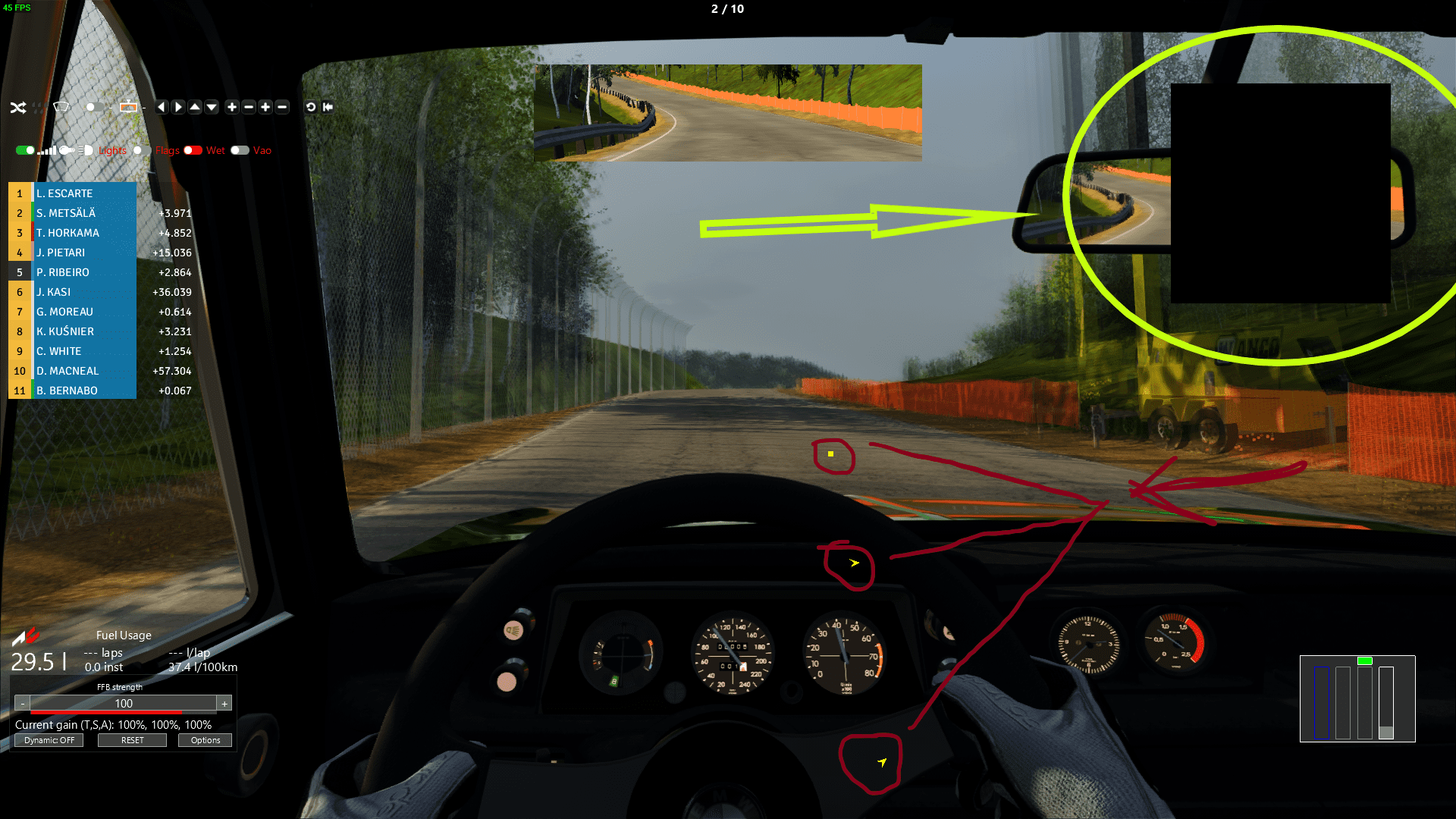
I need to get rid of that too. Same problem but only for some tracks. Others I can make a new outline/map without the black background. And the images are still png files.Maybe some one can help me.
As the picture shows, the place where I have the track map, shows a black square.
I tried to click over it, to open the option to load a new map. However, the black square remains there.
The original map must be huge, as the little dots I added, show some car arrows on screen.
So please, help me remove the annoying black square, allowing me to make my own track map.
Thanks.

Some very funky bodykits and interiors in this ADC collection from their open FB group. Warning: drift tunes.
View attachment 920074
https://www.facebook.com/aussiedriftco/
(2.1GB)


I copied all my old settings across but nothing seems to be giving me that same blinding glare that I had before, I thought i'd got it sorted and then when I changed filter it was like some weird neon trip back to the 80s - I'll give what you suggested a go and fingers crossed. I did manage to find out what some of the settings in SOL_Config do now so that's a bonus.
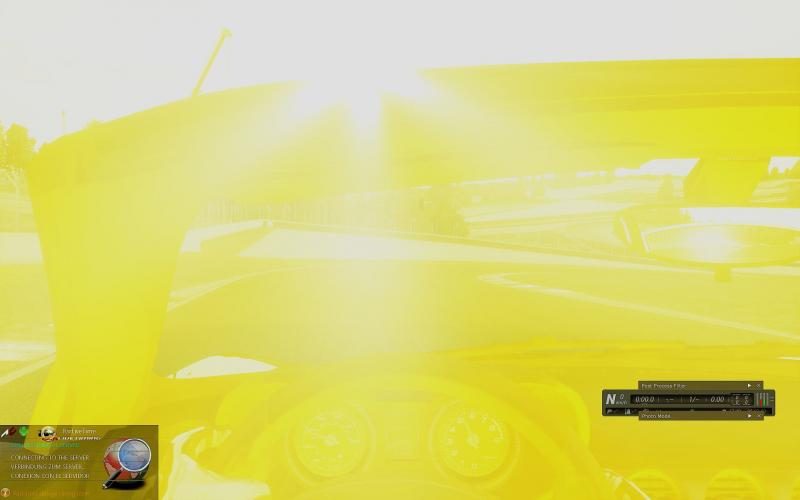

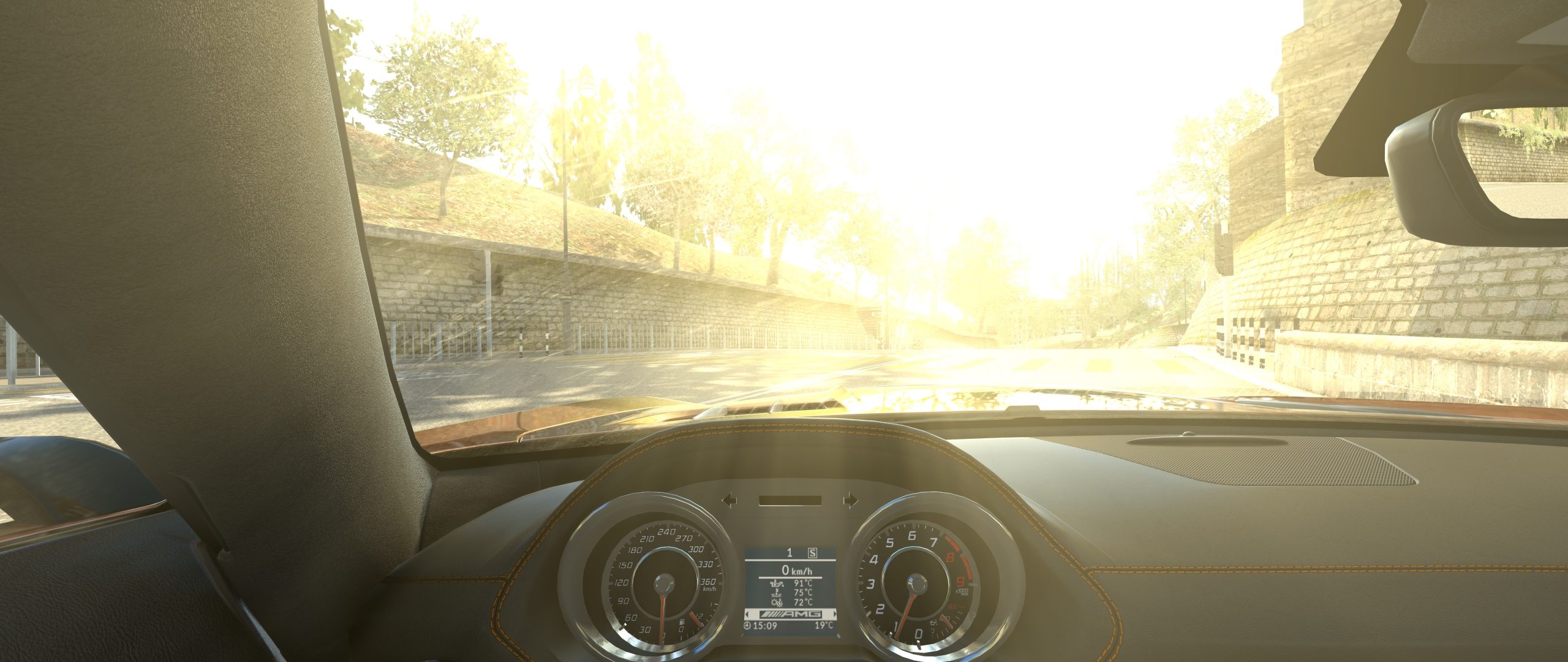
What's wrong with this? I see a clear blue sky a beautiful sunrise and driving in a cabrio with some curving road ahead.So do you have the same problem I posted a few pages back??
I mean:
Or is this more like a 60's Beatles first LSD experience?



Like some said to me before its not that simple..maybe better option is to replace them with ones from other car in CM.(simillar weight ,power).You can always lower track grip/temp before race hahaDownloaded that 996 GT3 on the other page. Good mod but I feel like the tyres have too much grip. Which file would I edit to decrease tyre grip?
What's wrong with this? I see a clear blue sky a beautiful sunrise and driving in a cabrio with some curving road ahead.
BTW named after Brian Jones. So Stones here
==
Couple of weeks ago I had the same screen and sometimes depending on track and time of the day still that over saturated sun: I play with SOL Weather while in game so the sun doesn't reflect directly in your face. I deleted SOL, CSP and PP filters and did a clean install. With that said I experienced this while testing:
Looks like 'something' changed in combi SOL151/CSP155? Following the discussion maybe some graphic and/or weather specialists have a simple user solution to change a certain value in Sol config?





Hi mate, what is the track on your screenshot please?What's wrong with this? I see a clear blue sky a beautiful sunrise and driving in a cabrio with some curving road ahead.
BTW named after Brian Jones. So Stones here
==
Couple of weeks ago I had the same screen and sometimes depending on track and time of the day still that over saturated sun: I play with SOL Weather while in game so the sun doesn't reflect directly in your face. I deleted SOL, CSP and PP filters and did a clean install. With that said I experienced this while testing:
Looks like 'something' changed in combi SOL151/CSP155? Following the discussion maybe some graphic and/or weather specialists have a simple user solution to change a certain value in Sol config?
To be honest because of my lack of knowledge (about SOL/CSP and all the lighting features) I cannot say it is a bug or -probably?- a user setting.So it's a SOL151/CSP155 bug? It only happens at sunset time, around 19:30 h with any track, any car, any ppfilter.

Version 3.0.1 - 2020.05.12
BMW 2002 Turbo (1973)
CREDITS
- Navi Street Cars & Pitone for the base mod
- RealAKP for support, testing and 3D editing
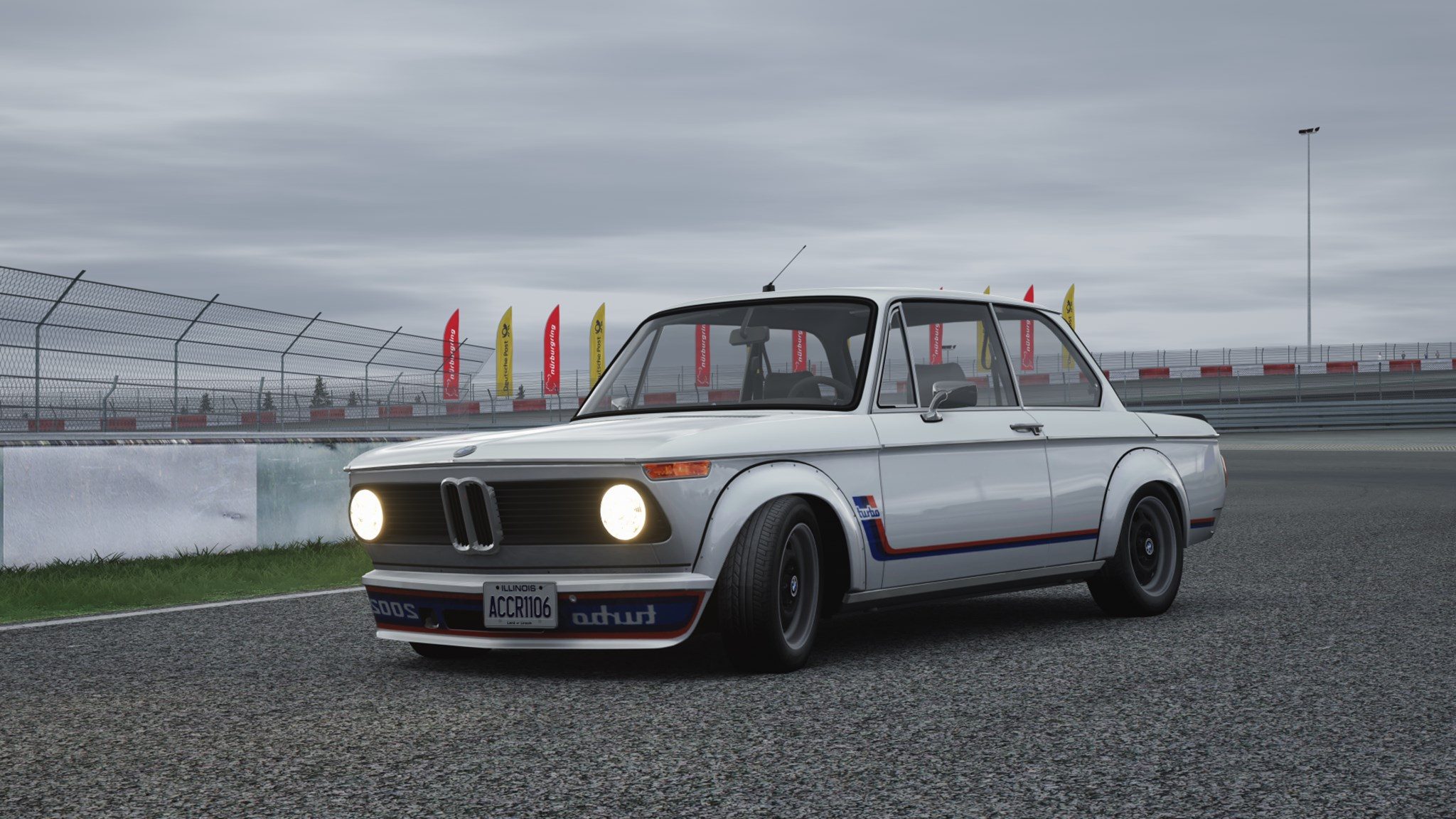
CHANGELOG
Physics
- new suspensions setup
- new dampers setup
- new tyres v10 (ACCR v2)
- corrected front caster angle
- tweaked car polar inertia
- increased differential preload torque
- corrected gear ratios (II, R)
- corrected engine braking torque and inertia
- corrected front and rear unsprung mass
- decreased transmission power loss
- increased fuel consumption
- tweaked fuel tank position
- increased FFb multiplier
Features
- turning lights
- more dashlights
Visual
- totally reworked materials and shaders
- new high resolution textures for interior
- corrected tyre radius
- adjusted graphics offset and pitch rotation
- fixes for steering wheel and central mirror by RealAKP
- fixed right tyres UV mapping by RealAKP
- regenerated license plates
- added VAO patch thanks to RealAKP
- added 3D license plate (CSP only)
- added exhaust smoke (CSP 0.1.47 or above only)
Other changes
- adjusted colliders position
- updated previews
DOWNLOAD HERE
thanks a lot, look greatTo be honest because of my lack of knowledge (about SOL/CSP and all the lighting features) I cannot say it is a bug or -probably?- a user setting.
In my case it is sunrise.
@PepperoniAC24 : track is Hong. Someone in a Discord channel pointed me to this https://assettocorsa.club/mods/tracks/hong.html
Still a beta 0.5 but it already looks very good. Tall buildings, typical Japanese vegetation and not unimportant it also drive decent.
I failed for Geography a couple of decades ago but my 'feeling' says this Hong is close to Kong?
Little update to the Nissan Skyline R32 Gr.A/DTM
Diffs adjusted for even better rotation so the tyres don't get chewed up so fast. Many minor details adjusted and skins added.
This thing will eat tyres if you go power sliding all over so mind the squeal if you can. Bop'd to run with Kunos 90's touring/dtm cars. Make sure to add a Sierra into the mix.
View attachment 918384
Sorry for being a little bit late with this, but here is the first part of my Pit Boxes Extension Project:
Southern Europe Trackpack, including the following tracks:
- Circuit de l'Anneau du Rhin 2016 by Rainmaker -> Pits extended from 22 to 32
- Circuit de Ledenon 2008 by Philcout, Piaoo, Thesky, Pset, nobody and Sliderman -> Pits extended from 23 to 32
- Valencia Street Circuit by ACU -> Pits extended from 22 to 32
- Monaco 2017 by PatrikPat -> Pits extended from 22 to 28
- Fiorano 2017 by PatrikPat -> Pits extended from 10 to 30
- Aviano Circuit by PatrikPat -> Pits extended from 22 to 30
- Milan Castello Street Circuit by Assetto Corsa Fanboy -> Pits extended from 22 to 32
- Autodromo di Aosta by Jean-baptiste F. -> Pits extended from 20 to 30
I created separate layouts for all these tracks with extended pit boxes and start positions. Just download and drop into your track file, it won't overwrite anything. You do need the have the original track though.
If you don't have some of these tracks, there are links to download them in the Readme files. Get them first and then install my pits extension.
IMPORTANT: Please make sure to read the "Important - readme first" files, just to avoid any problems.
NOTE: I don't guarantee that your system will handle all this tracks with extra AI cars, for example mine can handle around 23-25 AI cars and that's it.
LINK: https://mega.nz/folder/XfgnTDQS#CQFduLd8TeoFRoBloqdwvA
Big thanks to:
@slider666 for teaching me how to add pits properly and helping with various problems and questions, it wouldn't be possible without his help!
@Fanapryde for taking the time to create previews for each track, it's a huge Quality of Life improvement.
@LiquidSkyMan for doing his AI magic, which will be a part of the next Trackpacks and also providing me with some excellent music to listen to while modding
I will release 5 more Trackpacks, next one will be called "Northern Europe" and will include 8 tracks as well. I should post it in the following few days

Agree. Something doesn’t feel natural.Downloaded that 996 GT3 on the other page. Good mod but I feel like the tyres have too much grip. Which file would I edit to decrease tyre grip?




So do you have the same problem I posted a few pages back??
I mean:
Or is this more like a 60's Beatles first LSD experience?