Assetto Corsa PC Mods General DiscussionPC 

  • Thread starter Thread starter daan
  • 157,776 comments
  • 52,014,519 views
OK so the default cameras i removed completely so these are numbered accordingly so will overwrite unless you rename / number them.

4 cameras, last two are the same but one is closer....my favourite is the 4th one...


That is awesome work! Thank you. A great addition to the Brickyard track. Now I can go back on my replays and see just where I screwed up!
Great work as always, thanks again!
 
WIP Onboard from the (Mostly) finished Rouen Les Essart by F3 Classic Tracks:


Sergio says he intends to finish it "enough" to do a test race with a vintage community within the next week. Adjusting the grip on the worn out Concrete service-road in front of the radio tower and the cobblestones for the hairpin are the last things that need done on the surface. Then building the pit facilities.

Other than that, it's pretty close to done. Conservative ETA 2-4 weeks.
 
There's also this version floating about https://assettocorsa.club/mods/tracks/snaefell-mountain-course.html but not sure it ever got updated and just having looked on youtube seems like it's badly optimised etc
Yes indeed, it's badly in need of updates and all sorts. Since I'm the one who built it in the first place, it's down to me finding time to work on it. The fact that it's badly optimised is because it's done in RTB, which I like a lot, but has it's limitations. I want to look at how to get open street map buildings into fbx, that would be really useful

PS sorry about being late to the party here, still catching up to everything in this long thread
 
Hi all, just discovered the joys of the Bilster Berg circuit!..... brilliant fun!. Does anyone know if there's an expanded grid slot file anywhere? it only allows for a grid of 16 cars. cheers.
 
Yes indeed, it's badly in need of updates and all sorts. Since I'm the one who built it in the first place, it's down to me finding time to work on it. The fact that it's badly optimised is because it's done in RTB, which I like a lot, but has it's limitations. I want to look at how to get open street map buildings into fbx, that would be really useful

PS sorry about being late to the party here, still catching up to everything in this long thread

This is the one with no roadside barriers yes?

May I ask where you got the road and elevation data for the route? It's more accurate than the other full length version from RD but it's still quite a way off the real course. If you ever do get around to doing updates and need any information/pictures then let me know, I've been round the real course probably a hundred times or more and would be happy to help improve it.
 
hi guys, I'm having trouble installing the mod horizon shades cmpreset,
someone nice who can help me? thanks..
 
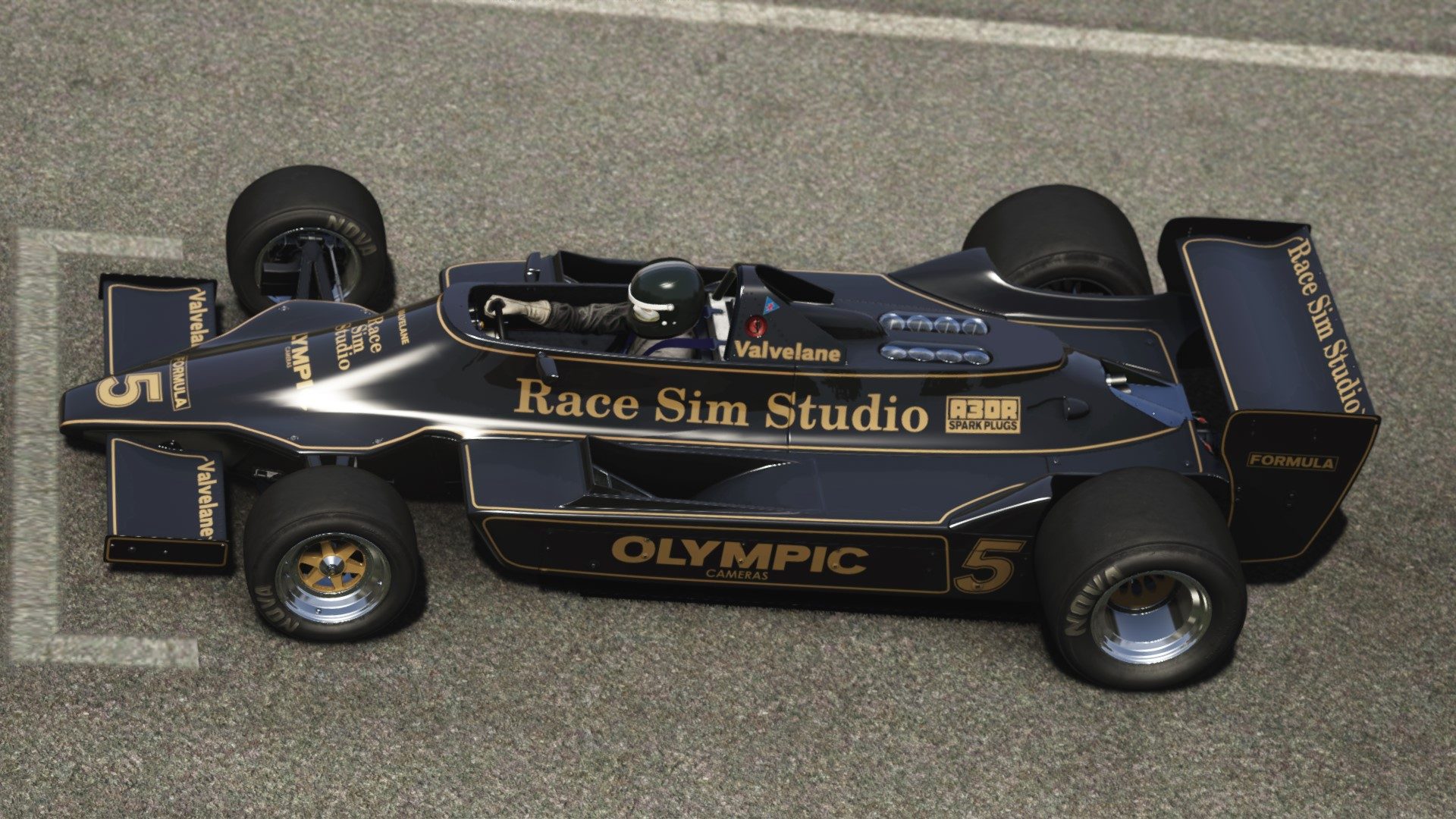
hello guys please help for my search RSS Formula 79
Many thanks for all
 
Lucas Macedo news.

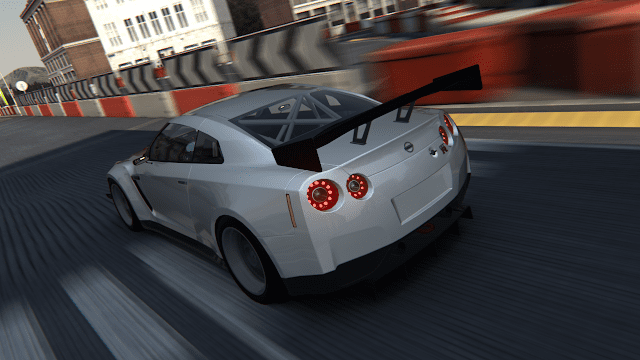
https://www.lucas-mods.com/2020/05/assetto-corsa-nissan-gtr-35.html
Screenshot_hd_nissangtrdday_ks_highlands_6-5-120-17-47-39.png


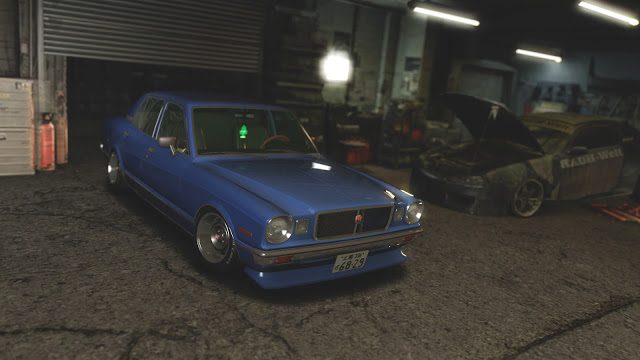
https://www.lucas-mods.com/2020/05/assetto-corsa-toyota-cressida-1979-rx30.html
I hope this one run well, without too much drifting setup.
__custom_showroom_1589688898.jpg
 
hi guys, I'm having trouble installing the mod horizon shades cmpreset,
someone nice who can help me? thanks..

Yep, i jut did it.

The cmpreset goes into
C: DRIVE. USERS /USER/APP DATA/LOCAL/AC TOOLS CONTENT MANAGER/PRESETS/CUSTOM SHADERS PRESET.
 
Yep, i jut did it.

The cmpreset goes into
C: DRIVE. UTENTI / UTENTE / DATI APP / LOCALE / GESTIONE CONTENUTI UTENSILI AC / PRESET / PRESET SHADERS PERSONALIZZATI. [/ PREVENTIVO]

C: DRIVE. USERS /USER/APP DATA/LOCAL/AC TOOLS CONTENT MANAGER/PRESETS/CUSTOM SHADERS PRESET.
Thanks for your answer, the problem is that I can't find the path, C: DRIVE. USERS / USER / APP / LOCAL DATA / TOOLS CUSTOMIZED AC / PRESET / PRESET SHADERS TOOLS. Would you be so kind to give me an example of installation in photos? if it disturbs you i apologize in advance, thanks anyway ..
 
This guy's out by the way at VRC. (paymod)

screenshot_vrc_arc_auriel90_lilski_watkins_glen_17-5-120-21-23-12_accumulation-jpg.373683

If you don't have this mod yet... download it. It's glorious to drive. Very very easily driven and sounds amazing.

I wonder why VRC has turned this car into a RWD ?
Afaik it has always been a AWD (Quattro).

I can tell you for sure that it is AWD from VRC. The UI says rwd which is an error, but the actually physics are AWD and exactly how it was for these cars. They were heavily RWD biased because of how far forward past the front axle centerline the engine extended. Having done a decent amount of wheel and tire changes on these cars it's baffling that they work as well as they do but it's largely in part because they balanced the AWD system to utter perfection.
 
Thanks for your answer, the problem is that I can't find the path, C: DRIVE. USERS / USER / APP / LOCAL DATA / TOOLS CUSTOMIZED AC / PRESET / PRESET SHADERS TOOLS. Would you be so kind to give me an example of installation in photos? if it disturbs you i apologize in advance, thanks anyway ..

Maybe mine is different, have a look on the D: drive
 
If you don't have this mod yet... download it. It's glorious to drive. Very very easily driven and sounds amazing.


I can tell you for sure that it is AWD from VRC. The UI says rwd which is an error, but the actually physics are AWD and exactly how it was for these cars. They were heavily RWD biased because of how far forward past the front axle centerline the engine extended. Having done a decent amount of wheel and tire changes on these cars it's baffling that they work as well as they do but it's largely in part because they balanced the AWD system to utter perfection.

I do! Just love it.
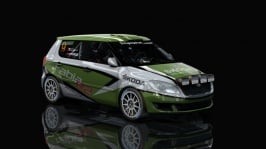
My photo ;)
 
Thanks for your answer, the problem is that I can't find the path, C: DRIVE. USERS / USER / APP / LOCAL DATA / TOOLS CUSTOMIZED AC / PRESET / PRESET SHADERS TOOLS. Would you be so kind to give me an example of installation in photos? if it disturbs you i apologize in advance, thanks anyway ..

Sorry if it's an obvious question but do you have Content Manager installed?
Usually this is where content manager preset files are located but as Safi Hellie has said it may be on another drive on your system.

C:\Users\*****\AppData\Local\AcTools Content Manager\Presets\Custom Shaders Patch Presets
 
Hi guys! Help please!
I seem to have lost all kinds of weather in Sol. The sky is always blue. I´ve already reinstalled SOL. The version I have is the latest alpha, the Sol 1.6 alpha 2 and my version of CSP is also the latest, CSP 0.1.57
Any suggestions? Thanks in advance :)
 
Hi guys! Help please!
I seem to have lost all kinds of weather in Sol. The sky is always blue. I´ve already reinstalled SOL. The version I have is the latest alpha, the Sol 1.6 alpha 2 and my version of CSP is also the latest, CSP 0.1.57
Any suggestions? Thanks in advance :)
Roll back to CSP 0.1.55.
 
Apparently the new twin ring motegi from Mitja Bonca is up for release any day now. This looks impressively accurate:


Yes, I've been following his thread on RD. I have the greatest respect for what he's done--and considering the lengthy development time, I expect it will be one of the best releases for AC. I loved the track in Gran Turismo, and RaceRoom has an excellent version of it. I am definitely looking forward to having it in AC.

Of course he may be working on other mods, projects... and there's this thing called "regular" life. Sim-racing is one of those extra things we (most of us) enjoy when we have time. If you check the thread on RD, Mitja first posted about this project in May 2018, two years ago. Some day, hopefully soon, there'll be a pleasant surprise when I check in at RD (or see an update here). ...and it will be a surprise of sorts, because there's no way of knowing how long it could be, as several have thought its' release was imminent a few months ago. However, I do understand his passion and attention to detail.

Mitja's RD thread about Twin Ring Motegi (for those who haven't found it yet).
https://www.racedepartment.com/threads/twin-ring-motegi-wip.150792/

My video of the RaceRoom version. Mitja's is looking about the same quality, if not better in some ways.

 
Last edited by a moderator:
Sorry if it's an obvious question but do you have Content Manager installed?
Usually this is where content manager preset files are located but as Safi Hellie has said it may be on another drive on your system.

C:\Users\*****\AppData\Local\AcTools Content Manager\Presets\Custom Shaders Patch Presets

hi, yes i have content manager, only 1.5.1. csp 156
I recently moved to the PC, for me and a little more complicated, I think I will have to give up this fantastic mod, only a few examples from photos could be useful for me .. thanks for your intervention ..
 
hi, yes i have content manager, only 1.5.1. csp 156
I recently moved to the PC, for me and a little more complicated, I think I will have to give up this fantastic mod, only a few examples from photos could be useful for me .. thanks for your intervention ..

Sorry, just wanted to make sure you had Content Manager (CM) before proceeding. If you want to start out with ppfilters and graphic enhancements try installing SOL from here https://www.racedepartment.com/downloads/sol.24914/
and then a filter like this one https://www.racedepartment.com/downloads/a3pp-beautiful-ppfilter-for-assetto-corsa.24258/
or this one https://www.racedepartment.com/downloads/blackcelicas-rtfx-filters-for-sol-weather.25012/
Just follow the install files and you should be ok but if you get stuck send me a message and I'll talk you through installing and getting things up and running.
Oh and welcome to the rabbit hole :D
 
hi, yes i have content manager, only 1.5.1. csp 156
I recently moved to the PC, for me and a little more complicated, I think I will have to give up this fantastic mod, only a few examples from photos could be useful for me .. thanks for your intervention ..

Hi! maybe your Windows is set to hide system files and folders. Try this:

1 - Press the Windows-key + R
2 - Paste this %LOCALAPPDATA%
3 - Press Enter

EDIT: Windows-key is that one between CRTL and ALT with a window icon.
 
OK so the default cameras i removed completely so these are numbered accordingly so will overwrite unless you rename / number them.

4 cameras, last two are the same but one is closer....my favourite is the 4th one...


Where are the FAmericas skins from?
 

Attachments

  • preview.jpg
    preview.jpg
    43.2 KB · Views: 74
  • preview.jpg
    preview.jpg
    38.3 KB · Views: 77
  • preview.jpg
    preview.jpg
    41.1 KB · Views: 76
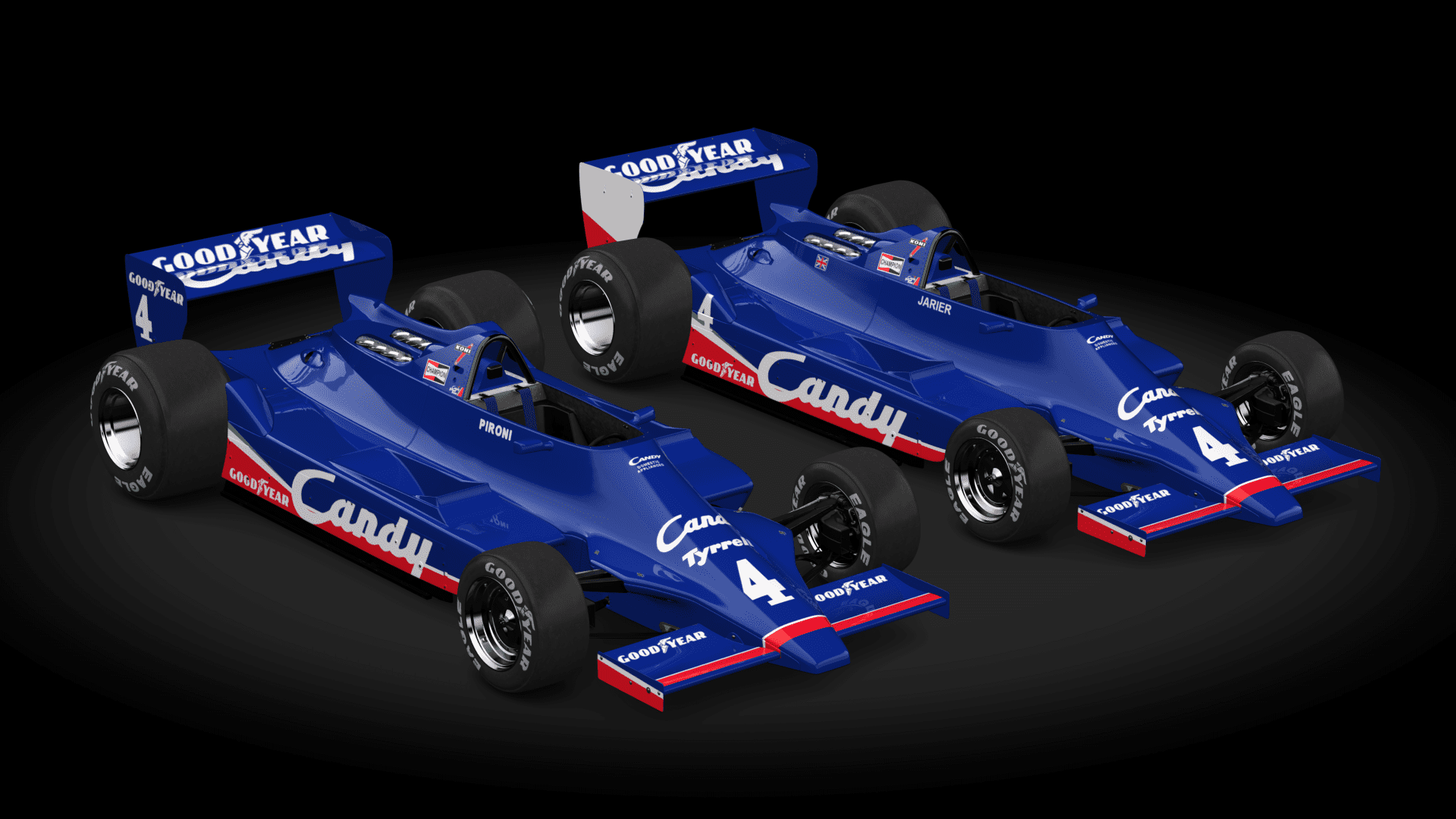
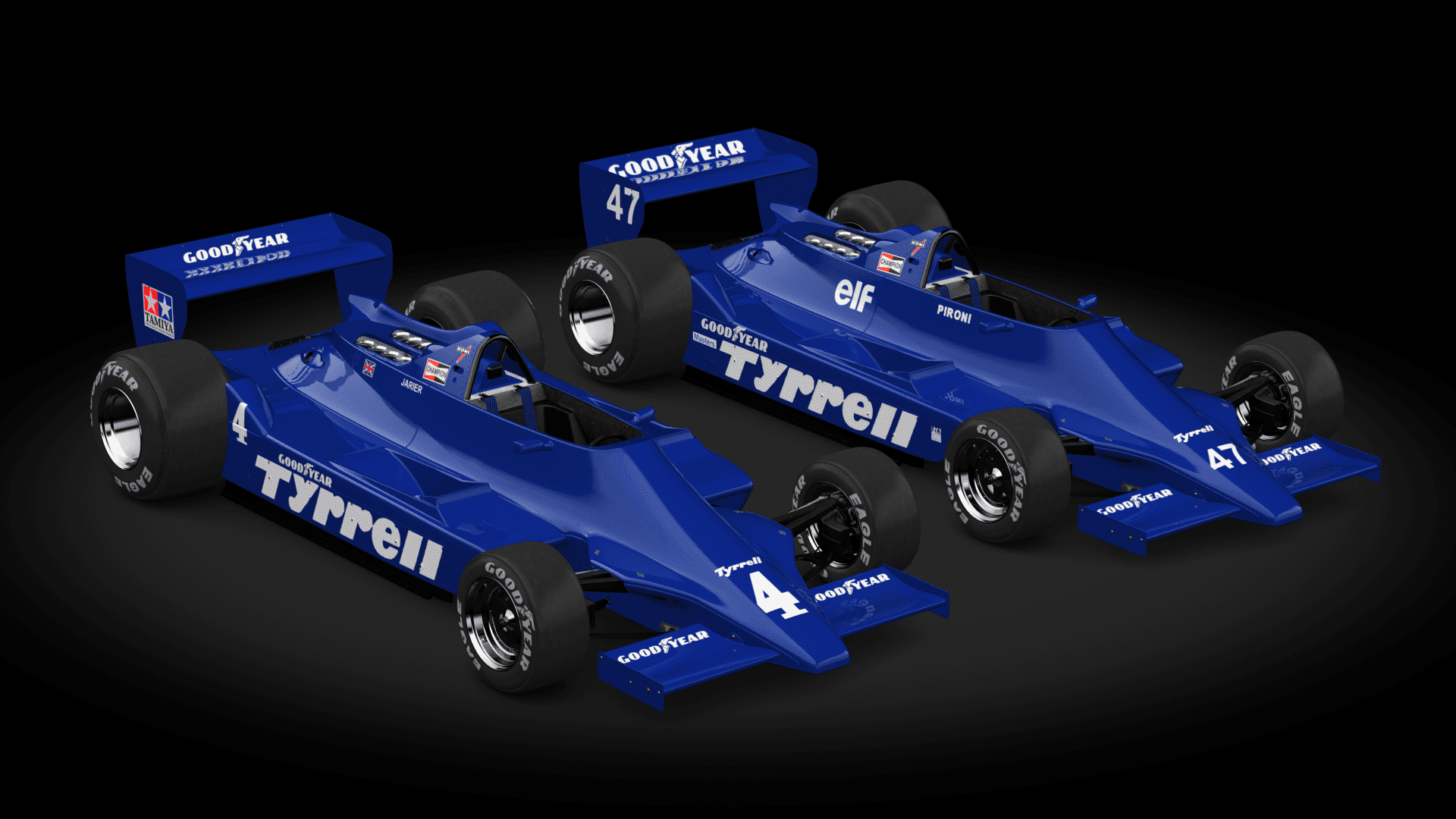
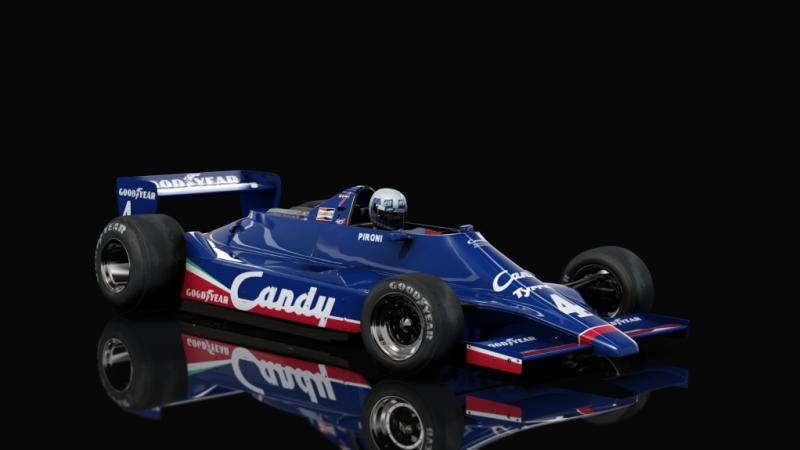
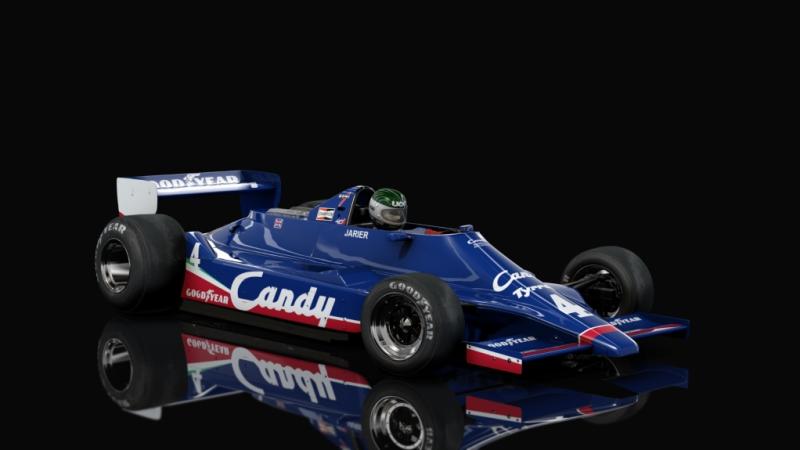
This took me all morning (thanks to the atrocious ***** mapping). Some Team Candy / Team Tyrrell skins for the RSS F79 :

lPricsJ.png

Et2CqNu.png


Nose stripes aren't aligned but I couldnae be arsed anymore - as I said above the mapping is all over the bloody place.

Still better than the OG skin up on RD, though.

https://www.racedepartment.com/downloads/tyrrell-009-skins-for-rss-formula-79.33122/
Hi !

I did my litlle Dr Frankenstein on your skins (thank you and they will be the only other "historical" skins I will use with, obviously, the JPS, green Martini and the Rebaque because this Tyrrell was barely a total "clone" of the Lotus 79 ^^).
I changed tyres, helmets, glasses of the helmets and Ui (not really accuracy anyway but It's historically and visually better in my opinion) !

Didier Pironi

Jean-Pierre Jarier


The only annoying "problem" is the Pironi's car which got the number "3". ;)

Cheers ! :cheers:
 
Sharing a mod? Host it on GTPlanet Downloads. Free, public hosting for files up to 10GB in size.
Back