
- 213

- Curitiba
Hello, everyone.
I tried to find a way to do it, but couldn't find it, so I decided to ask here if maybe someone knows how to do it.
Here is the situation: I like to use the Default\Showroom Day as a showroom (of course ) but I'd like to use this same template as previews. So, the question is: Is there a way to do it? Os is there any previews preset that comes close to "Showroom Day". As I said, I tried to find a solution, a look alike preview template, with no luck.
Thanks for any help or advise.
Cheers
Wow!!! When I was about to send this question, I decided to make a screenshot of how the showroom looks like and then.... accidentally I discovered how to do it:
1 - In the showroom that you like, position the car the way you like;
2 - Go to Make a Shot;
3 - Then click the Save as Previews presets button;

4 - Save the preset;
5 - Now go to Content -> Cars;
6 - Choose the car/cars you want to change the preview;
7 - Click the ARROW at the side of the Update previews buttom (don't click the update previews buttom, but click the arrow to open a dialog menu) - or just press CTRL+Shift+P;

8 - Choose Options;

9 - In the previews params, choose the new created preset;

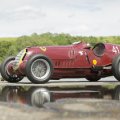
10 - And voila! You've got the showroom as a preview preset:

Yeap... Content Manager has a lot to offer. If you are still using the free version, please consider a donation and start using the full version. It worths a lot and will help the man who made this possible to continue his work, in the end of the day, your donation will return to you (one way or another).
Cheers, guys!
I tried to find a way to do it, but couldn't find it, so I decided to ask here if maybe someone knows how to do it.
Here is the situation: I like to use the Default\Showroom Day as a showroom (of course
) but I'd like to use this same template as previews. So, the question is: Is there a way to do it? Os is there any previews preset that comes close to "Showroom Day". As I said, I tried to find a solution, a look alike preview template, with no luck.Thanks for any help or advise.
Cheers
Wow!!! When I was about to send this question, I decided to make a screenshot of how the showroom looks like and then.... accidentally I discovered how to do it:
1 - In the showroom that you like, position the car the way you like;
2 - Go to Make a Shot;
3 - Then click the Save as Previews presets button;
4 - Save the preset;
5 - Now go to Content -> Cars;
6 - Choose the car/cars you want to change the preview;
7 - Click the ARROW at the side of the Update previews buttom (don't click the update previews buttom, but click the arrow to open a dialog menu) - or just press CTRL+Shift+P;
8 - Choose Options;
9 - In the previews params, choose the new created preset;
10 - And voila! You've got the showroom as a preview preset:
Yeap... Content Manager has a lot to offer. If you are still using the free version, please consider a donation and start using the full version. It worths a lot and will help the man who made this possible to continue his work, in the end of the day, your donation will return to you (one way or another).
Cheers, guys!
Last edited:




















 Just dreaming.


 , especially older model pre 1990 like the Dacia 1300
 :
: