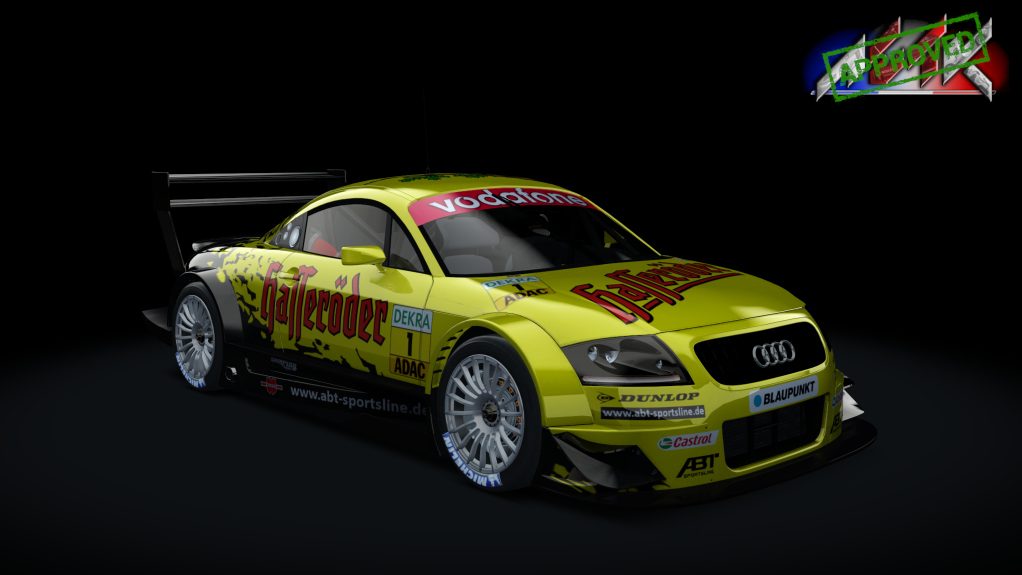
yes sorry :s , there will be an upgrade on those skins later on ^^Thanks for the update (though I can - again - throw 24 nice skins that don't fit this version in the bin. 😒
You guys probably have reasons but still...
Anyway, just wanted to report that skin #66 has no race number on the right side of the car (the others are OK though).


And the RGT-8 GT3 link? Somebody??

Looked everywhere I can for this, no leads. Seems to be a pretty poor rfactor 1 convert, someone would need to completely overhaul it and convert to AC... easier to build from scratch... I don't have the experience to do this for you, sorry.Does anyone have any leads on a Rockford Speedway? I been watching the special events and one lap duels on youtube. All the sloppy lines and unpredictable driving was enough to fire up the rig lol. But I see nothing in regards to this track?


Wipers do not working, but tks...File on MEGA
mega.nz


Wipers do not working, but tnks


Holy snap, so many cars and tracks to try out!
what cars are in those packs?As I can't seem to be able to copy a folder link, here are the GTS cars files on Sharemods, so I hope everybody is able to download them without any hassle:
tracks are on their way as well...
here are the track links:
can you make it a google drive link plzFound this on Facebook today:
View attachment 1067387
File on MEGA
This 8.8 GB file promises (almost) ALL cars and tracks from GranTurismo Sport! Unfortunately the file is too big for direct download. Has anybody installed the MEGA-desktop-app and already downloaded that file? Hopefully some modders here can use it.
It seems to be a lot of content:
View attachment 1067388

you have to convert them stillThe files are up on sharemods - https://www.gtplanet.net/forum/threads/assetto-corsa-pc-mods-general-discussion.307899/post-13449775

The tags are right there underneath the car. It's quite a task. Have to search tag:xxxxx to find them in Car Content and then delete each one separately for each car.looking for a way to clean up tags from %LOCALAPPDATA%\AcTools Content Manager.
where are they?View attachment 1067574

It's a mess isn't it?! The list of tags in your pic are compiled from each car's ui_car.json file. For the Abarth500, for example, its inlooking for a way to clean up tags from %LOCALAPPDATA%\AcTools Content Manager.
where are they?
looking for a way to clean up tags from %LOCALAPPDATA%\AcTools Content Manager.
where are they?View attachment 1067574
It's a mess isn't it?! The list of tags in your pic are compiled from each car's ui_car.json file. For the Abarth500, for example, its in
\assettocorsa\content\cars\abarth500\ui\ui_car.json
Depending on what you want to achieve there are tools in CM or you can go straight for text editing the .json themselves.
Beezer has beat me to it for individual cars but for CM if you select all the cars you want to edit in the content tab of CM then go to "Add tag" it also gives you options for removing shared tags. So you can get rid of all "gt3" tags for all cars that have it, for example.
I haven't tried it myself, but if you want to scratch everything and start over with your own tagging system, then I reckon textcrawler would be worth a shot https://www.digitalvolcano.co.uk/textcrawler.html
If you open up this file with a text editor, the first few lines look like this:
{
"name": "Abarth 500 EsseEsse",
"brand": "Abarth",
"description": "Turning the modern Fiat 500 into an Abarth meant lowering the ride, adding a turbocharger to the 1.4-litre engine (no mean feat under that tiny bonnet), giving it Torque Transfer Control for more aggressive cornering and improving the aerodynamics with side-skirts and spoilers.<br><br>The little Abarth is fast, very agile and plenty of fun.",
"tags": [
"#small sports",
"fwd",
"manual",
"turbo",
"street",
"hot hatchback",
"italy"
],
So you'd just have to get textcrawler to search your whole cars directory for ui_car.json and then do a replace everything between
"tags": [
and
],
with blank.
Just wanted to point out that I made a thread for that here, there's been a bit of discussion in there about how to group things, what cars to put in each group, how to delete tags, how to get the right liveries out of the livery priority feature, things like that.Ooooooo, I forgot about multiple selections and "Add Tag" That's a good way. You would first need to search the tag:xxxxxx to find the cars with the same tag you want to get rid of and then use "Add Tag" to delete all those in one click of the "x".
 www.gtplanet.net
TCL Hillman Imp CSP Wipers
Been playing about with CSP new wiper animation tool, it's actually quite intuitive once I got the idea of what it requires to set it up which at first was a bit of trial and error. It's quite exciting to use and I aim to animate far more wipers this way to contribute somehow.
I think all that is required to share is the updated Extension config from within the car folder as it doesn't actually modify the model files themselves which is how it can work with encrypted cars as well and as usual you may need to create an extension folder to place the file if it doesn't exist already in the car folder. Forgive me if this doesn't work sharing it this way but I think this is all it modifies and then CSP does all the rest. 🙂


no not at all the right way to do it, it only makes the windshield invisible, look at the car from the outside, the cars should have 2 layers for the windows, kspixelreflextion for the outside and ksWindscreen for the inside.
.............but internal one with ksWindscreen shader needs also normals to look inwards.for all of you who have problem with the kswindscreen you can try this!
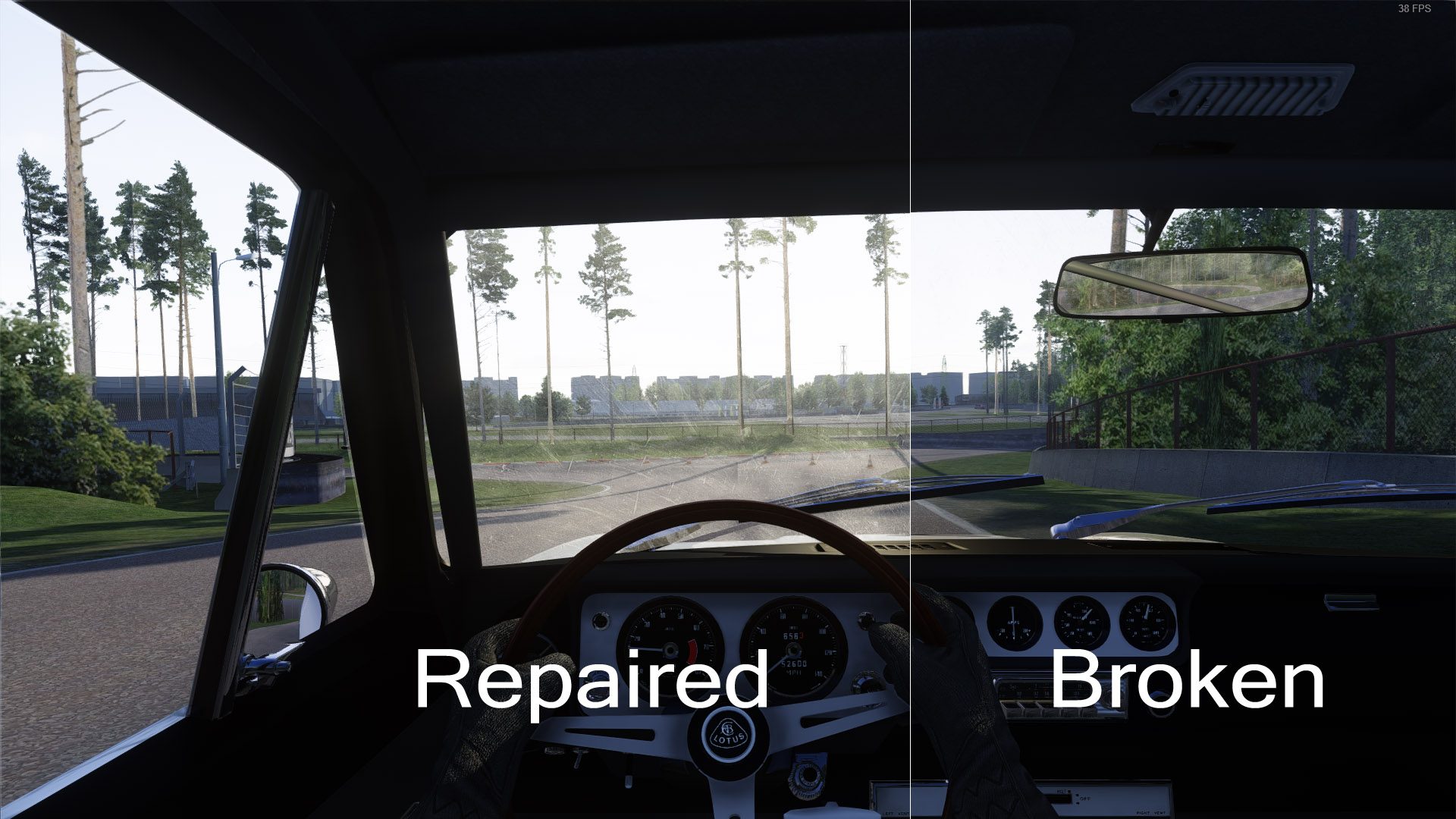
Mod cars weird glare and CSP WindscreenFX not working
Some mod cars for Assetto Corsa have a bug which causes weird glare and shadows on the windscreen, and prevents Custom Shaders Patch from being to remove dirt or blur shadows on the windscreen with WindscreenFX. This is how to fix this problem without breaking online compatibilitywww.nutrimatic.cc


Looking for a London street mod, with an AI line that doesn't collide with the bridge curb, thanks


see here: https://www.gtplanet.net/forum/threads/assetto-corsa-pc-mods-general-discussion.307899/post-13415951Looking for a London street mod, with an AI line that doesn't collide with the bridge curb, thanks


HelloHello,
please, is there a Nissan 350Z (or Nismo Fairlady) Z33 SuperGT500 2005-2006 mod? Even a paid mod would be ok
I can't find it anywhere.
Thank you


thank you!Hello
You can check the Facebook group Chivas Autoart, there they are preparing it. Soon will be ready
Already has everything included in the config that is required so should just be the case of dropping into the car folder and be all good. Part of the process I have already completed is allocating the wiper mesh and windscreen with the tool which then once you are finished tweaking gives you what you need to copy paste into the config. This wouldn't work with any other car really as it's specifies these things in the config 👍I can ask if your download is already animation ready. Just need to add the name of the windshield and wipers? Sorry about the doubt thank you
Looking for a London street mod, with an AI line that doesn't collide with the bridge curb, thanks
Sorry for talking too much, but since I don't know how to use blender and others, I didn't even understand the animated wipers csp, but if anyone in the community has links to the centenary lambos, veneno, murcielago and redenton with functional wipers, I'm all thanks.. .