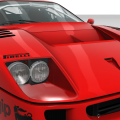
- 113

- South Korea
Yeah~Did you mean F50, not F40?

My favorite is still F40 LM, F50GT is 2nd favorite.
Hope you like it!
Yeah~Did you mean F50, not F40?


You can also change the apparent steering ratio if you have a Fanatec wheel (via deg. of rotation).I set a low steer ratio for it, you can change it to 12~14 in data/car.ini/[control].

Thank you both, got it to my liking nowI set a low steer ratio for it, you can change it to 12~14 in data/car.ini/[control].



Hi!! This is F40 LM_Lover.
This is my second modding Car.
1. 3d Model base : Forza Horizon 4(turn 10 Studio)
2. Converted by F40 LM_Lover.
3. Details
1) Doors animation(Extra A : Left_Door, Extra B : Right_Door)
2) Wiper animation
3) High Beam
4) Engine Cover animation(Extra C)
5) Turn Signals 6) Reverse Lights
4. Sounds : ks_ferrari 312_67
- The sound is not good. Please someone who has good skill regarding making sound mod make it for us!!!
Feedback is welcome!!
If you want to download, please visit my channel and you can find link in the description.
Wow! You are really fast!I've been moaning a lot about certain members here and I've decided I need to get over myself and stop being a grumpy old git so I thought I should give something back to try and make up for it.
I made this skin ages ago for another F50 GT1 and thought i'd adapt it for your car as it shouldn't take me too long to edit. Do you want this when it's finished?
View attachment 1104704
Well this is an old skin so it only needs a bit of tweaking to fit your car. Plus this is helping me get back into doing skins as I lost motivation a while back 😕Wow! You are really fast!
My version is totally remapped the carpaint skins but, almost same location.
Thank you for it!
Thanks to all "those that shall not be named" that put in all the work to convert Camino Viejo De Montserrat. It's awesome to drive it today in Assetto Corsa, in VR, and with some of the great car mods we have.
Watch as I manage to keep this beast on the Elite Circuit. This one keeps you on your toes, and there can be a few "pucker" moments. You can see my "hand and foot work" in the inset videos, and I catch some air at a few places on each lap.
Download this track, with all its layouts, at this post in case you missed it!
Assetto Corsa PC Mods General Discussion
Real shame you can't make custom preview images for it. 😕 I'd really like to tweak the driver's posture too so his right hand doesn't clip through the steering wheel when turning left, but... I'll have to live with that. I noticed this is the same basic model as the SET 2020 car... it's amazing...www.gtplanet.net
Download a great skin by @Masscot, and yes, there's balloons!


The Sims 4🤣I'm probably the only person that doesn't know this, but what game was this track originally featured in?


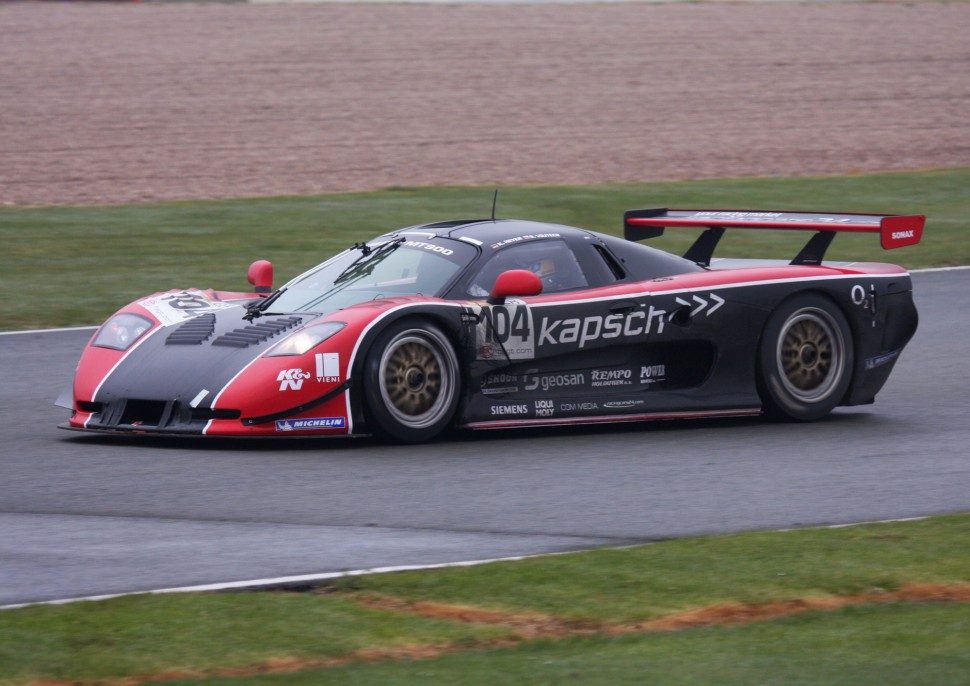
Awesome thanks!The Sims 4🤣
Just kidding : Fora Motorsport 3 & 4


Isolate object and replace object button on the right side menu, as in you isolate one object, save it (save 3se) and then in second kn5 you right click/select object and replace it.Question for people with knowledge of 3DSimED. Been fooling around with it and was wondering if this can be done. Hope I can explain this so it makes sense.
I opened two object .kn5 files and wanted to copy one object file from one .kn5 and use it to replace an object in another .kn5 file. I did the copy\paste, but when you paste it, it places the copied object in the location it was in the original. How (or can you) actually paste as a replacement? If it can be done, I can't seem to figure out how.


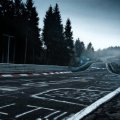
We have a Mosler MT 900S, but I don't know of a Mosler MT 900R.Do you know if this car exists in AC?
Mosler MT900r


Nae, grumpyness and ethics are different things.I've been moaning a lot about certain members here and I've decided I need to get over myself and stop being a grumpy old git so I thought I should give something back to try and make up for it.
I made this skin ages ago for another F50 GT1 and thought i'd adapt it for your car as it shouldn't take me too long to edit. Do you want this when it's finished?
View attachment 1104704

There is WIP but will be available whose readyHi everyone.
Do you know if this car exists in AC?
Mosler MT900r
Never mind, I found one.Hi everyone.
Do you know if this car exists in AC?
Mosler MT900r
Yeah true, but i've decided to leave the moaning to others as it doesn't do any good in the grand scheme of things. Not like our friend EASY cares and will change his ways is it? Anyway time for me to just enjoy the better things in life - like making liveries for GT1 cars and finishing up some other projects.Nae, grumpyness and ethics are different things.
Anyway didn't know that skin was yours (coincidence) so congrats.


 www.racedepartment.com

no, the car/mod was leaked and it shouldn't be online or avaiable. If you look for a Porsche 911 RSR-19, take the URD one. Only 3€ and you get the Porsche 911 RSR-19 and -20.Sorry it is possible receive the link for acfsk 911 rsr 20? where I can find this mod?thanks a lot


Hi mates!
I share a New skin for the ATCC R32.
In that case is the REPSOL livery of the R32 that raced early 90's at the Spanish touring car championship.
The driver was Luis Pérez Sala.
View attachment 1104589View attachment 1104590View attachment 1104591
Link:


PedroBLR on last month end released interesting one his version of BMW M3 GTR, but without any skins, only one red, and some skins from RD doesn't fit.
Maybe someone could make some fixes / adoptations or have released works?
Btw, car also need some fixes on graphical issues, missing dash fonts etc.


try:Question for people with knowledge of 3DSimED. Been fooling around with it and was wondering if this can be done. Hope I can explain this so it makes sense.
I opened two object .kn5 files and wanted to copy one object file from one .kn5 and use it to replace an object in another .kn5 file. I did the copy\paste, but when you paste it, it places the copied object in the location it was in the original. How (or can you) actually paste as a replacement? If it can be done, I can't seem to figure out how.


Hmm. It's new one or they've in the pack? Because fron archive from link i've only have this.



Yes. I did also the full-full ext_config. Contacted the author via RD in order to send him everything for future updates but he never ever replied to me in over 2 months.Just curious if anyone has made any replay cams for the Castelletto Circuit over on Race Department?
Castelletto Circuit - Updates
It's a great little technical track but has no replay cams at all.