Silver Arrows
(Banned)
- 4,715

- Brandon, MB
- Silver-Arrows21
Quick question: Looking for good F1 car mods from the 90's and early 2000's. Already have VRC's F310B and the Jordan 191, alongside the FW24. Any potential suggestions?


Super cool tip! But I am having problems with the items first being visible for a second or so before then becoming invisible.I dont know how to add objects but hiding objects is fairly straight forward.
Load a track in practice then use freecam with F7 key to fly around and find an object you want to remove.
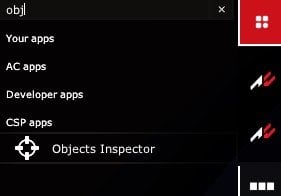
Open Object Inspector app from the apps taskbar.
Hold alt and click on the object.
Note the name of the mesh and note it down or click the name to copy it to clipboard.
Create a folder called extension in the track folder. Open notepad and save a file as ext_config.ini in the extension folder.
Paste this into the ini file
[MESH_ADJUSTMENT_...]
MESHES =
IS_RENDERABLE = 0
Add name of meshes you select on track to the MESHES line, separated by commas.
Heres an example of removing the footbridge before T2 at Brands Hatch just to show how it works. The bridge (Box020) and the Palmer Sport banner (Box124_KSLAYER1) are two seperate objects.
[MESH_ADJUSTMENT_...]
MESHES = Box020, Box124_KSLAYER1,
IS_RENDERABLE = 0
View attachment 1122418View attachment 1122419
I used this method to hide all the raceday trimmings from Kunos Black Cat County and Highlands about a year ago.
Kunos Black Cat County Decluttered - CSP Config
A config that hides the clutter around Black Cat County to make it look more desolate. The enormous advertising billboards in particular really spoil the view of a great track imo. I kept the concrete barriers here because they dont look so out...www.racedepartment.com
Kunos Highlands Decluttered - CSP Config
A config that hides the clutter around the Highlands tracks to make it look more like a normal driving road without all the raceday clutter/banners etc on the roadside. This is not a freeroam mod. It does not open up all the roads. The CSP...

Quick question: Looking for good F1 car mods from the 90's and early 2000's. Already have VRC's F310B and the Jordan 191, alongside the FW24. Any potential suggestions?
 www.asrformula.com

 racesimstudio.com
Thank you very much!ASR Formula
Race Sim Studio
Race Sim Studio is the leading 3D racing vehicle production team for racing simulators and companies within motorsport.


It's been a while since I did this for an entire track but I do recall having a similar issue. It may be that distant objects are infact different objects (like a lod switch to a lower poly model) with a different mesh name . . . so move the camera to a point where the object is visible from a far and try to alt click on it then add the mesh name to the config file.Super cool tip! But I am having problems with the items first being visible for a second or so before then becoming invisible.
Bingo, thanks for the additional tip. Gonna attempt to make a few more tracks more historic.It's been a while since I did this for an entire track but I do recall having a similar issue. It may be that distant objects are infact different objects (like a lod switch to a lower poly model) with a different mesh name . . . so move the camera to a point where the object is visible from a far and try to alt click on it then add the mesh name to the config file.
Also if you have a whole bunch of the same object you want to remove, say barrier001, barrier002, barrier017 etc
type barrier_? instead to hide all at once.
Bare in mind this hides things but doesn't remove them so an object on the roadside becomes an invisible hazard that you can collide with.
bm gt3r is indeed an acc convert although a ****** one noone should need anyway since crash porsche exists.The Porsche RSR (which after a quick look at the download without AC or CM; I'm at work, it IS) is a mid-engined GTE car. Related, thanks for the link
The 911 in ACC is a rear-engined 991.2 derivative. The fizix are very different.
So no, I don't believe it's an ACC conversion. Bonny DOES have GT3s, in both endurance and sprint versions, which are great, but I'm also not certain that they are ACC conversions. They get lumped in a lot of "GT3 ACC conversion" packs tho. Good luck on your quest


Thank you for this detailed info !I dont know how to add objects but hiding objects is fairly straight forward.
Load a track in practice then use freecam with F7 key to fly around and find an object you want to remove.
Open Object Inspector app from the apps taskbar.
Hold alt and click on the object.
Note the name of the mesh and note it down or click the name to copy it to clipboard.
Create a folder called extension in the track folder. Open notepad and save a file as ext_config.ini in the extension folder.
Paste this into the ini file
[MESH_ADJUSTMENT_...]
MESHES =
IS_RENDERABLE = 0
Add name of meshes you select on track to the MESHES line, separated by commas.
Heres an example of removing the footbridge before T2 at Brands Hatch just to show how it works. The bridge (Box020) and the Palmer Sport banner (Box124_KSLAYER1) are two seperate objects.
[MESH_ADJUSTMENT_...]
MESHES = Box020, Box124_KSLAYER1,
IS_RENDERABLE = 0
View attachment 1122418View attachment 1122419
I used this method to hide all the raceday trimmings from Kunos Black Cat County and Highlands about a year ago.
Kunos Black Cat County Decluttered - CSP Config
A config that hides the clutter around Black Cat County to make it look more desolate. The enormous advertising billboards in particular really spoil the view of a great track imo. I kept the concrete barriers here because they dont look so out...Kunos Highlands Decluttered - CSP Config
A config that hides the clutter around the Highlands tracks to make it look more like a normal driving road without all the raceday clutter/banners etc on the roadside. This is not a freeroam mod. It does not open up all the roads. The CSP...


You could try another method. Example:Super cool tip! But I am having problems with the items first being visible for a second or so before then becoming invisible.
[MODEL_REPLACEMENT_...]
FILE = zolder67.kn5
HIDE = crowds_SUB1 github.com


Any clues on how long the rest of us have to wait to get our hands on this beauty and it’s sisters?tho currently i put my energy into more public related mods as this beauty:View attachment 1122530
i cant give etas on anything but personally the ext is quite finished for my taste and possibilities the model offers.Any clues on how long the rest of us have to wait to get our hands on this beauty and it’s sisters?


You could share details about the mod in question, maybe somebody knows something...Hum, guys, I might have a dilemna for you...
What would you do in my situation : I happen to have a car in my library, a very lovely one that I want to skin (not modify, just skinning), it is probably coming from the once-beloved Assettoland, I'm looking all around the web and can't find a link to dl the car (only an obscure chinese website where I don't find any link to the car), I'm looking to adress the author, same result : nothing. I'd love to do the skins for myself of course, but if the car is really rare to find it is kind of... not worth it for others, you see.
Do I create a new dl link of the car with my skins in it, without touching the car itself, nor the author's name of course, or do I just upload the skins once it's done and let people find the car themselves ?
I know that re-uploading a modder's work is a very touchy subject nowadays, so I prefer to ask for advices before starting to work on it...

Opel Kadett Blitz RHD, by Momma Bongos, full name opel_kadett_blitzYou could share details about the mod in question, maybe somebody knows something...


the ones i have marked for me as 5 star & Fav+ F1 cars from the 90s, are all from ASR (www.asrformula.com):Quick question: Looking for good F1 car mods from the 90's and early 2000's. Already have VRC's F310B and the Jordan 191, alongside the FW24. Any potential suggestions?


ASR Formula
Race Sim Studio
Race Sim Studio is the leading 3D racing vehicle production team for racing simulators and companies within motorsport.
@Silver Arrows - This may helpthe ones i have marked for me as 5 star & Fav+ F1 cars from the 90s, are all from ASR (www.asrformula.com):
McLaren MP4/5B (1990)
Ferrari 643 (1991)
Minardi M191 (1991)
Ferrari F92A (1992)
Williams FW16 (1994)
Ferrari 412T2( 1995)
Williams FW19 (1997)
definitly check them out (i believe many of them were free even)
cheers!
hi, how to obtain the Object Inspector app ? (it's not in my apps list ... )I dont know how to add objects but hiding objects is fairly straight forward.
Load a track in practice then use freecam with F7 key to fly around and find an object you want to remove.
Open Object Inspector app from the apps taskbar.
Hold alt and click on the object.
<snip>

 racesimstudio.sellfy.store
you do have the Custom Shaders Patch installed, right?hi, how to obtain the Object Inspector app ? (it's not in my apps list ... )
Thx!


Thanks a lot, mate! Excellent conversion.Pebble Beach Revival v1.0


Momma Bongos left the scene a few years ago to live with a sex cult in the woods (I'm not even joking) so uploading the full car and skins would be fine.Opel Kadett Blitz RHD, by Momma Bongos, full name opel_kadett_blitz
I'm pretty sure a lot of people have it here, so that wont really be a problem around. It's more for "outside" GTplanet


Do you remember where these woods are?Momma Bongos left the scene a few years ago to live with a sex cult in the woods (I'm not even joking) so uploading the full car and skins would be fine.


...Momma Bongos left the scene a few years ago to live with a sex cult in the woods (I'm not even joking) so uploading the full car and skins would be fine.
Sniff the air and follow the sounds of grunting.Do you remember where these woods are?

The Williams FW19 is probably from VRC Modding. I don't recall seeing one from ASR.the ones i have marked for me as 5 star & Fav+ F1 cars from the 90s, are all from ASR (www.asrformula.com):
McLaren MP4/5B (1990)
Ferrari 643 (1991)
Minardi M191 (1991)
Ferrari F92A (1992)
Williams FW16 (1994)
Ferrari 412T2( 1995)
Williams FW19 (1997)
definitly check them out (i believe many of them were free even)
cheers!
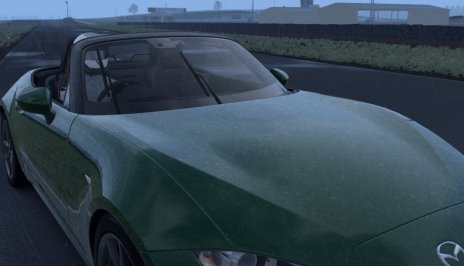
CSP wipers config: https://www.mediafire.com/file/wnahh5zytt7ehdj/mazda_mx5_nd_csp_ext_wipers.zip/fileKunos Mazda MX5 ND (right-hand drive conversion for civilised VR users).
Wipers are on the correct side... they just need animating by magic pixies or AC's version of Rumpelstiltskin.
- Original car by Kunos
- RHD conversion by Kaiser (whereabouts unknown)
- LODs, driver swap, suits/helmets/gloves, shifting animation, paint jobs added by Momma Bongos (whereabouts unknown)
- New LODs and more accurate shifting animation added by M (last seen in the Dog & Duck)
View attachment 1114488

mazda_mx5_nd
MediaFire is a simple to use free service that lets you put all your photos, documents, music, and video in a single place so you can access them anywhere and share them everywhere.www.mediafire.com
yes,have csp 0.1.78-preview1 installed... but ingame in the menu there's nothing under CSP section (no apps shown there) and in settings CSP I have the Taskbar extension active and all to default...you do have the Custom Shaders Patch installed, right?