Assetto Corsa PC Mods General DiscussionPC 

  • Thread starter Thread starter daan
  • 157,617 comments
  • 51,498,530 views
Sounds like the other cars might be missing a fuel cons .ini file on their data folders. Not every mod has one unfortunately because some modders don’t care about them. Should be a simple fix. Just copy the aforementioned file from the Caddy into the other DPi car’s data folders. (Also unpack and repack them using CM when needed of course)

Then they should all have the same fuel consumption rate. Might not be realistic but if they have the same fuel tank sizes it should at least make the distances they need to travel equal and therefore competitive.
You were right, this fixed the issue. Thanks!
 
... and he's also working on an Airwolf mod for AC...
JNMcCdd.gif
 
Goodwood test time. I think I got everything to fit together. Now I need some other eyes that use other filters to look at it and give me their opinions. I'll take any feedback, but i'm mostly interested in texture brightness and saturation and overall color tone (too warm\yellow or too cool\blue). I think things are a tad too saturated, but it could be my filter. For now I only included one skin, the more lush green skin. Please delete any previous extension or skin folder from past test versions.

Goodwood Test 4

I'm already aware of the horribly dark distant tree objects. I'm not knowledgeable enough to fix them, but I am trying to figure out how. If anyone who knows about this track stuff could look at the track's .kn5 file and point me in the right direction on what needs to be done, i'd appreciate it. Also, the track sort of works at night. I started the process of making some objects as light sources, but I didn't take the time to get the light direction finished so don't expect much if you drive it at night.

goodwood.jpg
 
Last edited:
I might revise my Praga R1 sharkfin add-on in the future for a tweak, something that should be fixed/enhanced of it? I've also noticed that driver position in the cockpit is centered. If you guys are not so stubborn with touching something from kunos, I could do that too, I guess it should be easy to change...
 
Last edited:
I might revise my Praga R1 sharkfin add-on in the future for a tweak, something that should be fixed/enhanced of it? I've also noticed that driver position in the cockpit is centered. If you guys are not so stubborn with touching something from kunos, I could do that too, I guess it should be easy to change...

This is a little bold but why don’t you just not post it on Racedepartment at all? I don’t think anyone around here is too fussed about modded variants of Kunos cars being posted, and having a version of the R1 with the shark fin as a permanent part of the model and not just something that shows up in-game would be very welcome honestly. Racedepartment just holds you back with these kinds of projects.
 
Goodwood test time. I think I got everything to fit together. Now I need some other eyes that use other filters to look at it and give me their opinions. I'll take any feedback, but i'm mostly interested in texture brightness and saturation and overall color tone (too warm\yellow or too cool\blue). I think things are a tad too saturated, but it could be my filter. For now I only included one skin, the more lush green skin. Please delete any previous extension or skin folder from past test versions.

Goodwood Test 4

I'm already aware of the horribly dark distant tree objects. I'm not knowledgeable enough to fix them, but I am trying to figure out how. If anyone who knows about this track stuff could look at the track's .kn5 file and point me in the right direction on what needs to be done, i'd appreciate it. Also, the track sort of works at night. I started the process of making some objects as light sources, but I didn't take the time to get the light direction finished so don't expect much if you drive it at night.

View attachment 1204205
Original link updated...

Hate to do this to those that already downloaded this, but it's worth it. A huge THANK YOU to @shi for sending me entries for my ext_config to fix the dark distant trees and overall tree shadows. Since I had to update the mod for the new config, I also added two modified textures to the skin folder. One to fix the weird blue texture on the road (which I don't know how I missed all this time) and one to get rid of some of the yellow flowers in the grass.

To the moderators, sorry for the above post with the two dots. Not sure what happened and couldn't figure out how to delete the post above.

EDIT: Totally optional attachment. Will be in the next update down the road most likely. I added the wheat material to whatever @shi did to the trees to fix the black look of the field. Threw it together quickly so it might not be perfect, but you may like it. The wheat texture goes in the skin folder.
 

Attachments

Last edited:
How would I go about reducing the light reflection on the tyres of open wheeled cars?
 
Hi. Autopolis with 6k 3D trees has been released:


Thank you for posting this.
You guys can check this for creating your tracks with TreesFX.
But atm there is no tool to set them up easy. So i took Excel lists, to copy coordinates of trees. LOL
It was a hell of a work. :crazy:
Ilja is preparing a tutorial atm.

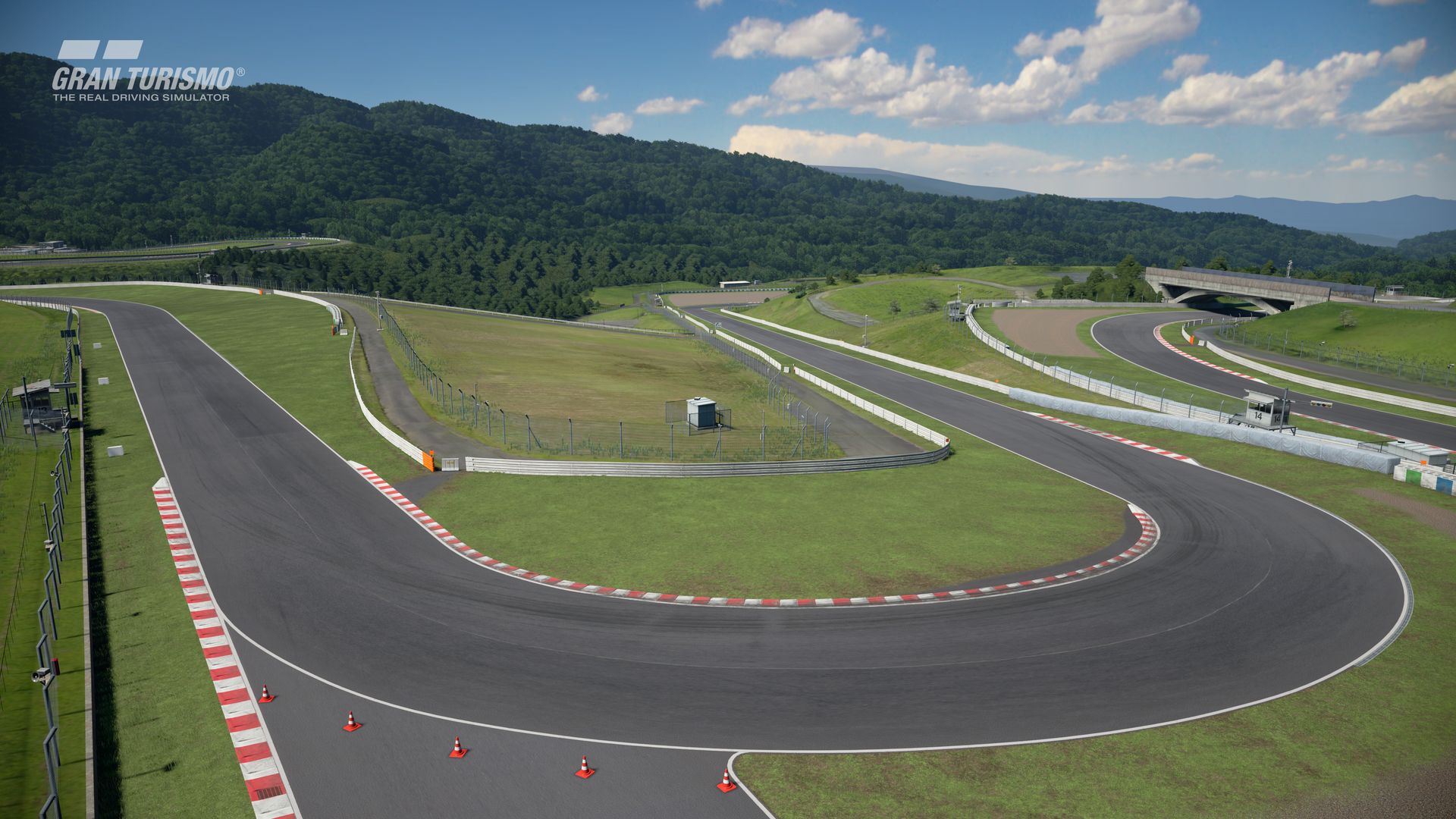
I recreated the look of the Gran Turismo version for this track by watching some
GT screenshots and videos:
i1a301rOf0TWLb.jpg


Big thanks to @Zwiss for his base mod and giving me permission to rename it!
And thanks to @shi for creating the groove line!
 
More of a coding question than a mod, I suppose:
But, I'm working on modifying some F1 leaderboards/overlays so that it can be used across multiple years (not just 2022).
The bit I'm having trouble working out is modifying this line:

var a = $prop('GarySwallowDataPlugin.Leaderboard.Position' + c +'.DriverName.LastNameShort')

The obvious easy way that I'm seeing is to change '.DriverName.LastNameShort' to just be the team name. but I can't work out what the label is supposed to be to use that..


EDIT: Don't want to do a double post, so just updating after a night of experiments...

Did it!
I've changed
var a = $prop('GarySwallowDataPlugin.Leaderboard.Position' + c +'.DriverName.LastNameShort') to
var a = $prop('GameRawData.Car.CarInfo.brand')

And then will just now need to spend the next however long updated the overlay/dashboard on SimHub to add my own images + give each brand a colour. Going to just start doing F1 constructors (and given that, a lot of them may share colours at some stage through history at some stage)

Also, will need to add in a caveat (which I think already exists, but just needs to be modified) for brand = 'Race Sim Studio' to have an override where it will work on the skin name or something.
 
Last edited:
hi all ,hope everyone is okay ..ive just downloaded the vrc formula alpha 2022 champs file but when i start the first race in bahrain all the cars are off at the first corner ? its bedlam on the track ,Am i doing something wrong here? thanks
 
Thanks Ken, glad to know you are liking the replay cams 👍... Will be reviewing and updating YT videos with sharemod-links. Unfortunately, it may take a bit more time than expected due to losing many completed works on my last 2TB SSD hard drive (cyclical-data-error) which Samsung is currently reviewing and hopefully fixing it (recovering all data, if possible, that is).

Hi. Just been watching your Oulton Park WIP replay cams there stunning. I hope they look this good in VR. I’m sure they will.
Some times in VR they are further away for some reason. Really interested in these as this is my local track only 20mins away.
Driven the track in a few cars and did a Marshall day there as well. Can’t wait. If you want me to test anything let me know. Awesome work.
 
hi all ,hope everyone is okay ..ive just downloaded the vrc formula alpha 2022 champs file but when i start the first race in bahrain all the cars are off at the first corner ? its bedlam on the track ,Am i doing something wrong here? thanks
Just tried the VRC and RSS cars with 01_bahrain_gp22 Track - RSS fine - VRC absolute Chaos - Could be an errant VRC file

Check the AI files of both th ecar and track in case they have been corrupted _ Also what track are you using?

Also try turning the New AI behaviour in CSP ( My RSS were acting erracticlly with it on but improved when turned off - Coincidence Maybe?)

Anyone else had this issue with VRC F1 2022?
Screenshot (937).png
 
Last edited:
hi mate .its the bahrain f1 2022 track

im using the vrc f1 alpha

Check the AI files in case they have been corrupted _ Also what track are you using?
how do i know if they are corrupted? im not an expert lol ,just a new gamer

 
Last edited by a moderator:
how do i know if they are corrupted? im not an expert lol ,just a new gamer
Just did another troubleshoot test and now its fine - Turn on the 'extended physics' in CM

From VRC Support


I just purchased the Formula Alpha 2022 and it bounces and glitches when standing still.​

This car is using some of the extended physics features and it requires Content Manager (CM) and Custom Shader Patch 0.1.77 (or above) to work properly. Vanilla physics will be provided but they are not meant to reproduce the intended handling characteristics. Vanilla physics are provided to ensure that those who don't or can't use CSP can have something to be able to drive the car with. Vanilla physics won't be updated as frequently as the ones using extended physics features.

Hope that helps

Screenshot (938).png
 
Last edited:
tried turning the new ai off and its still chaos :irked:
Its the extended physics - it must be on in content manager - go to drive menu - its under the controller options bottom left
 
Hi. Just been watching your Oulton Park WIP replay cams there stunning. I hope they look this good in VR. I’m sure they will.
Some times in VR they are further away for some reason. Really interested in these as this is my local track only 20mins away.
Driven the track in a few cars and did a Marshall day there as well. Can’t wait. If you want me to test anything let me know. Awesome work.
FYI - this track has not been released to date and remains as WIP by its true author/s (ie. Reboot Team) - pleased to be doing replay cams for it, and thus far all is going well in that department... The video you've seen on racealot.sim YT channel is to show the author/s how the cam-work is progressing and to get any feedback whether the quality is on target. I've been creating/testing cam-work vigorously to ensure it's top-notch for its release date - whenever that day may be - the track itself is of high quality and all credit goes to the Reboot Team for yet another classic track.

I've not delved into VR to date so not able to comment if cam-work will be VR-suitable - maybe you can offer some feedback post-release, and any further tweaking can be made thereafter (if needed)... I've been using a HD 65-inch screen for a few years and can only say this version of the track looks awesome and vibrant - with absolutely no squinting :).
 
Last edited:
fyi : there's an update to the Knight Rider mod ,

(and he's also working on an Airwolf mod for AC !? )

Anybody managed to assign a key to turbo boost yet? if so how please?
 
Sharing a mod? Host it on GTPlanet Downloads. Free, public hosting for files up to 10GB in size.
Back