Assetto Corsa PC Mods General DiscussionPC 

  • Thread starter Thread starter daan
  • 154,772 comments
  • 48,694,514 views
Thanks for the reply
I'm a woman, but my hobby is adding and creating mods for various games.
There are similar symptoms in other circuits, so
I would like to try changing the season etc.
thank you😘
Are you using Content Manager ?
Under settings > custom shaders patch > weather FX you can tick /untick Use seasonal adjustments.
Also check the Drive page: right side of the Time, there's three little dots. Click them and there's a possibility to choose a specific date.
 
Are you using Content Manager ?
Under settings > custom shaders patch > weather FX you can tick /untick Use seasonal adjustments.
Also check the Drive page: right side of the Time, there's three little dots. Click them and there's a possibility to choose a specific date.
Thanks for the reply
yes
Of course, Content Manager is installed.
The season is fixed
Because it suddenly becomes a snowy scene
I'll try making some adjustments based on the tips you gave me.
thank you😘
 
While we're on the subject of previews. Does any one know why some cars appear to be offset in generated previews?

For instance, this is a similar car from PedroBLR and 101 Creative. Previews are created with the same settings (CSP active) yet 101 Creatives is perfectly centered, whereas PedroBLRs is offset to the front left:

101 Creative:
View attachment 1294975

PedroBLR:
View attachment 1294974

The same happens to about 1/50 cars. As soon as I turn off CSP in previews, they seem to align to the center again.
Hey! Someone stole my car! šŸ˜‚šŸ˜‚


PS: It does it to me too and I don't know what's causing it 😄
 
Last edited:
Hello
I would like to ask you one thing.
I've been playing Fonteny a lot lately.
I feel like the trees on this circuit are flying white, is that okay?
This is the part circled in red.
I was worried that there might be a problem with my playing environment, so I asked this question.

View attachment 1295019
Just to offer another opinion. It might not be a seasonal thing because by default I don't think Fonteny comes with any seasonal adjustments capability unless the CSP config added them. It could be that is just the way the track is with CSP\Sol\Pure depending on your ppfilter. By default, Fonteny was designed to work with the base game. Like most tracks designed for the base game, I've found they tend to render really bright when using CSP\Sol\Pure and need a little texture and\or shader value adjustments.

I have similar results as you on Fonteny using the stock track and stock config. Kind of bright and a little washed out:

font_before.jpg


After I made a custom config for it and a couple of texture tweaks, I don't get that overly bright look anymore:
font_after.jpg


Of course, if you are not using CSP\Sol\Pure, then you can disregard the ramblings of this old man.
 
Nah, here it is different - it“s just a different error message which is directly connected to the showroom 24h presented here. The error message you mean is slightly different.

Edit: found a workaround; if using Skins-> previews option it works without the error message! @24H
View attachment 1294794
Where could someone like me find this particular Showwroom?? :embarrassed::confused:
 
Click the little arrow next to 'Update previews' and select options, you can then select the preview you want in the bottom of the panel and then in the Camera tab there is a section called Alignment which has 'In world space' and 'In screen-space horizontally'.
I think its to do with where the car is in relation to the 'origin' but Im not 100% sure, Im just a basic Sketchup modeller, not attempted AC stuff yet.
That actually did it for me - needed to tick the box for 'In screen-space horizontally' and untick 'In world space'. Thanks a lot!
 
Just to offer another opinion. It might not be a seasonal thing because by default I don't think Fonteny comes with any seasonal adjustments capability unless the CSP config added them. It could be that is just the way the track is with CSP\Sol\Pure depending on your ppfilter. By default, Fonteny was designed to work with the base game. Like most tracks designed for the base game, I've found they tend to render really bright when using CSP\Sol\Pure and need a little texture and\or shader value adjustments.

I have similar results as you on Fonteny using the stock track and stock config. Kind of bright and a little washed out:

View attachment 1295038

After I made a custom config for it and a couple of texture tweaks, I don't get that overly bright look anymore:
View attachment 1295039

Of course, if you are not using CSP\Sol\Pure, then you can disregard the ramblings of this old man.
Thank you for your advice
I use Sol
After that I adjusted ppfilter
Adjusted for other circuits that appear to have similar symptoms
I think the overexposure has been reduced compared to before.
Thank you for your advice


fonteny.jpg
fonteny2.jpg
 
Last edited by a moderator:
Added a 80s version of the new vintage gloves and suites:

or here:
 
Hi, does anyone bake AO map in 3DS max instead of using CM? I tried doing that, I put the resulted map into txDiffuse using the ksPerPixelMultiMap_damage_dirt shader, but the AO map baked by 3DS max seems to be different than the one generated by CM, it turns into a solid colour instead of creating shades on the model. Can anyone let me know how I can change the 3DS Max map to work the same way as the CM generated map? Thank you!
just found more info online and I believe an all Black Alpha channel is missing, but I am still not 100% sure on what has to be ben to make it work. Would it be something like the below? Should the alpha channel be 100% for opacity? and when I save the file, which DDS format should I choose? I tried saving it with alpha channel set to opacity 100% using R8B8G8 format but no luck..... I also tried opacity 25%, masked areas in the channels options..... Would anyone mind to tell me what is missing? Appreciate it!
1697219376551.png
 
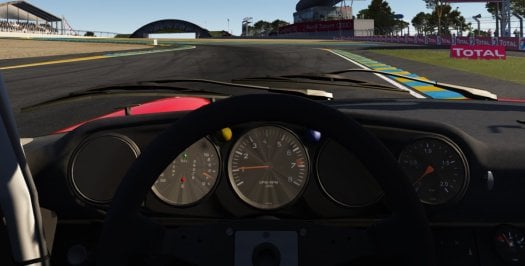
At the Le Mans 1982 track, at the end of the Mulsanne straight, some cars fly off the track, can this be somehow corrected? As i understand it, the problem is in aerodynamics or suspension?
20231013204129_1.jpg
 
X90
Does anyone outside of Japan know how to buy Maneking's SUGO and Fuji? I drove his free Fuji for the first time today and had a good time - it's quite close to the Reboot team version in road quality, has excellent visuals and the AI might be better, even. I'm willing to throw a few coins down for the paid versions he has.
I'm fine with using PayPal, but it looks like he's using a Japanese equivalent of Patreon and they don't take PayPal or anything that I recognize, other than Visa/Mastercard. I'm not really willing to just blindly post my credit card info on a website I can't read.

Is he on here? If so, I'd be happy to just send the $3 PayPal F&F that's equivalent to the "monthly subscription" (if Google Translate is to be believed) to snag the paid versions. The "no PayPal" is a big problem for me when it comes to international purchases.

Thanks in advance.
As an update to this, I found out he has an RD account, and his tracks were even posted there for a while before being removed (probably some dumb RD rule). I've reached out to him via PM through there, and am awaiting a response.
 
just found more info online and I believe an all Black Alpha channel is missing, but I am still not 100% sure on what has to be ben to make it work. Would it be something like the below? Should the alpha channel be 100% for opacity? and when I save the file, which DDS format should I choose? I tried saving it with alpha channel set to opacity 100% using R8B8G8 format but no luck..... I also tried opacity 25%, masked areas in the channels options..... Would anyone mind to tell me what is missing? Appreciate it!
View attachment 1295055
Ok I think I got, it needs to be saved as A8R8B8G8.....
 
Last edited:
__custom_showroom_1697221131.jpg

Released : Nissan R391 LM Spec “99
Author:
3D Model: Turn 10
3D Model Wheels :Slightly Mad Studios
3D Moddeling LM Car: F302
Physic: Peugeot905
Sound: Kunos (Toyota TS040) Placeholder
Skins: F302
hope u enjoy the Car
ps : send feedback ,bugs ,missing things

tested on CSP 0.1.80-preview115
PP filer GT Sport 1.4

have fun!

To install, move folders to "...\SteamApps\common\assettocorsa" or simply
drag'n'drop archive to Content Manager.
Download:
https://www.mediafire.com/file/t13g6l0rxwf8jsj/f302_nissan_r391_lm.zip/file
 
Added a 80s version of the new vintage gloves and suites:

or here:
thanks, but for me windows defender detects a virus. I suppose it's false positive?
 
Last edited:
if anyone is able to identify these 2 logo's that would make my day, i have spent countless hours trying to figure all the logo's on this as there are not many pics to go by and even less high quality ones. these 2 logo's are the only 2 left i cant quite identify

thanks

all found now thankyou :)
Screenshot (232).png
Screenshot (233).png
 
Last edited:
Any reason why I'm loosing the background with ther CSP preview render?

Without CSP preview render
1697239431928.png


With it
1697239452019.png


Also with CSP preview render enable, the picture has more light into it
 
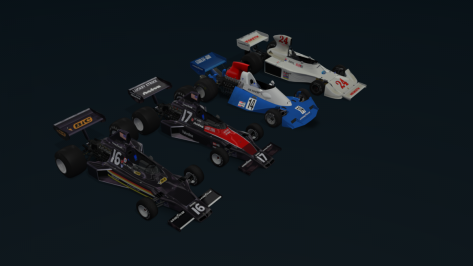
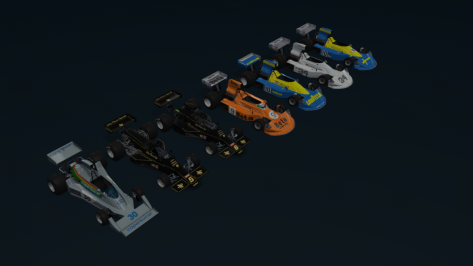
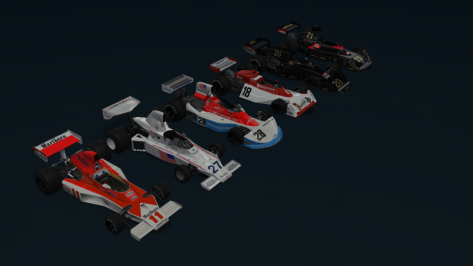
In the second race of the "Team Fittipaldi Career Mode - 1976" new skins added and new cars adapted.
As in the first season (1975), I'm adjusting and adapting "race by race", I hope to be able to share here on the forum (at least the new skins and adapted cars), which are not part of the original mod (to avoid any problems).

The adapted cars, whenever possible (for now) are being improved in their "textures" by our friend "MrHunt", but some others from 1981/1980/1979/1978 have already been improved by our other mate "F1PlloteJV.Some other cars from 1977 (I've already adapted them but the improvements are missing, in this case, 2 versions of the Copersucar FD04, 2 versions of the Copersucar F5 and the Brabham BT45B version.

For now from 1950 to 1975 (everything finished, with what we already had, which is constantly available and what has already been converted/adapted, the exception is 1968/1969 where there are still cars to be made/adapted).

I would like to share it (I don't intend to stock it just for myself), but everyone knows why it can't be shared publicly.I don't want any problems on my side, no intrigues and problems that could further harm my health, I'm not a "development studio" employee. I just convert/adapt/modify, in a simple way (not complete, not always the most effective and 100% perfect), but which in the end brings us moments of fun.

But anyone interested will certainly know how to get it.

TvCam ( Copersucar FD04 ) - Kyalami

TvCam ( highlights ) - Kyalami

Below are some prints of the new skins and cars used in these two 1976 races.
 

Attachments

  • __custom_showroom_1697247570.png
    __custom_showroom_1697247570.png
    54.6 KB · Views: 43
  • __custom_showroom_1697247738.png
    __custom_showroom_1697247738.png
    54.2 KB · Views: 43
  • __custom_showroom_1697247885.png
    __custom_showroom_1697247885.png
    68.5 KB · Views: 41
if anyone is able to identify these 2 logo's that would make my day, i have spent countless hours trying to figure all the logo's on this as there are not many pics to go by and even less high quality ones. these 2 logo's are the only 2 left i cant quite identify

thanks
View attachment 1295106View attachment 1295107
Hi @maximeerkat , the first logo is IPOKRAT
download (1).png

And the second one is Brainvest Wealth Management

download2.png

Here's clearer picture
LPRacing2023_MaseratiGT2_FINAL_Studio_6.png
 
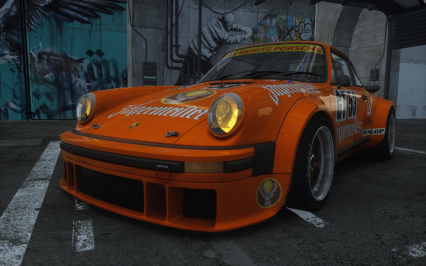
Since nothing new came up, time to release v1.3 to the public. :)

Screenshot_pfa_porsche_934t_rsr_rr_rmi_nfs_workshop_13-9-123-15-23-44.png

Code:
Version 1.3 by Pfalzdriver
- Fixes (maps/shaders/textures) and further updates of the extension

Download at GTPlanet or Sharemods

It still has no refracting headlights tho. Yesterday I've tried for hours to implement them good looking, the second part was the one which didnt came out nicely.
 
Last edited:
.
I bought CSL STEERING WHEEL R330 V2
Since there were only Formula 2.5 & 2.5X and McLaren GT3 V2
I bought it because I wanted a circular steering wheel.View attachment 1295062
I do have a, maybe for some race-simmers a simple https://tweakers.net/pricewatch/478...-wheel-alcantara-edition-zwart/specificaties/
As an beginning classic car race simmer with a limited budget, I was also concerned by this modernist flattened steering wheel, but I can tell you in VR this flattened is a nice extra.
 
Last edited:
Sharing a mod? Host it on GTPlanet Downloads. Free, public hosting for files up to 10GB in size.
Back